
Relying on social platforms to make money from your videos can feel unpredictable. One change to the algorithm can shift your reach, engagement, and revenue overnight.
That’s why choosing the best platform for selling videos online matters. The right platform gives you more control over how you monetize your content and helps create more consistent, reliable revenue over time.
For example, AdjusterTV Plus moved from YouTube to Uscreen and grew its revenue by over 400% by shifting to subscriptions and building a more engaged member experience.
Whether you’re launching a new video service or looking to take more control over your existing video revenue, these platforms offer a variety of content types and digital content monetization strategies, making it easy to find the right solution for your goals.
| Platform | Best for | Ways to sell videos | Key features |
| Uscreen | Community-based video memberships |
|
|
| Vimeo Streaming (formerly Vimeo OTT) | Filmmakers, indie creators |
|
|
| Brightcove | Enterprise video businesses |
|
|
| Dacast | Broadcasters / live events |
|
|
| Muvi | OTT app creators |
|
|
| Patreon | Emerging independent creators |
|
|
| Thinkific | Course creators and educators |
|
|
1. Uscreen
Best for: Community-based video memberships
G2 rating: 4.7/5
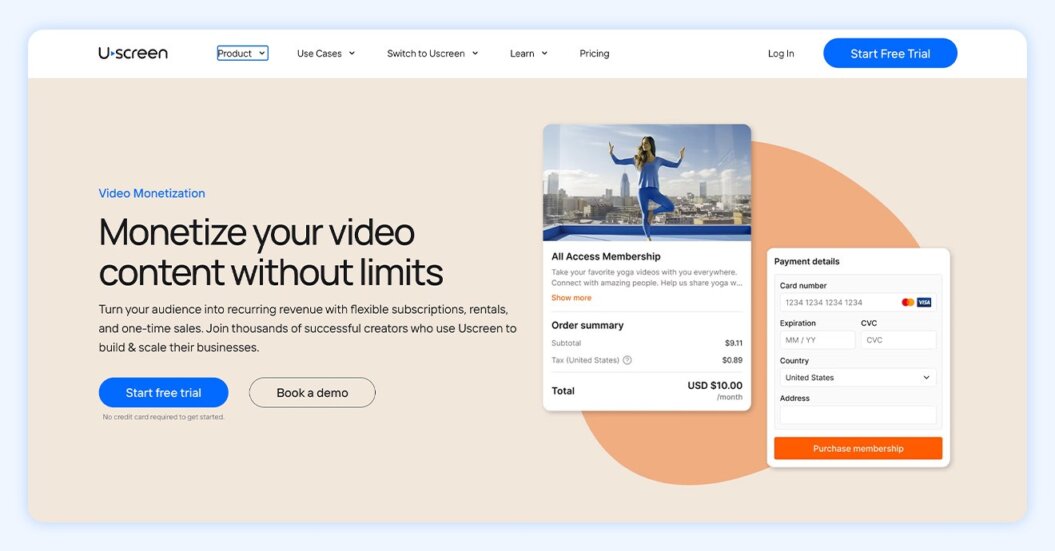
Uscreen helps creators launch premium subscription services with flexible monetization options. Community engagement tools and branded apps keep audiences coming back month after month, making it an ideal platform for creators with existing audiences who want to grow recurring revenue and engage their community.
Uscreen pros
- Flexible monetization: Offer membership subscriptions, video on demand, rentals, live streaming, and community membership.
- Branded apps: Uscreen can help you launch a branded Netflix-style app in 30 to 45 days. Creators with apps see 1.6 times more annual subscriptions than those who don’t offer apps.
- Emphasis on retention: An emphasis on member retention through community engagement and mobile/TV apps keeps your members subscribed and improves your recurring revenue. Members who use apps have up to 25% more watch time than those who don’t.
- Best-in-class user experience: Uscreen’s video catalog is inspired by Netflix and helps users easily find, pay for, and watch the videos they’re most interested in (or provide them full access with a subscription).
Uscreen cons
- Best with an existing audience: If you don’t already have an audience that’s willing to pay for your content, Uscreen might be too advanced, as it’s not designed for creators just starting out with monetization.
- Higher initial price point to start: For newer creators without a large audience, Uscreen’s monthly fees and per-subscriber costs can feel a bit high.
- Limited customization: Some reviewers find that Uscreen’s customization options for websites and emails aren’t as extensive as other platforms.
Pricing
| Feature | Starter | Growth | App Essentials | Custom |
| Monthly cost (paid annually) | $49 (monthly only) | $149 | $449 | Custom |
| Live streaming | 1 free hour | 1 free hour | 1 free hour | Custom |
| Video storage | 20 hours | 100 hours | 100 hours | Custom |
| Mobile apps | None | None | 2 included | Custom |
| Support | Email, chat | Email, chat | Email, chat, migration support | Email, chat, migration support, end user support |
| One-on-one onboarding calls | None | 1 | 3 | Unlimited |
A Uscreen example
Leah Maselli built Pilates by Leah on a platform that worked at first, but as her business grew, it started to limit how she priced, structured, and scaled her content.

After switching to Uscreen, she gained more control over her business and launched both a web platform and branded mobile apps to better serve her audience.
That shift led to 90% revenue growth and over $28,000 in monthly recurring revenue, driven by more flexible monetization and a stronger member experience.
Another example is Filmmakers Academy, which migrated from Vimeo and scaled its membership by 180% with Uscreen!
Review
We host our GVAA On-Demand training library on Uscreen and have been really happy with it. Clean interface, reliable video delivery, and it makes managing a subscription library surprisingly easy on the backend. It lets us focus on creating great training instead of worrying about the tech. Thumbs up from us 👍
David R., Verified G2 Reviewer
Watch our quick platform demo to see how Uscreen can help you monetize your videos and grow your audience.
2. Vimeo OTT (Vimeo Streaming)
Best for: Filmmakers, indie creators
G2 rating: 4.3/5
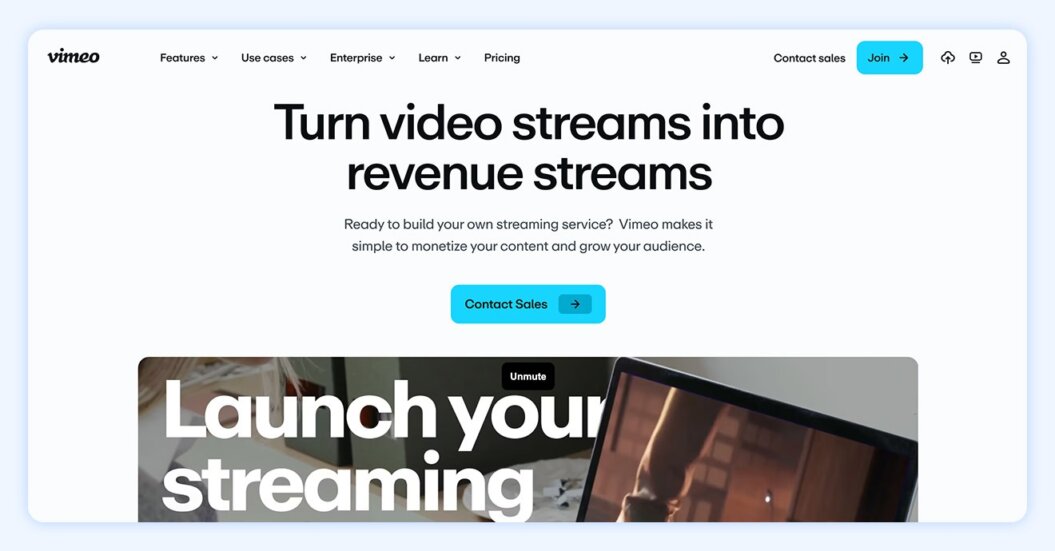
Vimeo is one of the biggest platforms outside of YouTube for sharing videos online, but it provides more monetization options through its over-the-top (OTT) platform. Creators can opt for subscription-based memberships, video-on-demand streaming, advertising, or free options on many different platforms.
Typically, Vimeo pricing ranges from a free plan with basic features to higher-tier plans that unlock more advanced hosting, customization, and monetization tools.
We’ve broken down the differences between YouTube and Vimeo in a detailed article if you’re looking to compare the platforms.
Vimeo OTT pros
- Simple user interface: Reviewers like Vimeo Streaming’s easy-to-use interface for uploading and distributing content.
- Branded apps: Uscreen data shows that creators with branded apps see 15% less monthly churn than those without, and Vimeo powers over 3,100+ branded apps.
- Free plan: You’ll get limited video storage and options, but you can start building your OTT service with Vimeo’s free plan to try it out.
- Native live streaming: No need to integrate with Zoom or another service; Vimeo has built-in live streaming on higher-level plans.
Vimeo OTT cons
- Limited marketing functionality: You’ll get basic marketing functions and integrations with other services, but miss out on things like built-in upsells and giveaway funnels.
- Limited support options: Both of Vimeo’s plans include email support, but only Enterprise customers get phone support and live chat support for their live events.
- Few built-in community features: Vimeo Streaming’s site builder includes an old-school forum, but if you want modern community engagement features like challenges or welcome workflows, you’ll need to look for Vimeo alternatives.
Pricing
| Feature | Starter | Enterprise |
| Monthly cost (paid annually) | $1 | Custom |
| Storage | 100GB | Custom |
| Branded video player | No | Yes |
| Audience chat during live events | No | Yes |
| Marketing integrations | No | Yes |
| Interactive video | No | Yes |
A Vimeo Streaming example
ClayShare, an online pottery studio, originally ran its membership on Vimeo OTT, using it to host a large library of classes and workshops built over nearly a decade.
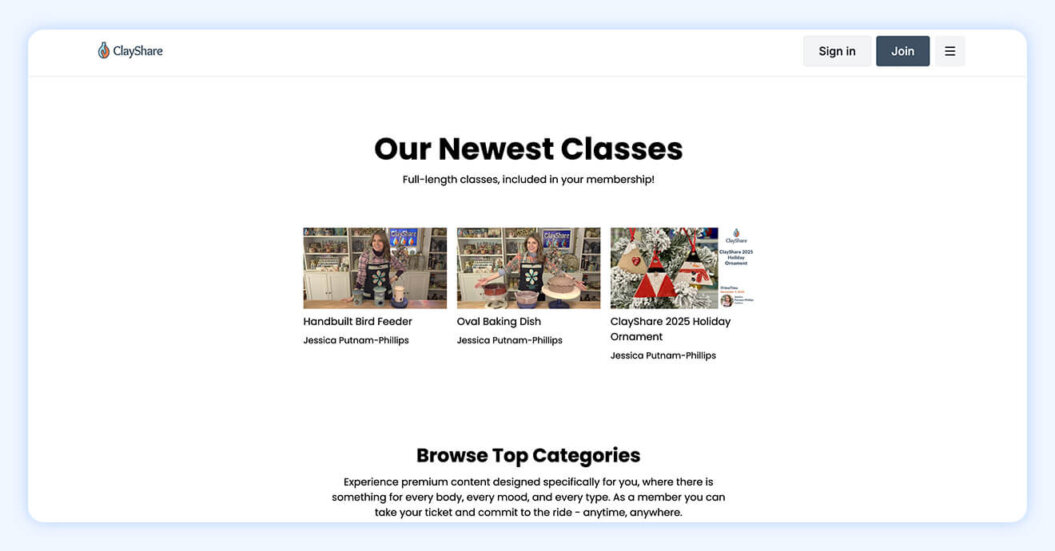
As their community grew, they migrated to Uscreen to bring everything into one place and create a more connected experience for their members.
Today, powered by Uscreen, ClayShare has over 4,000 members and $26,000+ in monthly recurring revenue, supported by a unified platform that combines video content, community, and live experiences.
Reviews
I like the upgraded review tools that allow time-coded feedback and easier version tracking. AI powered translation and subtitles help reach a global audience more effectively. Interactive features like quizzes make learning and training videos more engaging. Mobile bulk upload and management features make the workflow faster and more convenient.
Mervin V., Verified G2 Reviewer
3. Brightcove
Best for: Enterprise video businesses
G2 rating: 4/5
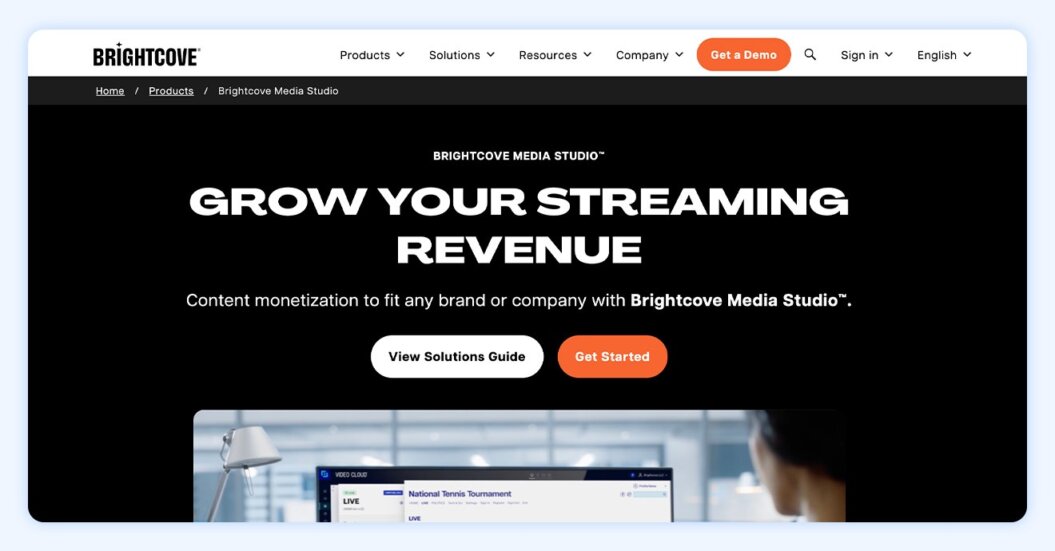
Brightcove is a back-end streaming solution that lets enterprise-level businesses create, share, and monetize branded content. If you need in-depth analytics, global live streaming, content security, and extensive video marketing tools that you won’t find elsewhere, this might be a good option for your business.
If Brightcove sounds like a solution you might explore, make sure to compare it against Brightcove competitors to find the right fit for your brand.
Brightcove pros
- Interactive video: Brightcove has native support for creating interactive video, which can be a big differentiator for selling videos online.
- Industry-leading analytics: If you sell videos with Brightcove, you’ll get insights on your content, audience, engagement, ads, and more.
- Flexible monetization: Brightcove has native support for advertising, multi-tier subscription, and transactional monetization, as well as hybrid options.
- Multiple products to fit your needs: With several different products — including Media Studio, Communications Studio, Marketing Studio, Zencoder, and more — you can find the right combination for your enterprise.
Brightcove cons
- Overkill for most creators: 250 companies listed in the Fortune 1,000 use Brightcove. If your business isn’t at that level, Brightcove will almost certainly be overkill.
- No all-in-one solution: The ability to choose the right combination of products is good for global enterprises, but most creators will find that this just adds unnecessary cost to get access to the features you need.
- No site builder: Brightcove is designed to be integrated into your already-existing website, and if you’re looking for help building a website, you’re out of luck.
Pricing
Brightcove doesn’t provide any pricing information on its website, but according to research conducted by Dubb, you’ll probably be looking at $199/month at a minimum, with a $500/month plan being the next step up.
A Brightcove example
You can find examples of many different features in the Brightcove support documentation, but this interactive video from Under Armour shows off one of the platform’s most interesting features: interactive add-to-cart pop-ups directly in embedded video, making this a shoppable online video platform:

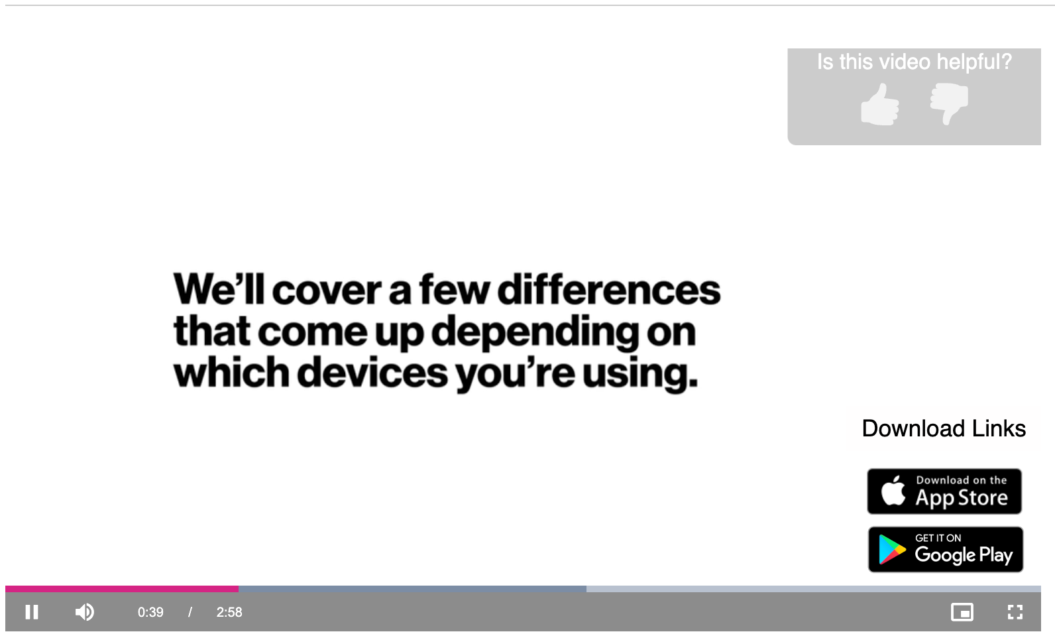
A second example of interactive video shows how Verizon uses this feature, with an “Is this video helpful?” pop-up and links directly to Apple and Google app stores to download the app being discussed in the video:t interesting features: interactive add-to-cart pop-ups directly in embedded video, making this a shoppable video platform:
Reviews
We run our entire daily live broadcast through BC, along with our OTT platform for our VOD content. I love the UI of the admin site – it feels like true broadcasting software versus a web-based platform.
In addition to the UI, I greatly appreciate the relationship I’ve created with our Account Managers. They have been a great asset in ensuring the overall relationship between FreightWaves and Brightcove stays positive.
Verified G2 Review
4. Dacast
Best for: Broadcasters / live events
G2 rating: 4.3/5
Like Brightcove, Dacast is a popular platform for hosting and distributing videos, especially among businesses that already have their own website (or want to build one on another platform). You won’t get many site-building or customization options, but it is a solid choice for sharing high-quality video around the world.
For more details on Dacast, check out our Dacast vs. Vimeo breakdown.
Dacast pros
- Content management system: Dacast’s back-end content management system lets you organize your content and stream live and recorded video through unlimited channels on your site.
- Streaming to China: Many platforms have restrictions on streaming in China, but not Dacast’s Chinese content delivery networks (though it’s worth doing some research about content restrictions if you’re planning on streaming in China).
- Overage protection: Dacast plans come with a streaming bandwidth limit, but you can set up overage protection to automatically pay the overage charges without disrupting your streams.
- Unlimited viewers: Every paid plan supports unlimited concurrent viewers of your videos.
Dacast cons
- Limited monetization options: Dacast lets you offer subscriptions, video-on-demand (VOD), and advertising. This will cover many people’s needs, but it leaves out things like bundling and rentals that you can find on other platforms for selling videos online.
- No site building capabilities: If you don’t already have a website, you’ll need to build one elsewhere and embed your Dacast videos.
- No community interaction: While your audience members can chat during a live stream, there’s no further community interaction built into the platform, so to maximize retention you’ll need to build that in your own website.
Pricing
| Plan | Starter | Event | Scale | Custom |
| Monthly cost (paid annually) | $39 | $63 | $165 | Custom |
| Bandwidth | 2.4TB | 6TB | 24TB | Custom |
| Storage | 500GB | 250GB | 2,000GB | Custom |
| Paywall Add-on | Yes | Yes | Yes | |
| Advertising Add-on | Yes | Yes | Yes | |
| Support | 24/7 support | 24/7 support | 24/7 support | 24/7 support with phone |
A Dacast example
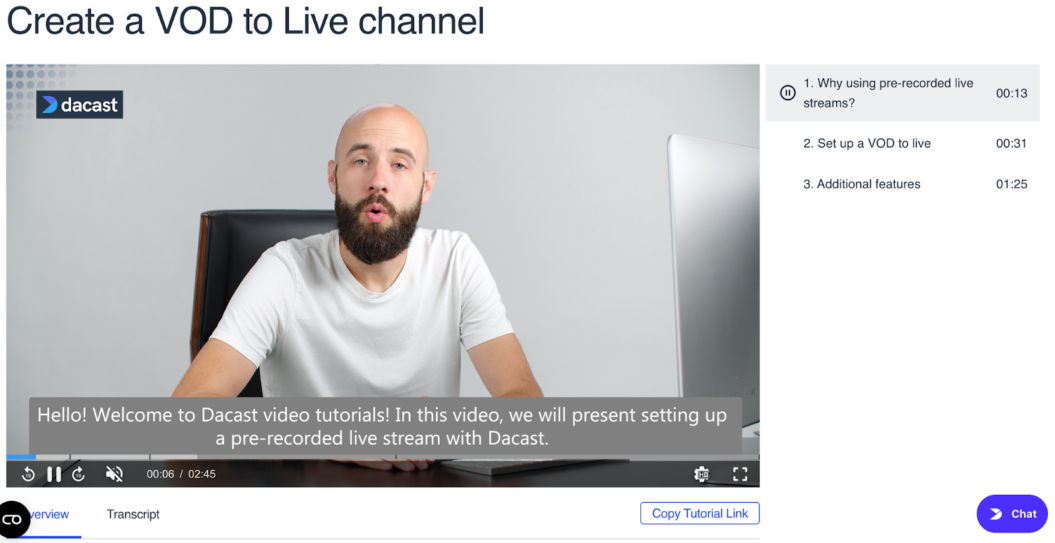
Because Dacast is a back-end technology, it’s hard to find clear examples, but you can get a feel for the video player in Dacast’s knowledge base. Here’s an example of what a multi-chapter video looks like in action:
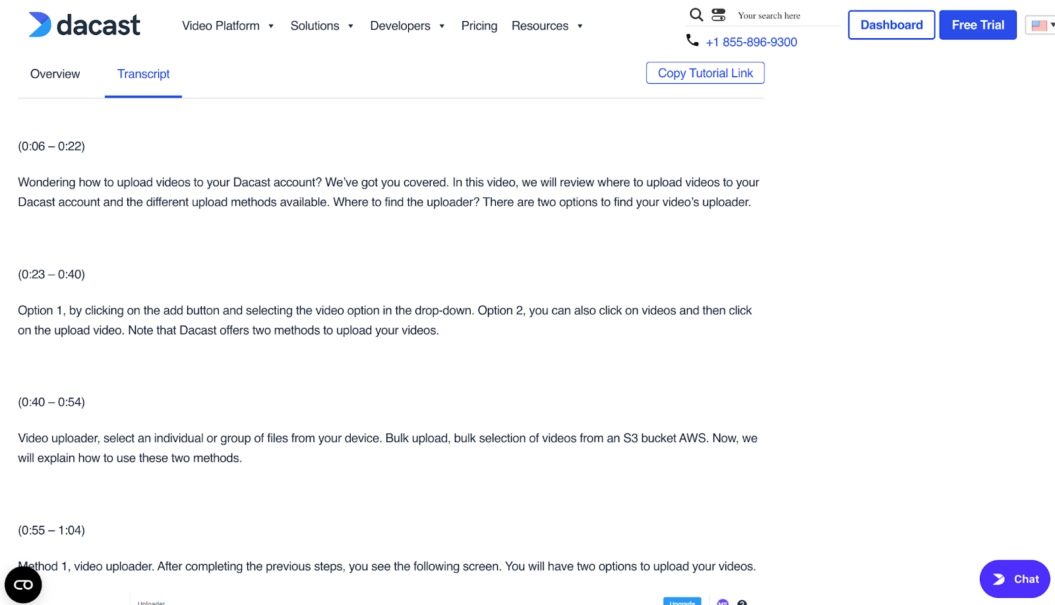
In addition to exploring the video player, you can also use the tutorial videos to check out settings and see a few features in action, like Dacast’s presentation of transcripts:
Reviews
[Dacast offers] great tech support and strong streaming, and it’s clear the team genuinely cares — something rare among most streaming providers I’ve used. [My only issue was that] they don’t handle encoding, so to offer multiple bitrates for different devices and connection speeds, I had to send one large original stream myself, which reduced quality and sometimes caused buffering when transmitting the higher-bandwidth feed.
Steve R., Verified Review
5. Muvi
Best for: OTT app creators
G2 rating: 4.6/5
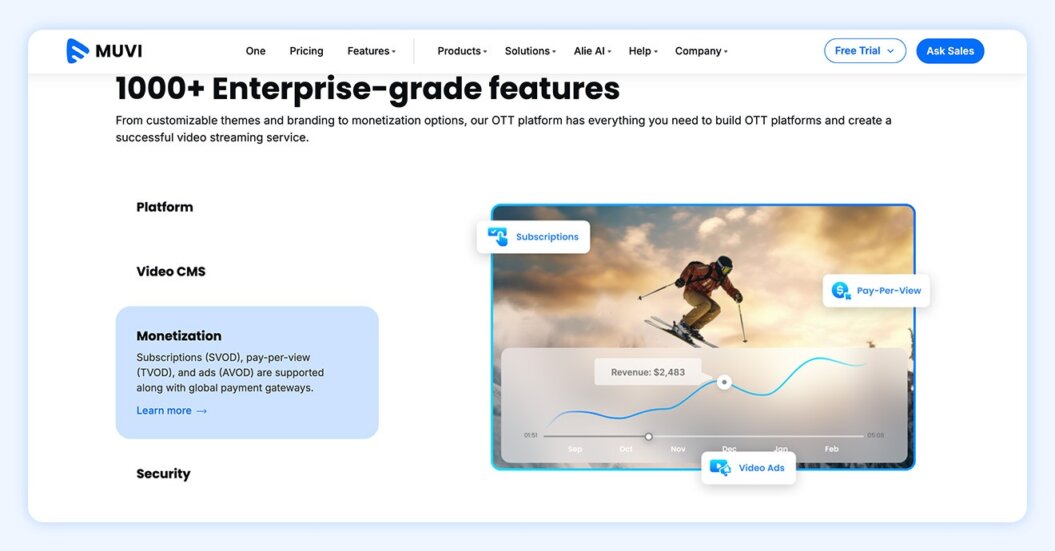
Muvi offers a variety of services to businesses looking to sell videos online, including an all-in-one platform solution called Muvi One. One of Muvi’s standout features is the large number of apps you can create through the platform without extensive technical knowledge.
If you’re looking for a more intuitive experience or deeper customization outside of its templates, it may be worth exploring some Muvi alternatives.
Muvi pros
- Apps on many platforms: In addition to iOS and Android apps, you can create apps for Roku, Amazon, Samsung, LG, Windows, Xbox, Mac, and other platforms.
- Add-ons to expand functionality: If you want your users to be able to upload videos or to use Muvi’s learning management system extension, you can add them for a monthly fee.
- Built-in recommendation engine: Most plans include access to the Alie recommendation engine, which suggests content for users to watch based on their previous activity.
- Powerful customization: On higher-level plans, you can customize Muvi’s offerings and have those tweaks deployed in a month or less.
Muvi cons
- Significant investment: Muvi One is built with established businesses (or those with a solid amount of cash right out of the gate) in mind. You only get access to the full suite of features once you get to the Professional plan at $1,274 per month.
- Learning curve: Some reviewers find it difficult to use Muvi’s interface to create and manage their platforms, and not everyone is happy with the response they got from customer support.
- Limited customization: Multiple reviewers commented on the small number of website templates available on Muvi. And while you can work with the Muvi team to further customize the product, it takes time and further cost.
Pricing
Note: This is pricing specifically for Muvi One; if you’re interested in other products, be sure to visit Muvi’s site to get the details.
| Standard | Professional | Enterprise | Ultimate | |
| Monthly cost (paid annually) | $339 | $1,274 | $3,315 | Custom |
| Extra cost per app per month (paid annually) | $254 | $424 | $424 | Custom |
| Hosting (monthly) | 100GB bandwidth, 100GB storage, 20GB encoding | 500GB bandwidth, 500GB storage, 100GB encoding | 1TB bandwidth, 1TB storage, 200GB encoding | 2GB bandwidth, 2TB storage, 400GB encoding |
| Apps available | iOS, Android | iOS, Android, Android TV, Apple TV, Roku TV, Fire TV, Samsung TV, LG TV, Windows, Mac, Xbox, Apple Vision Pro, Astro | iOS, Android, Android TV, Apple TV, Roku TV, Fire TV, Samsung TV, LG TV, Windows, Mac, Xbox, Apple Vision Pro, Astro | iOS, Android, Android TV, Apple TV, Roku TV, Fire TV, Samsung TV, LG TV, Windows, Mac, Xbox, Apple Vision Pro, Astro |
| Support plan | Basic | Basic | Basic, Priority available | Basic, Priority available, VIP available |
| Designated account manager | No | No | Yes | Yes |
A Muvi example
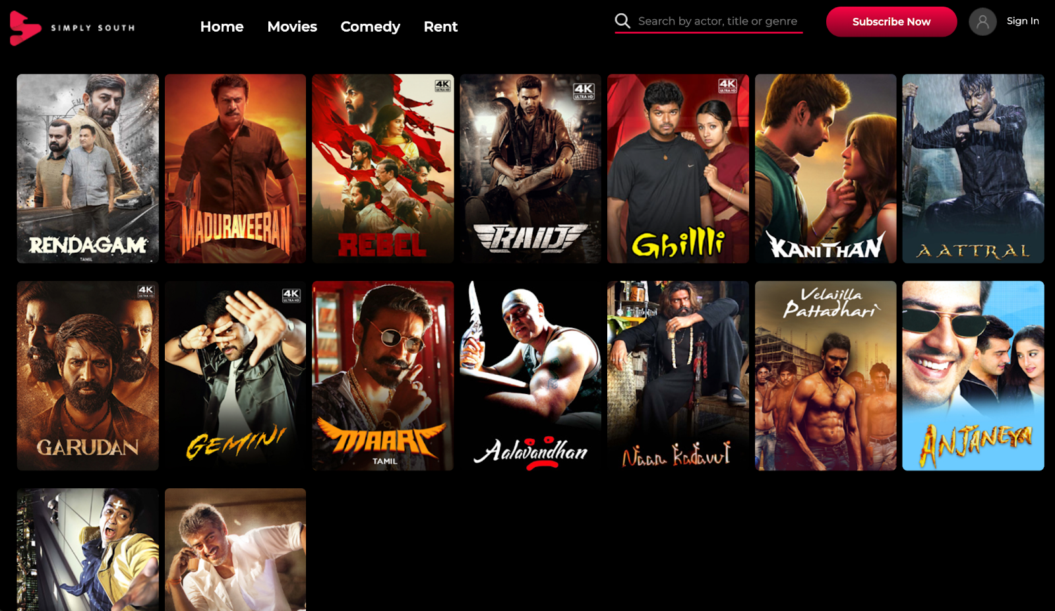
Simply South is a great example of what Muvi can do for creators looking to build a Netflix-like streaming service that offers both subscription access and single-video rentals. Here you can see the catalog page’s easy organization and visual appeal:
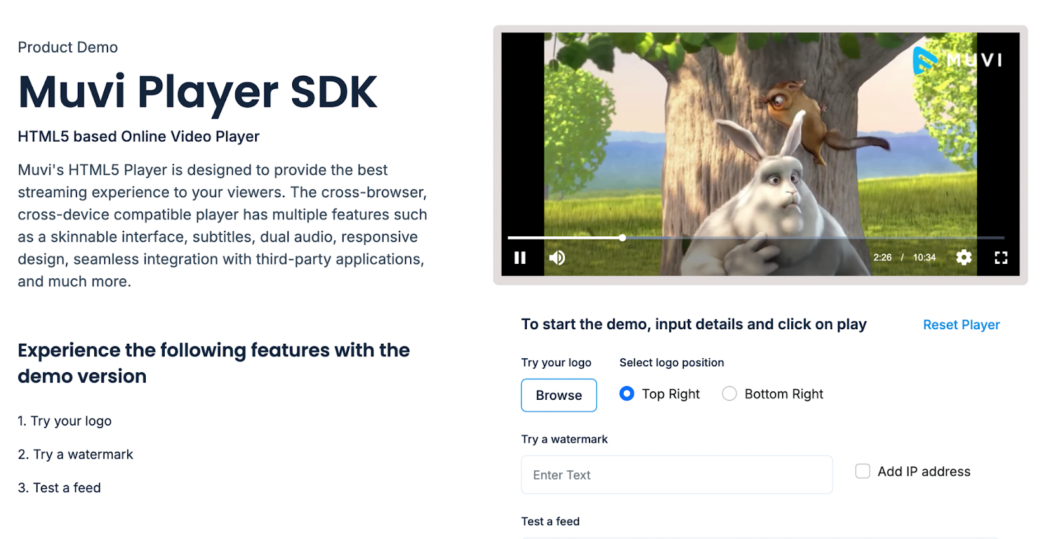
If you want to see the Muvi video player in action, check out the Muvi demo page to see a video play and test out some different light customization options:
Reviews
Muvi is the best & a highly recommended OTT solution amongst all competitors in the market we have tried so far. It offers a lot of features in one place and has a very professional, robust & co-operative team. Easy to work with & has been the most a solution to all our OTT needs for website, mobile apps and TV apps.
Jason N., Verified Review
6. Patreon
Best for: Independent creators
G2 rating: 4.1/5
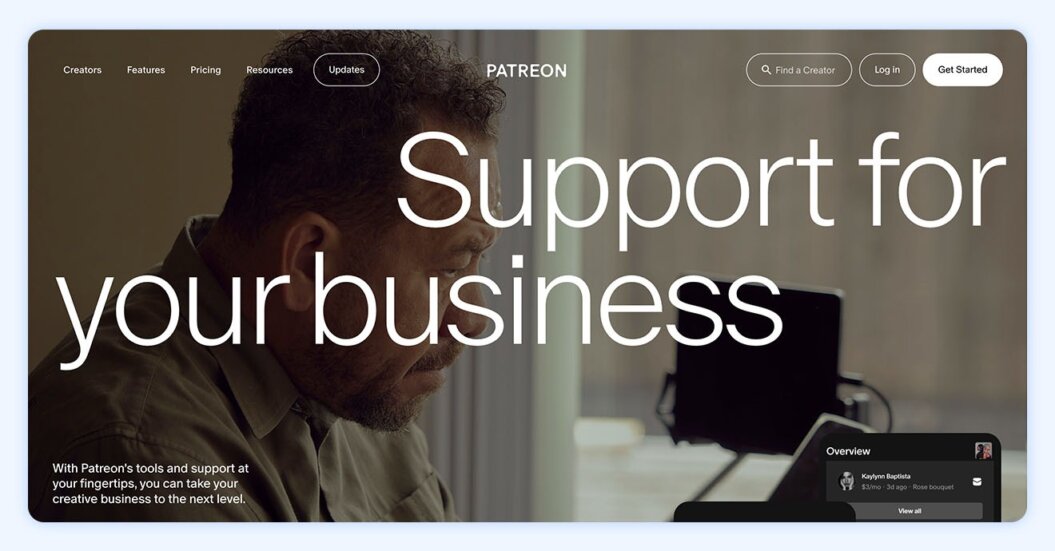
Patreon connects creators directly with their audiences to sell videos and build community. If you want to distribute content regularly but aren’t concerned about building a big catalog of videos to monetize without ads or using advanced community features for retention, Patreon can be a way to build your platform quickly.
Patreon is an interesting platform and feels very different from the others on this list. To decide if Patreon is worth it for your brand, compare its features against your goals.
You can also check out our guide on Patreon alternatives.
Patreon pros
- Name recognition: Patreon is a very popular platform, and if you tell your audience members that they can support you there, many of them will already understand how it works.
- No monthly fees: Instead of monthly fees, you pay a percentage of your earnings to Patreon (see below for pricing details).
- Simple model: You publish the videos you want to sell, and your members receive them. Add some basic community features, and you have a Patreon.
- Online store: In addition to your monthly subscriptions, you can also sell digital products through your own Patreon store.
Patreon cons
- Not video–focused: While many Patreon creators sell videos, the platform is built to be more flexible and appeal to podcasters, makers, and more, so you’ll miss out on some video features like native live streaming.
- Limited monetization options: You can offer subscriptions and run an online store, and that’s about it — rentals, bundling, and paid community membership aren’t available.
- No site customization: While you may be able to make small tweaks, you won’t be building your own site like you would on other video monetization platforms. You’re stuck with Patreon’s current creator page.
Pricing
Patreon has a new standard plan plus three legacy plans available to those who published sites before August 4, 2025:
- The standard plan has you pay 10% of the income you earn to the platform, and monthly and annual subscriptions, membership tiers, and automated growth tools.
- The Founders plan has you pay 5% of the income you earn to the platform and is only available to creators who haven’t changed their plan or currency since before May 7, 2019.
- The Pro plan has you pay 8% of the income you earn to the platform and includes core Patreon tools, but it’s unavailable for new creators after August 4, 2025.
- The Pro + Merch plan has you pay 11% of the income you earn to the platform and includes full Merch fulfillment. It’s also unavailable to new creators after August 4, 2025.
If you want to sell digital products, you’ll also pay 5% of your monthly sales earnings to Patreon.
A Patreon example
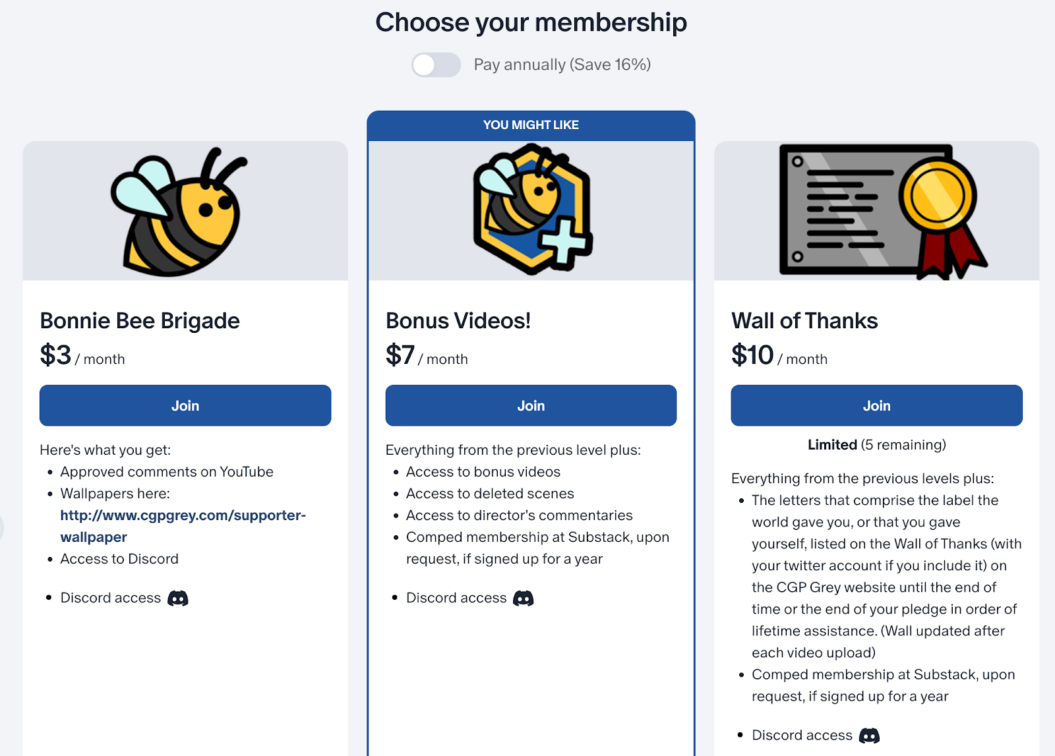
CGP Grey is a popular YouTuber who maintains a Patreon presence. One interesting thing about CGP Grey’s Patreon is that it offers access to a members-only Discord. This is a way around Patreon’s limited community features, but requires coordination between multiple platforms. Here’s a look at how Patreon displays membership options:
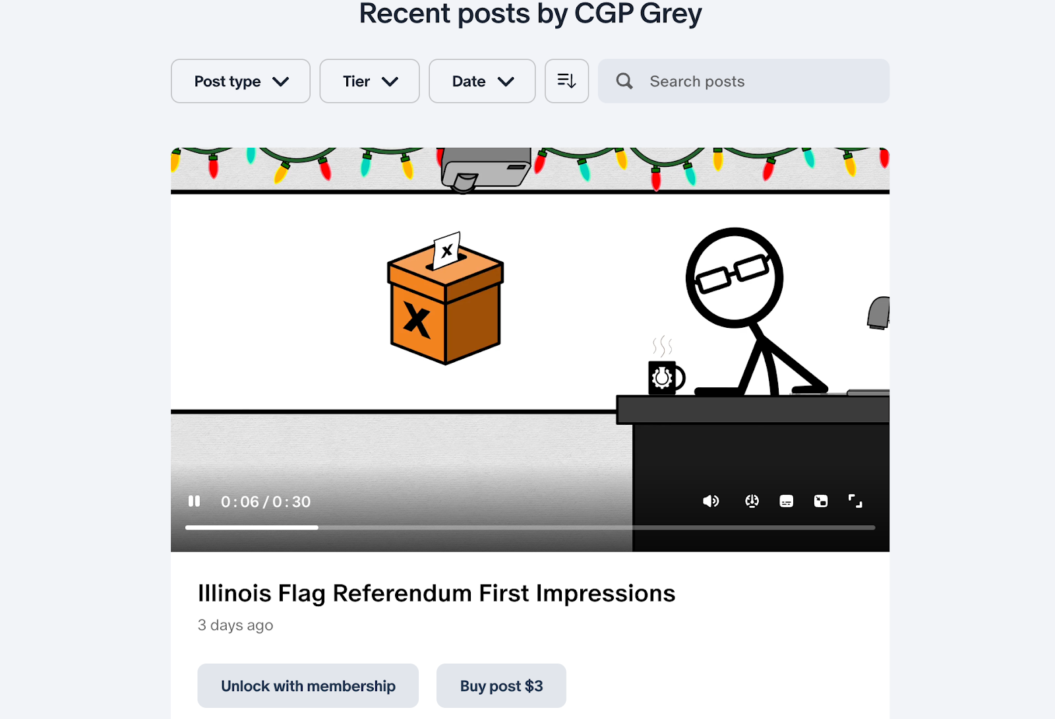
You can also get an idea of Patreon’s video experience with a limited preview of CGP Grey’s videos in the feed:
Reviews
Patreon is an awesome way to connect with your customers and make them feel like they’re part of a special community. We’ve done so many great things through Patreon – book clubs, special Zoom events, discount codes. With Patreon, it’s easy to really foster a great connection [but] I don’t love the comment system on Patreon. I feel like I miss things sometimes. I’m not sure how to make that better though – it’s really like posting on a blog post now, as opposed to something more social-media-like?
Brittany W., Verified G2 Review
7. Thinkific
Best for: Course creators and educators
G2 rating: 4.5/5
If you’re specifically looking to sell content online in the format of a course or educational product, Thinkific is a great choice. As one of the top online course platforms, it has lots of features that cater to educational creators.
If you want to compare Kajabi vs. Thinkific, decide if built-in marketing tools or optimization tools for educational courses are more important.
There are also Thinkific alternatives with comparable features if the pricing or features don’t work for your team.
Thinkific pros
- Course builder: With course templates, AI-assisted course building, and a drag-and-drop course builder, you can start turning your videos into online courses in no time.
- Online learning features: Assignments, quizzes, compliance tools, and integration with Brillium Exams let you offer a high-quality learning environment remotely.
- Mobile learning app: Thinkific’s mobile app lets students access your courses while they’re on the go. Branded apps are also available.
- Support for coaching: Built-in support for coaching and webinars makes it easy to sell these products to your audience.
Thinkific cons
- Primarily for educators: While Thinkific does offer downloads and memberships, it’s built largely for selling content online, like courses and other educational products, which won’t suit all creators.
- Limited community features: Depending on the plan you choose, you’ll have limited communities and community spaces, which could get in the way of audience engagement.
- Learning curve: Many reviewers find that Thinkific is a bit hard to learn, and if you’re planning on using advanced features like SCORM compliance or the Brillium Exams integration, you should be ready to spend some time getting set up.
Pricing
| Feature | Basic | Start | Grow | Plus |
| Monthly cost (paid annually) | $36 | $74 | $149 | Custom |
| Communities | 1 | 1 | 3 | Unlimited |
| Spaces per community | 5 | 10 | 20 | Unlimited |
| Support | Email, chat | Email, chat | Phone, priority email | Dedicated success team |
| Advanced HTML/CSS editing | No | Yes | Yes | Yes |
| Randomized quiz question bank | No | No | Yes | Yes |
A Thinkific example
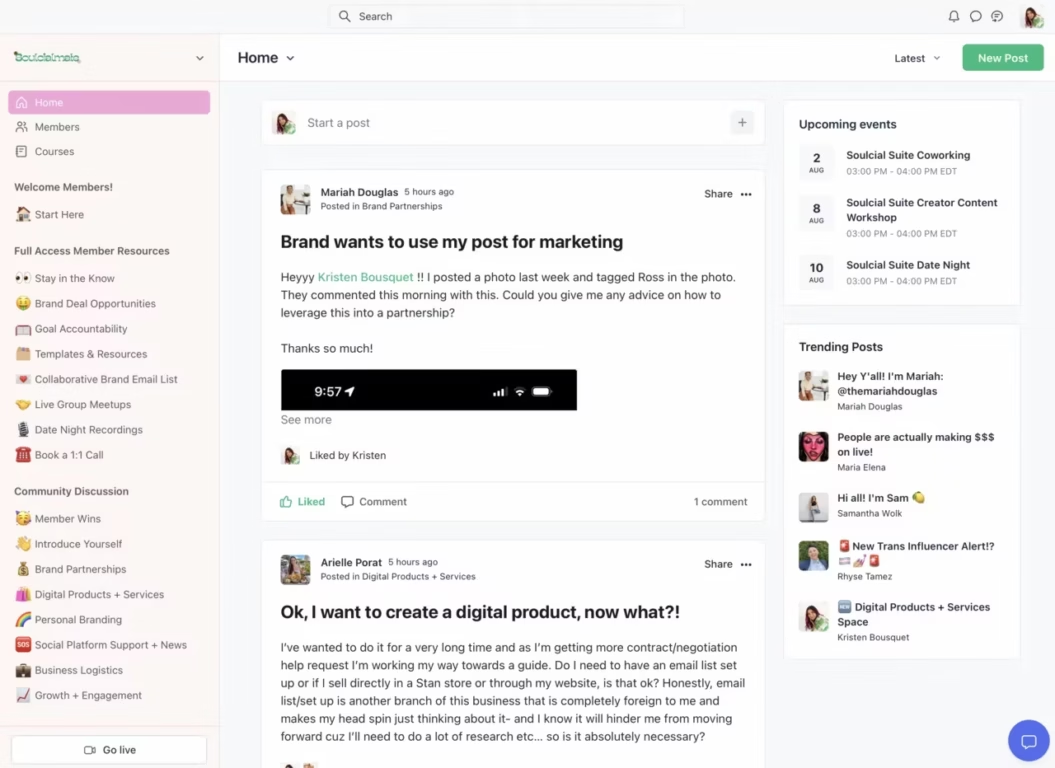
Kristen Bousquet’s Soulcialmate is a good example of what a multi-tier course setup looks like on Thinkific. She runs a membership program alongside two self-guided courses, with the membership alone bringing in $4,000+ per month from 150+ members. Here’s a look at how her membership content is organized for members:
Outside of the platform itself, creators like Kristen typically use social media to drive traffic to their courses. For her, TikTok live is one of her most consistent sources of new members:

Reviews
I use Thinkific for work projects for our clients, and I like that it’s very easy to use with many resources available to help along the way. I find it intuitive and simple for the user. I also appreciate the support we received for setting up the platform. The launch specialist was patient and provided all the information we needed in an easy-to-understand manner. The initial setup was relatively easy.
Shaleen K., Verified G2 Review
How to choose a platform for selling videos online
Now that you’ve seen how the best platforms for selling videos online compare, you might be wondering how to choose one. The best way to start is by examining your priorities and seeing which platforms align with them.
- If flexible monetization, robust community features, and recurring revenue are most important to you → Uscreen
- If you’re concerned about providing an educational experience that requires more interactive online learning tools like quizzes and assignments → Thinkific
- If you just want a simple way for fans to support your content → Patreon
Each platform has its strengths and use cases. Take some time to think about your top priorities and future growth plans, then compare a few platforms to see which can best help your business.
We’ll start with the most important step in choosing a platform for selling videos online:
1. Determine your priorities
Start by getting clear on what actually matters most to you. Is it user experience? Access to an audience or marketplace? A personalized video platform? Or integrations with the tools you already use?
Take a few minutes to map out 3-4 non-negotiables that will guide your decision. It’s worth spending a bit of extra time at this point in the process to make sure you know exactly what you’re looking for.
Here are a few core things you should look for in any OTT platform:
- Flexible monetization options (subscriptions, one-time purchases, or memberships)
- Strong audience ownership and control over your content
- Built-in tools to support growth, like analytics and marketing features
2. Create a shortlist of video selling platforms
Now that you’ve defined your priorities, start mapping them to real platforms in the market.
Look at what each platform is actually built for and quickly eliminate anything that doesn’t align. For example, if you need full branding and ownership, you can remove Patreon from the list early.
At this stage, don’t overanalyze features. Focus on fit. You’re just narrowing the field so you can spend time comparing the right options.
3. Dive deep into the details of each platform
Once you’ve narrowed down your options, it’s time to look at each platform in greater detail. You already know they offer the core features you care about, so now dig into what else matters for your business.
Look at things like:
- Membership support and onboarding help
- Tools for monetization and audience growth
- Video features that support your future plans (not just your current needs)
- Overall ease of use and workflow fit
This step might take the longest, as the feature lists for video monetization platforms can be quite long. But taking your time here means you’re much less likely to have regrets about the platform you’ve chosen.
If there are any platform demos you can take advantage of, now would be a great time.
4. Choose and start creating
After you decide where to sell videos online, the next step is to try it out yourself.
Sign up for a free trial or a membership, start uploading your videos, and launch your dream business into reality! If it doesn’t feel like the right fit, you can always switch to another platform.
Grow your community and earn recurring revenue with Uscreen
Choosing the best platform for selling videos online is important for creators interested in generating consistent revenue. The right platform should host your content while supporting features like community engagement and multiple revenue streams.
Uscreen delivers all of this and more, offering customizable websites, easy-to-create OTT platform apps, and a Netflix-style video catalog that keeps your audience engaged and coming back for more.

Video selling platform FAQ
The best platform to sell videos depends on where you are in your creator journey and what you need to grow. Ultimately, you want a platform that’s intuitive, feature-rich, and built to scale alongside your business, which is why many creators choose a solution like Uscreen.
Platforms like YouTube can pay well through ads, but their high view count requirements make income unpredictable. Focusing on creator‑owned revenue streams like memberships or subscriptions provides more reliable earnings.
Many creators maximize and diversify their revenue by combining both approaches.
The best approach depends on your content and goals. One-time purchases work well for evergreen content, like courses, tutorials, or special videos that provide value upfront — for example, a filmmaking masterclass or a cooking course.
Recurring memberships are ideal for ongoing content that pairs well with community access, such as fitness programs or weekly coaching, generating predictable revenue and increasing engagement.