You’ve got a loyal community online full of engaged members who love what you’re offering. The next step is to find a home for it where your paying members can connect with you, talk to each other, and enjoy your content from their smartphones.
Platforms like Passion.io make it easy for creators like you to create a branded app without a fuss, with lots of great community features. But, is it the right choice for your membership and your business growth?
We’ve combed through all the details on several Passion.io alternatives to present you with the 5 best options for building your digital community.
Is Passion.io right for you?
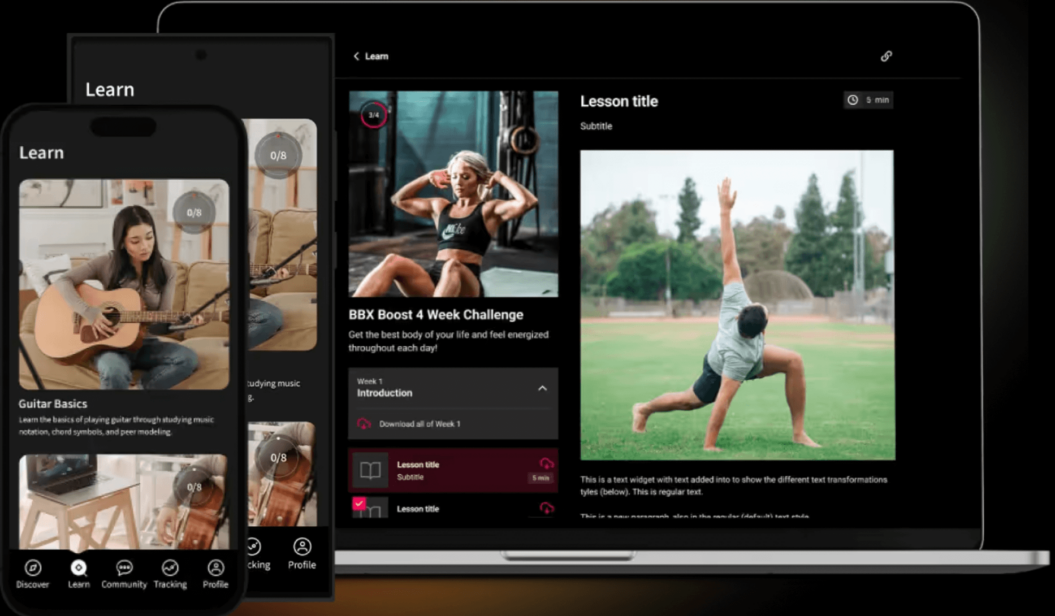
Passion.io is a no-code app creation platform that lets you create a white-label app for your online community. It includes support for building courses, community features to keep an engaged audience, live streaming, and more.
However, it has some notable drawbacks, too. What if you want to build your own website with sales and landing pages, community features, social profiles, or other digital products? These are just some examples of where Passion.io falls short. Let’s dive into these below.
First, it has a strong focus on mobile apps. The ability to offer mobile apps is important for a membership community – but you may want to have a more robust online experience available for your members.
Passion.io won’t help you much there (they do have the ability to build a web app, but the features are notably limited compared to other site builders).
Second, Passion.io is missing some important features – at least until you get to more expensive plans. For example, you don’t get chat support or the ability to remove Passion.io’s branding until you pay $239 per month.
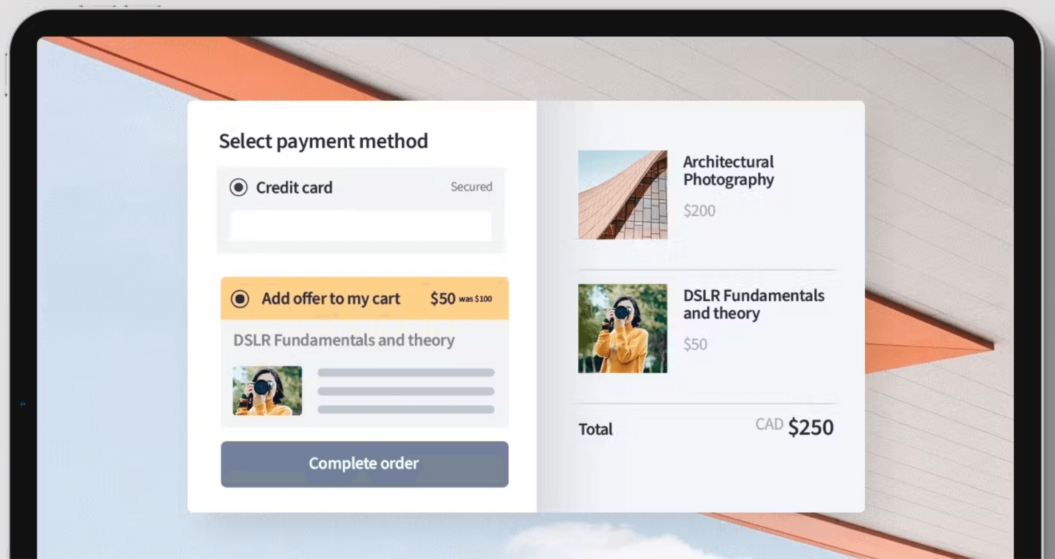
Even then, you don’t get important marketing tools like automated upselling (which can be very lucrative) and you can’t offer your members group subscriptions, gift cards, or rentals.
Finally, this app-building service starts at $119 per month, which is more than some competitors. And almost everyone will want at least the Scale plan, which costs $299 per month (or $239 billed annually). If you want your app listed on the app stores then you need to be on the Expand plan, which is $699 per month, unless you commit to an annual plan, which would work out at $599 per month.
All of this, combined with the mobile focus and lack of marketing tools, means you may be better off choosing another service to build your app.
So if Passion.io isn’t for you, which service should you use for your online membership community?
5 Best Passion.io alternatives
| Tool | Best for | G2 rating | Pricing |
| Uscreen | Building a video-focused community through a website and branded app. | 4.7 | Starter: $49/month Growth: $149/month + $1.99 per paid member/month.App Essentials: $449/month + $0.99 per paid member/month. Custom made: on request. |
| Mighty Networks | Making community connections around your educational content. | 4.6 | Courses: $109/month. Business: $189/month. Growth: $360/month. Mighty Pro: custom pricing. |
| Kajabi | Entrepreneurs who need an all-in-one solution for website building and selling digital products. | 4.3 | Kickstarter: $71/month. Basic: $143/month. Growth: $199/month. Pro: $399/month. |
| LearnWorlds | Creators with a strong focus on educational content. | 4.7 | Starter: $24/month. Pro Trainer: $79/month. Learning Center: $249/month. High Volume + Corporate: Custom pricing Add Mobile App: $149/month. |
| Thinkific | A streamlined digital learning product experience. | 4.5 | Basic: $36/month. Start: $74/month. Grow: $149/month. Plus: custom pricing. |
Next, we’ll break down the 5 best Passion.io alternatives to save you from doing the work yourself. We’ll look at the pros and cons of each, what they’re best suited for, and what makes them a standout choice in comparison to Passion.io.
1. Uscreen
Best for: building a video-focused membership community through a website and branded app.
G2 rating: 4.7 ⭐️⭐️⭐️⭐️⭐️
Why choose Uscreen?
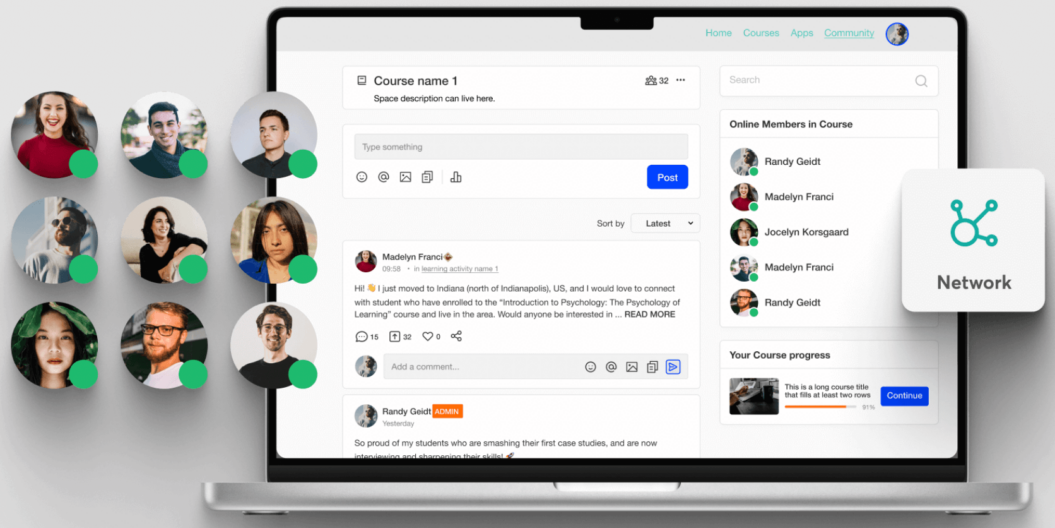
Uscreen’s focus is on video, a proven way to build community and engage members. A beautiful user interface, community tools, and native live streaming provide a great experience for your community members.
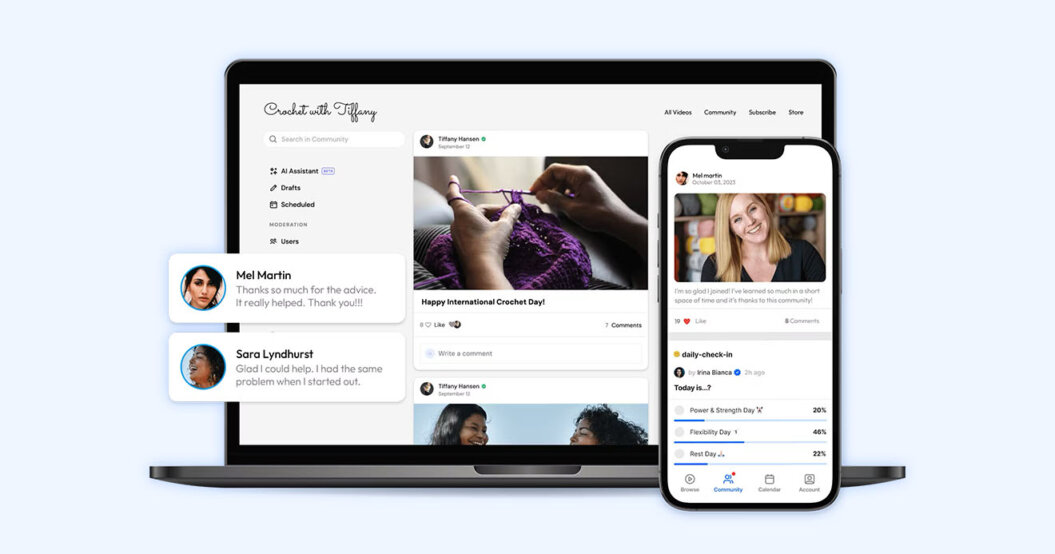
In addition to a best-in-class video experience, Uscreen also provides a list of community features.
Chat spaces let your users connect with each other and build a strong sense of community. Social profiles and fun challenges keep members engaged and involved. And professional-looking custom apps let your users access the community on the go.
Key benefits of Uscreen
- Built around video content: Offering value to your members through video, from sharing content to selling video-focused online courses, is at the heart of Uscreen.
- Native live streaming: You don’t need a third-party service or complicated equipment to run an event and get face time with your members.
- Fast support and onboarding: Email and chat support ensure that your problems get solved quickly, and Pro members get a dedicated success manager.
- Flexible monetization: Offer community access with one-time payments, subscriptions, pay-per-view, rentals, and more.
- Create for web and mobile: An easy-to-use website builder and the ability to create a community app means your members can take part wherever they are.
- Automations: Manage the full member lifecycle from one place so you can easily manage engagement, growth and retention.
Is Uscreen right for you?
With the option to create web and mobile apps and all the tools you need to offer high-quality video content, Uscreen is a robust platform for hosting and monetizing your online community.
It’s a marketing-focused platform, which will help you sell, upsell, and retain members, something that’s crucial for the success of online communities.
The platform’s focus on video content means it won’t be for everyone, but if you’re considering video as a core part of your community, it’s worth a serious look. The Netflix-inspired video catalog with drag-and-drop organization means you can build a professional-looking video and streaming platform in minutes.
Course creators will appreciate Uscreen’s course-building tools, as well. You can create courses and share them alongside your regular video content, giving community members even more to engage with and bond over.
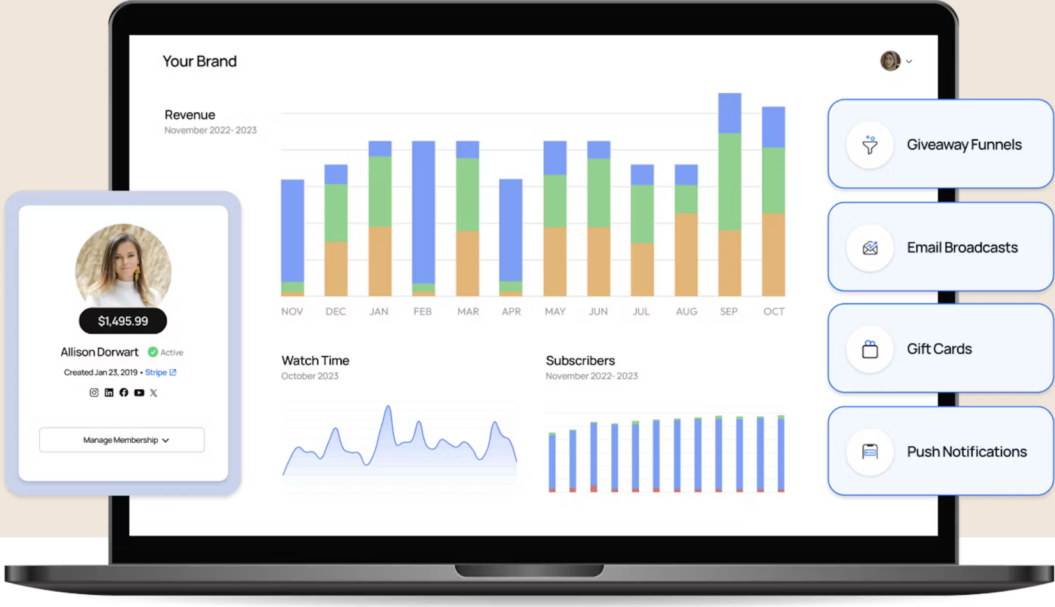
Another key thing about Uscreen is the platform comes with built-in automations, email Broadcasts, and a member CRM, meaning you have a complete system for growing and retaining your membership. Whether you’re onboarding new subscribers, engaging with your current members, or winning back inactive ones, every workflow is designed to save time and drive results.
Uscreen Success Story
In the Lab+ is a membership community run by the global basketball brand In The Lab. Founder Navin decided to migrate In the Lab+ to Uscreen in 2021. He then got to work creating a training and lifestyle platform that would become a part of everyday life for his audience.
The mobile apps enabled them to provide exactly what athletes need to help them achieve their goals — easy access to lessons and the wider community, while being able to grow and reach more members.
The In the Lab+ mobile apps (Android and iOS) make up nearly 79% of the viewing hours and watch time, and they’ve nearly 2Xed their viewer count in the past year alone.

We weren’t sure what to expect, so we had a lower price point and people were signing up like crazy. And that really allowed us to kind of get where we are today with you guys on Uscreen and actually building a consistent base of customers. Now, In the Lab has grown into an online empire that includes everything from educational and entertaining content to an extensive branded apparel line, with the In the Lab+ membership platform at the center of it all.
Uscreen Pricing
Uscreen offers four pricing plans to choose from:
- Starter plan: $49/month with $0 subscriber fee (limited to 100 subscribers)
- Growth plan: From $149/month + $1.99 per subscriber fee (Unlimited bandwidth, 100 hours of video storage, 1 free hour of live streaming, chat + e-mail support)
- App Essentials plan: From $449/month + $0.99 per subscriber fee (Unlimited bandwidth, 100 hours of video storage, 1 free hour of live streaming, chat + e-mail support, onboarding support, migration support + 2 mobile apps)
- Custom-made plan: Contact sales for custom pricing (Unlimited bandwidth, custom amount of video storage + live streaming hours, dedicated success manager, migration support, end-user support, white-labeling, 2 mobile apps, 5 TV apps, API, Group subscriptions)
2. Mighty Networks
Best for: making community connections around your educational content.
G2 rating: 4.6 ⭐️⭐️⭐️⭐️
Why choose Mighty Networks?
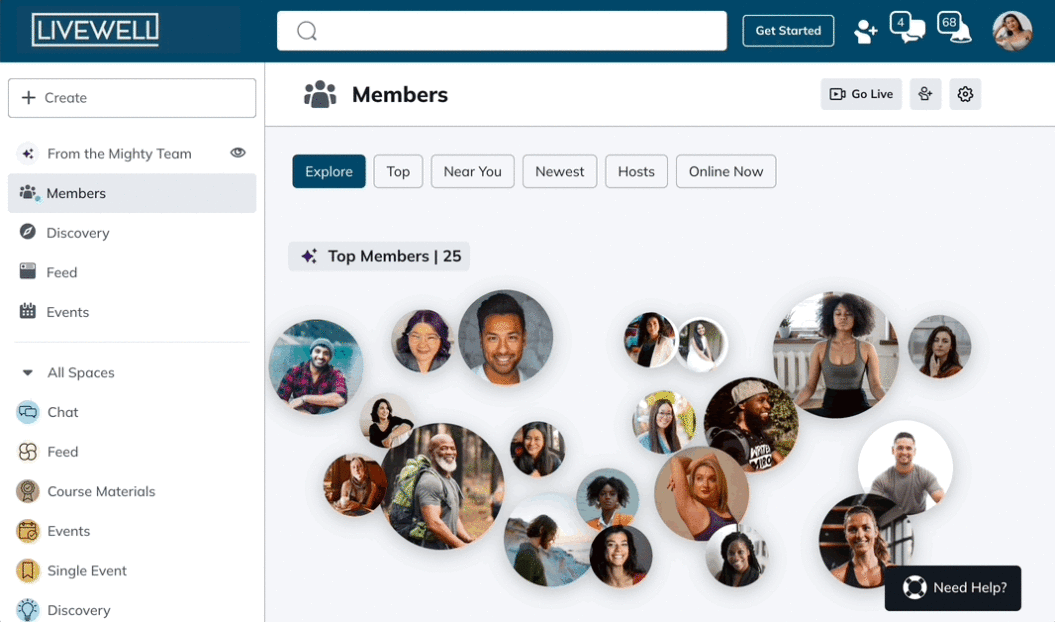
This community platform uses AI-powered “people magic” to foster strong connections between the members of your community. A user-friendly interface with unique community features lets members find others with similar interests, a key part of creating an engaged, thriving community.
Mighty Networks also offers course-creation tools and the ability to publish your own apps. They even have an in-house design studio that can take care of app creation for you.
Key benefits of Mighty Networks
- Focused on fostering connections: AI-powered connections take care of the hard parts of community creation for you.
- Flexible online course tools: Use Mighty’s AI course-creation tools, offer hidden courses and bundles, and engage students with live streaming and chat.
- Built-in engagement tools: Welcome messages, introduction checklists, icebreakers, polls, and questions keep the conversation going and encourage students to chime in.
- Extensive app creation support: With Mighty Pro (custom pricing), you can get support for creating native mobile apps.
Is Mighty Networks right for you?
Mighty Networks is all about building an engaged community – either on the web or on your own mobile app (you can also use Mighty Networks’ iOS and Android apps if you’re not ready to create your own app).
Brand designers and an available app operations team will help you build and launch your own app that will be available on Google and Apple app stores.
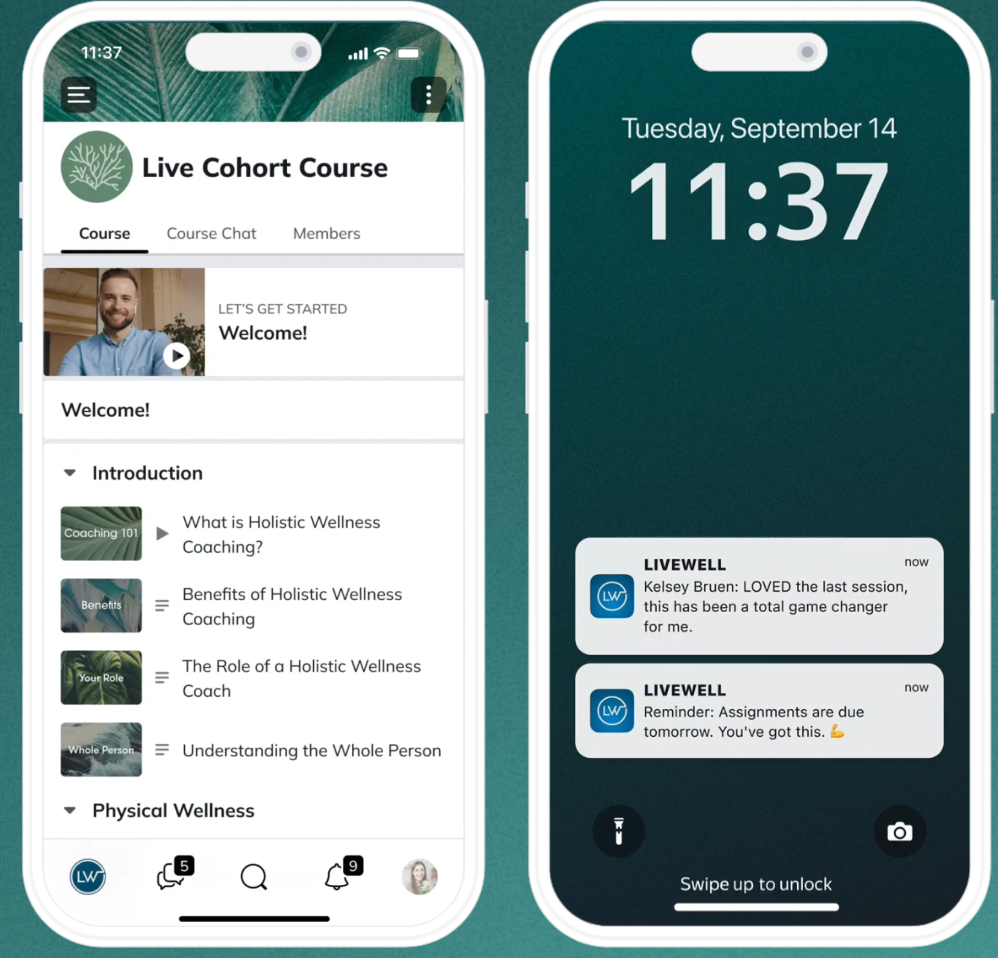
Even without the app-building services, this is a comprehensive platform for creators that emphasizes community and making connections. The AI-powered “people magic” tool is a unique feature for community building, and courses have features like live streaming and chat that encourage community engagement.
If you’re a video creator, take a look at our Uscreen vs Mighty Networks comparison to see how these two platforms compare.
Mighty Networks Pricing
- The courses plan: $109 per month
- The business plan: $189 per month
- The growth plan: $360 per month
- Mighty pro: Custom pricing
3. Kajabi
Best for: entrepreneurs who need an all-in-one solution for website building and selling digital products.
G2 rating: 4.3 ⭐️⭐️⭐️⭐️
Why choose Kajabi?
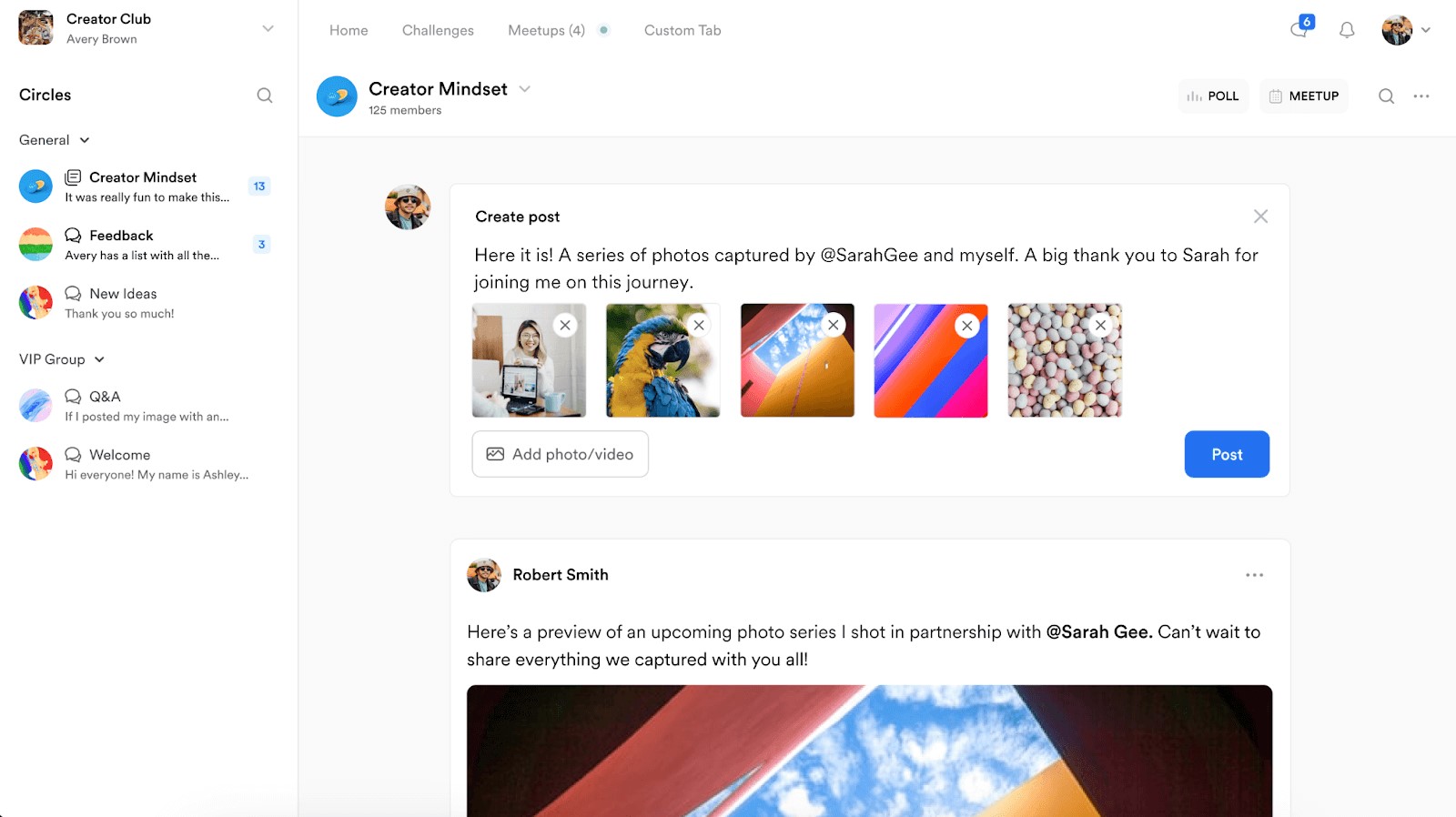
If you have a variety of digital products that you’d like to offer, Kajabi is a standout Passion.io alternative. In addition to community and course creation, you can also offer coaching services and podcasts to diversify your revenue streams.
You’ll also find a lot of tools for creating and repurposing content. Kajabi will help you take a video that you’ve published and turn it into a blog post, a newsletter, a mini-course, and more. If you’d like to scale your content creation but aren’t sure if you have the time, this is a useful feature.
Key benefits of Kajabi
- Affordable branded app: Starting at $199 per month (as an add-on to your pricing plan), you’ll be able to offer a custom app to your community.
- Content creation tools: Use AI to get content ideas, then use repurposing tools to maximize the value you offer to members with every piece of content.
- Support for multiple content types: You can offer multiple products including podcasts, coaching, courses, digital downloads and newsletters.
- All-in-one platform: You’ll have access to marketing tools, analytics, emailing, and sales funnels — everything you need to run your business.
Is Kajabi right for you?
With support for community, courses, podcasts, and coaching, Kajabi is a versatile choice for running an online business. The fact that you can add a fully featured white-label app with push notifications and in-app purchases for less than $100 per month is also a bonus.
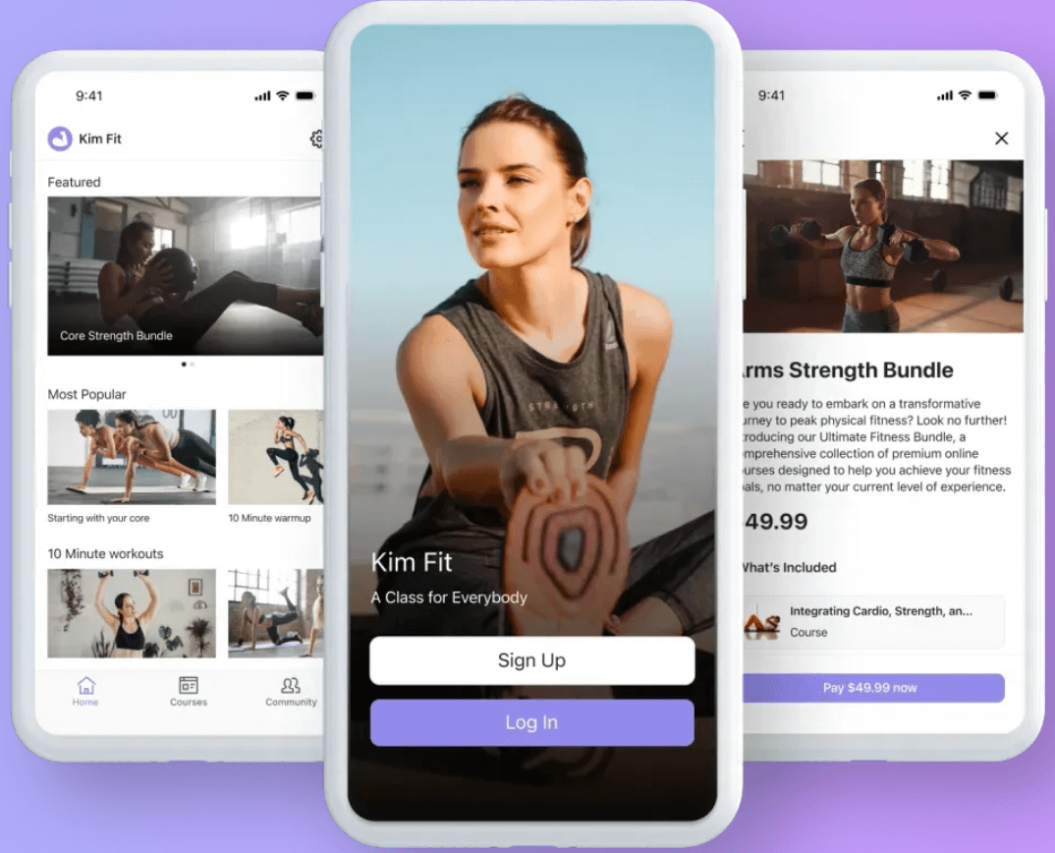
Members can access your courses through the Kajabi app if you don’t use their mobile app builder, as well. If you’re planning on creating a large number of courses, it’s worth noting that none of Kajabi’s plans include unlimited courses. You’ll be capped at 100 products (which includes courses) unless you get custom pricing through an Enterprise plan.
Kajabi’s content creation and repurposing tools stand out here. Being able to turn a single piece of content into several others could save you dozens of hours a month if you’re currently spending a lot of time on creating videos, articles, newsletters, and courses.
For community-led creators, check out our comparison guide of Mighty Networks vs Kajabi.
Kajabi Pricing
- Kickstarter: $71 per month (billed annually)
- Basic: $143 per month (billed annually)
- Growth: $199 per month (billed annually)
- Pro: $399 per month (billed annually)
Kajabi also charges additional transaction fees, starting from 1.5%. These vary depending on the customer location and payment card type. You can see the full breakdown on their pricing page under the ‘Kajabi Payment Rates’ tab.
4. LearnWorlds
Best for: creators with a strong focus on educational content.
G2 rating: 4.7 ⭐️⭐️⭐️⭐️⭐️
Why choose LearnWorlds?
If online course creation is a high priority, LearnWorlds is worth a look for creating courses and offering a high-quality educational experience. Want to create interactive courses? Then you’ll like this platform’s interactive videos, exams, and quizzes.
You can create unlimited courses with LearnWorlds, offer live classes and webinars, and even build e-book pages for your students. You can also publish a native mobile app with your branding and an offline video mode.
Key benefits of LearnWorlds
- AI-assisted course creation: Use AI to craft your courses and ebooks in less time.
- Advanced assessments: Create advanced assessments that target specific learning objectives and award branded certificates.
- Web app and mobile options: Build your courses for access via a browser, an iOS app, or an Android app.
- E-book builder: Create entire e-books for your online courses directly in LearnWorlds to distribute to your students.
Is LearnWorlds right for you?
If your online business has a strong educational focus, LearnWorlds might be a good option. In addition to serving as a full-featured learning management system, its mobile app and interactive options add depth to your content.

LearnWorlds is also quite affordable, with plans starting at $29 per month with an additional $45 per course sale. You can also unlock creating apps for iOS and Android with an add-on to your plan at $149 per month, making it more easily accessible.
With its focus on education, it’s little surprise that this platform also offers organizational learning support with group seats and bundling. It may not stack up as a community app, but if you’re looking for Passion.io alternatives because you want to create online courses, this is a solid option.
LearnWorlds Pricing
- Starter: $24 per month (billed annually)
- Pro Trainer: $79 per month (billed annually)
- Learning Center: $249 per month (billed annually)
- High Volume and Corporate: Custom pricing
5. Thinkific
Best for: a streamlined digital learning product experience.
G2 rating: 4.5 ⭐️⭐️⭐️⭐️
Why choose Thinkific?
While Thinkific lacks some key features present in other platforms, it stands out for being very easy to get started. It focuses more on online course creation and selling products than building community, but it may appeal to course creators who want to create learning communities around their content.
If you’re interested in a custom app, Thinkific offers this too. You can get started with a free trial, but you’ll need to talk to their sales team for advice on pricing. You’ll get access to nice features like in-app purchases and have a team of experts available to help with the app creation process and ongoing management tasks.
Key benefits of Thinkific
- Easy course creation: Thinkific’s drag-and-drop course builder makes it easy to get started sharing your knowledge with a community.
- Very affordable basic plan: Only $36 per month will let you create unlimited courses, though your community spaces will be limited.
- Includes Accelerator Program: All plans give you access to the Accelerator Program, which includes templates, community access, guest experts, and more to help you get started.
- Support for assignments and certificates: If your focus is educational and you’d like to be able to assign tasks and award certificates, Thinkific has your back.
Is Thinkific right for you?
While Thinkific lacks features like native live streaming and member automations, it provides a lot of educational support. And it has more marketing features than some similar apps, including email marketing tools that could be helpful. The Accelerator Program is also a nice touch and could prove helpful to new digital creators.

All that being said, Thinkific is focused more on online courses and less on digital communities. So whether this is a good choice for you depends largely on what you’re trying to build. If you’re a course creator and being able to share your online course is a high priority, Thinkific provides a solid value at a reasonable price.
Thinkific Pricing
- Basic: $36 per month (billed annually)
- Start: $74 per month (billed annually)
- Grow: $149 per month (billed annually)
- Thinkific Plus: Custom pricing
Choosing the right Passion.io alternative for your business
Passion.io has a lot of great features. It lets you build a custom app easily and publish it to the Google Play Store and Apple App Store. It supports building a web app for your community complete with live streaming, unlimited push notifications (at the highest subscription tier), a highly customizable user interface, your own branding, and other advanced features that will make your app stand out.
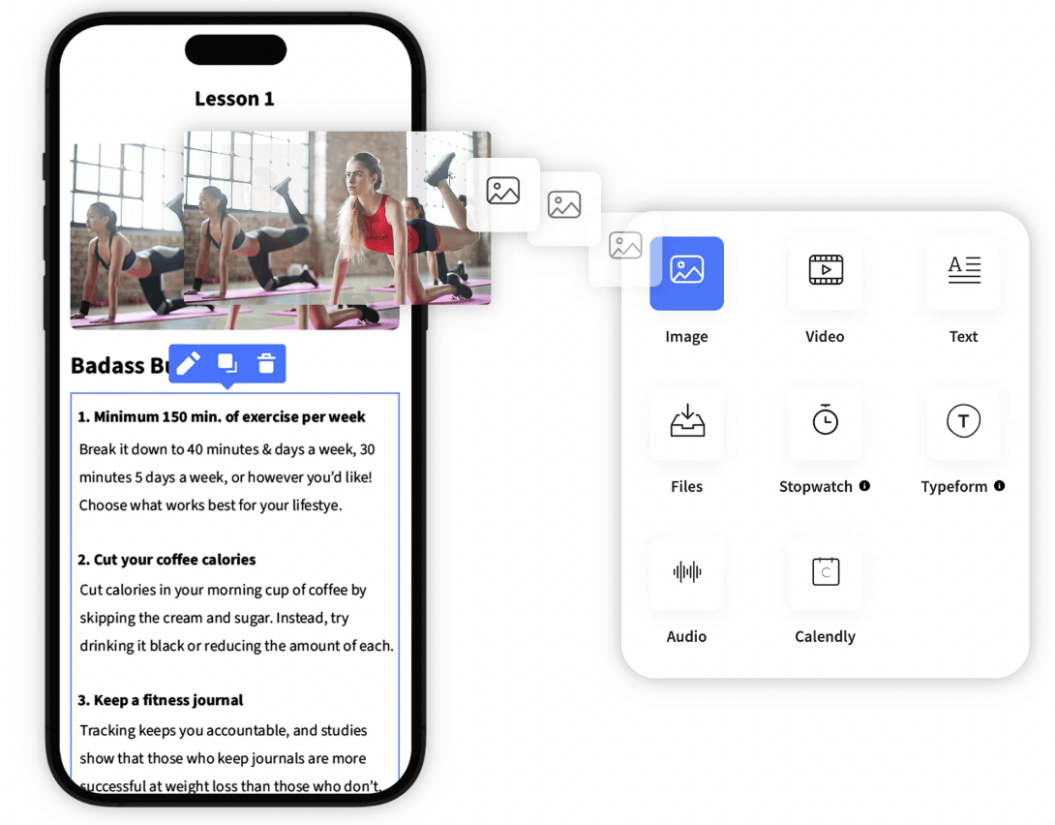
However, there are a few missing key features that may have you looking for Passion.io alternatives. For example, it doesn’t have many marketing features – if you want email marketing tools, you’ll need to use separate email marketing software. And while there are community features, you won’t find exciting things like AI-driven user matchmaking or extensive social profiles.
The alternatives discussed above provide these features. Uscreen, for example, has a robust community experience that allows for watching videos and engaging with other members in the same place, public and private channels, community challenges, and calendaring. And all of those can take place from your own custom app.

Plus you get email marketing features, seamless integration with other platforms you already use, the ability to create events and manage them, access to automated sales funnels, and more.
Choosing the right community platform for your community requires understanding what you want from it in the first place. So spend some time making a list of the features you want. Do you need email marketing features? Is it important that there’s a free plan? Are you looking for extensive web-based learning features like assessments and certificates?
Once you’ve decided on the key features that are important to you, you can make the right decision on which service will suit you best. And from there, it’s on to building your thriving community!
Build, launch and manage your membership, all in one place.