
Your membership website is important. It needs to draw people in and be easy to log in and navigate for your paying members. That’s why choosing the right membership software is crucial.
Right now you might be considering Memberful and wondering if it’s the best choice for you. It’s a popular option if you’re using WordPress, but there are plenty of great Memberful alternatives that may better suit your needs.
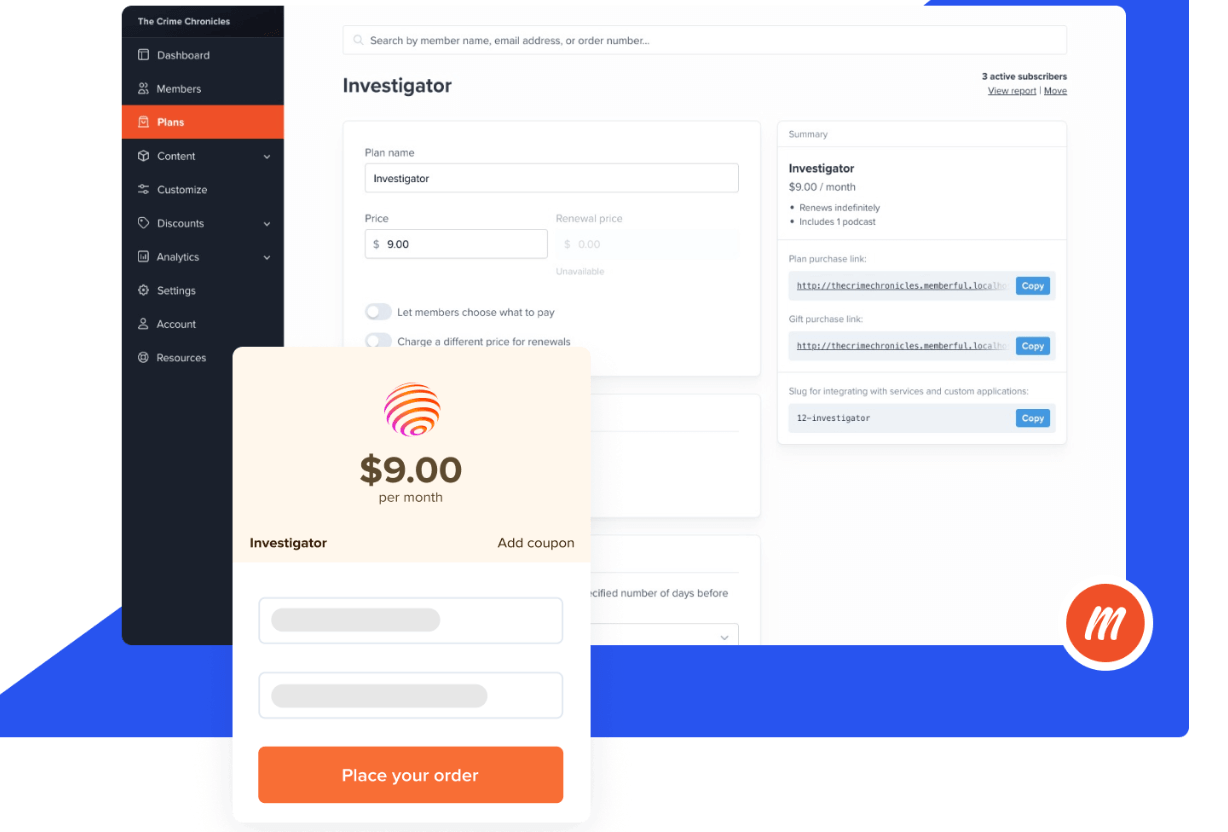
We’ve gone ahead and picked the top 5, compared them, and summarized what we found so you can make the best decision for your membership site.
What we looked for in Memberful alternatives
Here’s what we took into account when looking for the best alternative to Memberful:
- Community features: Chat, forums, advanced membership management features, and branded apps all make your membership site community-friendly.
- Monetization options: Online courses, subscription types, membership tiers, paid video and podcast support, and multiple currencies help you sell memberships and earn what you deserve while providing the most value to your audience.
- Website builder and/or plugin: All-in-one platforms that let you build beautiful websites are great, but if you already have a WordPress site (or another website) built, using a membership plugin can be more convenient.
- Media sharing: Memberful is big on podcasts, but native video support is a proven way to build and engage a community, so we looked for ways to distribute multiple media types to your users.
- Membership apps: Launching a membership app makes it easy for your audience to stay connected and makes your community look professional.
Now, let’s dive into our top 5 Memberful alternatives. There’s something for everyone in this list, from video-led memberships to courses or simple WordPress plug-ins. Each one offers a range of great features and tools for you to launch or grow your membership business in a way that suits you.
1. Uscreen
Best for creators looking to build an engaged community focused on pre-recorded or live video content.
Why use Uscreen instead of Memberful?
Uscreen has more advanced community features for building and maintaining a thriving community than Memberful – this provides more value to your members and helps you earn more revenue.
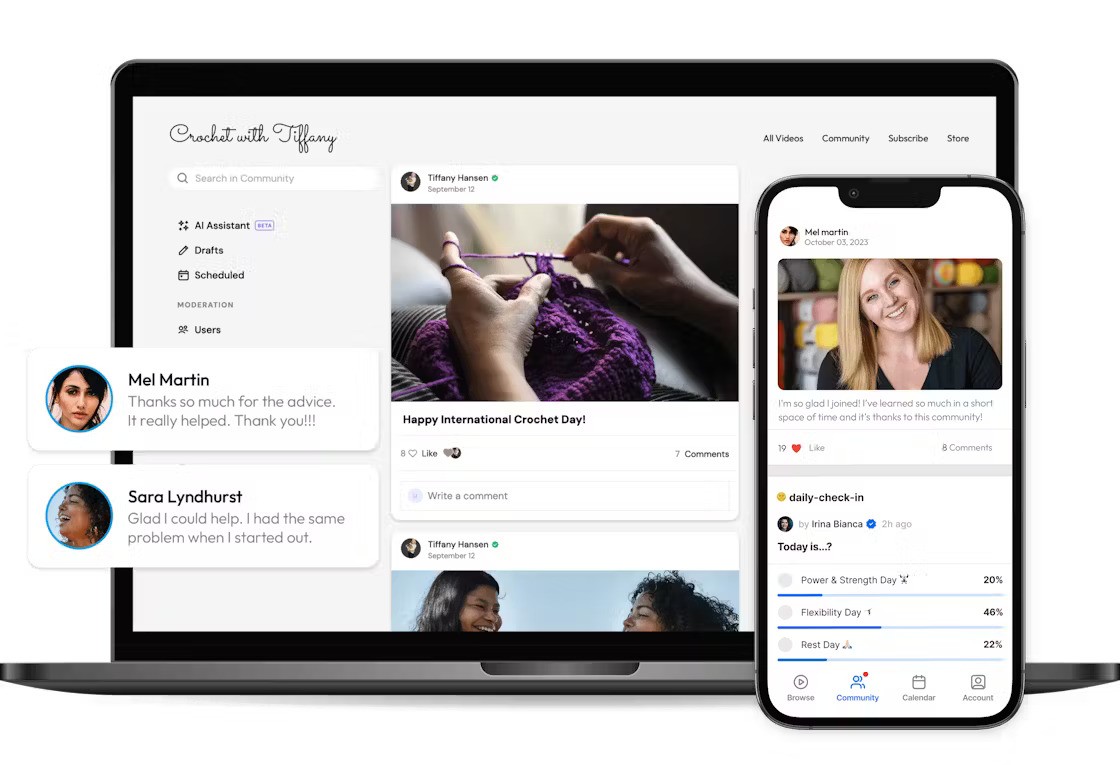
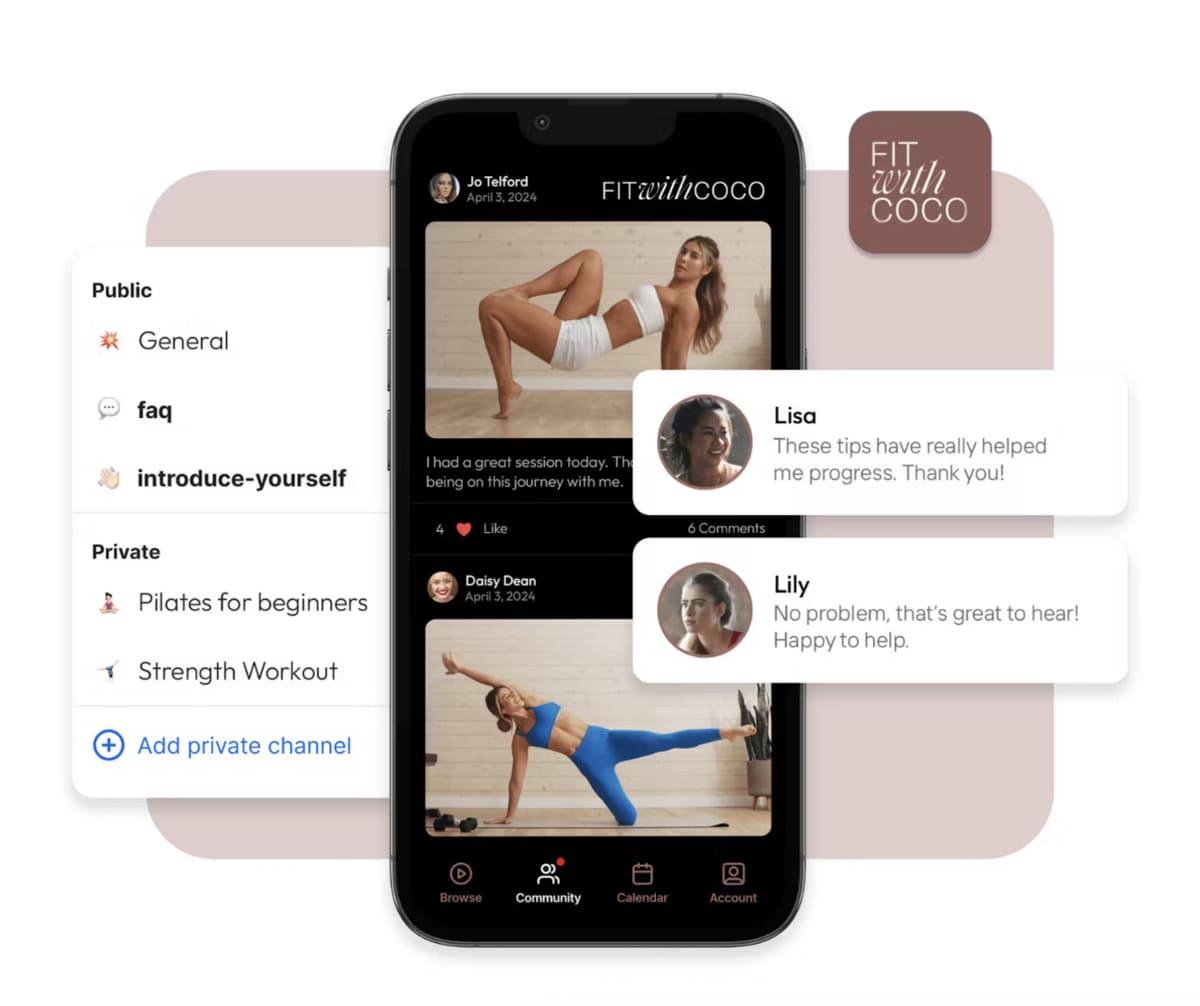
For example, Memberful has a Discord integration, but Uscreen lets members access chat directly on your website, providing a more streamlined experience. You can also create branded apps with Uscreen, letting your users access your community through a highly professional-looking mobile app.
Uscreen also has extensive video support with beautiful content libraries inspired by YouTube and Netflix, native live streaming, calendaring, and the ability to stream to any device. If you think video might be a part of your plans, Uscreen is a top-tier choice.
Pros:
- All-in-one platform: Combines community chat, online courses, live streaming, and more in a single user-friendly interface.
- Premium mobile and TV apps: Inspired by Netflix, Uscreen’s apps are beautiful and easy to use, ensuring a great experience for your viewers and keeping them focused on you, not your competitors.
- Community-building features: Chat, calendaring, and direct interactions with creators offer value and build a strong sense of community among your members.
- Video focus: Beautiful content libraries, native live streaming, effective content discovery, and community comments make engaging video the center of your member experience.
- Flexible monetization: Pay-per-view, one-time membership fees, subscriptions, and more let you earn what you deserve and offer flexible options for your members.
- Member CRM: Nurture leads, retain members, and build stronger relationships without relying on third-party tools.
- Automations: Create behavior-based workflows to nurture leads, onboard new members, engage active subscribers, and win back inactive ones directly in Uscreen.
Cons:
- More expensive than some other platforms
- Emphasis on video won’t fit everyone’s needs
- Doesn’t offer podcast or coaching support
- Fewer online course features than other options
Is Uscreen right for you?
Are you looking to build a video membership site? Then Uscreen is absolutely the right choice. Best-in-class content libraries and live streaming, as well as a focus on directly helping creators like you get the most out of their business, means you have all the tools and support you need.
If your membership business is based more specifically on courses, podcasts, or live coaching, another platform may better meet your needs. But outside of those specific use cases, Uscreen has something for just about everyone.
Our article ‘Is Uscreen Worth It?‘ answers all your questions about whether or not this is the right platform for you.
Uscreen success story
The community has been a big part in the success of The Curve membership. Starting out as a podcast about investing for women, Sophie and Victoria quickly racked up an impressive audience of 70,000 listeners. But they wanted to offer more than just a podcast, which is where Uscreen came in.
They wanted to build a fully-fledged membership where their audience could access content on demand and interact with the wider community in a private, safe space, allowing them to feel connected to other women with the same goals and challenges.

Direct messaging is crucial. Talking about money is intimidating, and many women feel like they’re ‘behind.’ Private DMs let them ask questions without sharing publicly, while still giving me the option to highlight great questions for the whole community. Over time, we’ve definitely seen members become more comfortable and supportive, commenting and engaging openly, but it mostly starts with that private channel.
The results speak for themselves. Since launching, they’ve seen a 116.2% growth in members, with 89.6% of them actively taking part in the community and a 176.7% in recurring revenue.
Read the full story to see how they’ve made their membership a thriving success, and how Uscreen has helped them achieve their dream.
Uscreen pricing
- Starter plan: $49 per month (paid monthly) with no additional subscriber fees.
- Growth Plan: $149 per month (paid annually) plus $1.99 per subscriber.
- App Essentials Plan: $449 per month (paid annually) plus $0.99 per subscriber.
- Custom Made Plan: custom pricing.
Check out the full Uscreen pricing breakdown here.
2. Kajabi
Best for membership sites focused on courses or coaching.
Why use Kajabi instead of Memberful?
Kajabi is an all-in-one business platform with lots of options for different types of content, including courses, coaching, and memberships. As an alternative to Memberful, it provides more flexibility, power, and advanced features.
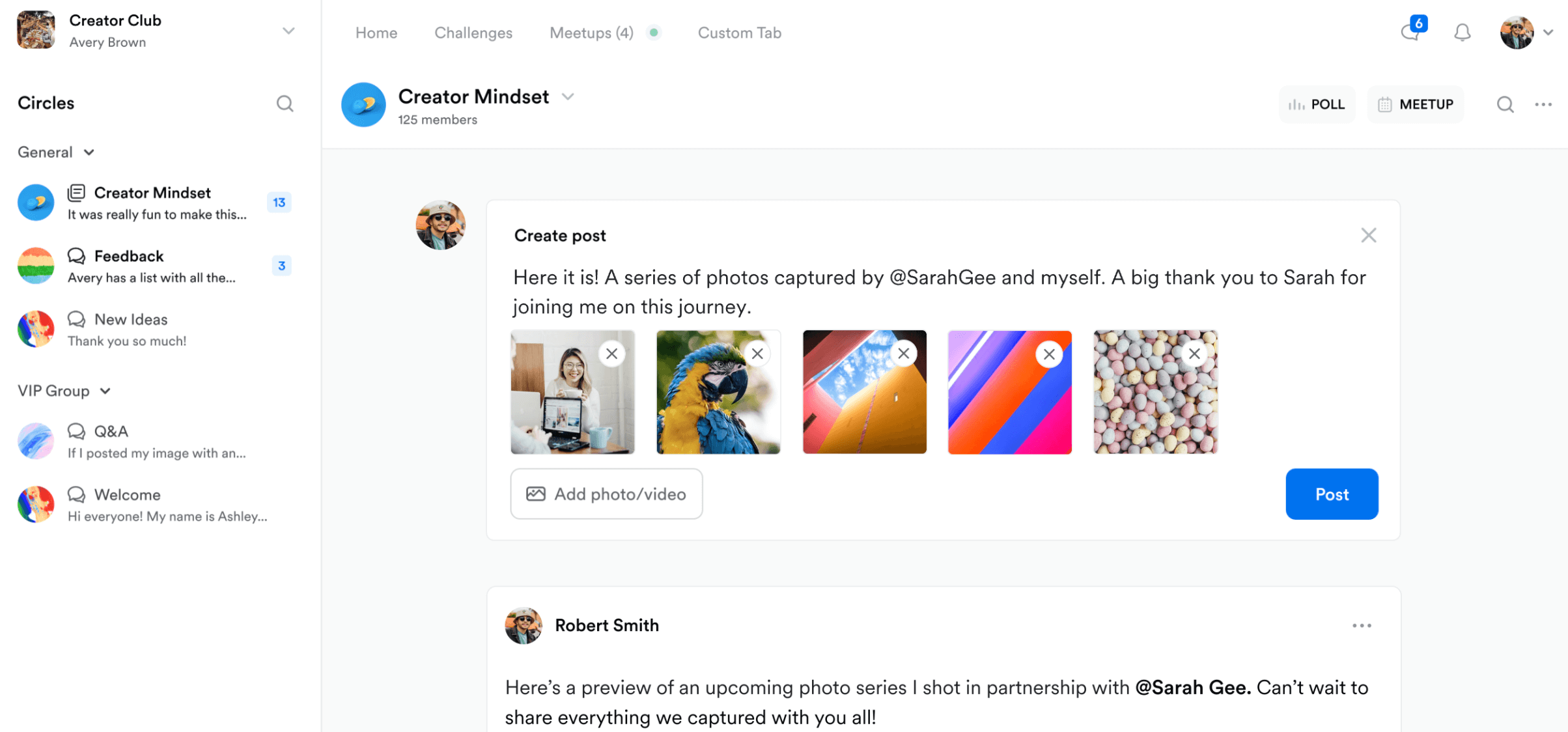
One of the standout features of Kajabi is its built-in content creation tools – it helps you repurpose your videos into emails, blog posts, newsletters, community posts, mini-courses, and other formats, saving you tons of time on creating content for your members.
This platform also provides valuable marketing tools, like a visual email builder, ready-made funnels, and AI assistants that help design and improve your content. You can also buy website templates from the template marketplace, which gives you some flexibility, but can get quite expensive.
Setting up was super easy and it has a ton of solutions to let you manage everything in your work in one place.
Verified reviewer, G2
Pros:
- Support for video, podcasts, and coaching: Whatever type of content you want to publish or community you want to build, Kajabi supports it.
- Built-in content repurposing: The Creator.io tool will help you turn a single video into blog posts, newsletter emails, social posts, and more, saving time on content creation.
- Built-in Adobe Express editing tools: If you don’t have your own video editing software, you can use Kajabi’s provided Adobe tools.
- Funnels and marketing features: Built-in support for pop-ups, lead magnets, and other resources for specific types of campaigns are great if you aren’t a marketer at heart.
Cons:
- Mostly focused on course-based content
- Some reviewers want more customizability
- Cheaper pricing plans are quite limited in what you can do
- Some site templates and bundles cost over $500
Is Kajabi right for you?
If you want to build a membership program focused on online courses, Kajabi is a great choice. The ability to take videos and repurpose them into lead-generation tools will definitely save you time when it comes to marketing your courses. You can also publish podcasts and video content as well as offer coaching, but Kajabi is more focused on courses.

It’s worth noting that you have a lot of flexibility in creating your own website, but if you’re looking for a streamlined site-building process, you may want to look for another alternative to Memberful or to migrate from Kajabi to a more suitable platform.
Check out our detailed guide on ‘Is Kajabi Worth it?‘ if you’re still on the fence.
Kajabi pricing
- Kickstarter: $71 per month (paid annually)
- Basic: $143 per month (paid annually)
- Growth: $199 per month (paid annually)
- Pro: $399 per month (paid annually)
3. MemberSpace
Best for: membership sites that already have a site but need membership features provided by a membership plugin.
Why use MemberSpace instead of Memberful?
MemberSpace is a membership plugin that lets you create members-only spaces on WordPress, Squarespace, Wix, and other websites. Much like Memberful’s WordPress plugin, this is great for creators who already have a website but want to offer members-only content.
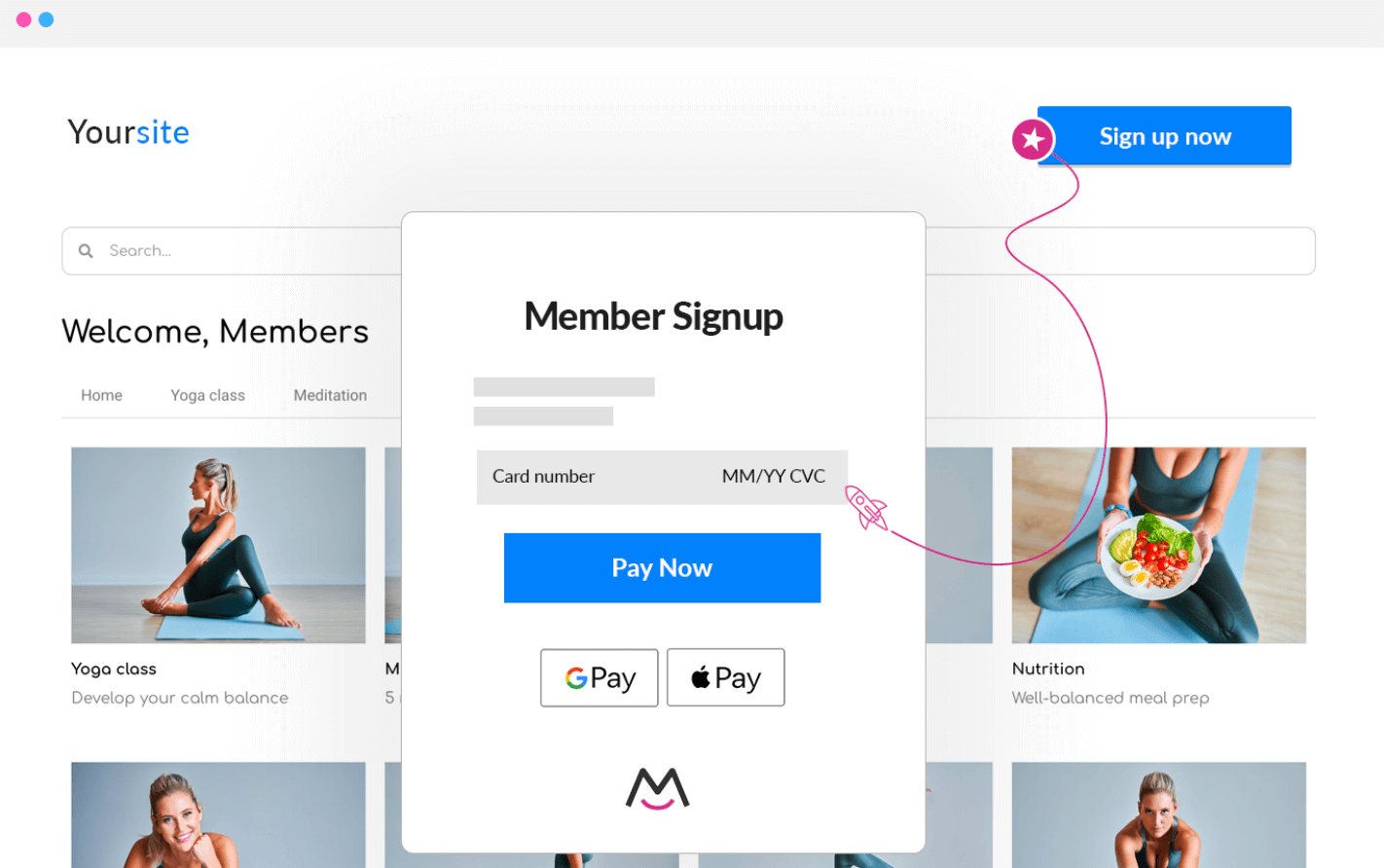
You’ll miss out on advanced features, but if you just want to offer exclusive content and you don’t need content management, lots of marketing tools, or advanced membership management features, MemberSpace might be a good choice.
Fortunately, MemberSpace offers some basic marketing functionality, like drip emails, abandoned signup notifications, and automated upsells.
Pros:
- Membership plugin for popular platforms: If you have a site on Squarespace, WordPress, Wix, or other popular platforms, this plugin will let you sell memberships.
- Sell whatever you want: If it’s hosted on your site, you can sell it – that means courses, newsletters, podcasts, community access, content libraries, and digital downloads can be members-only.
- Very simple pricing: $39 per month plus a 5% transaction fee. That’s it.
- Revenue recovery options: Abandoned signup reminders, failed charge recovery, and automated upsells help you earn more from your membership programs.
Cons:
- 5% transaction fee on all products you sell
- Requires that you have or build a website using another service
- No community features
- Marketing features limited to email sends
Is MemberSpace right for you?
If you already have a website and a community but you need to monetize it, this membership software will help. It’s a paywall that lets you gate content – that’s about it. If you need more than that (if you want to build a video website, for example), opt for another service.
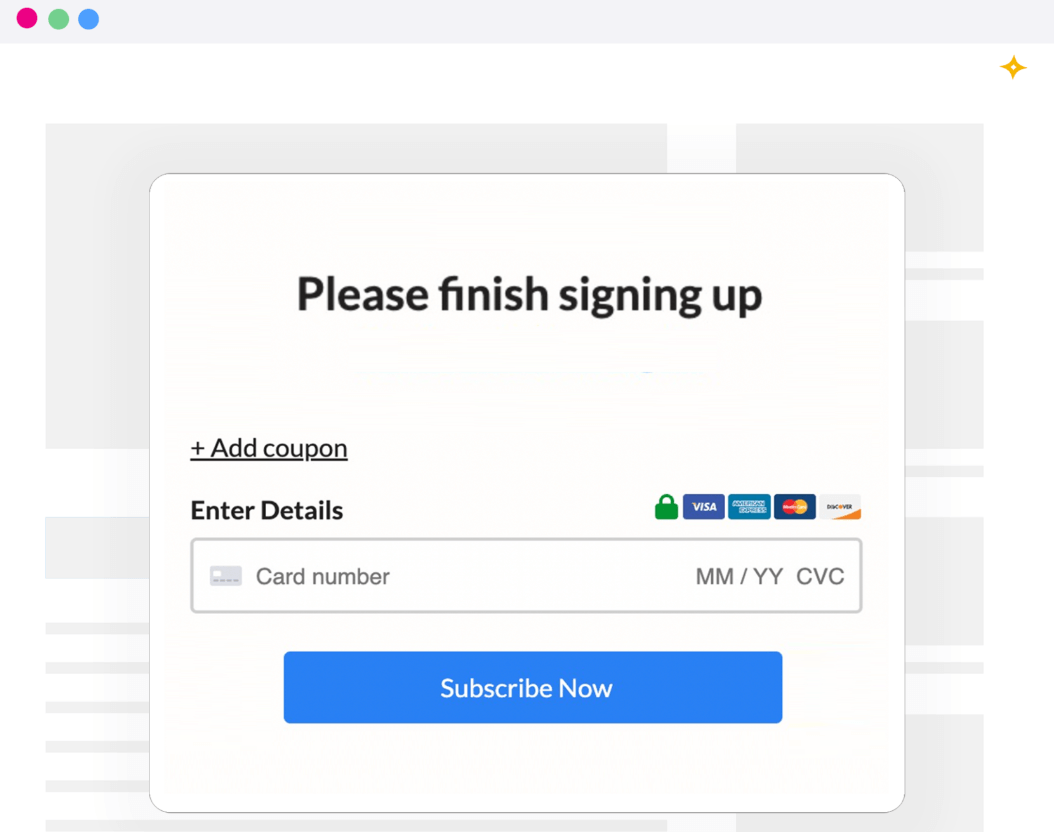
MemberSpace won’t help you build an online community or publish content. On the other hand, it’s extremely affordable, and if that helps you get your community off the ground, it could be an acceptable option.
MemberSpace pricing
- Starter: $39 per month (billed annually) plus 5% of every sale.
- Growth: $99 per month (billed annually) plus 2% of every sale.
- Unlimited: Pricing on request plus 1% of every sale.
4. Podia
Best for membership sites that want basic course and webinar functionality without spending a fortune.
Why use Podia instead of Memberful?
Podia is an all-in-one solution that puts blogging, email marketing, selling digital downloads, coaching, webinars, and more at your fingertips. You can also bundle your offerings, which is a nice feature for online businesses.
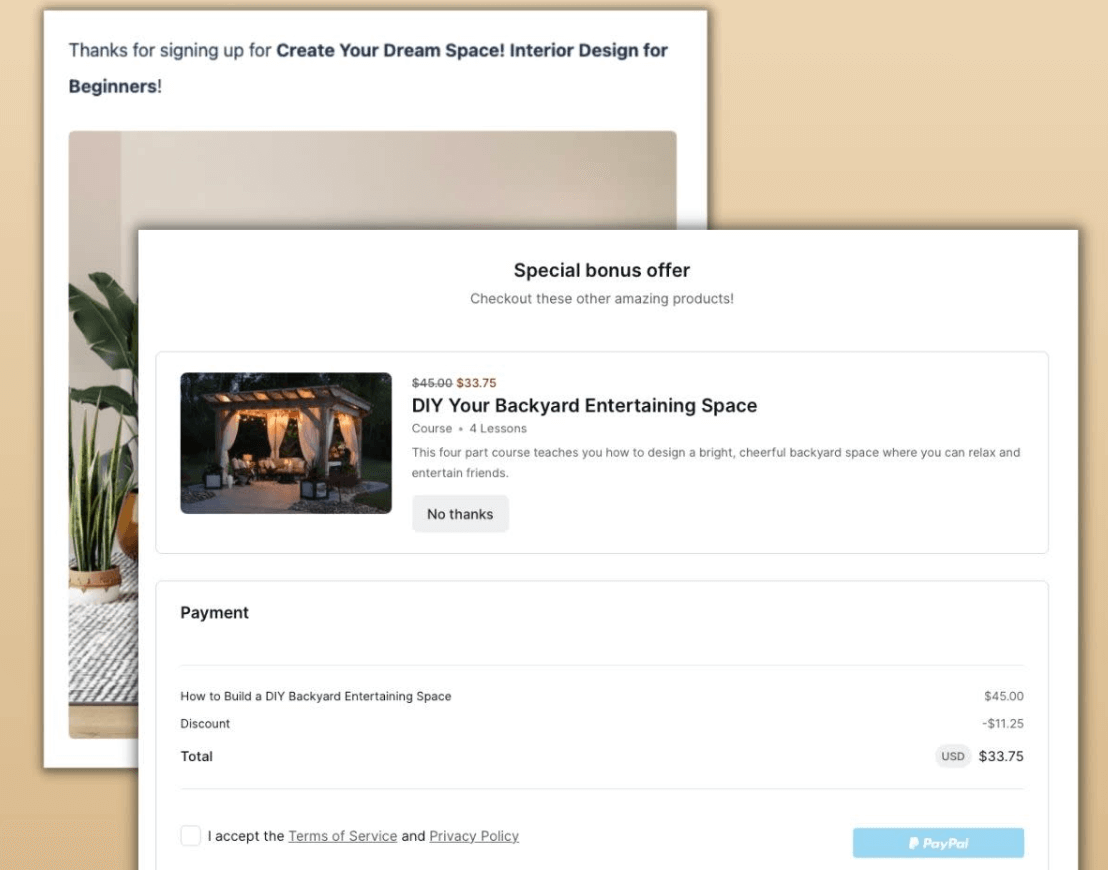
It has many more advanced features, including extensive email marketing support, the ability to build a portfolio website, and affiliate selling.
One of the nicest features of Podia is that it offers a free plan that actually enables selling memberships – it’s the only platform on our list that does so. Most require that you upgrade before adding subscription plans to your offering.
Pros:
- Free plan: Podia’s free plan lets you sell memberships, which is a feature you won’t find on every software platform for content creators.
- Free and paid communities: Offers multiple options for pricing and access, giving flexibility to your membership business.
- Unlimited video storage on paid plans: This is a standout feature for video-focused membership sites, and can save you money in the long run.
Cons:
- Very high transaction fees for cheaper plans
- Email marketing costs extra
- No native live streaming (and none at all in cheaper plans)
- Lacking in site customization features
- No branded apps
Is Podia right for you?
If you’re a content creator on a budget and you want to start a membership site without paying a monthly fee, Podia is a great choice. The Starter plan is also very affordable, even though transaction fees are high and you’ll be limited in the number of items you can sell or monetize.
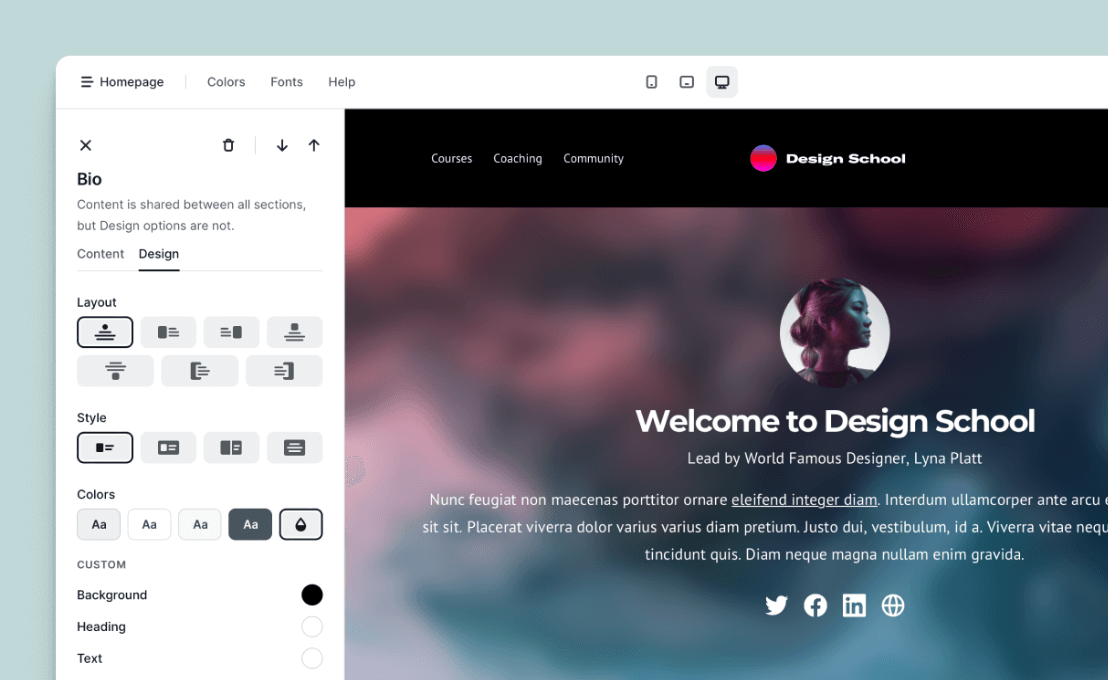
However, once you start adding on new features like email newsletters, selling digital products, or adding additional coaching services, the extra fees can get expensive quickly. You’ll also need the most expensive plan for zero transaction fees. Creators may find the initially low cost appealing, but it’s important to plan for long-term success when choosing a membership platform – and those high transaction fees will hurt if your membership pricing is too low.
If you’re a course creator, you might want to compare Podia vs Kajabi in more detail.
Podia pricing
- Free: It’s really free. You’ll pay a hefty 10% fee on all of your transactions, and you can’t actually offer courses or webinars, but you can build a website and courses without paying for them, then start paying when you’re ready to sell.
- Mover: $33 per month (paid annually) plus 5% transaction fees on those sales.
- Shaker: $75 per month (paid annually ) with no transaction fees.
- Podia Email: Free
5. Mighty Networks
Best for membership sites with a very strong focus on community.
Why use Mighty Networks instead of Memberful?
If you want unique features for your unique brand, Mighty Networks is worth looking into. It includes AI features with an emphasis on community and helping members directly connect with each other. Sites built on this platform have unique customization options that help them stand out from more typical WordPress sites.
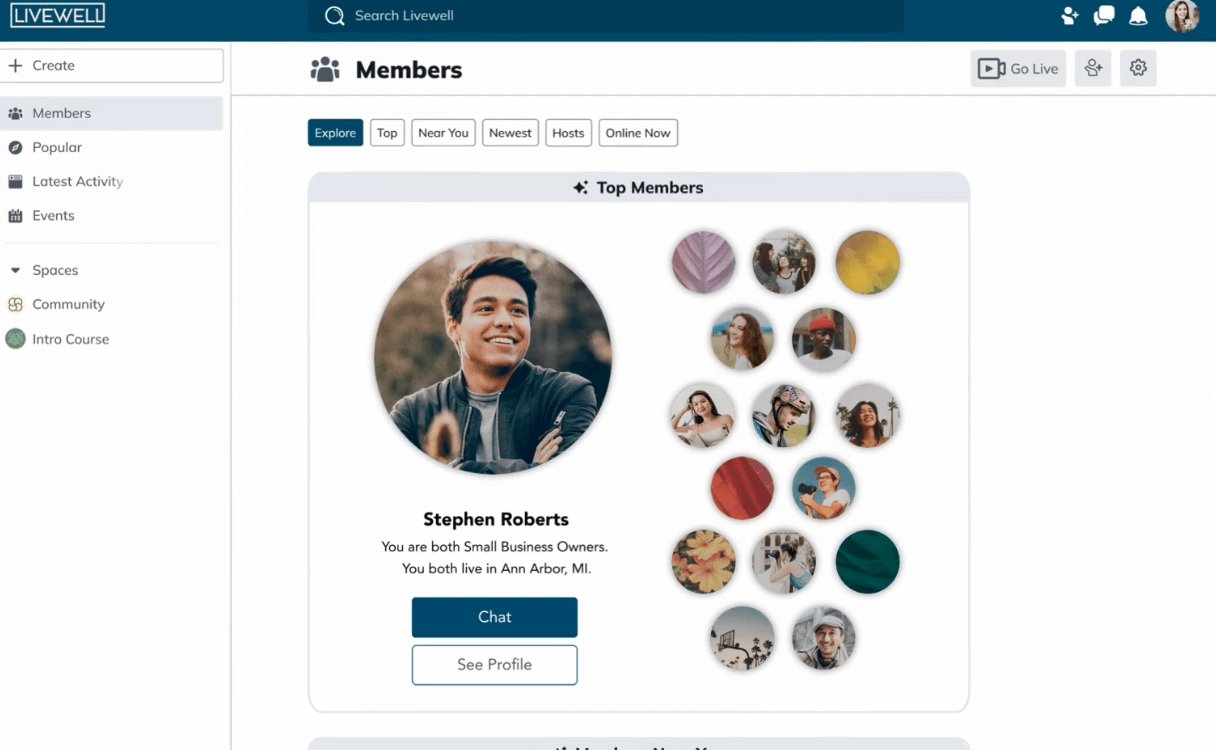
Mighty Networks also offers tools for building courses, running events, and managing your users. Bundling options, hidden plans and discounts, and member management options are great for generating revenue. You’ll also get access to design and strategic services if you pay for a higher-tier plan.
While it’s a bit more expensive than some other options, this platform’s AI-powered interface could be a game-changer for community-focused content creators.
Pros:
- Emphasis on community: Use AI and a beautiful interface to connect your users and get new members involved immediately.
- Monetization options: Bundles, hidden plans and discounts, and free trials let you monetize your community how you want.
- AI features: Use built-in AI to build online courses, optimize your content, get ideas for new offerings, and connect members.
- Built-in quizzes and assessments: See how well members are learning from your content.
Cons:
- More expensive than other options
- Focused more on course content
- Limited marketing tools
- Some reviewers find the interfaces difficult to navigate
Is Mighty Networks right for you?
Mighty Networks stands out with features you can’t get on a WordPress site. AI-powered member connections, advanced member management features, and high-level support make this a compelling Memberful alternative, though you’ll pay quite a bit more than you would for a simple WordPress plugin or basic site builder.

Monetization is largely based around community access and online courses, which may not work for every community, and there’s no native podcast support, which might be a deal-breaker for some users. If community is your focus, though, this is a fantastic choice.
Mighty Networks pricing
- The courses plan: $109 per month (paid annually)
- The business plan: $189 per month (paid annually)
- The growth plan: $360 per month (paid annually)
- Mighty pro: Custom pricing (with apps)
How to choose the right platform for your community
With so many Memberful alternatives, how do you choose the right membership platform for your unique community?
First, think about the most important features that will help your membership business succeed. For example, keeping members engaged by offering regular live streams is a great way to build a strong connection with your community. Is that something you’d like to offer? If so, you’ll want a platform that offers native live streaming (WordPress plugins won’t cut it here).

Or will you opt for a video podcast? What about online courses with assessments? Coaching services? Knowing the focal point of your membership community will help you make the right choice.
Next, consider more advanced features that might help you drive revenue. Membership management tools, for example, can be useful in engaging users who haven’t been active in your community in a while. Specific customization options can help you create an experience that resonates with your specific community. Multiple membership tiers let you offer exclusive content to higher-paying members.
You want to create a fantastic member experience, so choose a platform based on how well it will help you do that.
Finally, think about how much you’re willing to pay. Think long-term here: this is a big investment, and the better experience you can offer your members, the more likely they’ll be to stay engaged over time.
With all of these things in mind, you can make an informed choice. Then it’s time to develop your membership messaging, start planning your pre-launch, and get to selling memberships!
Build, launch and manage your membership, all in one place.