
Whether you’re an event-focused creator or looking to diversify your monetization strategy, paid events are an effective way to generate revenue for your business. At Uscreen, creators using mixed revenue models generated an average of $67,196 (opens in new tab) over the past year.
As experts in video monetization, we know the right pay-per-view (PPV) video platform helps you deliver next-level live streams (opens in new tab) in a way that’s accessible for your audience and appealing to new viewers.
If you’re not sure how to find the best platform for your pay-per-view streaming needs, we’ve got you covered. Below, we break down the best pay-per-view video hosting platforms based on features, capabilities, and pricing.
Reliable Streaming & Flexible Monetization for Live Events
Ready to explore how Uscreen’s reliable, scalable solution is helping customers monetize live events through pay-per-view, on-demand content, and memberships?
Yes! Tell me more…
Top pay-per-view video platforms at a glance
| Platform | G2 Rating | Best For | Pricing |
|---|---|---|---|
| Uscreen | 4.7 out of 5 (opens in new tab) | Experienced content creators looking to add community to their PPV content | Starting from $49/month |
| Muvi | 4.6 out of 5 (opens in new tab) | Multi-format pay-per-view content | Starting from $399/month |
| VPlayed | 4.8 out of 5 (opens in new tab) | Entertainment-focused content creators | Only custom pricing available |
| Dacast | 4.3 out of 5 (opens in new tab) | Enterprise solutions and PPV access to online events | Starting from $39/month |
| Kaltura | 4.3 out of 5 (opens in new tab) | Creators who want full creative control over their platform | Only custom pricing available |
| Backlight Streaming | 4.4 out of 5 (opens in new tab) | Traditional media publishers | Only custom pricing available |
| Vimeo Streaming | 4.3 out of 5 (opens in new tab) | Creators offering simple individual pay-per-view access | Starting from $12/month |
| Wowza | 4.5 out of 5 (opens in new tab) | Businesses and developers building custom pay-per-view live and on-demand experiences | Starting from $195/month |
| JW Player | 3.4 out of 5 (opens in new tab) | publishers focused on video delivery, ads, and basic pay-per-view access | Contact directly for a quote |
| Kajabi | 4.2 out of 5 (opens in new tab) | creators bundling videos with digital products and memberships | Starting at $71/month |
1. Uscreen
Best for: Experienced content creators looking to add community to their PPV content
G2 rating: 4.7 out of 5 (opens in new tab)
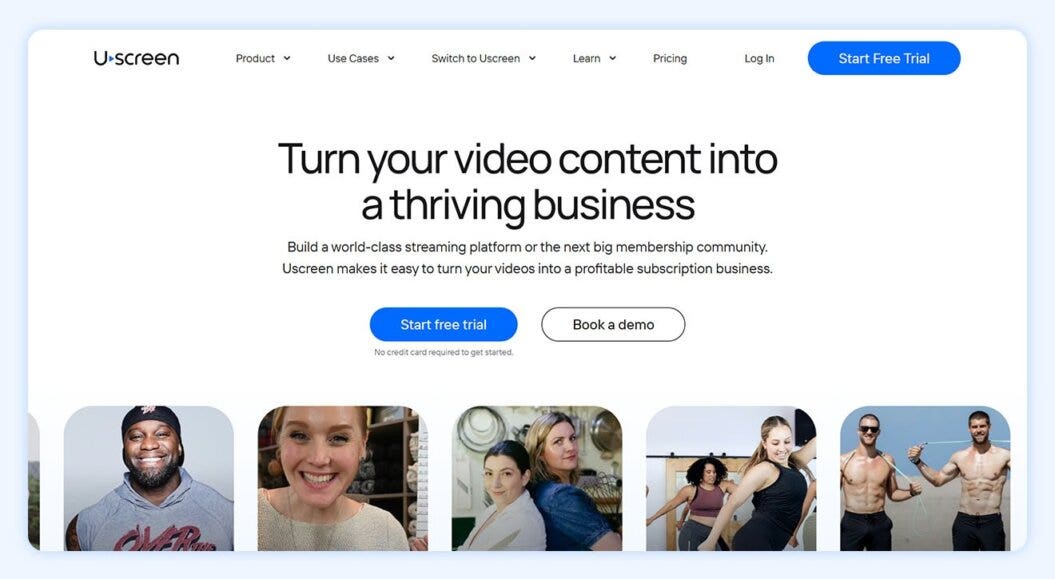
Uscreen is an all-in-one membership platform built for video creators that helps them earn $150+ million each year. We help you unlock the full potential of pay-per-video streaming by selling memberships (opens in new tab) and developing an engaged community.
With Uscreen, you can easily create a pay-per-view website (opens in new tab) using multiple content monetization (opens in new tab) models, like:
- One-off transactions
- Subscription video on demand (SVOD) models (opens in new tab)
- Premium video on demand (PVOD) (opens in new tab)
We offer exceptional support and security to ensure your business is safe and support you in scaling your business through branded TV and mobile streaming apps.
If you’re a creator who wants to build a long-term membership business with community spaces and video streaming across multiple platforms (opens in new tab) , then Uscreen is a great option to explore.
Core features
- Live streaming (opens in new tab) : Supports streaming on any device, live chat, pay-per-view, donations, and a live streaming calendar for better interaction and monetization
- Viewer experience (opens in new tab) : Offers customizable playlists, content filtering, auto-play, and collections to enhance user viewing
- Mobile and TV apps (opens in new tab) : Native apps on seven platforms like iOS and Android with features like in-app purchases, personalized playlists, offline viewing, and push notifications
- Built-in community (opens in new tab) : Features user-generated content, posts with video integration, interactive challenges, an AI content creation assistant, and a channel-based feed to boost engagement
- Marketing tools (opens in new tab) : A no-code website builder, APIs, email marketing, lead generation, audience nurturing, and win-back strategies with a free trial offer
- Analytics (opens in new tab) : Flexible monetization with 0% fee on purchases, detailed analytics by author/device, revenue reports, subscriber insights, and integrated payments
- Automations: Uscreen powers the full member lifecycle from one place, so you can easily manage engagement, growth, and retention
Pros
- Netflix-style viewing experience
- Multiple monetization options to generate revenue
- Exceptional customer support
- Best-in-class security
- Branded mobile apps
- Simple payment system
Cons
- No standalone video hosting
- Unable to embed videos on an external website
Reviews
Pricing
Uscreen has four pricing tiers (opens in new tab) :
- Starter: $49/month (monthly only)
- Growth: $149/month + $1.99 subscriber fee, billed annually
- App essentials: $449/month + $0.99 subscriber fee, billed annually
- Custom: Custom pricing
2. Muvi
Best for: Multi-format pay-per-view content
G2 rating: 4.6 out of 5 (opens in new tab)
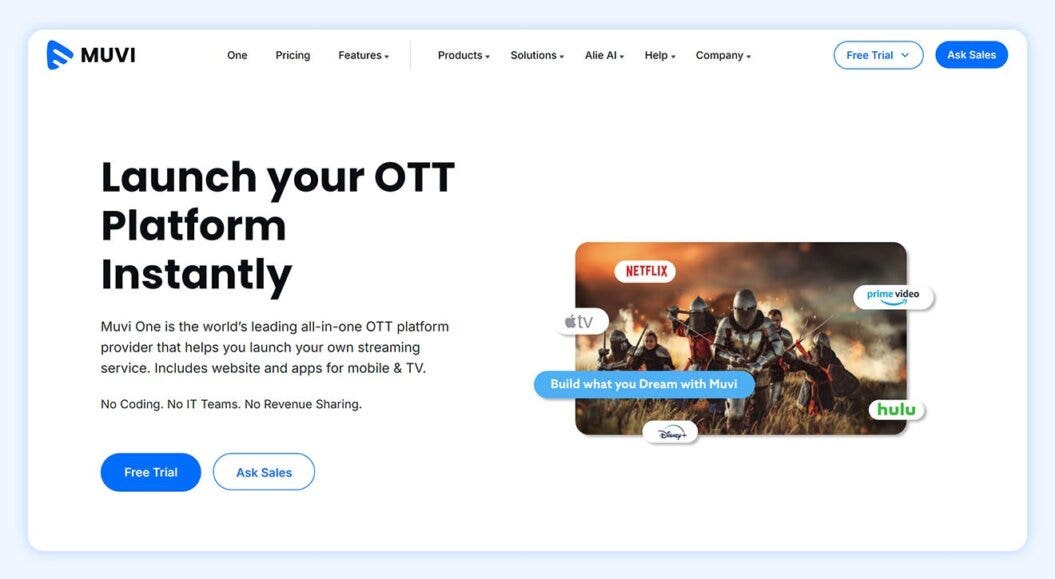
Muvi specializes in scalable over-the-top (OTT) video streaming platforms (opens in new tab) . Their out-of-the-box tailoring makes it a solid choice for anyone from beginner to seasoned content creators.
Their pay-per-view video platform is a great choice for anyone looking to take advantage of multiple content formats. Muvi allows you to create and sell both audio and video content, which can be a great option for podcasters and creators looking to use transactional video.
Live streaming and video on demand come standard, giving more content variation to round out your content library and match user intent. And, they built in content management capabilities to make this process easier.
Variety is the name of the game for Muvi, and they offer nine different video monetization methods (including pay-per-view), giving you a high level of flexibility. And, they’ll let you keep 100% of your revenue.
Muvi’s pricing is more like that of a video hosting provider, where they focus on the number of accounts, bandwidth, and storage, meaning you can do a lot with lower-tier packages if you can find a workaround, and pay for only what you use. It’s also worth noting that Muvi charges infrastructure fees for bandwidth and storage after you reach your free limit.
Core features
- An HTML5 video player (opens in new tab) that’s compatible across all devices
- The ability to create live streaming channels and reach anyone, anywhere
- Build your own audio and video streaming platforms, like Tidal or Netflix
- Video monetization that covers pay-per-view, subscriptions, and more
- A post-event content library so people can still watch later
Pros
- Nine possible video monetization methods
- 100% revenue retention
- Supports video and audio content
- Ability to sell physical goods like merch
Cons
- Limited branding and design options
- No marketing tools
- Complicated storage and bandwidth pricing
Reviews
The Muvi team has been very helpful in migration of our user data from our previous platform. They are always on hand and responsive to queries, and ready to offer solutions to our concerns. Verified G2 Review (opens in new tab)
Pricing
Muvi has multiple products with separate pricing plans (opens in new tab) :
- Pay-per-view starts at $9/month + 9% commission fee
- Muvi One (OTT streaming) plans range from:
3. VPlayed
Best for: Entertainment-focused content creators
G2 rating: 4.8 out of 5 (opens in new tab)
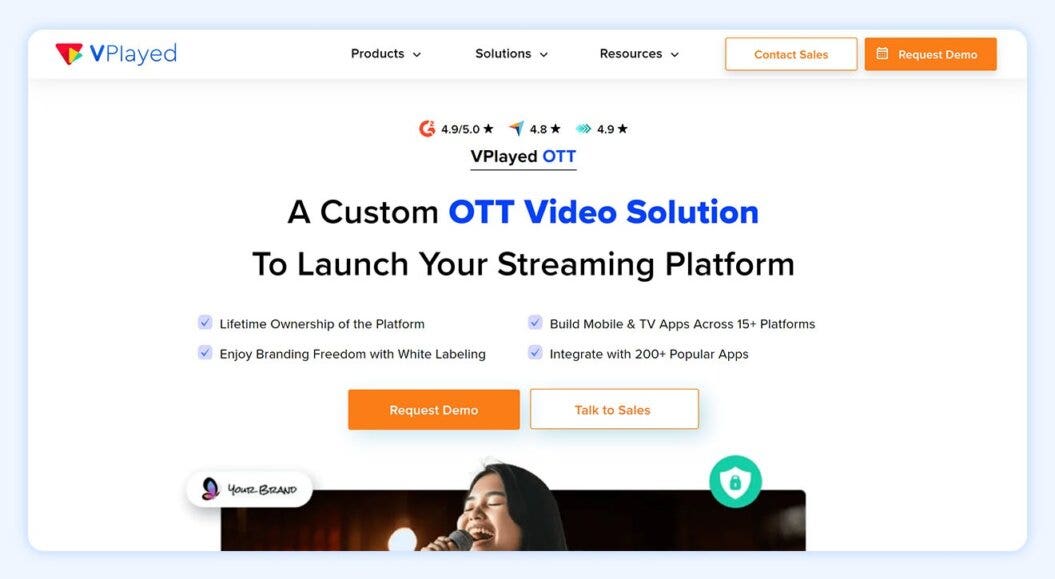
VPlayed (formerly Contus Vplayed) is a pay-per-view video platform that’s primarily designed for creators who want to build a business around entertainment-focused PPV streams.
They provide one of the most customizable solutions in this list, giving you complete control over the look and feel of your platform. They also emphasize security with advanced encryption types that protect your content. This has helped them to become a prolific pay-per-view tool in developing and multilingual markets, like Brazil, Indonesia, and India.
VPlayed also boasts a suite of over 1,000 streaming features, alongside flexible pricing and 100% revenue retention, making it a great starting PPV platform for a media production company. (You can even start with advertising-based video, if it’s a lower barrier to entry to drive revenue growth!)
Core features
- Completely customizable solution
- 200+ integrations with external platforms and APIs
- App and subscriber-focused platform
- Cloud and on-site video hosting platform
Pros
- 100% revenue retention
- AVOD, SVOD, TVOD, PPV video monetization
- Advanced security with AES encryption
- Flexible video hosting
Cons
- Expensive one-time license fee
- Complex customizations
- Not focused on audience engagement
- Unproven in more developed markets
Reviews
Streams with 4K quality having buffer-free renditions have been a class apart! Subtitles are now seamlessly adaptable to multiple languages which helps us to cater services to a larger audience. And to convert potential leads to prospective deals, tools in the video marketing suite have helped us to achieve maximum ROI within our branded platform. Tools like recommendation engines, social sharing, and metadata management have assisted us to drive up brand value. Verified G2 Review (opens in new tab)
Pricing
VPlayed’s solutions are all custom, and they set their prices (opens in new tab) based on your business needs. Reach out to their team to get an accurate quote.
4. Dacast
Best for: Enterprise solutions and PPV access to online events
G2 rating: 4.3 out of 5 (opens in new tab)
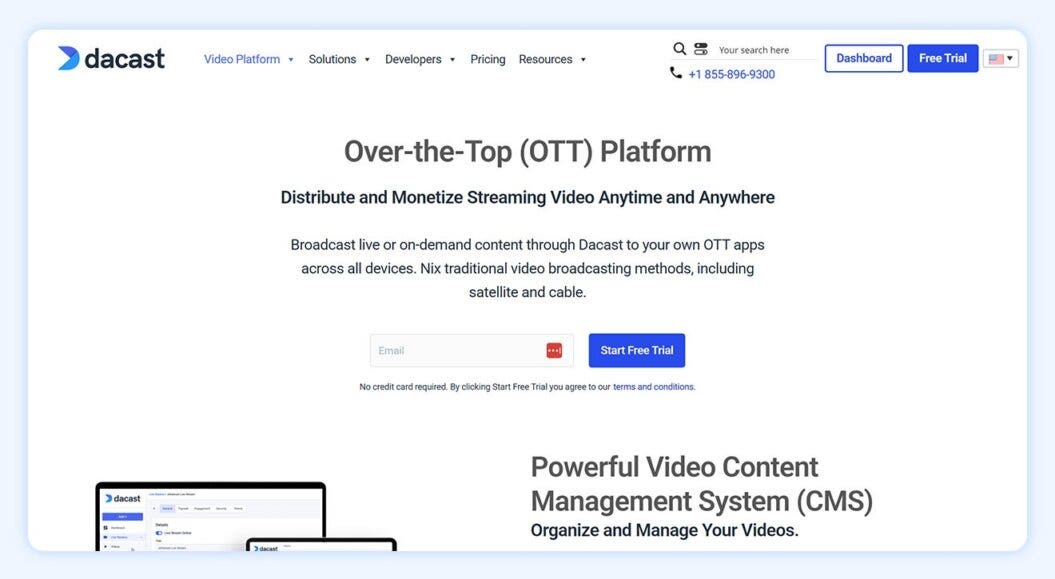
Dacast is a versatile pay-per-view video platform. They specialize in video hosting, video on demand, and live events, with a focus on reducing the technical barriers to launching your video service.
They’re most commonly used in enterprise stream pay per view, media and entertainment, sporting events, and even educational event live streaming (opens in new tab) .
Dacast offers white labeling to give you a high level of control over the look and feel of your content catalog and delivery. Though customizations can be complicated, there are some simple options to help you get started.
Much like Muvi, Dacast’s model feels a little more like a video hosting provider over a video streaming platform (opens in new tab) , because their infrastructure is built to reduce bandwidth costs and improve your broadcast quality.
Dacast does charge a premium when it comes to revenue share, though. You’ll also be expected to pay a 9.9% commission plus an additional $0.40 charge for any PPV streams that you sell, making it an expensive PPV platform for those on smaller budgets.
Core features
- Customize your video player and add branding.
- Live stream content to viewers around the world.
- Bring quality content with a HTML5 player.
- Understand viewer habits with their analytics.
- Use different subscription models.
- Organize and manage videos through their portal.
- Monetize through AVOD, SVOD, or TVOD.
Pros
- White label video player
- Full stack of live streaming and on-demand videos
- Global reach through top-tier content delivery networks
- Ad-based monetization available
Cons
- 9.9% commission on PPV sales
- Issues with video performance for lower-tier plans
- Complicated customizations
Reviews
Dacast lets our team stay focused and fully control our content, keeping videos private and accessible only to our team. It’s great for hosting and live streaming, with a customizable player that avoids YouTube’s branding and distractions. Some uploads and video updates can be a bit slow, and full HD processing takes time, but overall it works well and integrates seamlessly into our training materials. Gus, Multimedia Manager (opens in new tab)
Pricing
Dacast works on a subscription pricing model (opens in new tab) at these three tiers:
- Starter: $39/month, billed annually
- Event: $63/month, billed annually
- Scale: $165/month, billed annually
- Custom: Contact sales
For PPV transactions, you’ll also be expected to pay a 9.9% commission plus an additional $0.40 charge. If that puts you off, check out some Dacast alternatives (opens in new tab) .
5. Kaltura
Best for: Creators who want full creative control over their platform
G2 rating: 4.3 out of 5 (opens in new tab)
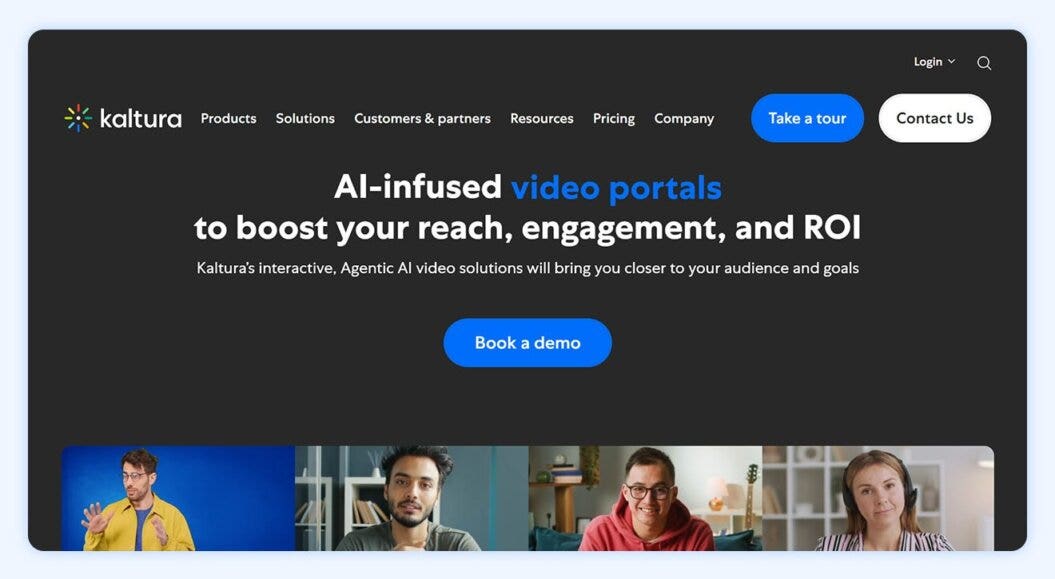
Kaltura focuses on video content management (opens in new tab) with an emphasis on customization. It’s a great choice for broadcasters who desire complete creative control over their own website.
They has many CDN partnerships that give them reliable coverage around the world, which is a must for live-streaming content, and scales to support a large body of users, especially popular among educational markets (opens in new tab) .
Core features
- Quizzing features that reinforce efficient course material (opens in new tab)
- A centralized online video hub to manage video-on-demand content
- Captioning and translation services to reach global audiences
- Membership tools (opens in new tab) like advanced video analytics to make sense out of your data
- Large-scale streaming options to reach unlimited audiences
While Kaltura may be a better fit for a more established operation, its capabilities make it one of the best pay-per-view website platforms on the market.
Pros
- Great for educational content
- Interactive video to customize streaming service
- Emphasis on accessibility features
- Extensive API integrations
Cons
- Steep learning curve
- Focused on large and legacy institutions
- Less familiar video interface
- Costs more than similar alternatives
Reviews
When it comes to creating business videos, Kaltura Video Cloud offers the best features and I like that it makes it possible to create video for different business use. With the tool, we can make videos for training, business communication and for all our marketing needs. I like that it centralizes management of our video content and comes with great analytics capabilities. Adaptive streaming and the amazing security features makes Kaltura Video Cloud unbeatable. I also like that we can always scale Kaltura Video Cloud based on our business needs and growth. Gerald S, Verified G2 Review (opens in new tab)
Pricing
Kaltura’s pricing isn’t explicitly stated on their website, and many third-party estimations are unverified. So, you would need to contact them (opens in new tab) for a quote.
6. Backlight Streaming (formerly Zype)
Best for: Traditional media publishers
G2 rating: 4.4 out of 5 (opens in new tab)
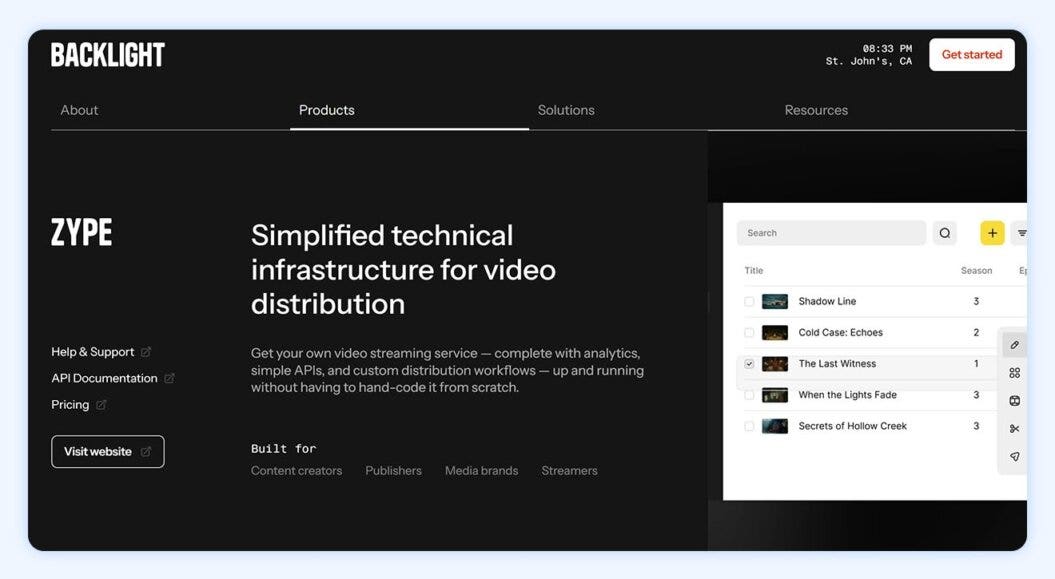
Backlight Streaming is a newer name in the pay-per-view video platform space, but it represents the combination of two well-established streaming services: Zype and Wildmoka (opens in new tab) .
At its core, Backlight is a content management system built on its own cloud platform. This has allowed them to become a video provider that focuses on making complex PPV video content sales simple, especially for traditional media publishers that might be selling hundreds of pay-per-view products at the same time.
Their focus is heavily on content delivery and navigation, with one of the standout features being the search function for content catalogs.
They have a global and secure network of content delivery networks that maintain streaming speeds and can offer support for multilingual audiences around the world.
You have the scope to build your own video streaming app long term, and if you have a technical team, the right developers can fully customize any aspect of your streaming website.
Core features
- The ability to upload videos in bulk
- Live streaming to multiple social platforms, like Facebook Live (opens in new tab) and Twitch (opens in new tab) , at the same time
- Multi-CDN support for fast and dependable content delivery
- Supports large corporate events
- Developers with full control over customization
- Easy-to-use tools to build your own streaming app
Pros
- Intuitive tools to design streaming sites and apps
- Unique content catalog designs with in-built search functions
- Large content delivery network and multi-region configurations
- Multilingual support options
Cons
- Limited reporting
- Built for more traditional media publishers
Reviews
I value the Zype platform’s ease of use and rapid response when updating our company’s app and OTT offerings. Zype’s services are also offered to our company at a great price. After I learned the interface, I am able to rapidly update our TV show’s assets and these reflect in near-real time. It’s also been a stable platform in that I don’t recall any downtime or outage with the apps/OTTs. I have also appreciated that my questions were answered within a reasonable timeframe when I had to contact Support. Zsolt L., Verified G2 Review (opens in new tab)
Pricing
Backlight Streaming has stopped sharing their prices for this pay-per-view video platform openly.
Reports suggest prices start at $500 (opens in new tab) , but you’ll need to request a demo to get the most up-to-date information.
7. Vimeo Streaming
Best for: Creators offering simple individual pay-per-view access
G2 rating: 4.3 out of 5 (opens in new tab)
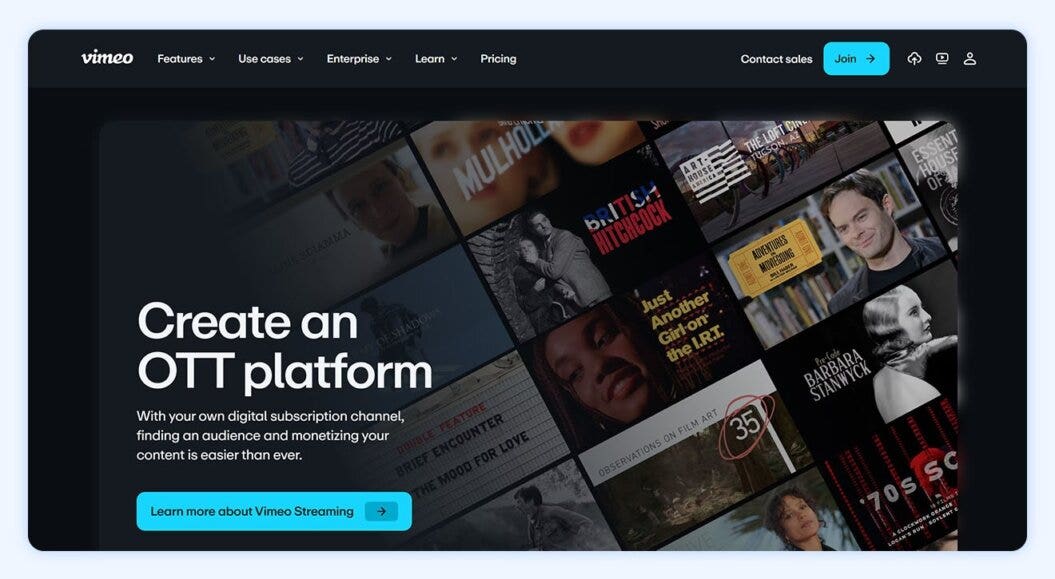
Vimeo Streaming (formerly Vimeo OTT) is a popular video platform with straightforward pay-per-view capabilities for creators who want to sell individual videos or live streams. While it doesn’t offer advanced membership or community features, creators can quickly and easily monetize content, making it ideal for those looking for a simple PPV setup.
Creators can sell one-time access to videos or rentals, restrict viewing through passwords, and embed content on their websites with a branded player. If you want more extensive community features, look at popular Vimeo alternatives (opens in new tab) .
Core features
- Pay-per-view and rental options for individual videos and live streams
- High-quality HD and 4K playback with adaptive bitrate
- Password and access controls to manage who can view content
- Basic video editing tools for trimming and enhancing clips
- Customizable video embeds for branding across websites
Pros
- Intuitive, user-friendly interface
- Established and trusted brand in video hosting since 2004
- Limited free plan available to test features and host videos
Cons
- Minimal marketing tools for driving PPV sales; you need external integrations
- Limited support on lower-tier plans, with phone and live chat only for Enterprise
- Lacks modern community and engagement features
Reviews
I really like Vimeo’s extensive experience in the market and its professionalism in all aspects. Additionally, I love how Vimeo incorporates new technologies, which demonstrates its capacity for innovation and adaptation to the changing environment. Statistics are a standout aspect for me, as they offer a wide range of metrics to measure content, which is very beneficial for evaluating its performance. These analytical tools allow me to track in detail and obtain valuable information that helps me make better-informed decisions about the content I develop and share. Paula Andrea N., Verified Review (opens in new tab)
Pricing
Vimeo OTT has two different plans (opens in new tab) depending on your size and needs:
- Standard: $1 per subscriber/month plus 10% of one-time purchases
- Enterprise: Custom pricing; contact their team for more details
8. Wowza
Best for: Businesses and developers building custom pay-per-view live and on-demand experiences
G2 rating: 4.5 out of 5 (opens in new tab)
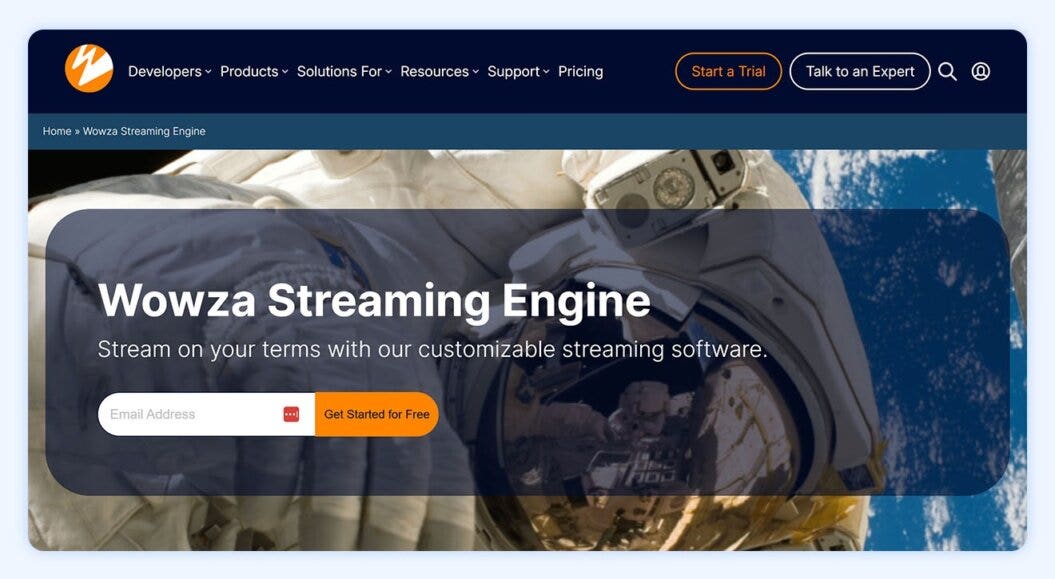
Wowza Streaming Engine is a high-performing platform designed for live and on-demand video. It supports multiple streaming protocols, integrates with CDNs for global distribution, and provides APIs and plugins for developers to build custom PPV workflows.
While it excels in reliability and scalability, some setups require technical knowledge to configure advanced workflows. Although Wowza does not include built-in monetization, it can be paired with external payment systems to sell PPV content. This makes it a strong choice for enterprises or technical teams.
Core features
- Live and on-demand streaming with high-quality video delivery
- Developer APIs and plugins for custom workflows and integrations
- Secure streaming with DRM, encryption, and token authentication
- Scalable architecture supporting SRT, HLS, and DASH protocols
Pros
- Flexible deployment, including cloud, on-premises, or hybrid, depending on your needs
- High-performance and scalable infrastructure for global streaming
- Developer-friendly APIs and SDKs allow complex PPV workflows and customizations
Cons
- No native monetization; it requires external payment integration for PPV
- Some configurations require technical skills like editing code or configuration files
- Monthly costs may vary based on pay-as-you-go pricing
Reviews
I really appreciate how Wowza Streaming allows me to stream to multiple platforms without manual intervention, which simplifies the broadcasting of my bible study classes significantly. The convenience of being able to stream seamlessly, including integration with my mobile app, is a standout feature for me. I also value its affordability and the compatibility it provides with the various platforms I use. These aspects make it a valuable tool for my streaming needs. Wade C., Verified Review (opens in new tab)
Pricing
Wowza offers three different pricing plans (opens in new tab) , with one option being a one-time purchase:
- One month of streaming: $295 (one-time purchase)
- Basic monthly: $195/month
- Enterprise: Custom pricing; contact sales
9. JW Player
Best for: Publishers focused on video delivery, ads, and basic pay-per-view access
G2 rating: 3.4 out of 5 (opens in new tab)
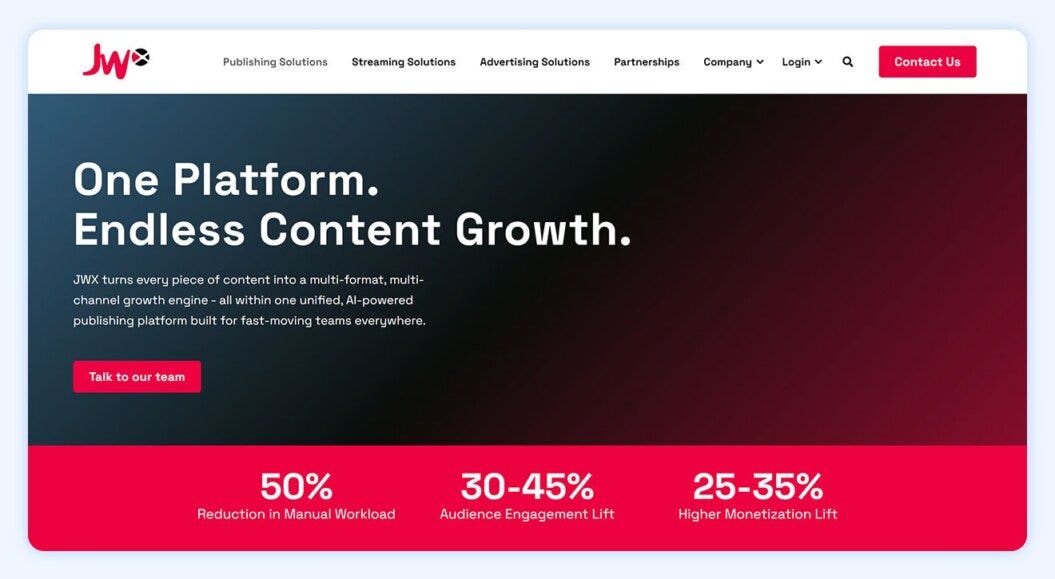
JW Player is a white label video platform (opens in new tab) for publishers and media companies to monetize live streams and on-demand content. Their customizable video player and OTT app support make them a great pick for delivering content across multiple devices.
While they excel in advertising-based monetization, creators focused on standalone pay-per-view video or smaller-scale OTT operations may want to explore alternatives with simpler pricing and feature sets.
Core features
- Supports ads, subscriptions, and hybrid monetization models
- Analytics and insights into viewer behavior and video performance
- Multi-platform compatibility across web, mobile, and connected TVs
- White label player for fully branded PPV experiences
Pros
- Well-established brand with a trusted, high-quality video player
- Robust ad monetization tools with contextual targeting and real-time analytics
- 24/7 live streaming support, suitable for large or complex live events
Cons
- Lack of pricing transparency on website
- Better suited for broadcasters and large publishers
- Some advanced PPV features are limited compared to alternatives
- Interface can feel less intuitive than competing platforms
Reviews
We have used it for 8 years, and we have not had any significant downtime or issues. It’s an established platform, which has been fairly stable also for higher usage. It can scale with bigger video needs — but tbh, nowadays all platforms can do that. So what’s best? They have delivered videos fine. Verified G2 Review (opens in new tab)
Pricing
Contact JW Player (opens in new tab) directly for a quote.
10. Kajabi
Best for: Creators bundling videos with digital products and memberships
G2 rating: 4.2 out of 5 (opens in new tab)
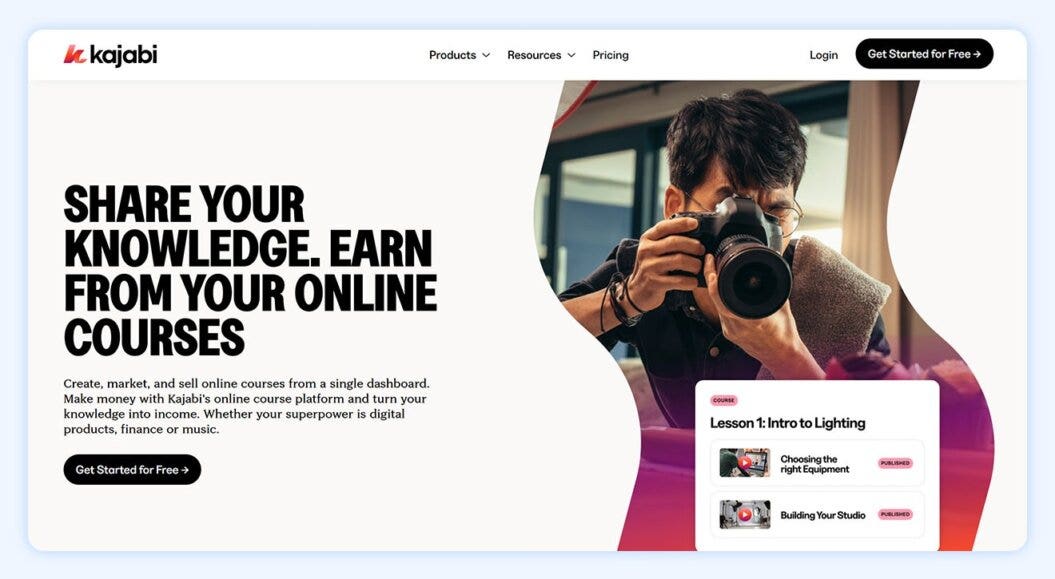
Kajabi is an all-in-one platform for creators who want to sell videos alongside courses, memberships, and other digital products. While they supports one-time video purchases, their strength lies in combining pay-per-view content with recurring subscriptions and product bundles.
This makes it ideal for creators looking to build a long-term, monetized ecosystem rather than standalone PPV sales. The platform includes built-in marketing, website, and email tools, allowing creators to manage sales, subscriptions, and memberships without needing multiple third-party services.
Creators focused on general PPV tactics may want to look for Kajabi alternatives (opens in new tab) .
Core features
- Video hosting for on-demand content and courses
- One-time purchase, subscription, and membership options
- Marketing automation and email campaigns
- Website and landing page builder with customizable templates
Pros
- All-in-one platform for selling courses, memberships, and PPV content
- Easy-to-use interface for non-technical creators
- Built-in marketing and email automation simplify monetization
Cons
- Limited dedicated PPV tools compared to other platforms
- Less flexibility for creators whose business is primarily individual video sales
Reviews
As a consultant and marketer for almost 6 years who primarily helps course creators grow and scale their online businesses, Kajabi has been my go-to recommendation working with creators. It truly is a comprehensive, all-in-one solution with everything we need for a digital product business (website, landing pages, marketing automation, easy integration with Meta CAPI for tracking FB ads, upsells/downsells that boost AOV). Having everything in one place makes putting together launches and funnels super fast because I can create pages, forms, tags, automations, email sequences, countdown timers, events, etc. all in a single place. I love it. Jonathan W., Verified G2 review (opens in new tab)
Pricing
Kajabi has four pricing plans (opens in new tab) to choose from:
- Kickstarter: $71/month
- Basic: $143/month
- Growth: $199/month
- Pro: $399/month
What is pay-per-view video streaming?
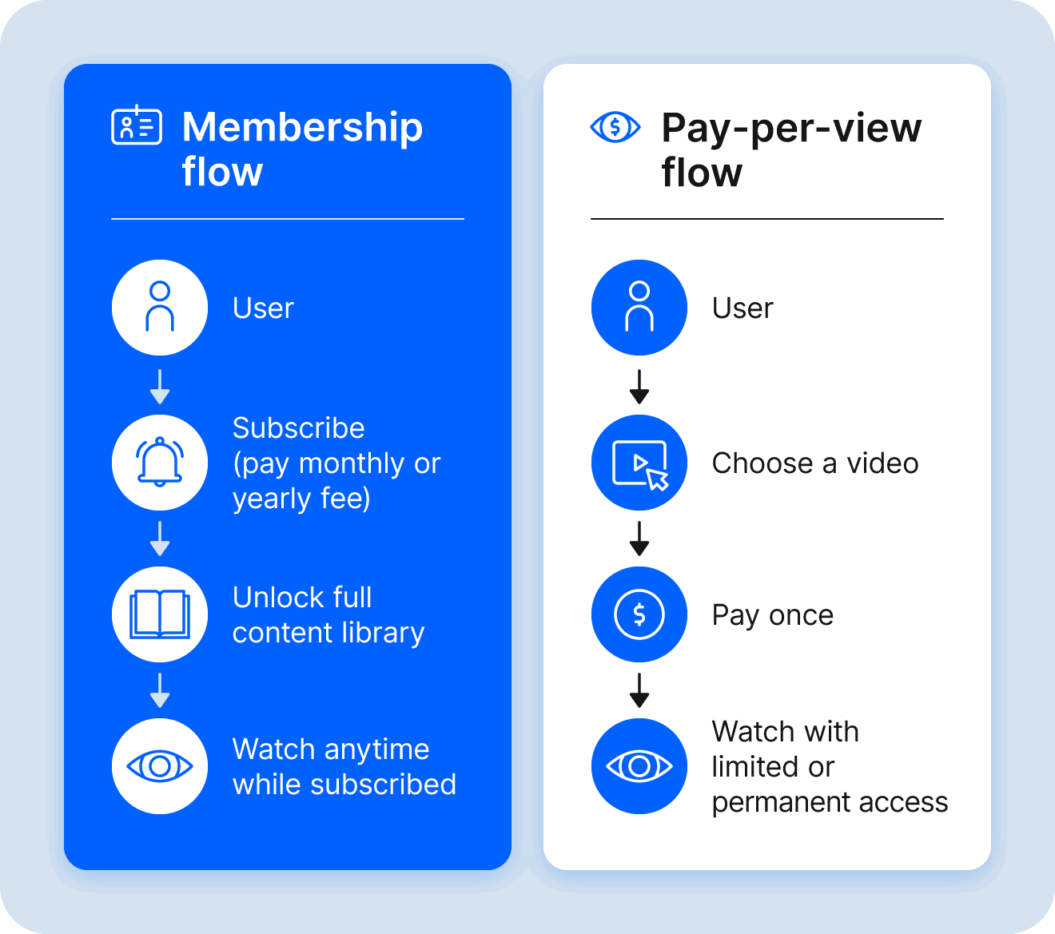
Pay-per-view video streaming is a monetization model for online video content where viewers pay a fee to watch a specific video or event.
Unlike subscription-based services, which require recurring payments for access to a library of content, PPV charges viewers individually for each piece of content they want to watch.
PPV delivers a range of benefits for creators, including:
- Direct revenue generation: You earn money directly from your audience. Each purchase generates instant income, complementing recurring revenue models like memberships or subscriptions (opens in new tab) .
- Control over pricing and distribution: You set your own course prices (opens in new tab) based on the value of your content, production costs, and market demand. You can also control the distribution of content, deciding where and how long it’s offered.
- Increased profit margins: By cutting out advertisers or third-party distributors, PPV platforms typically produce higher profit margins per viewer compared to other monetization models.
- Enhanced content security: Many PPV platforms offer digital rights management (DRM) (opens in new tab) tools to protect content from piracy and unauthorized sharing, helping to maintain its exclusivity and value.
- Audience insights and analytics: PPV platforms usually provide detailed analytics about viewer behavior, such as demographics, watch time, and purchase patterns. These insights help creators refine their content strategy, pricing, and marketing efforts.
- Flexible content offerings: Creators can experiment with different types of content, from live events to exclusive releases. Since each piece is sold separately, you don’t have to worry about it impacting your subscription model.
- Niche audience targeting and unique event opportunities: PPV is ideal for effectively reaching niche markets where viewers are willing to pay for specialized content, such as independent films, specialized sports, or workshops.
- Global reach: PPV platforms allow worldwide audiences access to your content, giving creators the ability to reach international markets without regional distribution deals.
- Lower entry barriers: Creators, especially smaller ones, can enter the market without large upfront investments or long-term commitments. PPV platforms provide the infrastructure needed to host, stream, and monetize content.
How does PPV work?
PPV is made possible through a set of features that control content availability and access. PPV video platforms host content that users can purchase for a one-time fee, permanently, or for a set period of time.
PPV video platforms handle each transaction, processing payments and distributing content to users.
In cases where users rent content, access to media is revoked after a predetermined number of views or a time frame has lapsed.
Key considerations when choosing a pay-per-view video platform
Choosing a PPV platform is an important decision for the next phase of your business. And, there are probably lots of features and tools you’re looking for in the perfect platform.
But, there are eight things everyone should consider when doing their research, because they will have a large impact on how profitable, easy, and secure your business is to run:
- Monetization: Does the platform offer you high flexibility in how you earn, like being able to choose between one-time transactions and subscription payments (opens in new tab) ?
- Revenue share: What percentage of your sales will the platform take, and is that manageable alongside any monthly fees?
- Content management: Does the platform allow you to easily manage your content and customize the viewing environment?
- Content delivery: Can the platform stream your videos at the quality you need it to? And does it offer live streaming?
- Security: Does the platform protect your content and data using tools like encryption, watermarking, and geo-restrictions?
- Support: Does it have a customer support team to help you solve issues?
- Long-term scalability: does the platform have the tools to support your growth, or will you need to change long term?
- Mobile and OTT streaming (opens in new tab) : does the PPV platform allow you to stream on multiple platforms or devices, or even have the option to upgrade and grow?
It’s important for you to find a solution that ticks as many of these relevant boxes as possible, because these are harder to compromise on than any combination of features
How to price your pay-per-view video content
Now you’ve got a better idea of which pay-per-view video platform you’re going to choose for video streaming, it’s time to start thinking about how you’ll price your PPV videos.
There are a few things to consider for your video pricing strategy (opens in new tab) :
1. Your audience’s willingness to pay
Pricing starts with understanding your audience. How ready are they to pay for content like yours? Consider what they value most and which elements would make your content worth the price.
You might have an existing audience through recurring content like live streams, but that doesn’t necessarily mean they’re willing to purchase pay-per-view content.

Many membership owners underestimate the value they bring to members. I recently heard an interview where a membership creator discussed their pricing strategy on Patreon. They believed they couldn’t change prices due to legal restrictions until they learned about annual memberships. They instinctively set their monthly prices at $5.99, assuming that’s the “best” price for their membership business. When they discovered their competitors were charging $15 and upwards, there was a jaw-dropping moment: how can we replicate that, we left so much money on the table, and relief in the sense of we know what we’ve got to do now.
Joe Horowitz
VP Growth & Analytics at Uscreen
The best way to get this information is by asking them directly through email marketing surveys or conversations in your community. If you can’t do either of those, the remaining points in this list can help you make an informed estimate.
2. Your niche and the demand for PPV videos
Your content niche directly affects how much your audience will pay.
Let’s look at two sides of the entertainment industry to understand this a little better.
If you sell videos online (opens in new tab) in the form of TV shows or movies, pricing tends to be lower because these formats have become more of a commodity through popular platforms like Netflix and Apple TV. For example, a single movie rental might cost $5.
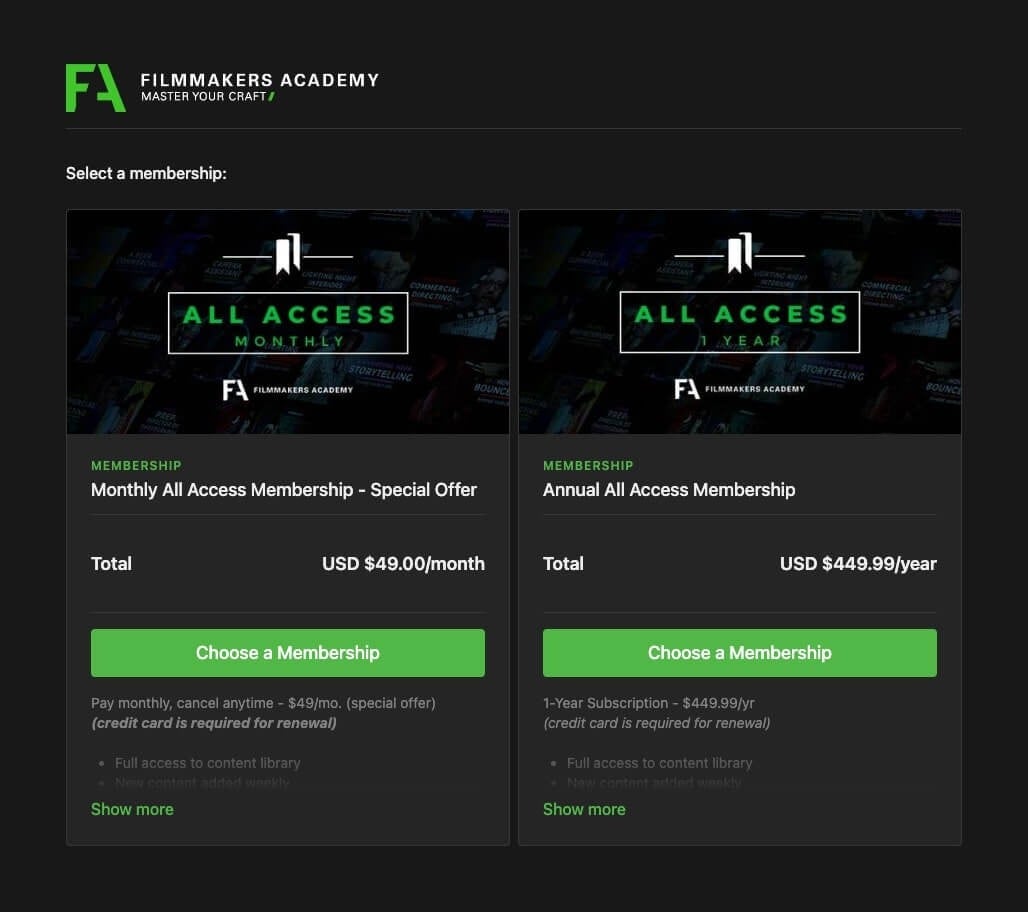
On the other hand, Filmmakers Academy (opens in new tab) sells videos educating people on how to become a better filmmaker. This is a more specialized offering with fewer creators producing that content, allowing for higher price points.
They can charge $500+ per year for access to their library because of the unique value they provide.
Analyzing your niche and the demand for your PPV content helps you set the right price. It can also help to take inspiration from competitor pricing.
3. Your competitors
Pay close attention to your competitors’ pricing to access their streaming platform and get a sense of what you could charge.
There are some great industry benchmarks that you can start with, that will give you a solid starting point:
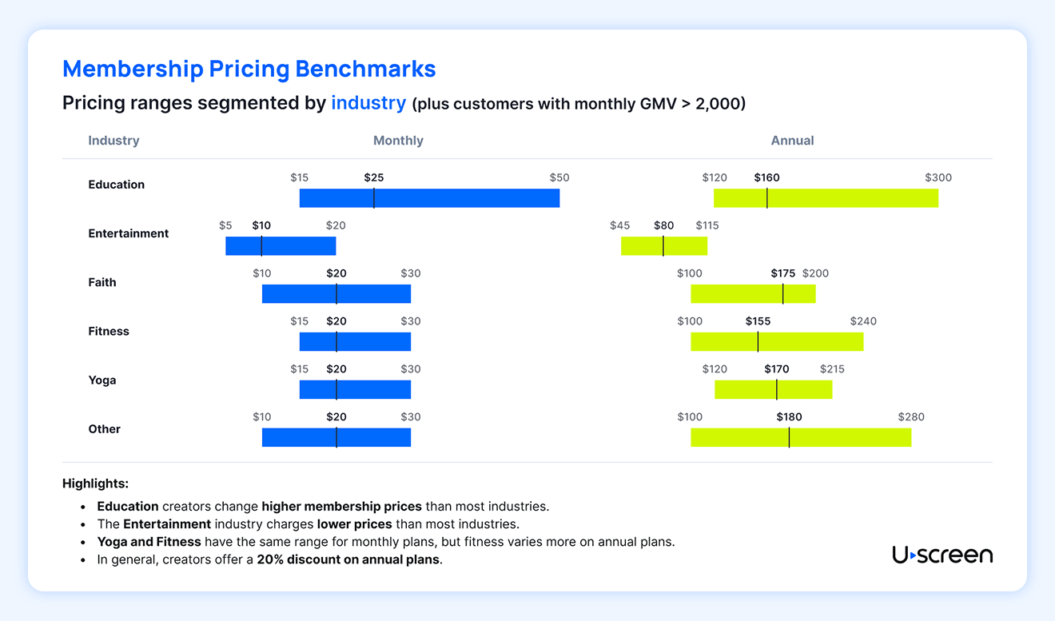
Doing comprehensive competitor research is important. Take a close look at what viewers receive for the price points they charge:
- Is it just access to a single piece of pay-per-view video content, or do they get unlimited access?
- Are there different prices for desktop and mobile streaming?
- Is the price different for a live event vs. an on-demand recording?
- Do they charge more for access to streaming apps?
- Knowing this can help you split your content out into different tiers and pricing models.
4. Your video streaming pricing tiers
One of the best parts about pay-per-view video platforms is that many let you set different pricing tiers. That means charging more money for different levels of access or content.
These tiers are a great way to help you drive revenue growth and also collect data on which pricing models work best to sell your videos online.

In smaller settings, the more you can increase the parasocial content on your membership, the more valuable it becomes. To be able to produce more content and increase community engagement in its small setting, you need to raise prices.
Chris Sharpe
Co-founder and COO at Find What Feels Good
For example, let’s say you’re building your pay-per-view business as a sports streaming website. You could set up your pricing model like:
- Top fan: Access to the live event, a recording, and the community area
- Matchday access: Access to the live event only
- Casual supporter: Access to the recording only
This is a simple and effective way to earn more money while stretching your video content further!
5. Your revenue goals
Finally, consider how much you want (or need) to earn from your streaming platform.

You should raise your prices at least every two years and consider offering annual memberships as a high-value source of recurring revenue. Our data shows that for annual memberships, churn rates are relatively lower, and customer lifetime value (LTV) is significantly higher than monthly memberships.
Joe Horowitz
VP Growth & Analytics at Uscreen
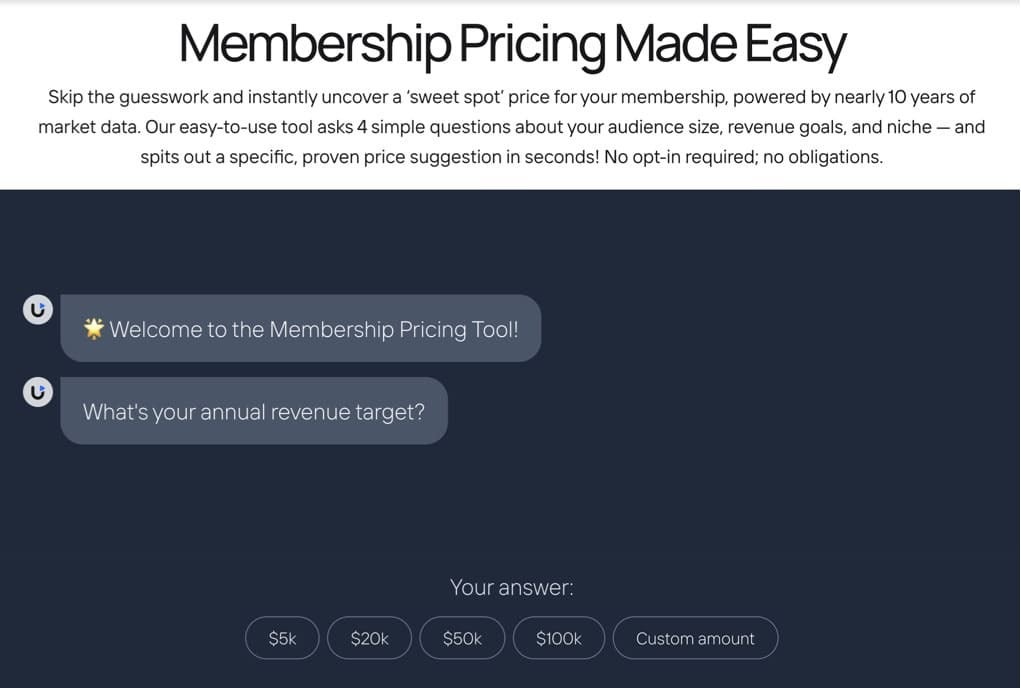
Ask yourself: What are your revenue goals, and how can you build your business to meet them?
To help answer this question, we’ve built a pricing calculator (opens in new tab) that does a lot of the legwork for you!
Create your pay-per-view video platform with Uscreen
Putting your content behind a video paywall (opens in new tab) creates consistent income from every view while giving you full control over your content. You deserve to earn the most from your work, and choosing the right pay-per-view video platform helps ensure that happens.
Uscreen stands out by offering flexible monetization options, so you can find the model that fits your audience. Beyond monetization, Uscreen helps you engage viewers through community features and tools designed to create the best possible user experience for your audience.
Pay-per-view video platforms FAQ
How do I monetize my pay-per-view videos?
It’s also best practice to create landing pages for upcoming live streams or PPV services where viewers can purchase tickets or subscribe early. You can incentivize early sign-ups by offering a discount code.
How do I create a pay-per-view video?
To get started:
1. Upload your video content to the platform and make sure it’s formatted correctly.
2. Set your price and decide if you want to sell your video per view, rental period, or bundled as a package.
3. Embed the pay-per-view link on your website and via social platforms.
Can you do PPV on YouTube?
What is TVOD?
What is pay-per-view hosting?
Unlike traditional video hosting platforms that offer subscription models or ad-supported models, pay-per-view video hosting focuses on generating revenue from individual video purchases.