Quick answer: The best Vimeo OTT (Vimeo Streaming) alternatives in 2026 include Uscreen, Muvi, Dacast, JW Player, Zype, Kaltura, Brightcove, and Patreon. Pick based on whether you need branded apps, built-in community, ad-based monetization, or enterprise infrastructure.
Vimeo OTT, now known as Vimeo Streaming, is a solid starting point for monetizing video content. As you scale, high costs, revenue sharing, and limited branding control start to work against you. That friction pushes many creators to explore Vimeo OTT alternatives.
Felicity Wood Yoga hit those limits firsthand. Hidden costs, a frustrating member experience, and little support drove her to find a better fit. After switching platforms, she grew her MRR by 43%.
Choosing the right platform doesn’t have to be overwhelming. We’ll break down eight comparable options to help you confidently choose a Vimeo Streaming alternative that supports long-term growth.
Key takeaways
- Uscreen is the strongest fit for video businesses building community-driven memberships with branded apps they own.
- Muvi suits organizations with technical resources that want to engineer a custom OTT service across its separately sold products.
- Dacast is the strongest live-event and broadcast-monetization platform.
- JW Player, Brightcove, and Kaltura serve enterprise media and education.
- Uscreen offers free migration support and has completed more than 1,000 platform migrations.
Top Vimeo OTT alternatives overview
| Platform | Best for | Top features | G2 Rating | Pricing |
|---|---|---|---|---|
| Uscreen | Community-driven video memberships |
|
4.7 | Starts at $49/month |
| Patreon | Smaller creators prioritizing direct fan support |
|
4.1 | 10% of revenue |
| Muvi | Small-to-medium businesses wanting quick setup |
|
4.5 | Starts at $339/month |
| JW Player | Media companies needing scalable infrastructure |
|
3.4 | Custom |
| Zype | Media companies wanting extensive integrations |
|
4.3 | Starts at $500/month |
| Kaltura | Education and e-learning |
|
4.3 | Custom |
| Dacast | Broadcasting live events |
|
4.3 | Starts at $39/month |
| Brightcove | Enterprise-scale delivery |
|
4.1 | Custom |
Why consider a Vimeo OTT alternative?
Vimeo still has brand recognition and a stable hosting product. The reasons video businesses leave are consistent across migration calls:
- Costs are hard to predict: Beyond the per-subscriber fee, Vimeo adds a bandwidth fee on non-paywall content, a 10% plus $0.50 fee on one-time purchases, and upload overages once you pass its yearly cap. Uscreen has no bandwidth fee, a lower one-time-purchase fee, and no upload overage, so your bill stays flat as you grow.
- Engagement features are missing: Vimeo Streaming has no built-in community, no native live streaming with chat (Vimeo says live chat is coming), no calendar, and only surface level marketing automation.
- Migration support is not included: If you move off Vimeo, you handle the transfer yourself.
- Constant billing complaint: Many users are reporting that they were billed wrongly by Vimeo lately.
- Policy changes in 2026: There have been significant policy changes that have made the loyal users frustrated.
If any of these match your situation, the platforms below are worth a serious look.
Uscreen
Best for: Community-driven video memberships
G2 rating: 4.7/5 stars
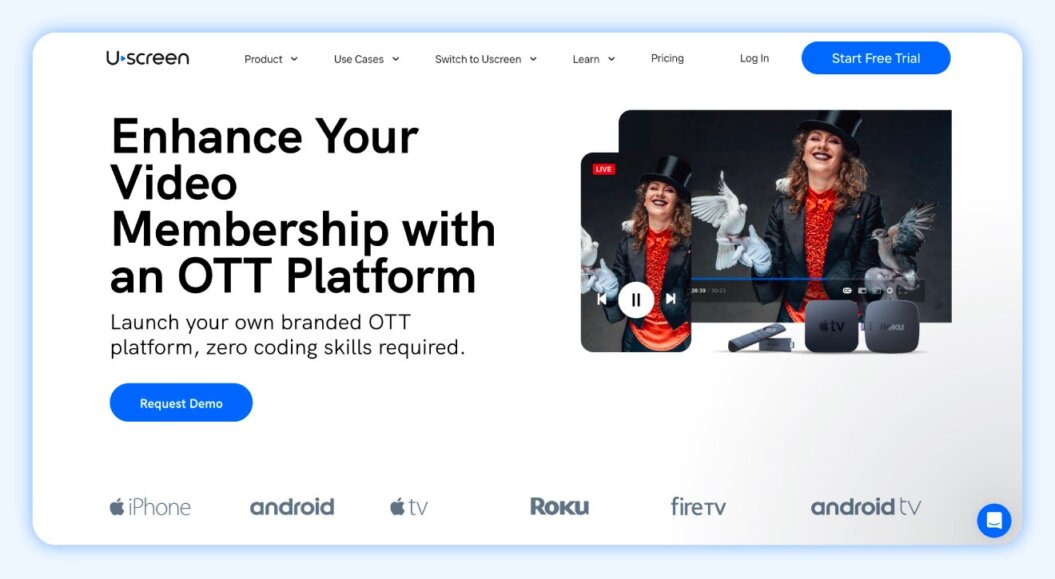
Uscreen is the video monetization platform that helps you build a sustainable business and a thriving community in your own branded app. 4,000+ video businesses have generated over $1 billion in cumulative subscription revenue on Uscreen. Launch a branded membership with everything you need in one place, including:
- On-demand video hosting and a customizable library
- Native live streaming across web, mobile, and TV
- Community spaces to keep members engaged between sessions
- Branded mobile and TV apps that put your content on every screen
Vimeo Streaming covers hosting, playback, and apps, but it stops short of the features that keep members coming back. Uscreen adds what Vimeo doesn’t offer at all, native live streaming with chat and built-in community, and gives you white-labeled apps published on your own developer account, so you own them outright instead of renting space on someone else’s platform. Apps launch in roughly 30 days. No code required.

“Since migrating to Uscreen, day-to-day operations have become much easier. As the business owner and the face of the company, it’s now simpler for me to engage with members directly. Whether they have questions about their form, need modifications, or are pregnant and unsure if an exercise is safe, it’s easy for them to contact me.”
Macy Pruett | Fittest Core
Founder of Fittest Core
Built-in automations plus a member CRM keep retention and growth in one place. Customers using email broadcasts have 4x more members and 4x higher revenue. Most prospects don’t realize Uscreen ships a full CRM: unlimited contacts, email broadcasts, behavioral automations, and lead capture, all included.
If you’re weighing both platforms, the Uscreen vs. Vimeo OTT comparison breaks down exactly where they differ. To see what the switch looks like in practice, Filmmakers Academy and Fittest Core are good places to start.
Uscreen pros
- Netflix-style catalog and viewing experience: Create a familiar, user-friendly experience with content organized into dedicated categories, bundles, and filters so members can find what they need across any device.
Uscreen cons
- Might come off as overkill: It offers a lot of features and offerings for a basic use case or for someone unfamiliar with video software.
- Branded mobile and TV apps: Publish up to six TV and mobile apps with offline viewing, content calendars, in-app purchases, and instant live stream access. Some creators have seen a 2x increase in monthly revenue and a 25% increase in watch time after launching apps.
- Community features: Build a thriving community around your content.
- Growth tools and analytics: Access a suite of tools to view detailed analytics and better understand your audience’s needs.
- Automations: Create behavior-based workflows to nurture leads, onboard new members, engage active subscribers, and win back inactive ones. Uscreen customers who use automations have 5.5x more viewers, 4x more watch time, and 5x more community posts than those who don’t use automations.
- Member CRM: Gain a clear, centralized view of your leads and members to personalize communication and take action with confidence.
- Email broadcasts: Create professional, on-brand campaigns in minutes and reach the right audience at the right time.
Migrability
Uscreen has a dedicated migrations team to handle the entire process of moving to the platform for you. Here’s what to expect:
- Hop on a call with our migration experts, where we’ll evaluate what is needed to help you migrate your content and users.
- Develop a tailored migration plan with the team, where we’ll outline the migration timeline with you and the specific capabilities of the platform you’re migrating from, and create a detailed plan of action.
- We’ll begin bulk migrating your content and users. Let us worry about the technical stuff so you can focus on your customer experience.
- We guide you through a successful platform launch, ensuring your audience is informed and excited.
If you ever decide to leave, all your content and data are accessible and yours to take with you. Our migrations team has completed more than 1,000 platform migrations to date, including former Vimeo customers like Fittest Core, and Jump Rope Dudes. See their migration stories to understand what changed for their businesses after switching.
Reviews
What customers say about Uscreen
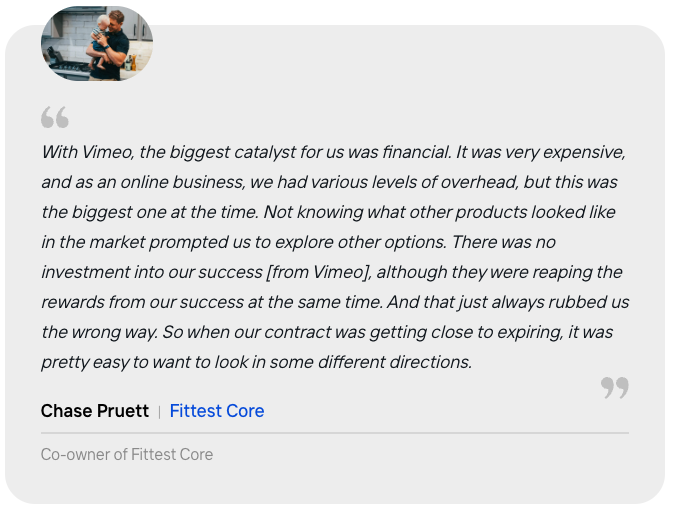
Fittest Core is a pre- and postnatal fitness membership founded by Macy Pruett. After launching on Vimeo OTT, high costs, limited community tools, and poor content navigation started working against them as the membership grew.
If you ever decide to leave, all your content and data are accessible and yours to take with you. Our migrations team has completed roughly 1,000 platform migrations to date, including former Vimeo customers like Yoga with Adriene, Fittest Core, and Jump Rope Dudes. See their migration stories to understand what changed for their businesses after switching.
Pricing
Uscreen offers four pricing plans:
- Starter: $49 per month (monthly only)
- Growth: $149 per month
- App essentials: $449 per month
- Build your own: Custom pricing
Patreon
Best for: Smaller creators prioritizing direct fan support and community engagement
G2 rating: 4.1/5 stars
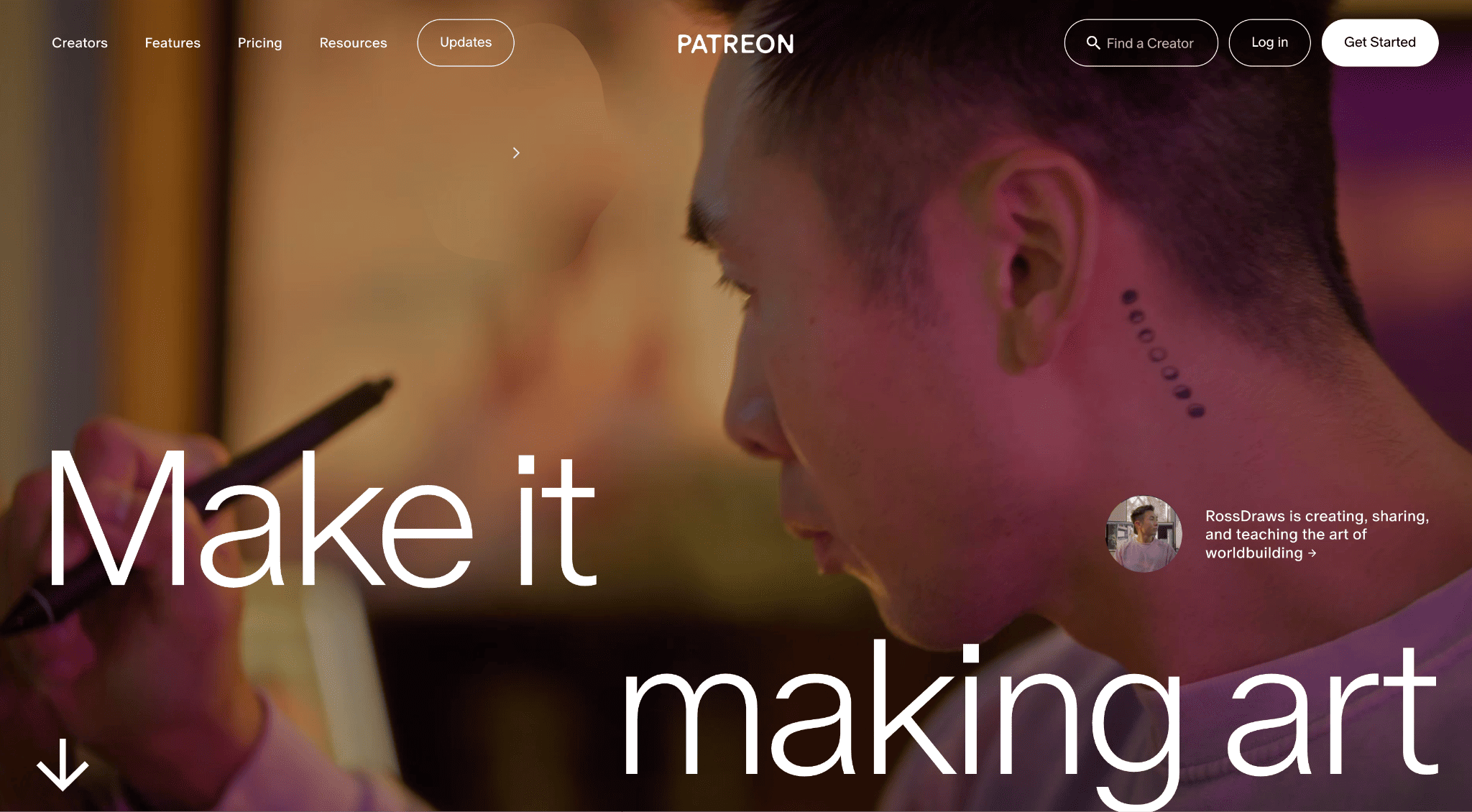
Patreon is an established platform for creators looking for financial support from their fans. It’s free to use and doesn’t involve any technical effort to set up and maintain, leaving you to focus on creating.
Patreon is a great option for creators looking to monetize their content. It’s used by creators of all types, including artists, musicians, podcasters, and video creators.
It’s designed for dedicated fans to support your work through monthly memberships, but new users can also find you listed on Patreon in a relevant category.
You can expect a low-effort, easy-to-maintain page that lets you focus your attention on creating rather than running or maintaining a business.
But is Patreon worth it? That all depends on what you’re looking for in a creator platform. Our video below covers this further. 👇
Patreon pros
- Free to start: Set up your creator page with minimal effort — no complex features or technical skills required.
- No recurring platform fees: Patreon takes a percentage of your earnings instead of charging a subscription, making it budget-friendly for new creators.
- Well-known platform: With 8 million members supporting creators, you gain access to a large potential audience right away.
Patreon cons
- Broad earnings potential range: Patreon focuses on support from your biggest fans, meaning your income is based on their continued support..
- Revenue share and transaction costs: While there’s no monthly platform fee, Patreon takes a percentage of your earnings (10% on the standard plan) and charges for payment processing, currency conversion, payout fees, and taxes.
- Limited functionality: You don’t get a branded website or mobile/TV app and it lacks functionality in many aspects.
- No audience ownership: You don’t fully own your audience like you would on a dedicated platform.
Migrability
If you outgrow the platform and want to try a Patreon alternative, you’ll need to do the work yourself to set up your new service and then encourage your Patrons to sign up with you there.
You’ll need to inform your members about the platform change and manually download and reupload all your content to your new platform.
Reviews
Is a great platform to listen to your favorite podcast people and to interact with them and to know what’s going on in your favorite podcast. Also the subscription is not expensive at all.
Maria G., Verified G2 Review
Pricing
Starting a Patreon is free. You only pay when you start earning and that’s 10% of the income you earn on Patreon, plus payment processing, currency conversion, and payout fees, and applicable taxes
Muvi
Best for: Small-to-medium businesses wanting quick setup
G2 rating: 4.5/5 stars
Muvi is a popular Vimeo streaming alternative. It offers a range of features, including live streaming, video on demand (VOD), mobile and TV apps, a video player, and flexible monetization.
The platform supports multiple content types mainly audio and video, which makes it a great choice for creators working across different mediums, like podcasters, audiobook publishers, and video broadcasters.
Muvi also supports multiple monetization options, including pay-per-view and AVOD, with straightforward pricing and setup.
Muvi pros
- Multiple product options: Muvi offers nine different products with varying feature sets and pricing
- Flexible monetization: It has nine different monetization methods available, allowing you to keep 100% of your revenue.
- Unlimited content: It has options for unlimited uploads and storage.
- Uncapped live streaming: Unlike Vimeo, you can stream live without limits.
- Audio and video support: You have the ability to release audio content in addition to video, adding versatility over Vimeo OTT.
Muvi cons
- Limited template options: Branded design choices are restricted, making it harder to fully customize your platform.
- No built-in marketing tools: While you can integrate third-party tools, they must be managed separately, adding extra cost and maintenance.
- Steep pricing jump: While the standard plan is relatively affordable, the cost increases significantly for higher-tier plans, and apps are an additional expense.
Migrability
Muvi offers migration services if you’re moving from another site, like Vimeo OTT.
If you’re looking to migrate from Muvi, how easy this is will depend on whether your new platform has the same migration services to do the work for you. Otherwise, you’d need to contact them directly to cancel your contract and arrange to access your data to move everything off the platform.
Reviews
I really appreciate how Muvi One serves as an all-in-one platform to host, manage, and distribute our video content. What I like most is how everything just works together in one place, so we’re not jumping between tools anymore. The integration of AI-powered tasks like subtitles, clips, and metadata makes our workflow faster, simpler, and much easier to scale without adding more effort. This automation removes a lot of manual work, allowing us to go from upload to publish much faster and enabling easy scaling of output without adding complexity. The initial setup was fairly smooth with self-sufficient onboarding guides, and the support team was quick and really helpful whenever we needed assistance.
Pricing
Muvi offers nine different products with separate pricing plans.
- Pay-per-view starts at $9/month + 9% commission fee.
- Muvi One (OTT streaming) plans range from:
- Standard: $339 a month billed annually
- Professional: $1,274 a month billed annually
- Enterprise: $3,315 a month billed annually
- Ultimate: Starts at $10,000 a month + custom app pricing billed annually. Contact the sales team for more details.
JWX Player
Best for: Media companies needing scalable infrastructure
G2 rating: 3.4/5 stars
JWX (formerly JW Player) is an end-to-end video delivery and monetization platform for both live and video-on-demand content. It’s best known as a high-quality video player, but it now offers more features, including OTT apps, multiple monetization options, and live streaming.
It’s best suited for media companies and publishers that prioritize advertising-based video monetization through a customizable video player.
Users can expect a highly customizable, scalable streaming solution with great video quality and monetization tools.
JW Player pros
- Reliable and trusted: JWX is a well-known, high-quality video platform trusted by major media businesses.
- Advertising-focused monetization: It offers advanced tools for contextual targeting, real-time viewability, and content completion rate to optimize ad performance.
- 24/7 live streaming support: It’s ideal for large-scale or complex live events.
JW Player cons
- Pricing not transparent: JWX does not publicly list pricing; you need to contact them for a quote.
- Geared toward broadcasters and publishers: It may be too complex or costly for smaller businesses or individual streamers.
- Limited advanced features: It’s customizable, but lacks some advanced capabilities offered by platforms like Zype and Brightcove.
- Clunky interface: Some users find the interface less intuitive compared to other platforms for selling videos.
Migrability
Migrating from JW Player typically involves downloading your content and data and then manually uploading it to your new platform.
Again, how easy this is will depend on which platform you’re moving to and if they offer dedicated migration services. At a minimum, you should be able to follow the self-help guides to export and then import your data manually.
Reviews
We have used JW Player for 8 years without any significant downtime, and it’s a stable, established platform that can scale with bigger video needs. However, there are many downsides. Their package-based pricing and inflated storage charges made our costs much higher than necessary—after migrating, we reduced storage from 22TB to 6.6TB and cut annual expenses by 78%. Customization options in the player and API are limited, and account managers function more as sales reps than true support. Overall, while the platform is stable, opaque pricing and limited functionality make it less appealing compared to other solutions on the market.
Pricing
You’ll need to contact JWX directly for a quote.
Zype
Best for: Media companies wanting to integrate with their existing setup
G2 rating: 4.3/5 stars
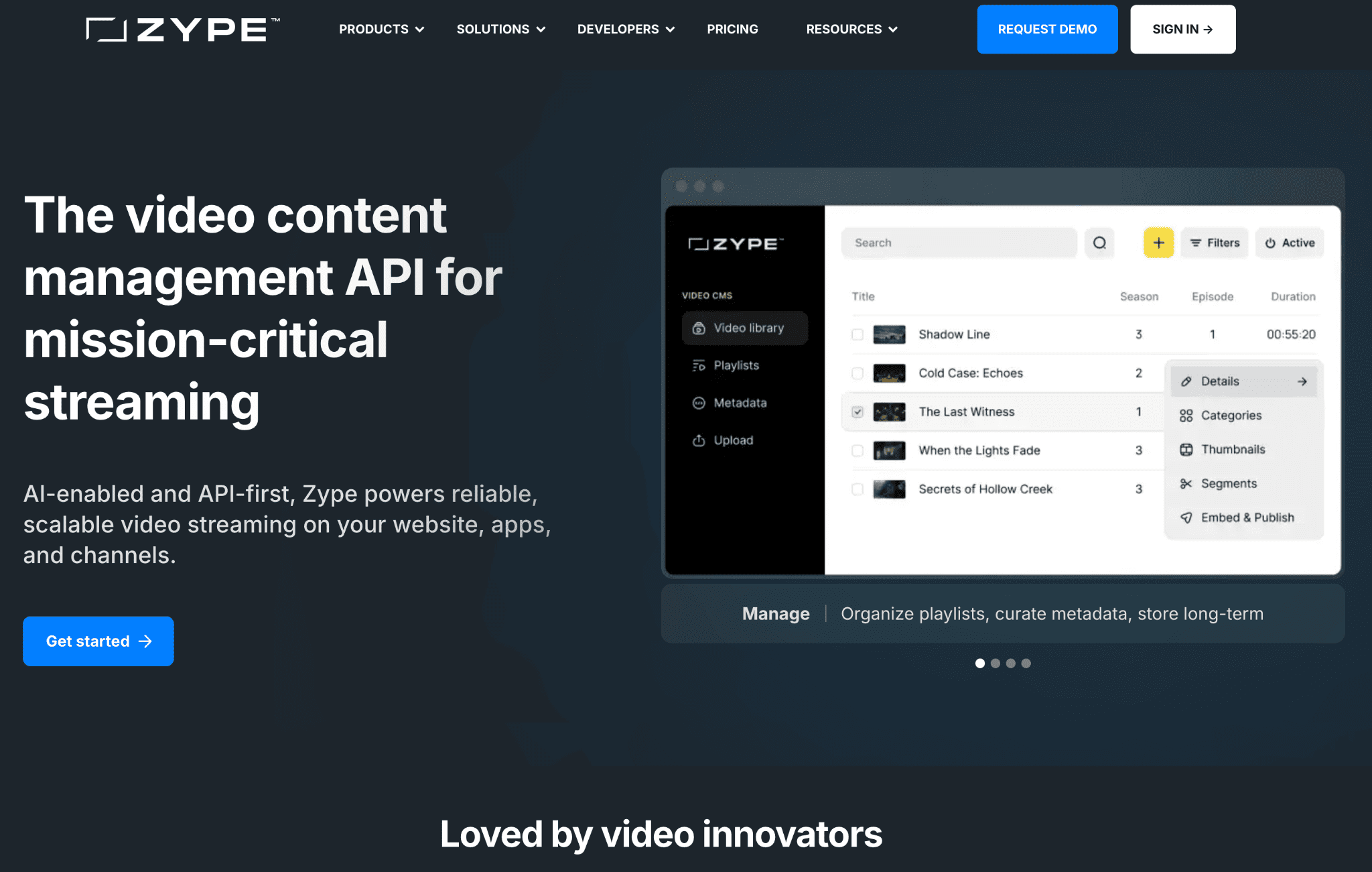
Zype is an enterprise-level video streaming platform offering both live and on-demand video content management. It’s designed to help businesses create and monetize their own OTT services, including custom-branded video apps.
Zype is known for its flexibility and extensive integrations with other platforms, making it a solid choice for businesses looking to scale their video content delivery.
Since Zype is an enterprise-grade streaming solution with a wide range of features, you’ll need to invest time and resources to get the full use out of it.
Zype pros
- Multiple monetization options: Zype supports subscriptions (SVOD), rentals (TVOD), and advertising (AVOD) for flexible revenue generation.
- Highly scalable: It can handle large-scale deployments and traffic surges, ideal for growing businesses.
- Fully customizable and white labeled: Its OTT apps and advanced API allow for a personalized user experience.
- In-depth analytics: Monitor and optimize video performance, viewer engagement, and revenue generation.
- Seamless integrations: It works with third-party systems like CMS, CRMs, and payment processors to fit existing workflows.
Zype cons
- Higher starting cost: Plans start at $500/month, which may be challenging for smaller businesses or beginners.
- Steep learning curve: Managing the platform and its OTT features can take time for users without prior experience.
- Complex admin interface: Some functionality and interfaces require commitment to learn, though the platform is highly customizable.
Migrability
Zype provides migration tools and support for users looking to switch from other platforms, but moving from Zype might be more complex depending on the level of customization you’ve put into it and the number of integrations you have. You should contact the platform you’re considering moving to for advice about migrating from Zype based on your setup.
Reviews
I value Zype’s ease of use and rapid response when updating our company’s app and OTT offerings. After learning the interface, I can quickly update our TV show’s assets, which reflect in near-real time. The platform has been stable with no downtime, and Support responds promptly to any questions. The only minor issues have been occasional syncing delays between Zype and our Vimeo Pro account, which are always resolved within a day, and sometimes published assets take a few hours to appear in live apps.
Pricing
- Zype X: $500 per month
- Premium: $3,500 per month
- Enterprise: Contact sales
Kaltura
Best for: Education and e-learning
G2 rating: 4.3/5 stars
Kaltura has made a name for itself as a company that focuses on educational content. Specifically for enterprise-level organizations looking to teach what they know and offer e-learning at scale.
Their current focus is on helping these organizations establish training platforms and virtual classrooms that boost ROI and engagement. They also offer LMS (learning management system) integrations for maximum flexibility.
The platform is ideal for educational institutions, enterprises, and broadcasters seeking highly flexible, open-source video solutions for e-learning, corporate training, or media streaming.
Kaltura pros
- Designed for education: It offers interactive video paths and branched videos for flexible learning experiences.
- Accessible: Kaltura supports major screen readers, closed captioning tools, and keyboard shortcuts for improved navigation.
- Highly customizable: It has hundreds of open APIs for integration with LMS and other tools.
- Easy content management: Kaltura enables simple uploading, organization, tagging, and sharing of videos.
- Interactive learning tools: It offers built-in in-video quizzes for assessments.
- Seamless LMS integration: It works smoothly with all standard LMS platforms.
Kaltura cons
- Unclear pricing structure: Most plans require contacting Kaltura for a quote, and with ten different pricing options based on use cases, it can be difficult to know what you’ll pay or which plan includes all the features you need.
- Learning curve for advanced tools: While core functions are manageable, some advanced setups such as configuring detailed registration forms can be complex and would benefit from more user-friendly guidance.
- Inconsistent performance across devices: Some features behave differently depending on the device or browser; for example, hotspot functionality does not work properly on iOS.
Migrability
If you’re migrating from Kaltura to a platform that offers support during the migration process, this should be fairly straightforward, as they will guide you through it or do the technical side of it for you.
If not, you can export your videos and data yourself and upload them to your new platform.
Reviews
I love the ease of use. I also greatly appreciate the extraordinary customer service they provide. Our university has been using Kaltura for our content for a very long time, and the improvements they have made over time are greatly appreciated and work seamlessly with our LMS. Their customer service is always top-notch, and their experts make difficult tasks easy to understand.
Pricing
Kaltura has ten different plans, each with its own pricing. The majority of them require you to contact their sales team for more details.
Dacast
Best for: Broadcasting live events
G2 rating: 4.3/5 stars
Dacast is a versatile and comprehensive Vimeo alternative that focuses on video hosting, video on demand, and live streaming. The platform is designed to be accessible for non-technical teams.
Its white label solution allows users plenty of control over their live streams and on-demand content. Dacast currently helps over 15,000 clients stream high-quality live video, reduce bandwidth costs, and improve broadcast quality.
The platform is most commonly used in enterprise streaming, media and entertainment, sports broadcasting, and even educational live streaming. Smaller creators may want to look for Dacast alternatives since the platform is built for larger groups.
Dacast pros
- Flexible monetization: It offers subscriptions, pay-per-view, and ad-based revenue options through a built-in paywall.
- Global streaming reliability: Top-tier CDNs deliver high-quality playback worldwide, including access in China.
- Brandable player: Dacast offers a white-label player and extensive API access for complete visual and functional customization.
- Custom channel setup: It’s ideal for schools, events, and long-term organizational use.
Dacast cons
- Steep learning curve: The extensive feature set can feel overwhelming for new users without technical experience or dedicated resources.
- No ultra-low-latency support: This limits suitability for real-time interactive content such as gaming, auctions, or rapid viewer engagement.
- Lacks DRM protection: Missing digital rights management makes it harder to secure high-value or sensitive content.
- Strict plan limits: Bandwidth and storage caps on certain plans may lead to extra costs or usage constraints for heavy streamers.
Migrability
To move from Dacast, download all your video files and upload them to your new platform. You’ll also need to securely export your customer data, too. How straightforward this is will depend on the platform you’re moving to and whether they offer migration services to support you at this stage.
Again, you may have to manually input your subscriber details from Dacast, but it’s still a relatively low commitment because you’re essentially just taking your data off one platform and uploading it to another.
Reviews
The bandwidth and storage entitlements (and cost associated with overages/extras) required us to limit our use of the platform to live streaming. We would have liked to use the session recording and video on demand.
Pricing
Dacast offers four pricing plans:
- Starter: $39 per month
- Event: $63 per month
- Scale: $165 per month
- Custom: Contact sales
Brightcove

Best for: Enterprise-scale delivery
G2 rating: 4.1/5 stars
Brightcove is built for enterprise-scale video delivery and is a good choice if you want to distribute high-volume video content globally with powerful analytics and enterprise-grade features.
Advanced analytics and CRM capabilities are what make them a solid option if you have the budget to invest. You’ll be able to:
- Use Google integrations to better understand your traffic and engagement, for a data-led approach to growing your platform.
- Integrate with CRM software to manage key users and drive revenue in other areas like e-commerce and merch sales.
- Access high-end customization options that you won’t find with Vimeo to ensure your OTT platform is on-brand.
Brightcove pros
- Enterprise-ready features: Brightcove is designed to support large-scale, professional video operations.
- Video player customization: It offers highly flexible video player options to precisely match your brand and viewing experience.
- Advanced content security: Its built-in studio-grade content protection and user authentication tools protect premium or sensitive content.
- Robust analytics: It gathers detailed viewer engagement and demographic data to drive a smarter content strategy.
Brightcove cons
- High cost: Advanced features come with a premium price, making it expensive for some users.
- Steep learning curve: The platform can be challenging for new users to fully master.
- Limited gallery customization: Interactivity and branding options for galleries, playlists, and similar features are somewhat restricted.
Migrability
If you’re migrating from Brightcove, the chances are you’re going to be on a custom or enterprise-level plan with your new platform. This means you’re likely to have dedicated migration support available to handle the migration for you.
If that’s not the case, you’d need to manually export all your data and re-upload it to your new platform. Depending on the level of customization you have set up, recreating your setup during onboarding in your new platform might require more work.
Reviews
I like that it’s easy to track videos and create shells in our CMS for brightcove
Pricing
Brightcove only offers custom pricing, so you will need to talk directly to their team.
How to pick the best Vimeo OTT alternative
Choosing the right Vimeo OTT alternative comes down to four questions: Do you need branded mobile and TV apps? Do you need a built-in community? Do you want predictable, flat-fee pricing? Do you need a team to handle migration for you? Each ‘yes’ is one more point in Uscreen’s favor.
| Use Case | Recommended Platform/Description |
|---|---|
| Video membership with community | Uscreen is the strongest fit for video businesses building a membership-based community around video content. |
| Enterprise-scale delivery | Brightcove or Kaltura are better suited if you need enterprise-level features and infrastructure. |
| Live streaming monetization | Dacast is a strong option if monetizing live streaming is your primary focus. |
| Ad-based monetization | JWX Player is worth considering for advertising-based revenue models. |
| Existing tech stack integration | Zype is a strong choice if you need a platform that fits into your current setup. |
| Audio and video content | Muvi is built for organizations engineering a custom OTT service across its separately sold products. |
| Beginners | Patreon is a low-effort starting point for fan donations if you’re just getting started, though it charges platform fees and offers no branded apps or ownership. |
Create a thriving video membership with Uscreen
When you pick a video membership platform, pick the one that fits where you are now and scales with where you’re going.
Uscreen customers have generated over $1 billion in cumulative subscription revenue. ClayShare reached $26K+ MRR after migrating from Vimeo OTT. Abundance+ grew from $30K to $130K+ per month.
If you want an all-in-one Vimeo OTT alternative with branded apps, built-in community, and migration support included, start your free trial or talk to our migrations team.
If you’re looking for an all-in-one Vimeo OTT alternative focused on community tools and revenue diversification, Uscreen stands out as a top choice, all while keeping costs lower than comparable Vimeo plans.

FAQ
What is the difference between Vimeo OTT and Vimeo Streaming?
Vimeo OTT and Vimeo Streaming refer to the same service. Vimeo Streaming is simply the new name for Vimeo OTT.
What is the best alternative to Vimeo?
There are many alternatives to Vimeo for video streaming and hosting, with top Vimeo competitors including Uscreen, Dacast, Kaltura, Muvi, and JW Player.
Is Vimeo OTT worth it?
Vimeo OTT is a good option for media companies, filmmakers, and brands looking to create their own branded OTT channels focused on streaming. Many creators start with Vimeo OTT and transition to a dedicated OTT platform later to grow their business and increase user value.
However, smaller creators just starting with video monetization may prefer more affordable or simpler alternatives. Large enterprises looking for greater customization and advanced features should consider platforms beyond Vimeo OTT (Vimeo Streaming).
What is the difference between Vimeo and Vimeo OTT?
Vimeo is a platform for hosting, sharing, and streaming videos, while Vimeo OTT is a service that lets creators build their own subscription or pay-per-view streaming service, similar to Hulu.
What is Vimeo Streaming?
Vimeo Streaming is just a product name change from Vimeo OTT, starting in April 2025.
How much does Vimeo OTT cost?
Vimeo OTT’s pricing is per transaction, with no upfront costs or subscription fees. Basic fees include $1 per subscriber per month + merchant fees of 2.5% + $.30. For buy and rent, Vimeo OTT charges 10% + $.50 per transaction.
Will I lose my subscribers if I switch from Vimeo OTT?
No. Uscreen’s migrations team transfers your existing subscribers, including their payment method (credit cards), so they continue billing on the same cycle. You don’t need to ask anyone to re-sign-up. The migration is free.