With more listeners watching podcasts on platforms like YouTube and Spotify, choosing the right video podcast platform now matters as much as the content itself.
To succeed, creators need video podcasting tools that support both visibility and monetization, not just a place to upload episodes.
In this guide, we break down the best video podcast platforms based on reach, revenue potential, and creator control, so you can choose a setup that fits your goals.
Best video podcast hosting platforms
The best video podcast hosting platforms support different goals, from maximizing reach to building paid communities with recurring revenue.
We selected the platforms below based on criteria including monetization options, distribution reach, ease of use, and scalability, so you can quickly compare what works best for your podcast.
| Platform | Best for | Pricing |
| Uscreen | Monetizing video content through community features | Starts at $49/month |
| Patreon | Sharing free and premium content | Free to start |
| Youtube Creators | Maximizing potential reach | Free to start |
| Spotify for Creators | Beginners who want a simple hosting solution | Free |
| Podbean | Small, growing podcasters | Starts at $12/month |
| Libsyn | Detailed analytics for larger libraries | Starts at $12/month |
| Riverside | Recording, editing, and hosting content | Starts at $24/month |
| Castos | WordPress users who want a simple plugin | Starts at $19/month |
| Wistia | Businesses creating video podcasts | Free version available |
| Vimeo Streaming | Creating a paid content library | Starts at $12/month |
1. Uscreen
Best for: Monetizing video content through community features
G2 rating: 4.7 out of 5 stars
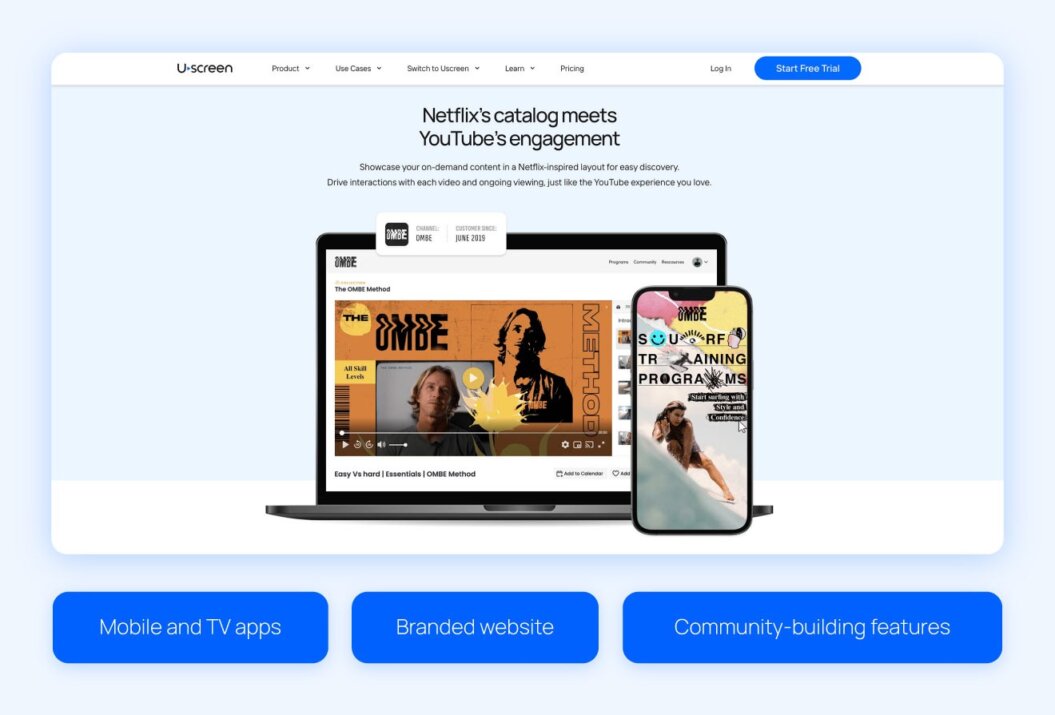
Uscreen is designed for creators looking to monetize video content through subscriptions and community features. Unlike traditional audio-first podcast hosts, Uscreen focuses on video on demand (VOD) and live streaming, letting podcasters offer both video and audio content while building branded apps and a Netflix-style experience.
For creators who want to grow their audience, generate recurring revenue, and maintain control over their content, Uscreen provides the tools to sell videos online and engage fans in one place.
Whether you’re launching a video podcast, live-streaming episodes, or creating a full library of on-demand content, Uscreen centralizes monetization and audience management without requiring a team of developers.
Its combination of video hosting, community building, and subscription management makes it ideal for creators focused on growth and revenue rather than solely audio distribution.
Pros
- Built-in monetization: Uscreen lets creators earn recurring revenue through subscriptions and memberships.
- Video-first platform: It supports both live and on-demand video for professional, Netflix-style experiences.
- Branded apps: Expand reach with custom apps on mobile, web, and TV devices.
- All-in-one tools: Manage video and community from a single platform.
Cons
- Audio limitations: The platform is primarily focused on video, so it’s unlikely to suit audio-only podcasts..
- Learning curve: New users may experience some setup and navigation complexity when getting started.
- Pricing: Costs may be high for creators just starting.
- Limited audio distribution: Integrations with Apple Podcasts or Spotify are not built in, requiring extra steps.
Use case
Uscreen is a strong fit for YouTubers and video-first creators who want to turn free content into a sustainable membership business.
Instead of relying on one-time donations or ad revenue, creators can build recurring income by offering premium content in a Netflix-style experience they fully own and control. This approach works especially well for video podcasters who already have an audience and want to deepen engagement while monetizing beyond ad-supported platforms.
One example of this is The Curve, an investment-focused podcast that partnered with Uscreen to launch a paid membership for its community. By creating a video-led, mobile-first experience with private community features and recurring revenue, they deepened engagement while building a more sustainable business.
Since launching on Uscreen, The Curve has seen:
- 116% growth in paid members
- 176% increase in monthly recurring revenue
- 89% growth in active community members

Review
I’ve been using Uscreen since the end of last year, and I’m really happy with it. I recently moved my membership over to Uscreen, and it’s been a great decision for both my members and me.
XayLi B., Validated Reviewer
Since I run a video membership, finding a platform that focuses on video and streaming was super important to me. Uscreen has been exactly what we needed. The video integration is smooth, and the platform is really easy to use, which makes my life a lot easier.
Pricing
- Starter plan: $49/month (only available as a monthly plan)
- Growth plan: $149/month (plus $1.99 subscriber fee), billed annually
- App Essentials plan: $449/month (plus $0.99 subscriber fee), billed annually
- Custom plan: Custom pricing; contact sales
Refer to the Uscreen pricing page for more details.
Watch our quick platform demo to see how Uscreen can help you monetize your videos and grow your audience.
2. Patreon
Best for: Sharing free and premium content
G2 rating: 4.1 out of 5 stars
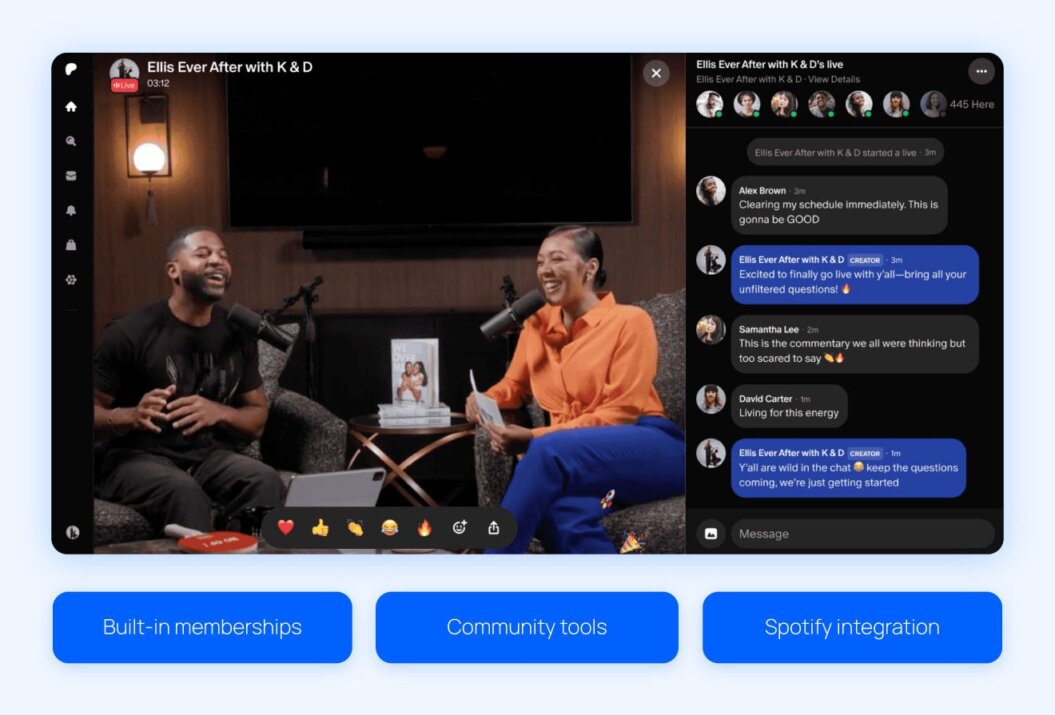
Patreon is a membership platform that helps creators earn recurring income by offering exclusive content to paying fans. It works well for video podcasts that want to combine free public episodes with premium video, bonus clips, or behind-the-scenes content. Creators can host episodes and engage directly with supporters from a single dashboard.
Patreon shines for its strong audience connection and discovery features. Tools like Spotify syncing and Patreon’s built-in creator network help podcasts reach new listeners while converting existing fans into paying members.
Pros
- Membership tiers: Easily offer free and paid access to video podcast content.
- Community tools: Engage fans through comments, chats, and creator posts.
- Spotify integration: Share exclusive episodes on Spotify to drive discovery and conversions.
- Multi-show support: Manage multiple podcasts under one Patreon account.
Cons
- Limited branding control: Customization options are more restricted than standalone platforms.
- Platform fees: A percentage of earnings goes to Patreon.
- Audience ownership: It offers limited access to customer data compared to fully owned platforms.
- Monetization flexibility: It also offers fewer pricing and packaging options than dedicated video platforms.
Use case
Patreon is a strong fit for video podcasters who already have an engaged audience and want to layer in paid content without moving to a fully standalone platform.
For example, a creator might publish full episodes publicly while offering early access, bonus video segments, or exclusive Q&A recordings to paid members. This approach makes it easy to test monetization, reward loyal fans, and grow recurring revenue while continuing to distribute content on open platforms like Spotify.
Review
Patreon treats its content creators very well, I feel, and the creators get to ask for donations to help them with creating more content and maintaining their channels on Patreon.
Lindsay H., Validated Reviewer
Pricing
- Free to start
3. YouTube Creators
Best for: Maximizing potential reach
G2 rating: N/A
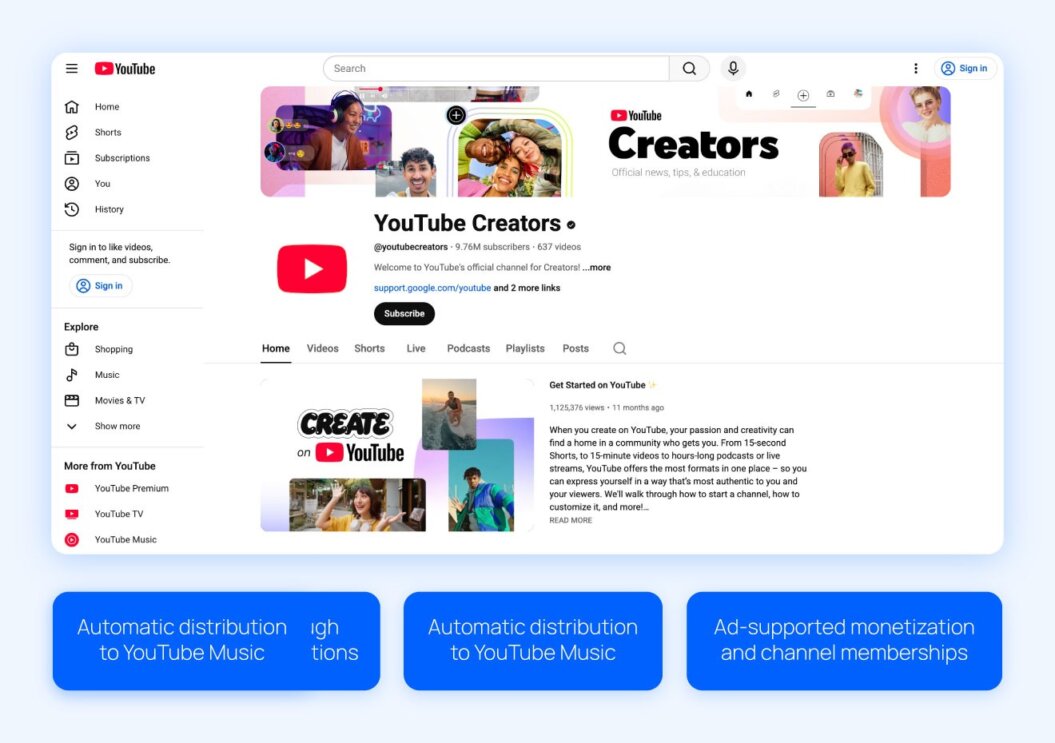
YouTube is one of the most popular platforms for video podcasts, thanks to its global reach and powerful discovery features. With billions of active users, it allows creators to build awareness quickly while building a visible, engaged community around their show. Video podcasts also appear in the YouTube Music app, making it easy for audiences to watch or listen across devices.
YouTube is especially valuable for audience growth and experimentation. Creators can monetize through ads, channel memberships, and shopping features, while using podcast analytics to understand viewer behavior and test formats, topics, content, and episode structure.
If you’re weighing reach against ownership, this comparison of YouTube vs. Vimeo offers helpful context on how open platforms differ from paid hosting solutions.
Pros
- Built-in discovery: YouTube’s search and recommendation system helps video podcasts reach new audiences organically.
- Large global audience: The platform gives creators access to billions of active users across web, mobile, and TV devices.
- Multiple monetization options: Creators can earn revenue through ads, channel memberships, and integrated shopping tools.
- Podcast analytics: YouTube provides detailed performance data to help creators understand audience behavior and improve content.
Cons
- Ad-driven revenue model: Earnings often depend on views and ad performance, which can be inconsistent.
- Limited audience ownership: Creators do not fully own their audience data or relationship with viewers.
- High competition: The crowded creator ecosystem can make it difficult for new or niche podcasts to stand out.
Restricted brand control: Customization options and viewer experience are limited compared to dedicated hosting platforms.
Use case
YouTube is ideal for video podcasters focused on audience growth and discoverability over direct ownership. A creator launching a new show might publish full video episodes on YouTube to take advantage of search, recommendations, and cross-promotion through clips and Shorts.
As the audience grows, they can test monetization through ads, channel memberships, or merch while using analytics to optimize topics, formats, and episode length before investing in a dedicated hosting or membership platform.
Review
There are currently no G2 reviews available for YouTube Creators.
Pricing
- Free to start
4. Spotify for Creators
Best for: Beginners who want a simple hosting solution
G2 rating: 4.1 out of 5 stars
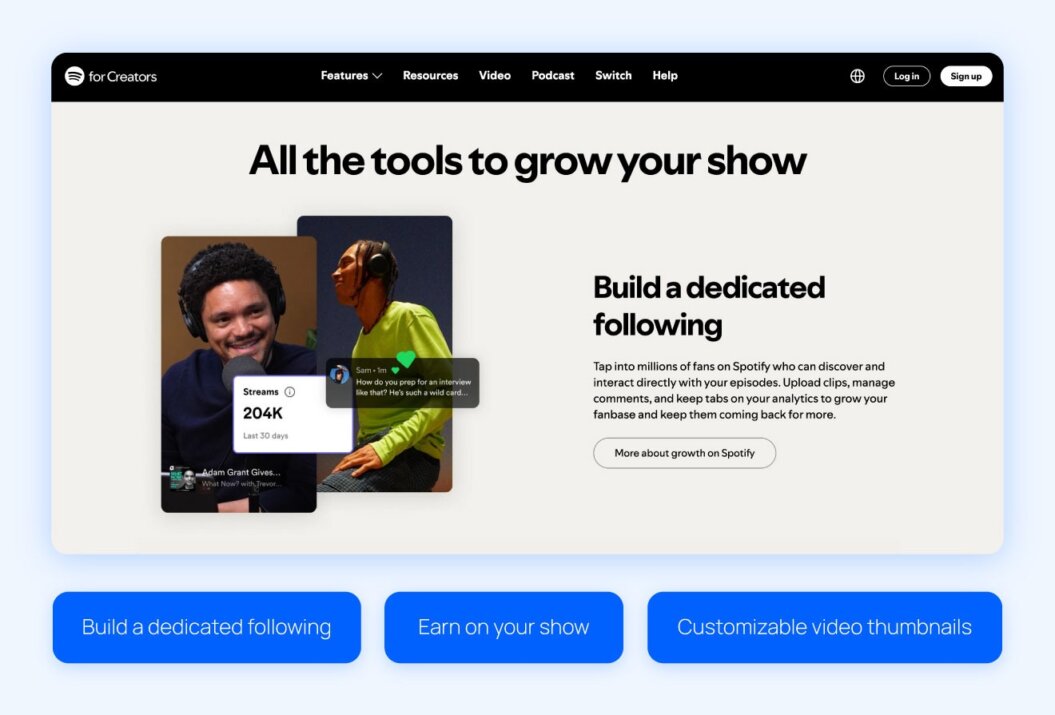
Spotify for Creators is a free platform that helps podcasters host, distribute, and manage audio and video episodes in one place. It’s designed to be easy to use, making it a strong option for beginners who want to launch a video podcast without dealing with complex setup or multiple tools.
Creators can perform many actions directly from the dashboard like:
- Upload video episodes
- Manage show details
- Track core performance metrics
Spotify for Creators stands out for its built-in audience and straightforward workflow. Episodes are surfaced to millions of Spotify users, and creators can customize their show page, upload clips, and engage with listeners through comments. While monetization options are limited, the simplicity makes it appealing for creators focused on getting started and growing an initial audience.
Pros
- Easy setup: Spotify for Creators makes it simple to upload and manage video podcast episodes without technical complexity.
- Built-in audience: The platform gives creators access to Spotify’s large listener base for discovery and growth.
Free hosting: Creators can publish audio and video podcasts at no cost. - Basic video monetization tools: Spotify offers monetization options, including ad programs and partner features for eligible creators.
Cons
- Limited monetization control: Revenue options are more limited than on paid platforms.
- Basic analytics: Reporting is useful for beginners but lacks advanced insights.
- Branding limitations: Customization options for show pages and viewer experience are limited.
- Audience ownership: Creators have limited access to listener data and direct relationships.
Use case
Spotify for Creators works well for new podcasters launching their first audio or video show who want a simple, no-cost way to get started. A creator might use the platform to upload full episodes, test video formats, and build an initial audience within Spotify’s ecosystem without worrying about hosting fees or technical setup.
As the show grows, Spotify for Creators provides a low-friction way to track basic performance and experiment with monetization before moving to a more advanced or branded platform.
Review
There are currently no G2 reviews available for Spotify for Creators.
Pricing
- Free
5. Podbean
Best for: Small, growing podcasters
G2 rating: 4.2 out of 5 stars
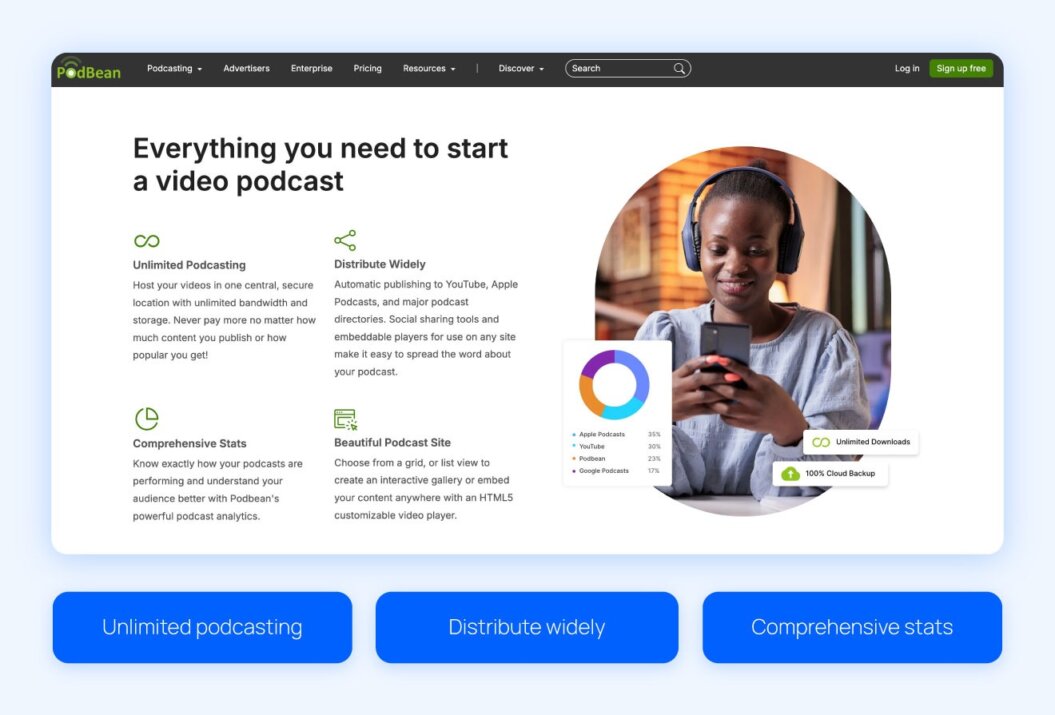
Podbean is a versatile platform built to help creators of all skill levels launch and grow their podcasts. The platform’s straightforward interface makes it easy to record, upload, and distribute both audio and video episodes, while tools like live streaming and AI-powered post-production help podcasters reduce manual work and maintain professional-quality content.
Podbean also supports audience growth and monetization. The platform distributes your podcast to major listening apps like Spotify and Apple Podcasts, provides analytics to track performance, and offers multiple revenue streams, including subscriptions, ad insertion, and virtual gifts.
Pros
- All-in-one publishing: Podbean makes it easy to record, edit, and publish audio or video podcasts from one platform.
Monetization options: Creators can earn revenue through Ads Marketplace, dynamic ad insertion, subscriptions, and fan contributions. - Live streaming platform: Engage audiences in real time with calls, comments, and virtual gifts.
Custom podcast website: Every account includes a free, mobile-responsive website with customization options.
Cons
- Limited advanced editing: While AI tools help, deep manual editing is less flexible than dedicated software.
Platform fees: Certain monetization features require revenue sharing with Podbean. - Scaling limitations: Very large networks may need higher-tier plans for full analytics and management tools.
Branding constraints: Customization is good, but less flexible than fully self-hosted solutions.
Use case
Podbean is a strong choice for small but growing podcasters who want to move beyond basic hosting without adding complexity. Creators can use Podbean to publish both audio and video episodes, distribute them across major listening platforms, and start monetizing through ads or listener subscriptions during early growth.
With built-in live streaming, analytics, and a customizable podcast website, Podbean supports creators who are ready to professionalize their show and generate revenue while still keeping workflows simple.
Review
I like that PodBean is user-friendly. It took me only a few minutes to find my way around the website.
Zoie S., Validated Reviewer
Pricing
- Unlimited Audio: $12/month, billed annually
- Unlimited Plus: $29/month, billed annually
- Network: $79/month, billed annually
- Business: $99/month, billed annually
6. Libsyn
Best for: Detailed analytics for larger libraries
G2 rating: 4.5 out of 5 stars
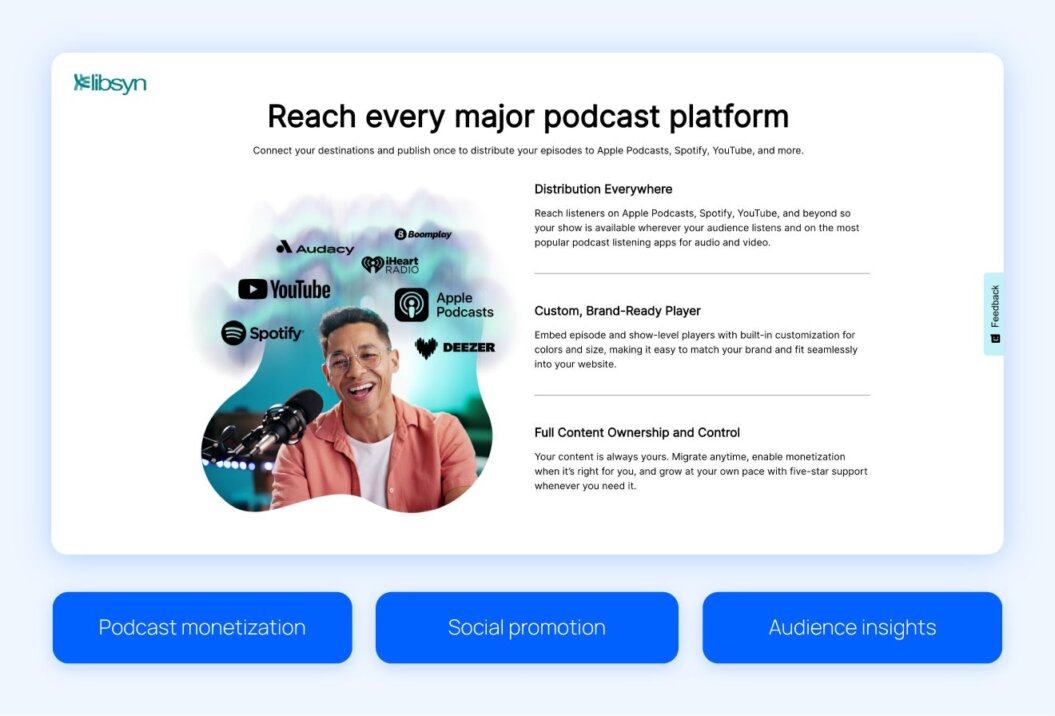
Libsyn is a powerful podcast hosting platform built for creators seeking control, flexibility, and detailed insights into their content. It supports both audio and video podcasts, making it easy to distribute episodes to major platforms like Apple Podcasts, Spotify, and YouTube.
Creators can also embed brand-ready players on their website and maintain full ownership of their content.
Libsyn pairs this with robust monetization tools and analytics. Creators can maximize video ad revenue through automatic ads, Apple Podcasts subscriptions, or creator-to-creator promotion, while tracking listener engagement to inform your content strategy.
The platform is particularly suited for creators with larger libraries or multiple shows who need scalable tools for distribution and revenue management.
Pros
- Comprehensive distribution: Libsyn allows creators to publish episodes to Apple Podcasts, Spotify, YouTube, and other major platforms with one click.
- Multiple monetization options: Creators can generate revenue via automatic ads, subscriptions, exclusive content, and creator-to-creator promotions.
Advanced analytics: The platform provides IAB-certified, detailed audience insights to optimize content and marketing strategies.
Video support: Audio podcasts can be converted to video and published directly to YouTube, expanding reach.
Cons
- Interface complexity: New users may need time to learn the platform’s many features.
- Additional costs for premium monetization: Some revenue tools require higher-tier plans or platform fees.
Limited built-in editing: Editing features are basic compared to dedicated video editing software. - Brand customization: Player and website customization are available, but may not match fully custom solutions.
Use case
A creator with a large library of video and audio podcasts can use Libsyn to streamline distribution across Apple Podcasts, Spotify, and YouTube while maintaining full ownership of their content. A media company with multiple shows can leverage Libsyn’s audience insights to track listener behavior, identify top-performing episodes, and optimize ad placement.
At the same time, they can monetize their back catalog with automatic ads, Apple Podcasts subscriptions, and creator-to-creator promotions, all from a single platform built for scalability and detailed analytics.
Review
The stats functionality for seeing podcast listens and the location of listeners. Plus, the simplicity of using this to upload and manage podcasts. We have used this for more than one podcast, so we are pleased with it.
James E., Validated Reviewer
Pricing
- Basic: $12/month, billed annually
- Advanced: $25/month, billed annually
- Max: $150/month, billed annually
- Free trial available for all plans
7. Riverside
Best for: Recording, editing, and hosting content
G2 rating: 4.8 out of 5 stars
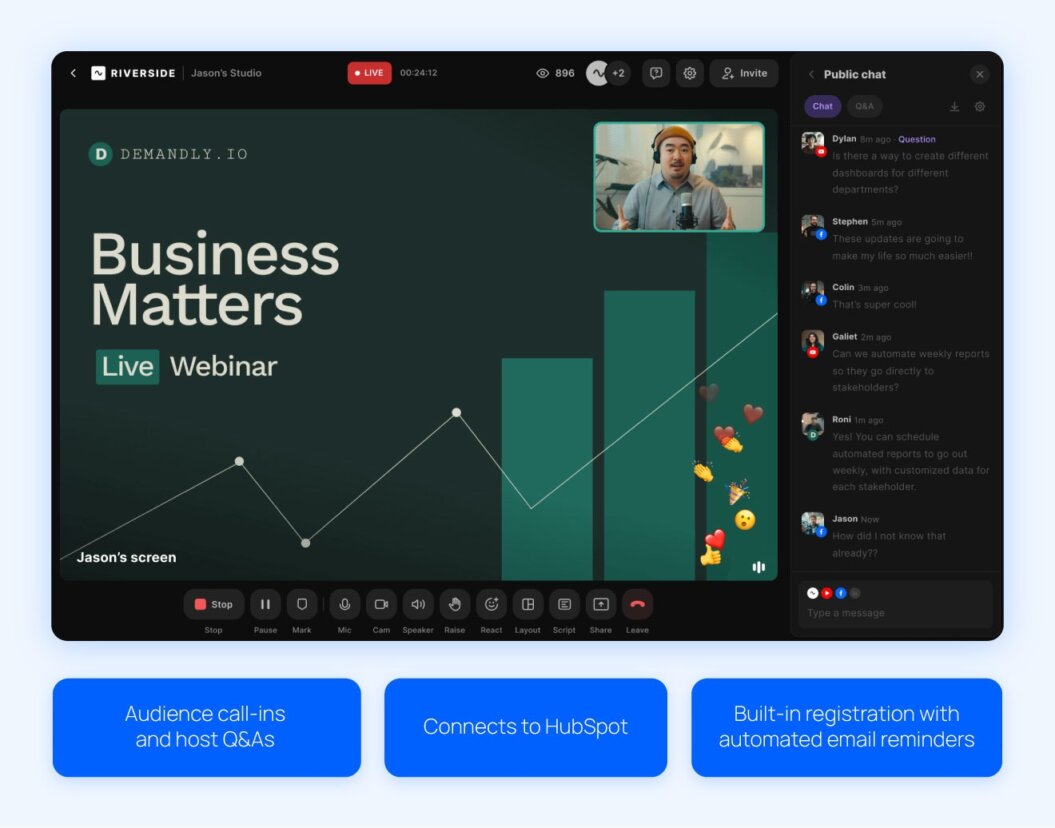
Riverside simplifies video podcast production with AI-powered tools. With this platform, creators can:
- Record separate video and audio tracks locally for high-quality results.
- Edit directly through a text-based editor.
- Generate polished episodes with transcripts and promotional assets.
This automation cuts hours of post-production work to just minutes, making it ideal for podcasters who want professional-quality results without a full production team.
Riverside includes AI tools that remove filler words, fix speech errors, and polish audio, while customizable branding ensures consistency across episodes. The platform also makes it easy to host and distribute your podcast to major platforms, helping creators reach new audiences while maintaining control over their content.
Pros
- High-quality local recording: Riverside captures separate video and audio tracks up to 4K for professional-grade content.
- AI-powered editing: It automates transcription, removes filler words, fixes speech errors, and generates promotional clips.
- Multi-platform distribution: Episodes can be published to Spotify, Apple Podcasts, YouTube, and more with just a few clicks.
- Custom branding: Creators can apply logos, colors, intros, outros, and captions to maintain a consistent look and feel.
Cons
- Learning curve: Beginners may need time to master all of Riverside’s advanced features.
- Higher-tier pricing: Some AI editing and live streaming features require more expensive plans.
- Platform dependence: Content and distribution are tied to Riverside’s ecosystem rather than fully self-hosted solutions.
- Internet required for live streaming: While recordings are local, cloud features and live streams need a stable connection.
Use case
A creator producing a weekly video podcast can use Riverside to streamline both recording and post-production.
For example, a marketing expert hosting interviews with industry leaders can record multiple guests in separate high-quality video and audio tracks, then use Riverside’s AI tools to remove filler words, correct speech errors, and generate promotional clips automatically.
Review
Riverside has some great features, and the fact that you can record with someone remotely and receive full-quality raw files is awesome! Also, I love that they are constantly improving and adding new features as well. The software is really easy to use, and it has a lot of versatility for different types of production (video recordings, podcasts, live streams, etc).
Drew S., Validated Reviewer
Pricing
- Pro: $24/month, billed annually
- Live: $34/month, billed annually
- Webinar: $79/month, billed annually
- Business: Contact sales
8. Castos
Best for: WordPress users who want a simple plugin
G2 rating: 4.7 out of 5 stars
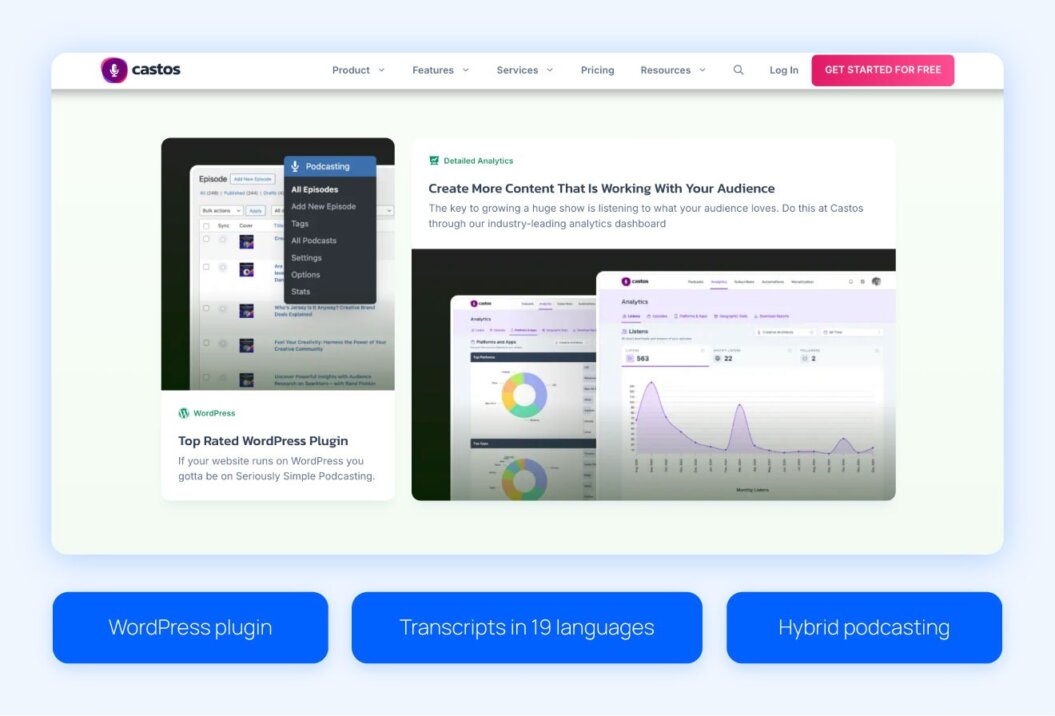
Castos is an all-in-one podcast hosting platform designed for creators who want simplified distribution and monetization. Its WordPress membership plugin, Seriously Simple Podcasting, makes it easy to manage your podcasts directly from your website. Castos automatically publishes your episodes to all major platforms while providing tools for audience growth and custom websites.
Creators can offer ad-free content, bonus episodes, and early access through private subscriptions or one-time donations. Automatic YouTube publishing expands discoverability, and transcripts in 19 languages boost SEO and reach.
Pros
- Automatic distribution: Episodes publish to Spotify, Apple Podcasts, and YouTube with a single click.
- Built-in monetization: The platform supports ads, paid subscriptions, and listener donations to maximize revenue.
- WordPress integration: The Seriously Simple Podcasting plugin makes publishing and management seamless.
- Custom podcast websites: Each podcast includes a mobile-responsive website with customizable branding.
Cons
- Limited advanced editing: Castos doesn’t offer robust video or audio editing tools compared to platforms like Riverside.
- Subscription feature fees: Some monetization options require paid plans or third-party integrations.
Dependent on platform ecosystem: While distribution is easy, full control over publishing outside Castos may require extra steps. - Analytics depth: While useful, analytics may be less comprehensive than larger platforms like Libsyn.
Use case
A WordPress-based creator launching a video podcast can use Castos to streamline both hosting and distribution. For instance, a fitness instructor publishing weekly workout videos can manage episodes directly through the Seriously Simple Podcasting plugin, automatically distribute content and offer bonus or ad-free content to paying subscribers.
With transcripts in multiple languages and a customizable podcast website, the creator can:
- Grow their audience globally.
- Monetize through subscriptions or donations.
- Maintain a professional, branded presence.
Review
I appreciate the easy monetization of podcasts through Castos, which allows me to make money right away. I find the setup process to be extremely easy, which facilitates my initial use a lot. The one-click distribution to every platform is particularly beneficial, saving me time and effort by simplifying the process and expanding my reach effortlessly.
Leveda M., Validated Reviewer
Pricing
- Essentials: $19/month
- Growth: $49/month
- Pro: $99/month
- Castos Premium: $499/month
9. Wistia
Best for: Businesses creating video podcasts
G2 rating: 4.6 out of 5 stars
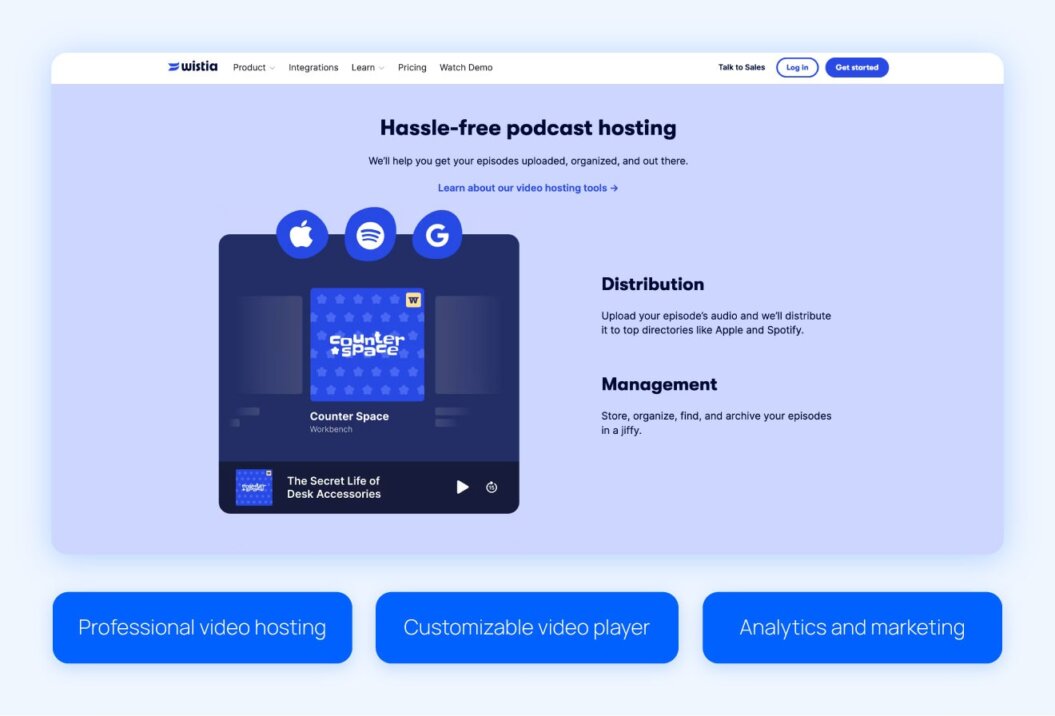
Wistia is a business-focused video hosting platform that helps companies and creators manage, distribute, and analyze their podcasts with ease. Its platform supports both audio and video podcasts, making it ideal for businesses looking to create engaging content while maintaining a professional, branded experience.
Wistia includes features to amplify reach and engagement, like:
- Auto transcription
- Lead generation tools
- Video galleries
Wistia also helps creators build a polished podcast homepage, add your logo and colors to the video player, and track metrics like total plays, engagement heatmaps, and episode-specific performance. These insights help creators maximize their marketing efforts while keeping full control over distribution.
Pros
- Professional hosting: Wistia makes it easy to organize and distribute both video and audio podcasts.
- Customizable player: Creators can brand their players with logos and episode artwork for a consistent experience.
- Advanced analytics: Track audience engagement, including plays and top-performing episodes, all in one dashboard.
- Integrated marketing tools: The platform supports lead generation, webinar hosting, and marketing automation integrations.
Cons
- Higher cost for advanced features: Full access to Wistia’s marketing and analytics tools may require premium plans.
- Not focused on social distribution: Unlike platforms like YouTube or Castos, automatic social or directory publishing is limited.
- Learning curve for new users: Some advanced features may require time to explore and configure properly.
- Primarily for businesses: Individual podcasters may find some features unnecessary or too complex for small-scale use.
Use case
A B2B company launching a branded video podcast can use Wistia to support its content marketing and lead generation goals. The marketing team can host episodes on a polished podcast hub, embed videos across blog posts and landing pages, and customize the video player to match brand guidelines. With engagement heatmaps and episode-level analytics, the team can see which topics drive the most interest and refine future episodes.
Built-in lead capture and marketing integrations also allow the podcast to function as a demand generation channel, turning viewers into sales-ready leads while keeping full control over distribution and audience data.
Review
It’s easy to use, flexible, and smooth, plus I love their AI integrations.
Arwen M., Validated Reviewer
Pricing
- Free plan
- Pro: $79/month, billed annually
- Advanced: $319/month, billed annually
10. Vimeo Streaming
Best for: Creating a paid content library
G2 rating: 4.3 out of 5 stars
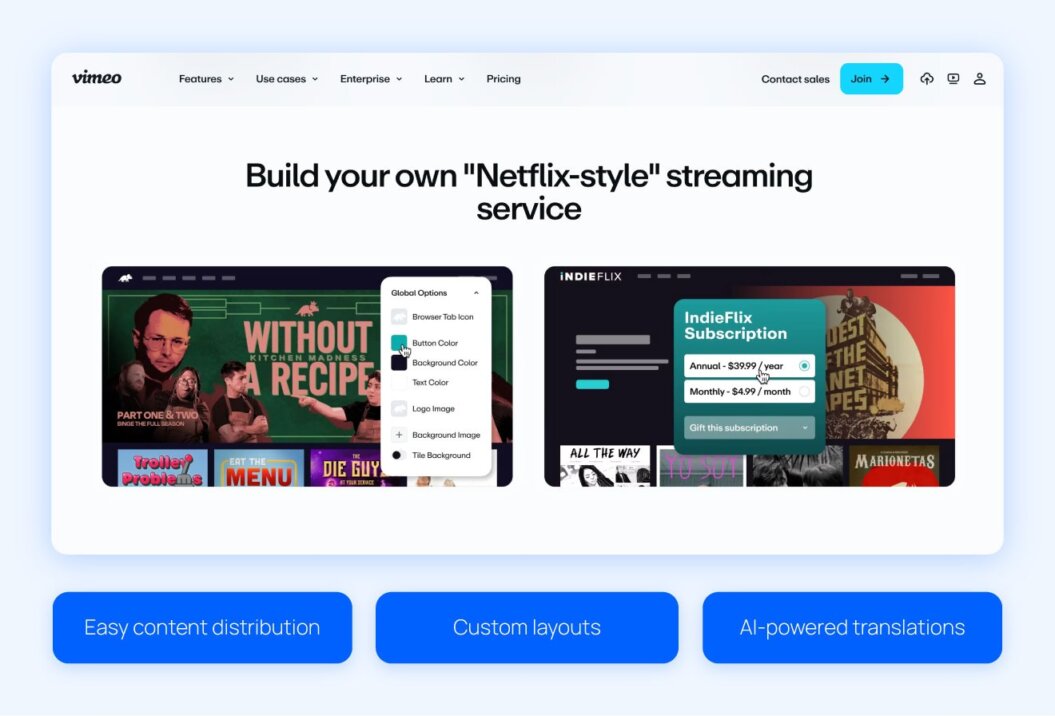
Vimeo Streaming (formerly Vimeo OTT) is a powerful platform for creators and businesses looking to build a paid video content library.
With Vimeo Streaming, you can customize your site while providing viewers with a polished, professional experience. The platform also offers flexible monetization options, including subscriptions (SVOD), rentals or purchases (TVOD), ad-supported content (AVOD), and sponsorships, making it ideal for podcasters who want to turn their video content into a revenue stream.
Vimeo Streaming excels in delivering high-quality video and live streaming experiences. Features like AI-powered translations, DRM protection, geo-blocking, and privacy settings make it easy to reach a global audience safely. Vimeo’s tools are especially useful for creators who want to offer premium, curated content while maintaining control over branding and distribution.
Pros
- Highly customizable: You can design your streaming library with logos, colors, layouts, and metadata to match your brand.
- Multiple monetization options: Vimeo supports subscriptions, rentals, one-time purchases, ads, and sponsorship opportunities.
High-quality streaming: Vimeo delivers cinematic-quality video and reliable live streaming with built-in digital rights management (DRM) and privacy protections.
Global reach: AI-powered translations and multi-currency support expand accessibility to international audiences.
Cons
- Premium pricing: Advanced features like white label customization and monetization tools may require higher-tier plans.
- Learning curve: Setting up a full OTT experience can be complex for beginners.
Less suited for casual podcasters: The platform is designed for serious creators or businesses, so solo podcasters may find features more than needed. - Limited built-in audience: Unlike YouTube or Spotify, Vimeo doesn’t provide a built-in listener base.
Use case
An established video podcaster or media brand can use Vimeo Streaming to turn a growing back catalog into a premium, paid content library. By organizing episodes into custom layouts and collections, the creator can offer subscribers exclusive access to full seasons, bonus episodes, or live-streamed events in a polished, branded environment.
Flexible monetization options make it easy to test subscriptions, rentals, or one-off purchases, while AI-powered translations help reach international audiences. For creators focused on premium experiences and long-term revenue, Vimeo Streaming supports a scalable, professional approach to video podcast monetization.
Review
I really like Vimeo’s extensive experience in the market and its professionalism in all aspects. Additionally, I love how Vimeo incorporates new technologies, which demonstrates its capacity for innovation and adaptation to the changing environment.
Paula Andrea N., Validated Reviewer
Pricing
- Starter: $1/subscriber per month, 10% of one-time purchases
- Enterprise: Contact sales
Should you pay for a video podcasting platform?
Paying for a video podcasting platform is worth it if you want more control over monetization and your audience. Paid platforms typically offer subscriptions and deeper analytics, making it easier to build predictable, recurring revenue and run your podcast like a business.
This approach mirrors launching a dedicated video subscription website, where you own the customer relationship.
Free platforms are best for reach and discovery. Tools like YouTube and Spotify help new audiences find your content, but monetization is often limited to ads or platform-driven payouts. You also have less control over branding and audience data, which can make long-term growth harder to sustain.
Many creators combine both. Free platforms support visibility and promotion, while paid platforms power monetization and deeper engagement. Using them together helps you grow your audience without giving up ownership.
| Paid | Free |
| Built for subscriptions and direct monetization | Primarily ad-based monetization |
| Greater control over branding and pricing | Limited branding control |
| Access to detailed analytics and audience data | Basic analytics |
| Predictable, recurring revenue potential | Revenue can be inconsistent |
| Best for long-term business growth | Best for reach and discovery |
How to choose the best video podcast platform for your brand
There is no single “best” option when it comes to video podcast hosting platforms. The right choice depends on your goals, technical needs, and how you plan to grow, distribute, and monetize your content over time.
1. Identify your goals
Start by clarifying what success looks like for your video podcast. If your priority is reach and audience growth, platforms with built-in discovery, like YouTube or Spotify, can help new viewers find your content more quickly.
If revenue or brand authority is more important, you may want platforms designed for paid access, subscriptions, and direct audience relationships.
Comparing different platforms to sell videos online can help you choose tools that support sustainable monetization.
2. Address your technical needs
Consider how hands-on you want to be with production. Some platforms offer recording, editing, and hosting in one place, which can simplify your workflow. Others focus only on hosting and distribution, which works well if you already use separate tools.
Choose a platform that fits your current skill level and gives you room to grow without adding avoidable complexity.
3. Assess distribution and scalability
Look at how easily a platform helps you distribute your video podcast across channels. Built-in publishing or republishing to platforms like YouTube and Spotify can expand your reach while saving time.
It’s also important to think about scalability, including:
- Analytics
- Branding control
- Monetization options
That way, your platform can support your podcast as your audience grows.
Choose the best platform for monetizing video podcasts
The best video podcasting platforms give you more than a place to host episodes. They help you grow an audience, build stronger relationships, and turn your content into a reliable revenue stream.
While many video podcast platforms are great for reach, creators who want long-term income often benefit from tools designed for ownership and recurring payments, like a dedicated video subscription platform.
If your next step is monetizing your video podcast, look for a platform that supports community features and flexible pricing models as your audience grows.
Solutions like Uscreen can help you turn your podcast into a sustainable business without giving up control over your content and audience data.
FAQ
Several podcast hosting platforms support video, either natively or through integrations. Popular options include Uscreen, YouTube, Spotify, and similar platforms.
Some platforms focus on hosting and distribution, while others specialize in monetization, analytics, or recording workflows.
The best platform for video podcasts depends on your goals. If you want maximum reach and discoverability, platforms like YouTube and Spotify work well.
If your priority is monetization, ownership, and building a paid audience, platforms like Uscreen or Vimeo Streaming are better suited. Many creators use a mix of free and paid platforms to balance reach and revenue.
Platforms like Riverside, Podbean, Libsyn, and Castos offer tools or integrations that help auto-publish or distribute video and audio content to YouTube and Spotify.
These features can save time and make it easier to maintain a consistent publishing schedule across multiple channels.