
Pick the wrong online coaching platform and you don’t just lose a monthly subscription. You lose the weeks you spent setting it up, and the members who won’t bother following you to whatever you switch to next.
That’s the real cost, and it’s why this choice feels heavier than it should.
Here’s the thing most “best of” lists skip: these tools aren’t solving the same problem. Some are built to replace your virtual assistant and run your 1:1 bookings. Others are built to help you scale content and community to thousands of members (very different job, very different tool).
So I ranked the 6 best online coaching platforms and spelled out who each one is actually for. No fluff, and no clicking through a pile of vendor sites to figure it out yourself.
| Quick Answer: The best online coaching platform depends on the job you’re hiring it for. If you run a 1:1 or small-group practice, admin-first tools like Paperbell, Profi, and Delenta handle scheduling, payments, and client management in one place. If you want to scale your coaching reach through video content and community, video-membership platforms like Uscreen let you sell on-demand programs, live stream, and run your own branded app, while course-first tools like Kajabi suit structured, certificate-style courses. |
Key Takeaways
- Scaling your reach through video content and community building: Uscreen, with branded mobile and TV apps.
- Replacing a virtual assistant as a solo coach: Paperbell.
- Booking, scheduling, and payments first: Trafft.
- Consolidating your tech stack into one tool: Profi.
- Selling structured, certificate-style courses: Kajabi.
What is an online coaching platform?
An online coaching platform is software that helps coaches run and grow their business online. Depending on the tool, that can mean scheduling sessions, taking payments, managing clients, hosting video, or building a paid community. Some focus on 1:1 admin work, while others, like a video membership platform, are built to deliver content and community to a larger audience.
These platforms typically handle some mix of:
- Delivering coaching content, like videos, courses, or live sessions.
- Taking payments and managing subscriptions or packages.
- Scheduling and running 1:1 or group sessions.
- Hosting a community where members can interact.
The 6 Best Online Coaching Platforms, Compared
| Product | G2 Rating | Best For | Pricing |
|---|---|---|---|
| Delenta | ⭐️⭐️⭐️⭐️⭐️ 4.9 out of 5 | “Hands-on” coaches looking to simplify their 1:1 or group business. | From $29/month |
| Uscreen | ⭐️⭐️⭐️⭐️⭐️ 4.7 out of 5 | Coaches looking to scale their business through video content. | From $49 per month (limited) |
| Paperbell | ⭐️⭐️⭐️⭐️⭐ 4.7 out of 5 | Life and business coaches looking to replace a virtual assistant | From $57/month |
| Trafft | ⭐️⭐️⭐️⭐️ 4.7 out of 5 | Coaches looking to streamline their bookings, payments, and client management. | Free plan for up to 5 users |
| Kajabi | ⭐️⭐️⭐️⭐️ 4.1 out of 5 | Coaches looking to create a more “traditional” online course | From $179/month |
| Mighty Networks | ⭐️⭐️⭐️⭐️⭐️ 4.6 out of 5 | Coaches building a paid community first, with courses as a second layer | From $79/month |
How I built this list of online coaching platforms
I ranked these online coaching platforms by their G2 rating, highest to lowest.
If you haven’t used G2 before, think of it like Trustpilot or TripAdvisor, but for software. The scores come from verified users reviewing tools they actually pay for, which keeps my own bias out of the order.
All G2 ratings here were last verified in June, 2026. Scores shift over time, so I re-check them before every update.
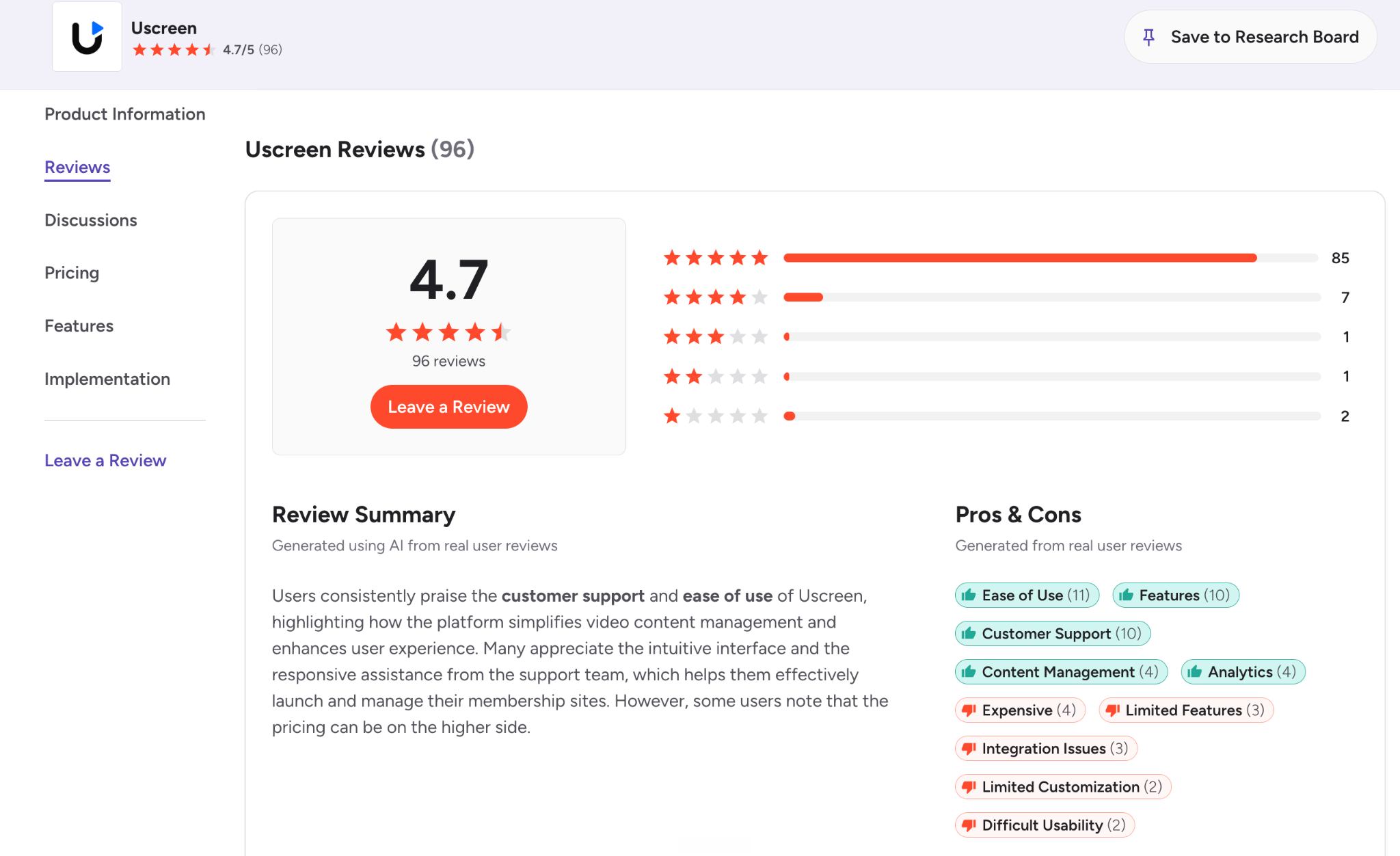
Want to dig deeper? Click the G2 link under any tool to read what real customers say before you decide.
You can click the link of the review under each section, so you can go and check out what real customers have to say about their experience on the platform, to make an informed decision!
Ranked & Reviewed: The Best Online Coaching Platforms
1. Delenta
Best for: professional coaches that want to scale a “hands-on” service.
G2 rating: 4.9 out of 5

Delenta is a comprehensive online coaching software designed to reduce chaos in your coaching business, by giving you an easy-to-manage dashboard to manage everything.
You can use Delenta to track everything from client progress and sharing materials, to your annual financials and key analytics data. And, because both you and your clients can use its tools, it means it brings your entire business under one (digital) roof.
Delenta simplifies administrative tasks, enhances client engagement, and provides a professional, branded experience. With features tailored to meet the unique needs of coaches, Delenta enables you to scale your business, reach more clients, and ultimately, spend more time doing what you love—coaching.
What Customers Say…
I like Delenta for its easy access and straightforwardness. Most of all, I appreciate the help from the team, especially Tarini. She’s been amazing, and we’ve been in touch since June. She really empathized with me because I’m not a tech person, not on social media, and generally avoid online activities. This conversation even makes me uncomfortable. Tarini has given me the confidence to use Delenta by explaining everything to me and being so kind and helpful. That’s why I wanted to give this review, despite my discomfort, as she deserves it. The setup was easy and straightforward.
The product is clean, modern looking, intuitive, and not only do myself and one of my coaches love it, my clients love it as well.
Delenta’s key features:
- Client Relationship Management (CRM): Delenta offers a robust CRM system to manage client interactions, track progress, and maintain detailed records of sessions and communications.
- Scheduling and Calendar Sync: Schedule confidently with calendar synchronization across Google and Outlook to avoid double bookings and ensure efficient time management.
- Custom Branding: Personalize your client portals with your own custom logos, colors, and welcome messages.
- E-Contracts and E-Signatures: Create, send, and manage contracts with built-in e-signature capabilities to ensure a smooth onboarding process.
- Integrated Payments: Receive secure payments through Stripe and PayPal, simplifying invoicing and payment collection.
- Analytics and Reporting: Gain insights into your business performance with comprehensive analytics on revenue, bookings, cancellations, and client feedback.
- Community and Networking: Connect with other coaches and hone your coaching practice through Delenta’s networking community.
Delenta Pros
- ✅ All-in-one solution
- ✅ Intuitive interface
- ✅ Comprehensive client management suite
- ✅ Excellent customer support
- ✅ Wide range of payment options
- ✅ Brand your portal, your way
Delenta Cons
- ❌ Limited customizations
- ❌ Steep learning curve for new features
- ❌ Scheduling issues across time zones
- ❌ Limited number of coaching clients on lower-tiered plans
Delenta Pricing
Delenta offers the following pricing tiers:
- Starter: $29 per month (billed annually) – 5 clients and 5 prospects, Delenta-branded landing pages, 1GB of file-sharing storage, live support
- Pro: $49 per month (billed annually) – 20 clients and 20 prospects, customizable landing page, group coaching, mobile app
- Premium: $79 per month (billed annually) – unlimited clients, custom branding and onboarding, email customization, access to course creator, custom domain.
2. Uscreen
Best for: coaches looking to scale their business through video content.
G2 Rating: 4.7 out of 5
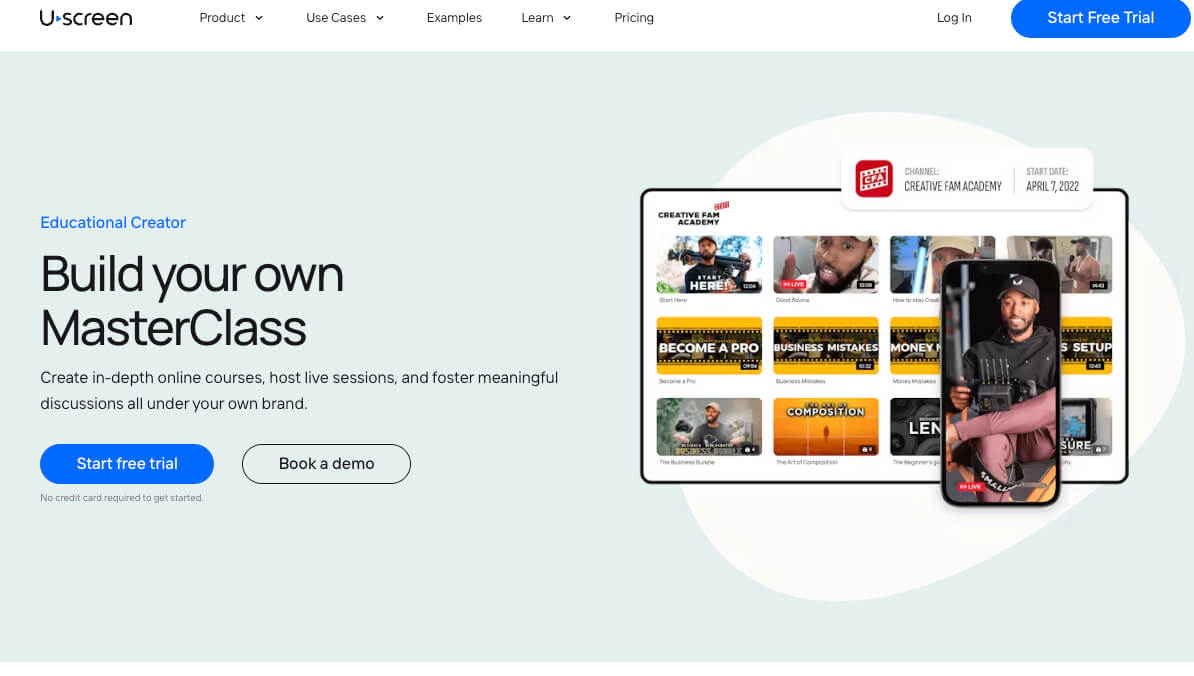
Uscreen is a video membership platform where your content, community, and branded apps all live under one roof, and that roof is yours.
If you’re tired of trading hours for dollars in endless 1:1 sessions, this is the platform that helps you reach more people without working more hours. You package your coaching into an on-demand video library, wrap a community around it, and deliver the whole thing through your own branded membership site.
Click here to watch the video -> youtube.com/watch?v=_AlLk9unyww
That last part is the real difference. With Uscreen you launch your own branded apps for coaches on mobile and TV, so members watch on their phone, tablet, or living-room screen under your name, not someone else’s.
Your clients want more than a stack of video lessons. They want support, interaction, and accountability, which is exactly what a membership built on content plus community delivers. Communities on Uscreen see 2x less churn, so more of the members you work hard to win actually stick around.
How In The Lab+ Transformed Their Coaching Business With Uscreen
Featured Creator: How Big Picture Skiing Drives $30k+ Monthly All-Year-Round

Big Picture Skiing helps skiers of every level get better on the slopes, with expert coaching, drills, and feedback delivered through one online membership. Founder Tom Gellie spent years teaching in person, traveling between the Southern Hemisphere and North America to work with students slope-side.
When the pandemic put a stop to in-person lessons, Tom needed a way to keep coaching and keep earning. He started small, selling a few one-off videos on Wix to see if people would pay for his instruction. They did. Once the demand was clear, he chose a membership model so he could build steady, recurring income instead of chasing one-time sales.
Wix couldn’t keep up with that goal. Tom ran into constant technical issues with little support when he needed it, so he moved to Uscreen for a platform built specifically for membership businesses. He describes the switch as “plug and play,” which made it easy for someone focused on ski teaching to get up and run fast.
The real win was turning a seasonal sport into a business that earns all year. Instead of spending all his energy on new signups, Tom used Uscreen to give current members more reasons to stay. He organized his growing library with collections, categories, filters, and tags so members could always find the right lesson, and he added free resources like a welcome pack and a full video guide to help newcomers get comfortable quickly.
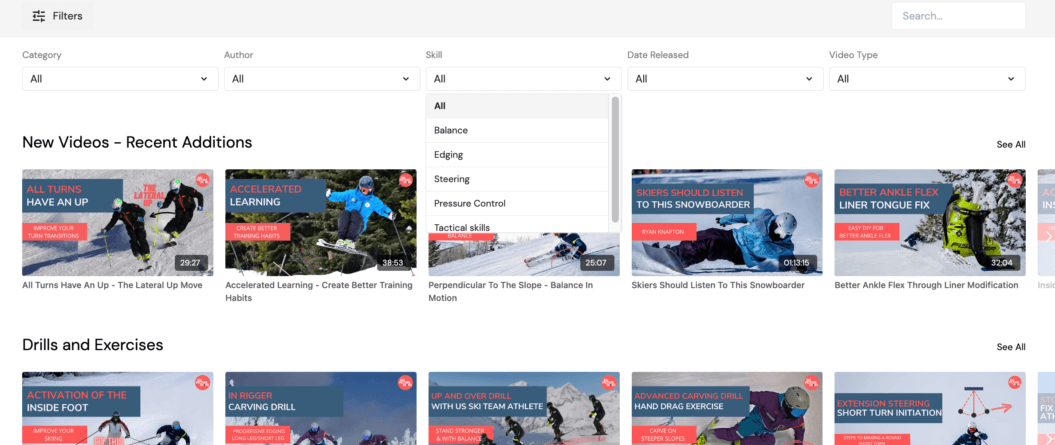
Today, Big Picture Skiing serves 1,102 active members, earns $30K+ in average monthly revenue, and grows around 5.5% month over month. By putting member experience ahead of pure acquisition, Tom built a seasonal niche into a business that pays all year long.
What Customers Say…
The features that Uscreen offers have been the best I’ve found: Community, calendar, filters, and more. They make it a fantastic experience for users and creators. Their customer support is quick, kind, and helpful. The app is easy to follow and use, most of my members are using it daily.
I love how easy it is to set up your content inside the membership and how you can manage everything from one dashboard, including sales, marketing, customers, and community. My favorite part is that you can build your app to deliver a much better experience for your members. Customer support is also excellent!
Uscreen’s key features
- Built-in community features: Topic-based channels, direct messages, polls, challenges, and member video uploads that keep people coming back, not just logging in once.
- Mobile and TV apps: Launch your own coaching app across seven platforms, including iOS, Android, Roku, and Apple TV, with in-app purchases, offline viewing, and push notifications.
- Live streaming: Stream from any device with live chat, pay-per-view, and a streaming calendar, so you can run live classes without a separate tool.
- Flexible monetization: Sell your videos through subscriptions, one-time purchases, rentals, and tiers, with integrated payments and daily payouts.
- Viewer experience: A Netflix-style catalog with playlists, filtering, auto-play, and courses/programs that make your library easy to binge.
- Marketing and automations: A no-code site builder, email marketing, lead capture, and behavior-based automations that onboard new members and win back the ones drifting away.
- Member CRM: All your audience data and conversations in one place, so you can personalize how you engage.
Uscreen pros
- ✅ Branded mobile and TV apps you fully own
- ✅ Built-in community that drives retention
- ✅ Native live streaming and on-demand hosting
- ✅ Flexible monetization with subscriptions, one-time sales, and tiers
- ✅ Full-service launch, including migration help
- ✅ 24/7 support for you and your members
Uscreen cons
- ❌ Not built for 1:1 coaching or session booking
- ❌ Higher starting price than basic admin tools
- ❌ No contracts or coaching-agreement management
- ❌ Not a traditional LMS (no assessments, progress tracking, or certificates)
Uscreen Pricing
- Starter: $49/month, billed monthly, no per-subscriber fee. Best for testing the waters with up to 100 members.
- Growth: $149/month (billed annually) plus $1.99 per subscriber. Best for building recurring revenue with unlimited members and a custom domain.
- App Essentials: $449/month (billed annually) plus $0.99 per subscriber. Best for adding your own iOS and Android apps, with onboarding and migration support.
- Custom: quote-based pricing plus $0.99 per subscriber. Best for full brand control across mobile, TV, and community, with a dedicated success manager.
Choose Uscreen when you want to grow past 1:1 work and build a recurring membership around your content, your community, and apps that carry your brand, not a course tool.
3. Paperbell
Best for: Life and business coaches looking to replace a virtual assistant.
G2 Rating: 4.7 out of 5
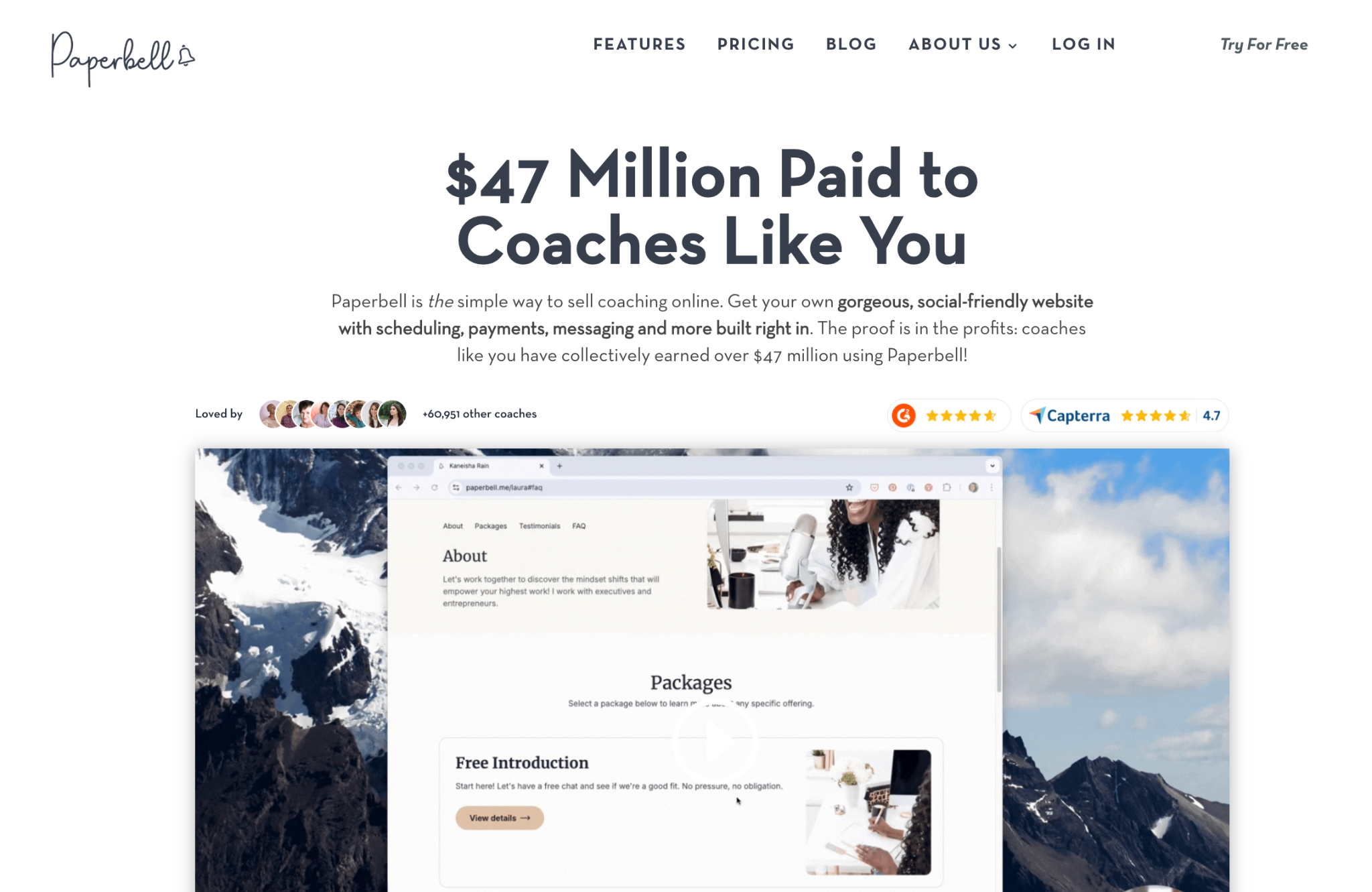
Paperbell is a lightweight yet powerful online coaching platform designed specifically for coaches who want to simplify their business operations.
Most of Paperbell’s users are life coaches, business coaches, and consultants, who are looking to take their first step into the world of online coaching. The product — much like the marketing on their website — is stripped back to only give you the essentials.
Their product feels more like a replacement for a Virtual Assistant than a comprehensive coaching platform, though. It’s mostly focused on task management and reducing the time you need to spend in the nitty-gritty of running your business on a day-to-day level.
That being said, Paperbell offers a more flexible approach to business models than other direct competitors, with the ability to use subscriptions and packages as pricing models. This could be a great option if you’re looking to test the waters of which online coaching setup works best for you!
What Customers Say…
I love how easy Paperbell is to use and the sessions they have for newbies like myself. Their customer service is amazing. I struggled for about two years to get my coaching website done with other companies, but with Paperbell and a session with James, I’m almost finished and ready to go live. It’s priceless to me, and I’m very thankful I found them.
Paperbell takes care of 80% of the administrative overhead of my coaching business. I do the accounting and pay the taxes and do a little setup tweaking here and there, but mostly I just show up and coach. Paperbell does the scheduling and rescheduling, most of the emailing, handles payments, holds all my packages, syncs up my calendars, sends reminders about sessions as they’re coming up and session credits as they’re coming up on expiration.
Paperbell’s key features:
- Client Scheduling: Clients can book their sessions according to your availability.
- Online Payments: Supports various pricing models, including packages and subscriptions.
- Flexible Business Models: You can offer subscriptions and packages, to create a more flexible offering for your clients.
- Contract Management: Easily manage contracts and document signing.
- Client Portal: Offers a centralized space for clients to access resources and appointments.
- Group Coaching Support: Run group programs directly from their dashboard.
- Custom Landing Pages: Branded pages to help promote your coaching packages.
Paperbell Pros
- ✅ All-in-one payment with every feature.
- ✅ Customer support
- ✅ Solid scheduling automation
- ✅ Custom landing pages
Paperbell Cons
- ❌ Very basic features
- ❌ Limited customization options
- ❌ Navigation is hard to use
- ❌ Poor end-user experience
Paperbell Pricing
Paperbell only offers one “tier” of pricing, meaning you get the same features no matter how you choose to pay. However, the annual pricing does come with 2 months free.
- All-in-one Plan: $57 billed monthly
- Annual pricing: $570 billed annually (2 months free)
4. Trafft
Best for: Coaches looking to streamline their bookings, payments, and client management all in one place.
G2 Rating: 4.7 out of 5

Trafft is a comprehensive scheduling and management platform designed to help coaches, consultants, and other service providers automate and organize their business operations. With an intuitive interface, it offers tools for managing bookings, accepting payments, and tracking client engagement.
Trafft allows coaches to customize their booking processes, set up recurring appointments, and offer online payments, making it easier for clients to schedule sessions. You can also create and manage group events or workshops, and Trafft integrates with popular calendar apps to keep everything synced.
Compared to the likes of Kajabi or Uscreen, Trafft has a different emphasis. Kajabi is a comprehensive, all-in-one platform that allows coaches to build a business around content hosting, email marketing, sales funnels, and course creation. It’s well-suited for coaches who want to sell digital products, courses, or memberships while managing marketing and customer engagement in one place. Trafft, on the other hand, is more specialized in handling client appointments and scheduling, making it a great tool for coaches who have regular, ongoing sessions with clients. It doesn’t include the more extensive marketing tools that other platforms here offer, such as email campaigns or sales funnels, but it excels at making the booking and payment process seamless for both coaches and clients.
For those seeking an all-in-one platform that simplifies coaching operations while providing a seamless experience for clients, Trafft is a top choice.
What Customers Say…
White label, advanced customization
Krassimir I.|Verified User
Low cost, relatively easy to use, and flexible for many different use cases. The platform will provide a booking portal for use out of the box, a well as widgets that can be embedded in your own website, or used with WordPress.
Verified User in Hospital & Health Care.| Verified User
Trafft’s Key Features
- Automated booking and scheduling for individual or group sessions.
- Client management tools to track progress and engagement.
- Seamless online payment processing with integration options.
- Customizable booking pages to reflect your branding and service offerings.
- Integration with Google Calendar, Outlook, and more to sync your schedule.
Trafft’s Pros
- ✅User-friendly interface: Trafft offers an intuitive platform, making it easy for coaches to manage bookings and appointments without a steep learning curve.
- ✅Automated scheduling: Simplifies client management with automated appointment scheduling, reminders, and confirmations, reducing no-shows.
- ✅Online payment integration: Supports payment processing with Stripe, PayPal, and other gateways, allowing for seamless payment collection from clients.
- ✅Customizable booking pages: Coaches can personalize their booking pages to reflect their brand, providing a professional look for their business.
- ✅Multi-language support: Trafft supports multiple languages, making it suitable for coaches with an international client base.
- ✅Recurring appointments: Ideal for coaches who have ongoing sessions with clients, Trafft handles recurring appointments with ease.
Trafft’s Cons
- ❌ Limited marketing features: Unlike platforms like Kajabi, Trafft lacks built-in marketing tools such as email campaigns, sales funnels, or lead generation options.
- ❌ No content hosting: Trafft doesn’t offer features for hosting video courses or creating digital content, which may be a drawback for coaches who want to deliver and monetize educational content.
- ❌ Fewer customization options for branding: While the platform offers some customization for booking pages, users have mentioned limited flexibility when compared to other platforms like Kajabi or Uscreen.
- ❌ Steeper pricing for advanced features: Some reviews mention that the pricing tiers can get expensive, particularly for small businesses or individual coaches looking to access premium features.
- ❌ Occasional bugs and delays: A few reviews pointed out minor technical glitches, such as delays in notification emails or issues with payment processing.
Trafft Pricing
Trafft provides flexible pricing plans to suit different coaching business needs, including a free option:
- Free Plan (Free): Ideal for small teams, this plan includes essential scheduling and client management features for up to 5 users. It’s a great option for solo coaches or small teams just getting started.
- Starter Plan ($13.30 per month billed annually): Designed for small teams, this plan includes unlimited appointments, payment processing, branded invoices, and customizable booking pages.
- Scaling Plan ($24.50 per month billed annually): Best for growing businesses, this plan supports up to 15 team members, with options to add more at an additional cost, and includes additional features like group bookings, Zoom integration, and advanced reporting.
5. Kajabi
Best for: Coaches looking to create a more “traditional” online course.
G2 Rating: 4.1 out of 5
Kajabi has long been trusted for online coaches, educators, and course creators looking for an online course platform. They offer comprehensive solutions. So, if you’re looking to turn your expertise into a one-off coaching package, Kajabi is a good option to explore.
Kajabi stands out in delivering structured learning experiences, and offers advanced features such as assessments and certifications, making it an ideal choice if you’re looking to add an ‘accredited’ feel to your coaching business.
With no revenue sharing fees, Kajabi stands out as a cost-effective option for people in the coaching industry vs other basic course creation platforms.
What Customers Say…
I think Kajabi is pretty easy to use overall, which is great. I like the templates we can use for emails, as they are easy to set up and others can use them too. It’s nice to have the downloads and freebies that Kajabi offers. Also, even though we can’t afford a big CRM, Kajabi works well for us in handling contacts.
It’s easy to understand and set up. I used it to design a course and was very pleased at how visually professional it looked by adding thumbnails of my content.
Kajabi’s key features:
- Monetization & Analytics: Flexible monetization options with zero revenue share fees, integrated payments through Stripe and PayPal, and detailed analytics to track performance and optimize strategies.
- Website Builder: Create a professional website with a drag-and-drop builder, customizable themes, unlimited hosting, custom domain, SEO optimization, and auto-scaling technology for fast performance regardless of traffic.
- Email Integration & Automation: Send email broadcasts, create automated email sequences, and personalize campaigns with segmentation. Integrated with products for seamless customer journeys from email to purchase.
- Coaching Tools: Built-in live video for coaching sessions, recorded sessions automatically emailed to you, a built-in scheduler for easy booking, and enhanced client collaboration with video and private notes.
- Content Creation & Delivery: Create and sell online courses, memberships, and digital products with customizable themes, video hosting, and interactive in-course message boards.
- Marketing Tools: One-click marketing sequences, high-converting landing page templates, and full marketing funnels to nurture audience relationships and increase sales.
Kajabi Pros
- ✅ Easy-to-use course builder
- ✅ All-in-one platform for seamless integration
- ✅ Setup certifications and objectives
- ✅ Fast website hosting and intuitive website builder
Kajabi Cons
- ❌ Lack of proven membership features
- ❌ No live-streaming capabilities
- ❌ Custom code required to create a unique-looking website
- ❌ Extra costs for integrations
Kajabi Pricing
- Basic: $179/month. 2 admin users for 1 website with 5 products, unlimited funnels, 2500 contacts, and unlimited marketing emails.
- Growth: $249/month. 11 admin users for 1 website with 50 products, unlimited funnels, 25000 contacts, plus 24/7 chat support and the ability to remove Kajabi branding.
- Pro: $499/month. All growth features for 26 admin users for 3 websites, unlimited products and unlimited funnels, 100000 contacts, and a custom code editor.
6. Mighty Networks
Best for: Coaches who want a community-first home for their members, with courses and events layered in.
G2 Rating: 4.6 out of 5
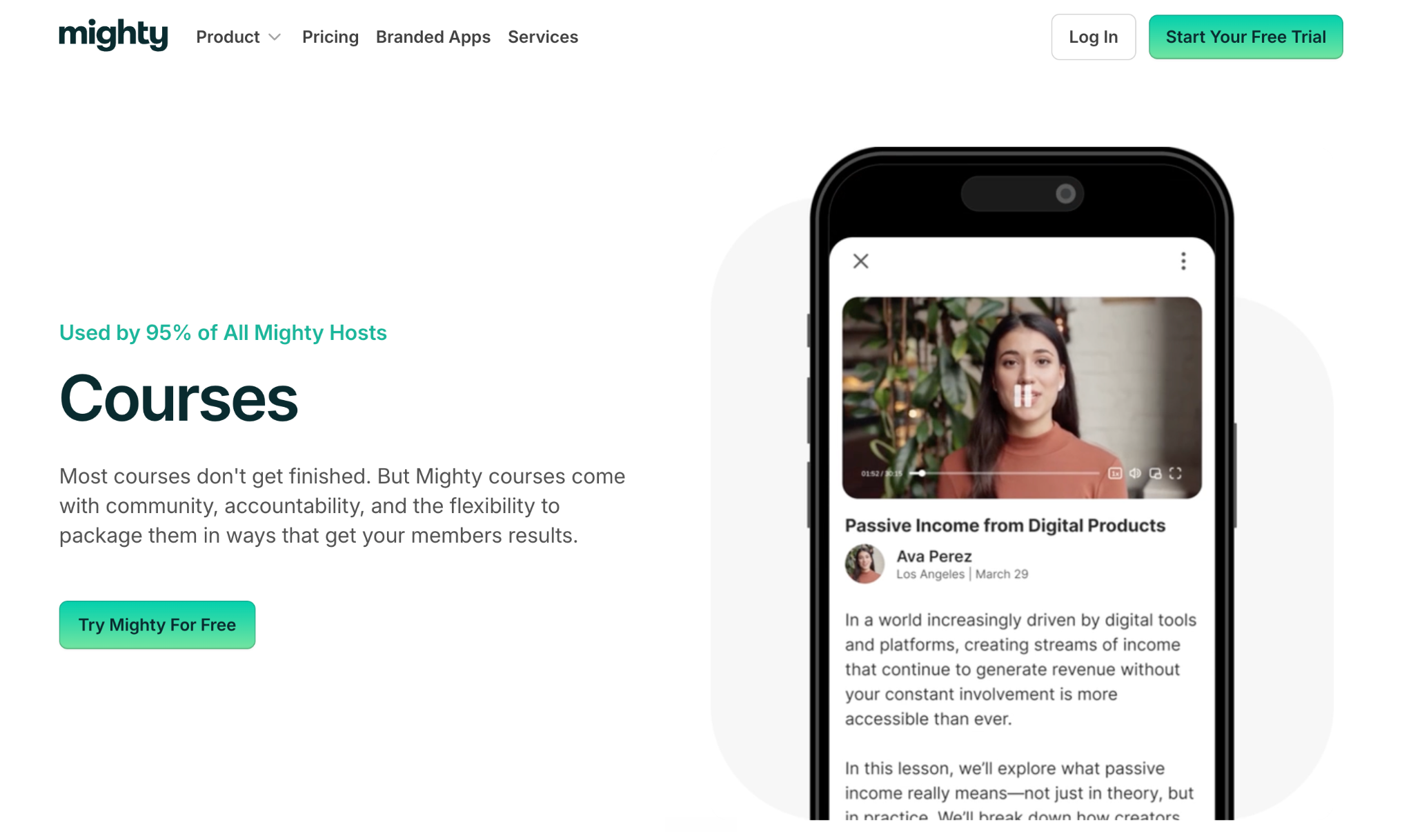
Mighty Networks comes at coaching from the community angle first. Where a tool like Kajabi leads with courses, Mighty leads with the group: spaces, feeds, chat, and member profiles that get your clients talking to each other, not just to you.
It’s an all-in-one home for a paid membership. You can run courses, host live and in-person events, take payments, and gamify the whole thing with badges, points, and leaderboards, all under your own brand on iOS, Android, and the web. Its AI Cohost can even spin up your community structure, landing page, and branding from a single question, which takes a lot of the blank-page pain out of launching.
Where it gets tighter is video. Live streaming is capped by hours and viewers on every plan, there are no TV apps, and your own branded apps only arrive on the custom Mighty Pro plan. If your coaching leans on a deep video library and apps on every screen, that ceiling is worth knowing about. But if community is the heart of what you sell, Mighty is built for exactly that.
What Customers Say
The simplicity in how to use the platform for creating everything, and the ai bot to answer my questions 24/7 with mind blowing accuracy. Better than human help. It’s wild and appreciated.
I love the multitude of choices for the layout of the platform. There are so many options to make it beautiful and once a person gets the overall hang of the program it is not difficult. It is easy to add collections and lessons and to create events. There is a learning curve of course, but it is all laid out in a very organized and intuitive way.
6. Mighty Networks key features
- Built-in community: Spaces, activity feeds, chat with threads, polls, and member profiles that keep people connected between sessions.
- Courses and events: On-demand, cohort-based, and live courses with quizzes and certifications, plus online and in-person events.
- AI Cohost: An AI builder that turns one question into a community structure, landing page, and branding.
- Gamification: Badges, points, streaks, and leaderboards to nudge engagement.
- Payments: Subscriptions, one-time payments, tiers, free trials, and promo codes in hundreds of currencies.
- Apps: Available on iOS, Android, and the web, with your own branded apps on the Mighty Pro plan.
Mighty Networks pros
- ✅ Community-first tools that drive real member interaction
- ✅ All-in-one: courses, events, memberships, and payments in one place
- ✅ AI Cohost gets a new community set up fast
- ✅ Praised on G2 for ease of use and responsive support
- ✅ Available on iOS, Android, and the web
Mighty Networks cons
- ❌ Transaction fees on top of your plan (2% on Launch, down to 0.5% on Mighty Pro)
- ❌ Branded apps and member video upload only on the custom Mighty Pro plan
- ❌ No TV apps
- ❌ Live streaming capped by hours and viewers on every plan
Mighty Networks pricing
- Launch: $79/month (annually). Courses, events, community, gamification, and basic automations, with a 2% transaction fee.
- Scale: $179/month (annually). Adds Kit, Zapier, and Google Analytics integrations, automated polls, paid events, and limited API access, with a 1% transaction fee.
- Mighty Pro: Custom pricing. Your own branded apps, member video upload, advanced automations, migration help, and a dedicated strategy team, with a 0.5% transaction fee.
- All plans come with a 14-day free trial, no credit card required.
Wrapping this up
The right pick comes down to the job you’re hiring for. If you mostly need 1:1 sessions, bookings, and admin handled, a tool like Paperbell or Trafft will serve you well. If structured courses are your thing, Kajabi fits. If community is the whole point, Mighty Networks is built for it.
But if you’re scaling content and community, and you want that to turn into income you can count on, that’s where Uscreen fits. You get a Netflix style video library, a community, live streaming, and your own branded apps in one place, all built to turn viewers into paying members who stick around.
Want to see how it comes together? Here’s how Uscreen works.
It’s simple with Uscreen. Build, launch, and grow recurring video income from your coaching, all in one place.
Frequently Asked Questions
Which is the best platform for online coaching?
There’s no single best platform, because they solve different jobs. For running 1:1 sessions, bookings, and admin, tools like Paperbell, Trafft, or Delenta lead. For selling structured courses, Kajabi is a strong pick. For scaling content and community into recurring income, a video membership platform like Uscreen fits best.
What is the best online coaching app?
If you want your coaching delivered through an app members download, Uscreen and Mighty Networks both put your content in branded mobile apps, and Uscreen adds TV apps on top. Admin-first tools like Delenta also offer a mobile app, but it’s built for managing clients rather than delivering content. The best app comes down to whether you’re delivering content and community or handling 1:1 logistics.
What is the difference between coaching software and a video membership platform?
Coaching software like Paperbell or Profi focuses on the admin side of a coaching business: scheduling, payments, client notes, and contracts. A video membership platform like Uscreen focuses on packaging your coaching into on-demand content and a community that people pay to access on a recurring basis. Many coaches scaling past 1:1 work move from the first type toward the second.
Can I use ChatGPT as a life coach?
ChatGPT can help you reflect, brainstorm, and work through questions, and some people use it that way between sessions. What it can’t do is hold you accountable over time or replace a human relationship, which is where most of coaching’s value lives. It’s a useful thinking tool, not a substitute for a real coach or a structured coaching program.
What is the 70/30 rule in coaching?
The 70/30 rule is a simple guide for how a coaching conversation should flow: the client talks about 70% of the time while the coach listens, and the coach speaks roughly 30%, mostly to ask questions and reflect back. The idea is that people reach better answers when they do most of the talking and thinking themselves.
How much do online coaching platforms cost?
Most online coaching platforms range from free to around $200 per month, depending on features and how many clients or members you have. Booking and admin tools sit at the lower end, starting near $19 to $59 per month, while content and community platforms run higher, roughly $49 to $119 per month to start. Platforms with branded apps or enterprise features are usually custom-priced on top of that.
Does Uscreen work for coaches who aren’t in fitness or wellness?
Yes. Fitness and wellness is Uscreen’s largest group, but the platform works for any coach who sells video content, including business and life coaches, educators, faith leaders, and skill-based instructors. If your model is recurring access to a video library, live sessions, and a community, the vertical doesn’t really matter.
Build, launch and manage your membership, all in one place.