
If your platform isn’t helping you turn streams into consistent revenue, you’re leaving money on the table. To get the most out of your content, you need a platform that supports your complete digital content monetization strategy.
We’ve broken down 11 of the best live streaming platforms by use case, features, and pricing so you can confidently choose the right one for your membership business.
Best live streaming platforms overview
We’ve curated the most popular live streaming sites ranked for creators of every size so you can compare options quickly and choose a platform that fits your goals.
| Platform | Best for | Starting price | Key features |
| Uscreen | Video memberships | $49/month |
|
| Wowza Streaming Engine | Developers building custom streaming solutions | $195/month |
|
| Castr | Professional broadcasters, businesses, and organizations that need reliable multistreaming capabilities with advanced features | $16.67/month |
|
| Riverside | Live streaming tool that can easily stream to other platforms | $24/month |
|
| Restream | Multistreaming | $16/month |
|
| Dacast | Live event streaming and pay-per-view access | $39/month |
|
| Vimeo | Media companies and brands | $12/month |
|
| JW Player | Media broadcasting with advertising | Custom |
|
| Brightcove | Corporate enterprises | Custom |
|
| Twitch | Beginners/free to use | Free |
|
| YouTube Live | Creators, educators, and businesses aiming for broad visibility | Free |
|
Uscreen
Best for: Video memberships
G2 rating: 4.7/5 stars
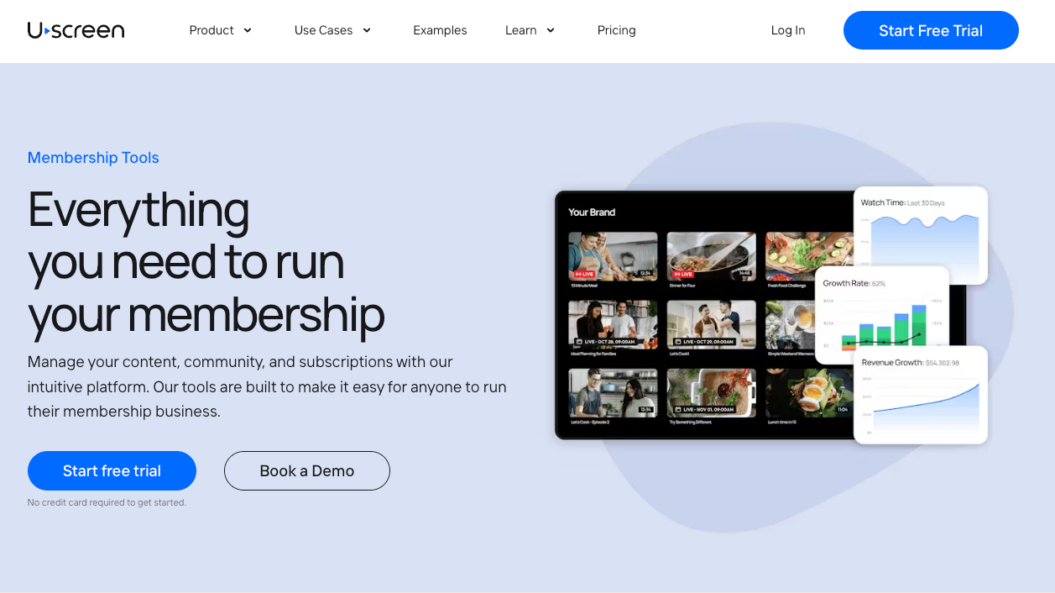
Uscreen is a video hosting and monetization platform that provides an intuitive solution for premium streaming services on any device. It delivers uninterrupted, stable streaming to 9.2 million users across live, VOD, and OTT. No stitching together multiple tools to run your membership.
Features Uscreen creators love:
- Branded mobile and TV apps let members tune in on any device
- Built-in community spaces keep members engaged between sessions
- Member CRM and automations handle growth and retention without third-party help
- Turn live streams into a VOD catalog for on-demand access and recurring revenue
- Control video monetization with paid, free, or one-time options
| Pros | Cons |
|---|---|
|
|
Creator spotlight: M/BODY
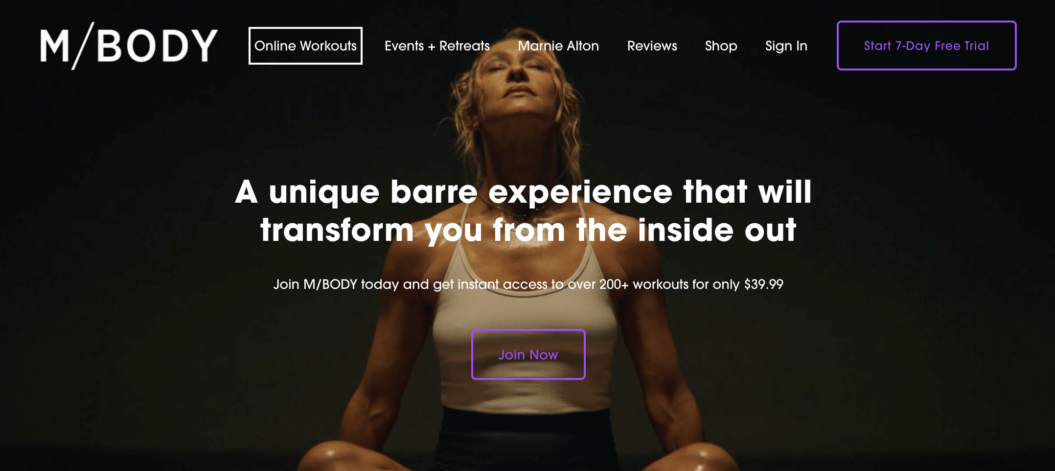
When the pandemic hit, Marnie Alton went from running a thriving LA fitness studio with 15 employees to having no income overnight.
Rather than scaling back, she launched M/BODY as an online membership on Uscreen and built it into a $40K/month business reaching 1,200 members globally. Live streaming became the backbone of her content strategy.

From the feedback we get, people still prefer to watch the live class versus the polished produced video. People feel closer to us because they’re seeing real things happening in real time.
M/BODY films 95% of content live, which Uscreen automatically adds to the VOD library so members can catch up on demand. With 62% of members accessing content through the app, the branded mobile experience has been central to her retention.
How easy is it to migrate to Uscreen
Switching platforms can feel daunting, but our dedicated migrations team handles the entire process for you. They’ll build a platform migration strategy tailored to your setup so nothing gets lost in the move. Here’s what the process looks like:
- Hop on a call with our migration experts to review what’s needed to migrate your content and users.
- Develop a tailored migration plan with our team, where we’ll outline the migration timeline with you, the capabilities of the platform you’re migrating from, and a detailed action plan.
- We’ll begin bulk migrating your content and users. Let us worry about the technical stuff so you can focus on your customer experience.
- We guide you through a successful platform launch, ensuring your audience is informed and excited.
Check out migration success stories from creators like Fittest Core, In The Lab, and Abundance+ to see what the process looks like in practice.
If you ever decide to leave, all your content and data are accessible and yours to take with you.
Switch to UscreenReviews
What I like best about Uscreen is that they’re customer-focused, always updating and improving their product and service. Their customer support is great — they’re proactive, listen to clients, and the platform itself is easy to use with excellent features on both the front and back end.
Verified G2 User
Honestly, there isn’t much I don’t like about Uscreen. The platform is solving key problems by providing the tools I need to convert my community into paying subscribers. The marketing tools are outstanding, and they genuinely listen to their clients’ needs.
Pricing
- Starter plan: $49 per month (monthly only)
- Growth plan: $149 per month
- App essentials plan: $449 per month
- Custom plan: Custom pricing
Wowza Streaming Engine
Best for: Developers building custom streaming solutions
G2 rating: 4.5/5 stars
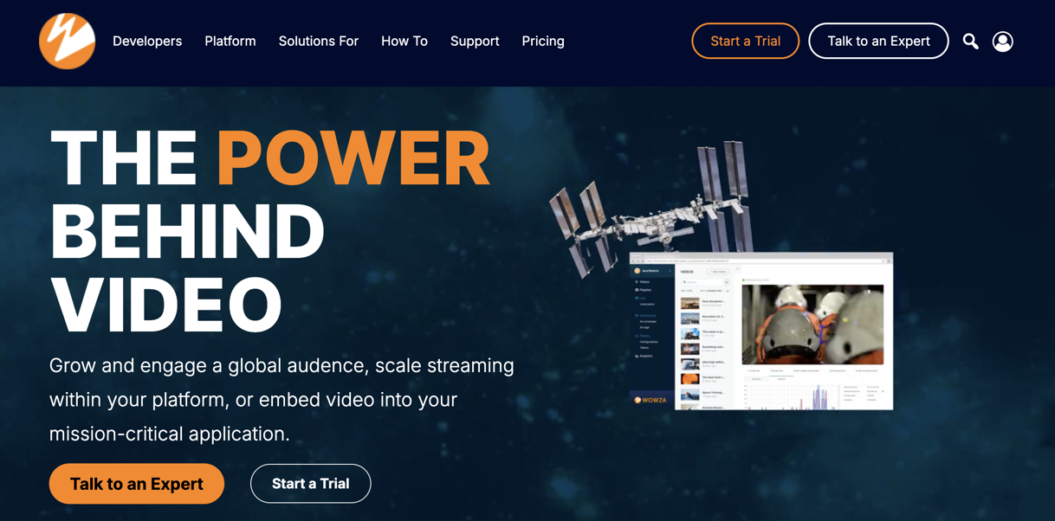
Wowza Streaming Engine is a customizable streaming platform that gives users complete control over their infrastructure. This platform is great for creators looking to custom build their own live streaming service.
It offers live and on-demand video content and is optimized for low latency and high-quality playback across multiple devices.
Designed for scalability, Wowza delivers a high-performing, professional streaming experience. Its advanced features provide full control and customization, making it especially well-suited for businesses with complex streaming needs that want to grow.
| Pros | Cons |
|---|---|
|
|
Wowza migratability
Migrating to or from Wowza is a significant technical lift. According to their help article, moving off requires contacting the team to request an R&D license key and backing up your content and settings. From there, you’ll restore everything on a new server with compatibility checks for streams, codecs, and DRM along the way.
You’ll need to build and maintain the new environment while matching the same level of control and customization you originally set up. If you’re looking for something easier to manage day to day, it’s worth exploring your options before committing.
Reviews
I appreciate how Wowza lets me stream to multiple platforms automatically, simplifying my Bible study broadcasts and integrating seamlessly with my mobile app. Its affordability and platform compatibility make it a valuable tool.
Verified G2 User
On the downside, Wowza isn’t very user-friendly, making setup and navigation challenging. Integration with tools like Zoom can be tricky, and customer support isn’t always seamless.
Pricing
- One-Time Purchase: $295
- Basic Monthly: $195 per month
- Enterprise: Custom pricing
Castr
Best for: Professional broadcasters, businesses, and organizations that need reliable multistreaming capabilities with advanced features
G2 rating: 4.8/5 stars
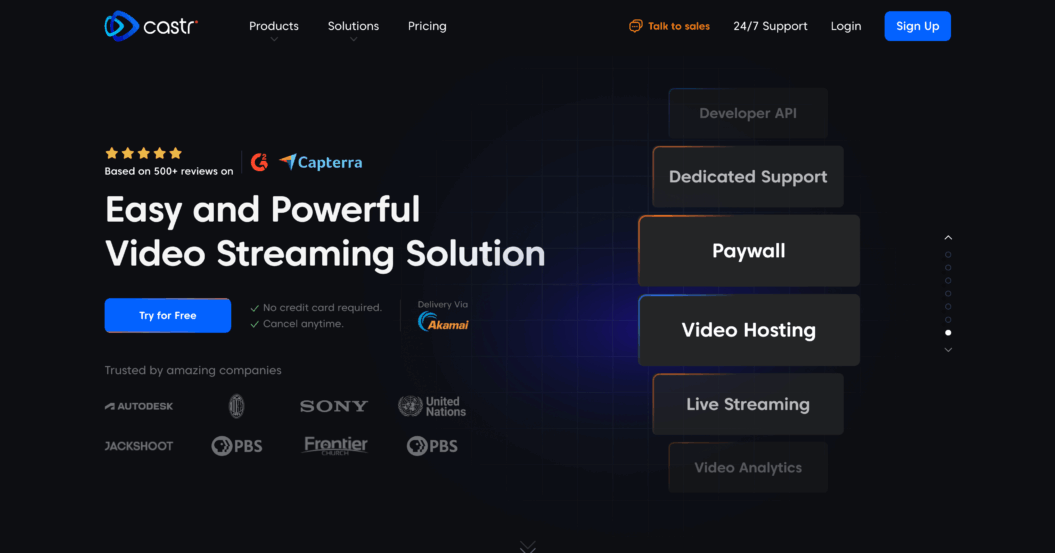
Castr is a powerful video streaming platform designed to help creators and businesses reach audiences across multiple platforms through easy-to-use multistreaming tools.
It’s a feature-rich platform that offers customization while still being user-friendly and straightforward to set up, so you don’t need to be a tech pro to get started.
With its multi-camera live streaming capabilities, Castr stands out as a flexible solution for anyone looking to stream to Facebook, YouTube, Twitch, and other platforms simultaneously. Whether you’re a solo streamer or part of a larger organization, Castr helps simplify the streaming process without compromising quality.
| Pros | Cons |
|---|---|
|
|
Castr migratability
To migrate to Castr, sign up for an account and connect the platforms you want to stream to. Set up your streams in the Castr dashboard, and you can start broadcasting immediately. Since your content stays on your original channels, there’s no need to transfer media or rebuild your audience.
Because Castr lets you multistream to different channels, it’s fairly low-commitment to stop using it. There’s very little to really migrate, because your content and followers remain on each channel. Canceling your Castr account from your billing settings is usually enough.
Reviews
Castr makes multistreaming easy with a user-friendly interface, high-quality streams, and helpful scheduling, though pricing can be steep for smaller creators, analytics could be more detailed, and occasional syncing delays occur.
Verified G2 User
Pricing
- Starter: $16.67 per month
- Standard: $41.67 per month
- Premium: $166.67 per month
- Ultra: $291.67 per month
- Events: $624.99 per month
Riverside
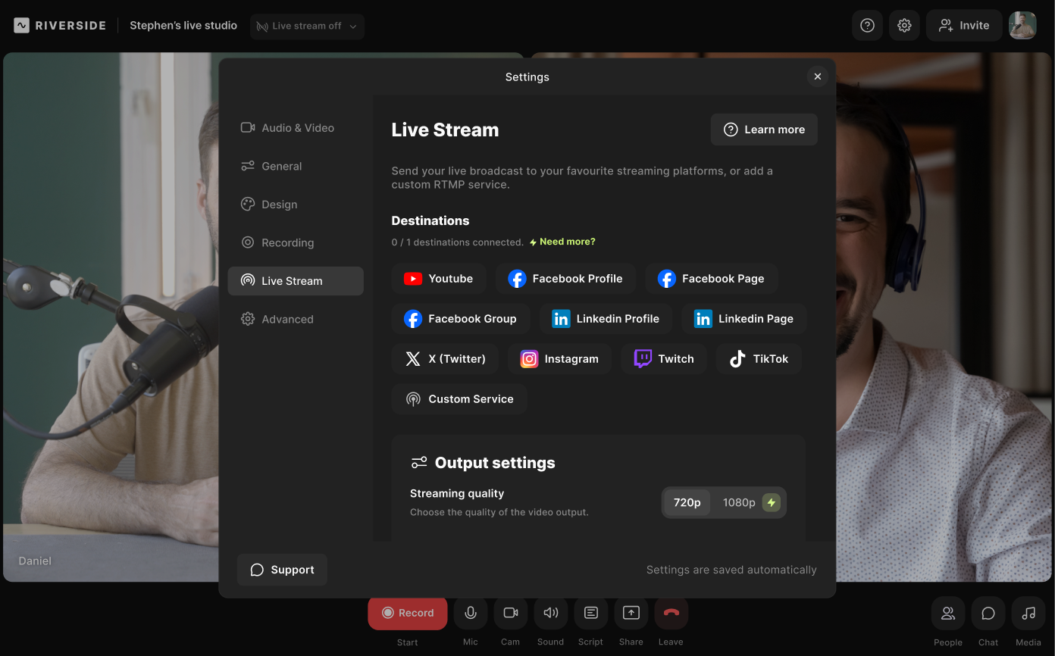
Best for: Live streaming tool that can easily stream to other platforms
G2 rating: 4.8/5 stars
If you’re after high-resolution recordings of your streams, easy branding, and a wide reach via repurposing, then Riverside may be the live streaming platform for you.
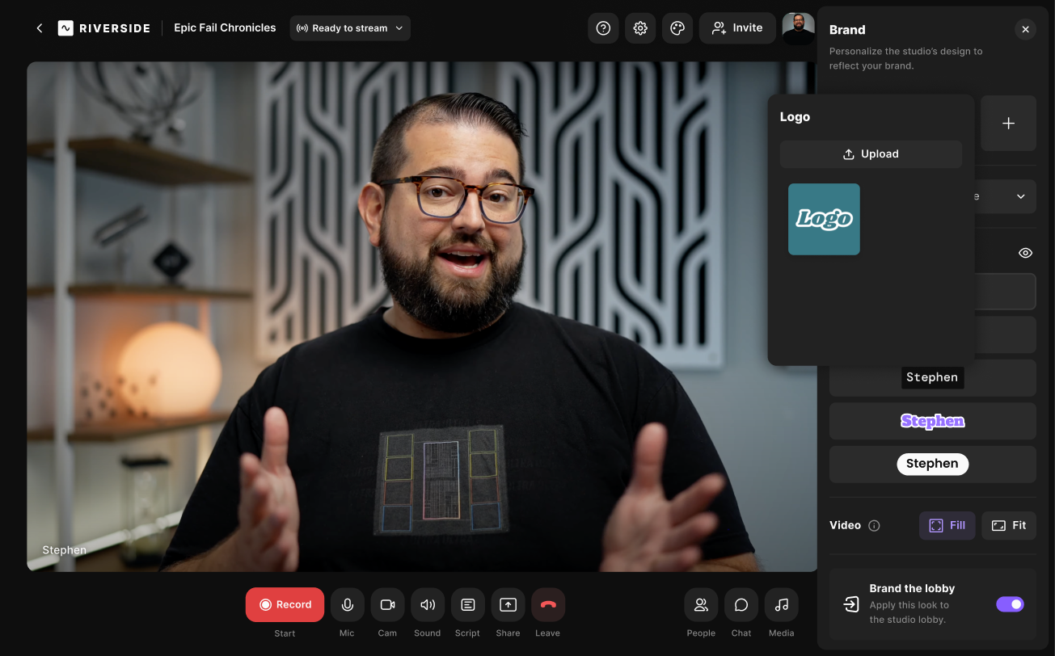
Riverside is also a top choice for those looking to save time repurposing their streams or streaming to multiple platforms. Its AI video editor streamlines repurposing by turning webinars or live streams into polished social media content with just a few clicks. You can create clips instantly or use the editor to trim recordings and add captions, text, music, and other branding elements.
If you’re on a tight budget or only need basic live-streaming tools, some advanced features may not be necessary. However, for creators seeking a professional-grade live streaming experience, this is a great choice.
| Pros | Cons |
|---|---|
|
|
Riverside migratability
To migrate to Riverside, create an account, then set up your recording sessions or projects in the dashboard. Connect your team members and configure any streaming or recording settings you need. Once everything is ready, you can start capturing content immediately.
To migrate from Riverside, download your content files from your dashboard and upload them to your new platform. You may also need to manually transfer descriptions, imagery, and your subscriber list.
How much manual effort is involved depends on the platform you’re moving to and the level of migration support they provide.
Reviews
Ideal for productivity, Riverside offers an intuitive interface, AI-assisted professional-quality recordings, fast exports, and direct publishing, though it has limited advanced editing controls, occasional lags, and some features are restricted on lower-tier plans.
Verified G2 User
Pricing
- Free plan: Includes live streaming in 720p with basic branding
- Pro plan: $24 per month
- Live plan: $34 per month
- Webinar plan: $79 per month
- Business plan: Contact sales
Restream
Best for: Multistreaming
G2 rating: 4.3/5 stars
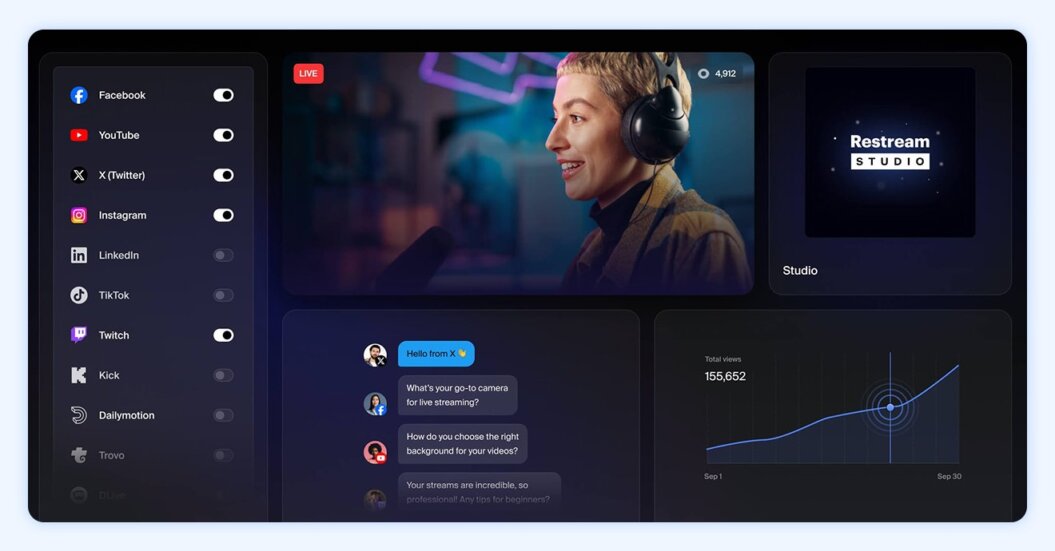
Restream is a live streaming platform focused on multistreaming, letting creators broadcast to multiple platforms from a single dashboard. Its browser-based studio and unified chat make it easy to manage multiple streams and engage audiences across platforms.
It also supports pre-recorded streams, allowing users to schedule content and maintain an active presence.
Restream helps users repurpose content by letting them extract audio and video files for social media, podcasts, or other multimedia projects. Its intuitive interface and seamless integrations reduce setup time, providing a professional multistreaming solution without technical complexity.
| Pros | Cons |
|---|---|
|
|
Restream migratability
To migrate to Restream, sign up for an account and connect the platforms you want to stream to. Set up your channels, events, and schedules in the dashboard, and configure any graphics or stream settings you need. Once everything is ready, you can start multistreaming immediately.
To migrate from Restream, download any stored stream recordings and set up your channels, events, and schedules on the new platform manually. Chat histories, graphics, and scheduling metadata won’t transfer automatically.
Reviews
Restream’s user-friendly interface makes recording and live streaming prerecorded content across LinkedIn, YouTube, and Facebook simple. Extracting audio and video for repurposing is easy, setup is hassle-free, and the $19/month plan provides excellent value for managing podcasts and video content efficiently.
Verified G2 User
Pricing
- Free plan: Multistream to two channels + watermark
- Standard plan: $16 per month
- Pro plan: $39 per month
- Business: $199 per month
Dacast
Best for: Live event streaming and pay-per-view access
G2 rating: 4.3/5 stars
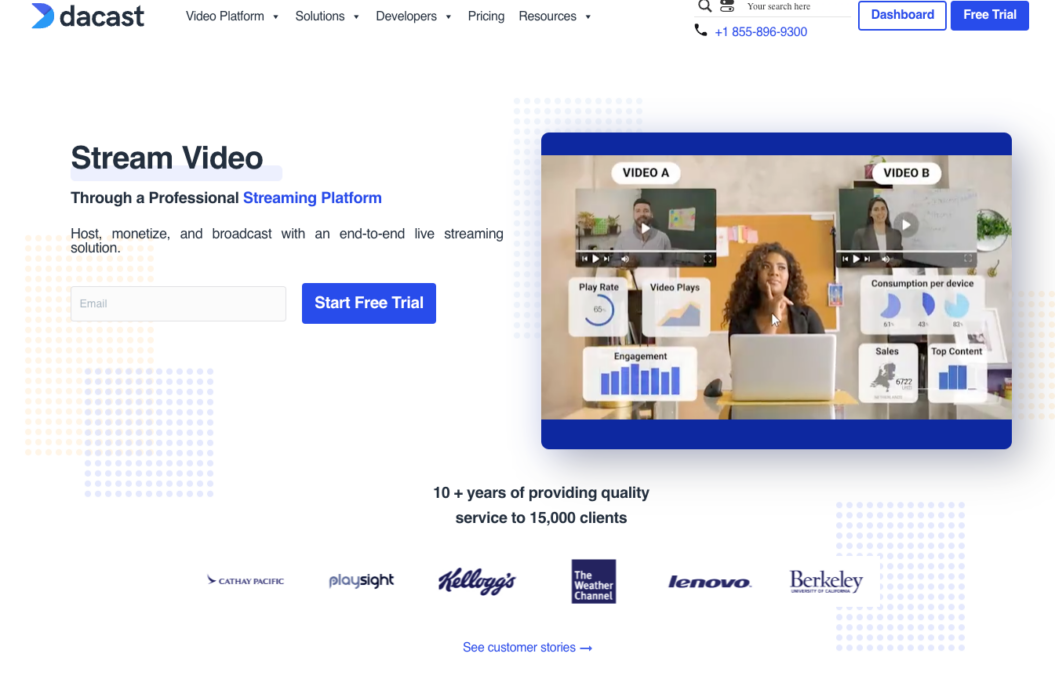
Dacast is an excellent live streaming platform for professionals and businesses looking for a robust, scalable solution for events. It’s particularly effective for niche markets, including sports, religious services, or educational content. Dacast offers features tailored to meet specific industry needs.
What’s great about Dacast is its seamless integration with your existing business tools like CRMs and marketing platforms, simplifying your workflows and boosting efficiency. During live broadcasts, you get real-time analytics, allowing you to tweak your content in real time to optimize viewer engagement.
Users can expect a powerful, enterprise-grade streaming solution with strong security, monetization options, and detailed analytics. However, beginners may find the platform a bit technical and better suited to business and professional use rather than casual streamers.
| Pros | Cons |
|---|---|
|
|
Dacast migratability
To migrate to Dacast, sign up for an account and set up your channels or on-demand libraries in the dashboard. Upload your videos, configure your player settings, and connect any monetization or distribution options you need. Once everything is ready, you can start streaming or sharing content immediately.
To move from Dacast, you need to download all your video files and upload them to your new platform. You’ll also need to securely export your customer data.
How simple this step is depends on the platform you’re moving to and whether they offer migration services to support you at this stage.
The worst-case scenario would be having to manually input your subscriber details from Dacast, but it’s still a relatively low commitment to migrate because you’re essentially just moving your data from one platform and uploading it to another.
Reviews
Dacast offers great tech support and reliable streaming, and the team genuinely cares about users. The main drawback is the lack of encoding, without automatic bitrate adjustments, streaming to different devices can affect quality and cause buffering issues.
Verified G2 User
Pricing
- Starter plan: $39 per month
- Event: $63 per month
- Scale: $165 per month
- Custom: Contact sales for pricing requirements
Vimeo
Best for: Media companies and brands
G2 rating: 4.3/5 stars
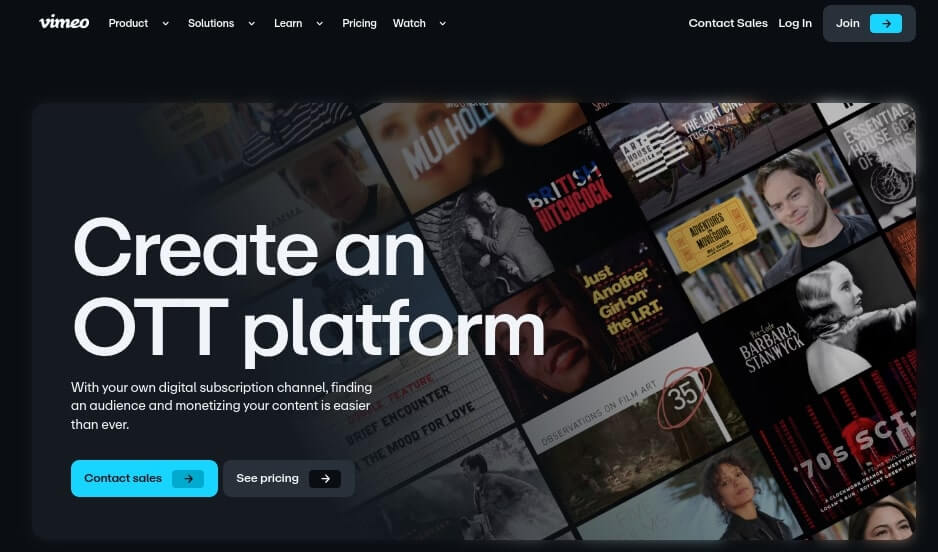
If you’re aiming for a professional-level live stream, Vimeo is a top choice. It’s designed for creators who prioritize high-quality streaming experiences for a global audience.
Vimeo offers full HD 1080p streaming that’s crisp and clear, and provides extensive customization of your streaming space with your brand’s logos and colors. The platform handles large events smoothly with features like multi-camera support, real-time captioning, and interactive overlays to create more dynamic and accessible content.
Users can expect professional-grade streaming with excellent video quality, customizable features, and robust monetization tools. It’s an ideal choice for creators and businesses who want to deliver polished content and monetize it effectively. Creators with smaller budgets may need to find Vimeo alternatives.
| Pros | Cons |
|---|---|
|
|
Vimeo migratability
To migrate to Vimeo, sign up for an account and organize your videos into projects or showcases. Vimeo’s platform allows you to customize privacy settings, embed options, and distribution preferences, giving you full control over exactly how your content is shared from the start.
Migrating from Vimeo is relatively straightforward. Because it’s a well-known brand, many platforms have migration processes or guides to support customers migrating from Vimeo.
If not, it’s easy to download your videos from Vimeo and upload them to your new platform. To move your customer data, you can export it into a CSV file and import it into the platform you’re moving to.
Reviews
I love Vimeo for professional-quality streaming and portfolio hosting, with a lightweight, responsive player, easy branding customization, and a user-friendly interface. The main drawbacks are complex embed settings, restrictive subscription plans with annual billing, and limited access to advanced features at lower tiers.
Verified G2 User
Pricing
- Free
- Starter: $12 per month
- Standard: $25 per month
- Advanced: $75 per month
- Enterprise: Contact sales
JW Player
Best for: Media broadcasting with advertising
G2 rating: 3.4/5 stars
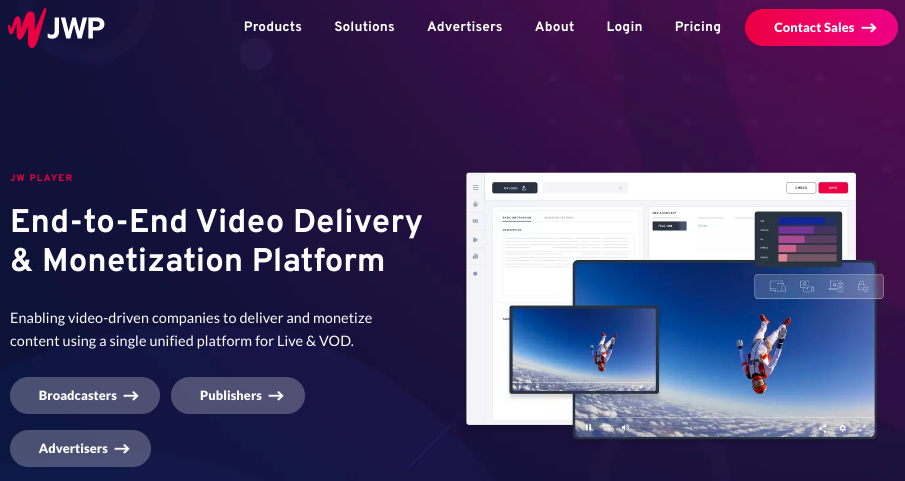
JW Player is a highly flexible and scalable video platform, best known as a reliable video player with wide compatibility for various video streaming formats. It also offers end-to-end streaming solutions, catering to businesses and publishers looking to integrate high-quality video into their services.
It’s best known for its lightweight, customizable video player, but it offers full video hosting, live streaming, and monetization features. The platform supports a variety of video formats and streaming protocols, including HTTP Live Streaming (HLS) and adaptive bitrate streaming.
JW Player includes a robust suite of tools for monetizing content, including pre-roll ads, subscriptions, and pay-per-view. It’s designed to be highly customizable, making it an excellent choice for developers who need a video solution that integrates easily into existing systems.
For smaller creators who don’t want these expensive or complex features, JW Player alternatives may be a better fit.
| Pros | Cons |
|---|---|
|
|
JW Player migratability
To migrate to JW Player, sign up for an account and upload your video content to their platform. JW Player allows you to configure your player, set up monetization options, and integrate with your website or apps for direct streaming, giving you flexibility in how your content is delivered.
Migrating from JW Player typically involves downloading your content and data and then manually uploading it to your new platform.
Again, how easy this is will depend on the platform you’re moving to and how much support they offer during your onboarding process. At a minimum, you should be able to follow the self-help guides to export and then import your data manually.
Reviews
JW Player is stable, reliable, and scales well for large video needs, but its package-based pricing, inflated storage charges, limited customization, high cost, and sales-focused account management make it less transparent and less flexible than other platforms
Verified G2 User
Pricing
You’ll need to contact JW Player directly for pricing information.
Brightcove
Best for: Corporate enterprises
G2 rating: 4.1/5 stars
If you’re looking to boost your live video streaming, Brightcove is a solid choice with its high-quality, global broadcasting capabilities. Whether for big events or smaller gatherings, it delivers a smooth streaming experience across devices and various internet speeds.
Brightcove is a fantastic choice for large-scale content producers and enterprise organizations looking for a professional-grade streaming platform. It’s packed with solid monetization options, extensive customization tools, and powerful analytics, all designed to support high-level operations.
If you’re a smaller creator or just kicking things off, Brightcove’s high costs and technical complexity could feel overwhelming. Exploring Brightcove alternatives can help you access similar features at a lower cost.
| Pros | Cons |
|---|---|
|
|
Brightcove migratability
To migrate to Brightcove, sign up for an account and work with their platform to set up your video libraries, player configurations, and any custom integrations you need.
Brightcove is enterprise-focused, so you can often access dedicated support to help configure your account, integrate with your CMS or CRM, and ensure your workflows are optimized from the start.
If you’re migrating from Brightcove, you’re likely on a custom or enterprise-level plan with your new platform. This means you’re likely to have dedicated migration support available to handle that process.
If that’s not the case, you’d be looking at manually exporting all your data and then re-uploading it to your new platform. Depending on the level of customization you have set up, it might involve more work to recreate your setup during the onboarding stage in your new platform.
Reviews
Brightcove offers an intuitive interface, excellent streaming quality, automatic analytics, and top-tier Platinum support, making it ideal for businesses. The main drawback is that pricing can be steep for smaller organizations.
Verified G2 User
Pricing
Brightcove only offers custom pricing, so you’ll need to talk directly to their team.
Twitch
Best for: Beginners/free to use
G2 rating: 4.4/5 stars
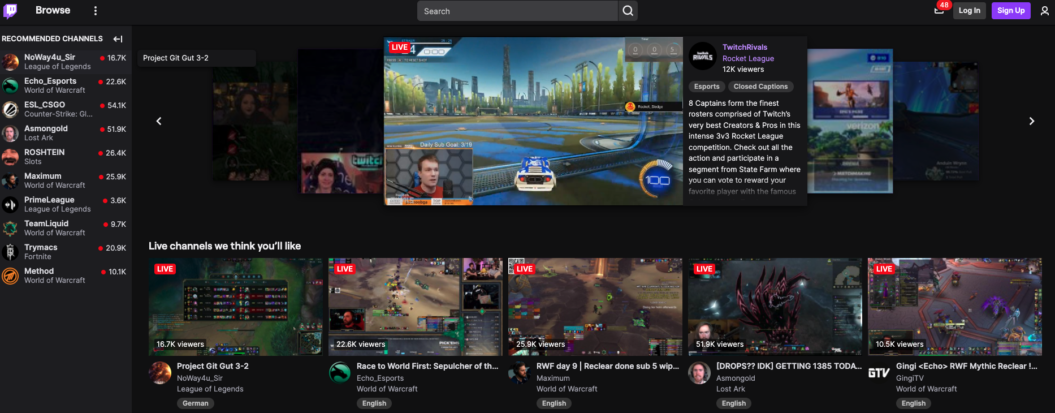
Twitch is best known as the world’s leading gaming platform, hosting over 240 million streamers each month. There are many other categories on the platform too, from music, arts and crafts, sports, events, and travel, so there’s something for everyone.
Twitch provides a casual, community-focused streaming experience where viewers can connect with creators in real time. Its free-to-use model makes it ideal for growing creators who want to test Twitch monetization options and build an audience.
| Pros | Cons |
|---|---|
|
|
Twitch migratability
On Twitch, you don’t have ownership over your audience, so if you want to move to another platform, you’d need to put in the effort to encourage your followers from Twitch to sign up for your new platform.
It is possible to save your streams as an on-demand file, which you can use elsewhere, and moving your existing content from Twitch will be a manual effort since the platform doesn’t migrate content for you. Also, if you’re a Twitch affiliate, you’d need to be mindful of the 24-hour exclusivity policy, meaning you need to wait 24 hours before you can share that content on another channel.
Overall, it’s doable, but it does take effort.
Reviews
Twitch offers robust live streaming features and strong viewer engagement through live chat, making it ideal for gaming and niche communities. Its main drawbacks are user interface issues, including poor search and discoverability, which limit reach beyond the core audience.
Verified G2 User
Pricing
Twitch is free to use, so there’s no upfront cost with the platform.
YouTube Live
Best for: Creators, educators, and businesses aiming for broad visibility
G2 rating: 4.4/5 stars
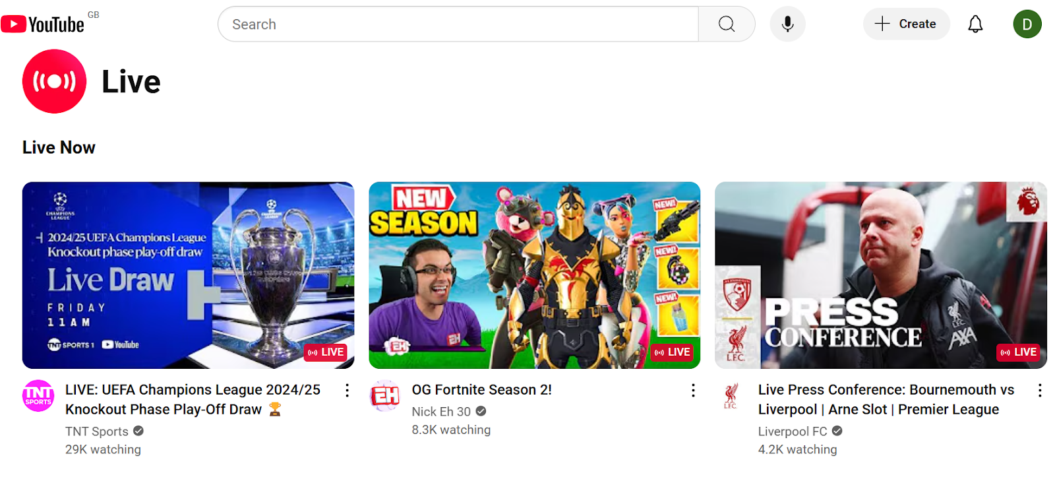
YouTube Live works like regular YouTube content but in real time, making it one of the easiest platforms to get started with. Your audience is already there, the setup is familiar, and you can go live without the extra effort of editing and uploading pre-recorded videos.
It’s a powerful tool for discovery and audience building, and ideal for creators looking to monetize live YouTube content while leveraging an existing subscriber base. But ad-based revenue is inconsistent, audience ownership is limited, and there are no membership or retention tools built in.
However, creators with larger audiences may find YouTube monetization alternatives more effective for generating revenue.
| Pros | Cons |
|---|---|
|
|
YouTube Live Migratability
To migrate from YouTube Live, you’ll need to do the work to encourage your followers to sign up for your new platform.
Many creators use their YouTube channel as a marketing funnel for their paid services. It works well since your YouTube videos serve as an easy way for people to discover you and build up trust and familiarity with you before committing to purchasing.
Reviews
YouTube Live makes it easy to stream to a massive global audience, with excellent video quality, smooth third-party integrations, real-time chat, and useful analytics. Drawbacks include a slightly complex dashboard for beginners and a short delay between live content and viewer playback.
Verified G2 User
Pricing
YouTube Live is free to use. You need to be a verified channel and meet the YouTube Partner Program requirements to stream live on YouTube.
What to look for in a live streaming platform
Before exploring platforms, define your live-streaming goals. Are you looking to grow and engage a dedicated audience, broadcast events for your business, or tap into a large social media following? Your priorities will guide every decision.
From there, think about where you are right now:
- Are you just starting and looking for the top live streaming platforms for beginners?
- Do you have an established following and want tools to deepen engagement?
- Are you a business looking for platforms that support monetization, customization, and long-term reliability?
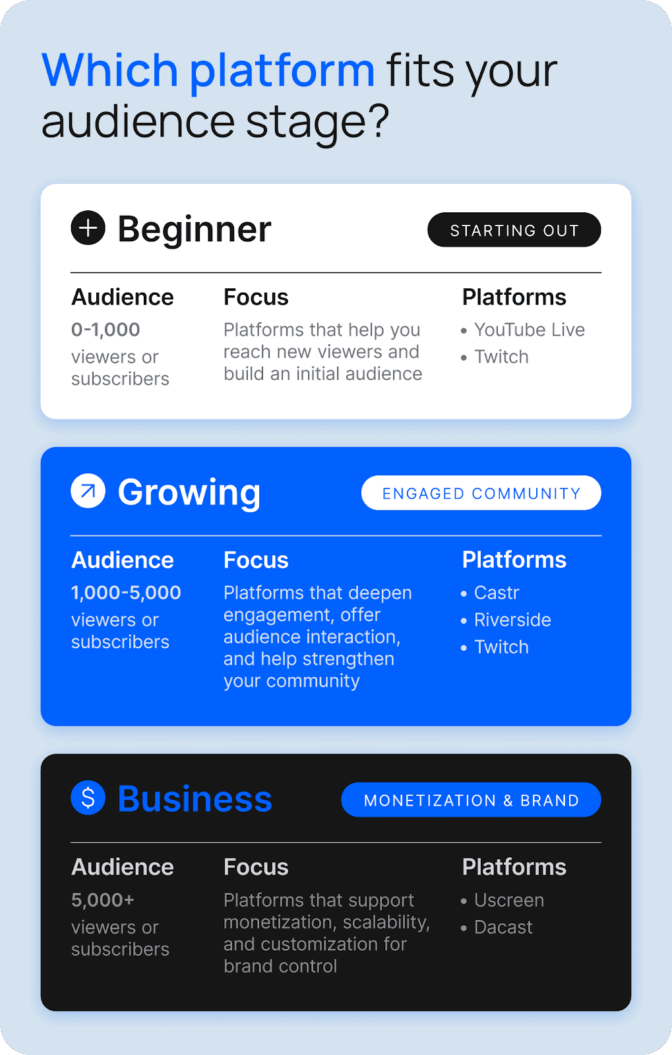
The platform you choose should meet your current needs and scale with you as your goals expand. Consider what flexibility, features, and opportunities you’ll need as your audience grows.
Key features for the best live streaming platforms
When picking from the top live streaming platforms, focus on the features that fit your current needs and can support your growth over time.
- Monetization: Look for platforms that support recurring models like subscriptions and memberships, not just pay-per-view or one-off events. Check how revenue is split and how much control you keep.
- Customization and branding: Choose a platform that lets you customize your stream and embed it on your own site. Consistent branding keeps the focus on your content, not the platform.
- Audience engagement tools: Look for live chat, polls, and Q&A to keep viewers engaged in real time. These features build your community and give members a reason to come back.
- Integration and compatibility: Make sure the platform connects with your existing tools and social channels. Smooth cross-posting and easy setup save time and reduce friction.
- Analytics and performance tracking: Choose a platform with detailed analytics so you know what’s working and can make smarter content decisions over time.
- Reliability and support: Check out the platform’s reliability and the customer support available. Good tech support can be a game-changer for smoothing out those inevitable live stream snags.
Scale your live streaming success with Uscreen
Choosing the best streaming platform to make money is important for creators looking to deliver high-quality, reliable streams while maximizing revenue. Technical issues and delays can frustrate viewers, slowing growth.
Uscreen stands out among the best live streaming platforms as the only option on this list built specifically for video membership monetization. With live streaming, VOD, OTT, and branded apps all in one place, Uscreen is the platform to develop a live streaming strategy that scales.
Live streaming platforms FAQ
Yes, multistreaming is a live streaming feature offered by most platforms. It allows you to stream to multiple platforms, including social media and other live streaming websites.
If you have a live streaming app, viewers will be able to tune into your live stream, too.
To stream privately, you can use a platform like Uscreen with password-protected streams, only letting approved viewers into the event.
The cheapest way to live stream is by using a free platform and broadcasting using your phone or existing webcam. This setup is ideal for smaller creators looking to test features before committing to a platform with the tools they need.
You can stream live videos for free on social media live streaming platforms like YouTube Live, Facebook Live, Twitch, or TikTok, which offer built-in live streaming features at no cost.
The best platforms for 24/7 live streaming offer reliable, cloud-based streaming that runs continuously without lag. Uscreen is one platform that provides this capability.
For creators building a video membership, Uscreen is the best live streaming app. It gives you branded mobile and TV apps across iOS, Android, Roku, Apple TV, Fire TV, and Android TV, with live streaming, VOD, and membership monetization all in one place.