
Before picking the best webinar software, understand your exact needs because it matters the most. For example, a sales team running live product launches needs timed offers and follow-up automation. A marketer building an evergreen funnel needs a tool that runs pre-recorded sessions on a loop without anyone at the controls. An enterprise broadcasting to thousands needs raw streaming muscle and compliance certifications. Pick for the wrong job and you overpay for features you’ll never touch.
Many times, the details that decide the right fit also tend to hide like attendee caps, session-length limits, whether pricing is flat or charged per attendee, and which features sit behind the top tier. This guide checks all of it across 21 platforms, with current pricing pulled straight from each vendor, so you can match the tool to the way you actually run webinars.
Quick answer box
Here are the best webinar platforms in 2026, matched to different needs and use cases:
- Uscreen : Best for turning live webinars into recurring revenue, with built-in CRM and live streaming, chat, multiple automation features and a paid membership your audience comes back to instead of attending once and leaving.
- WebinarJam : Best for sales webinars, with timed on-screen offers and automated follow-up that turn attendees into buyers.
- EverWebinar : Best for evergreen funnels, running pre-recorded sessions on a loop that look and feel live.
- GoTo Webinar : Best for dependable, large-scale business webinars like training and town halls.
- Demio : Best for marketers who want clean per-attendee data on who clicked, downloaded, and dropped off.
- Livestorm : Best for teams that need webinars wired tightly into HubSpot or Salesforce.
- Webex by Cisco : Best for enterprises that need FedRAMP, HIPAA, and top-tier compliance.
How to choose a webinar platform
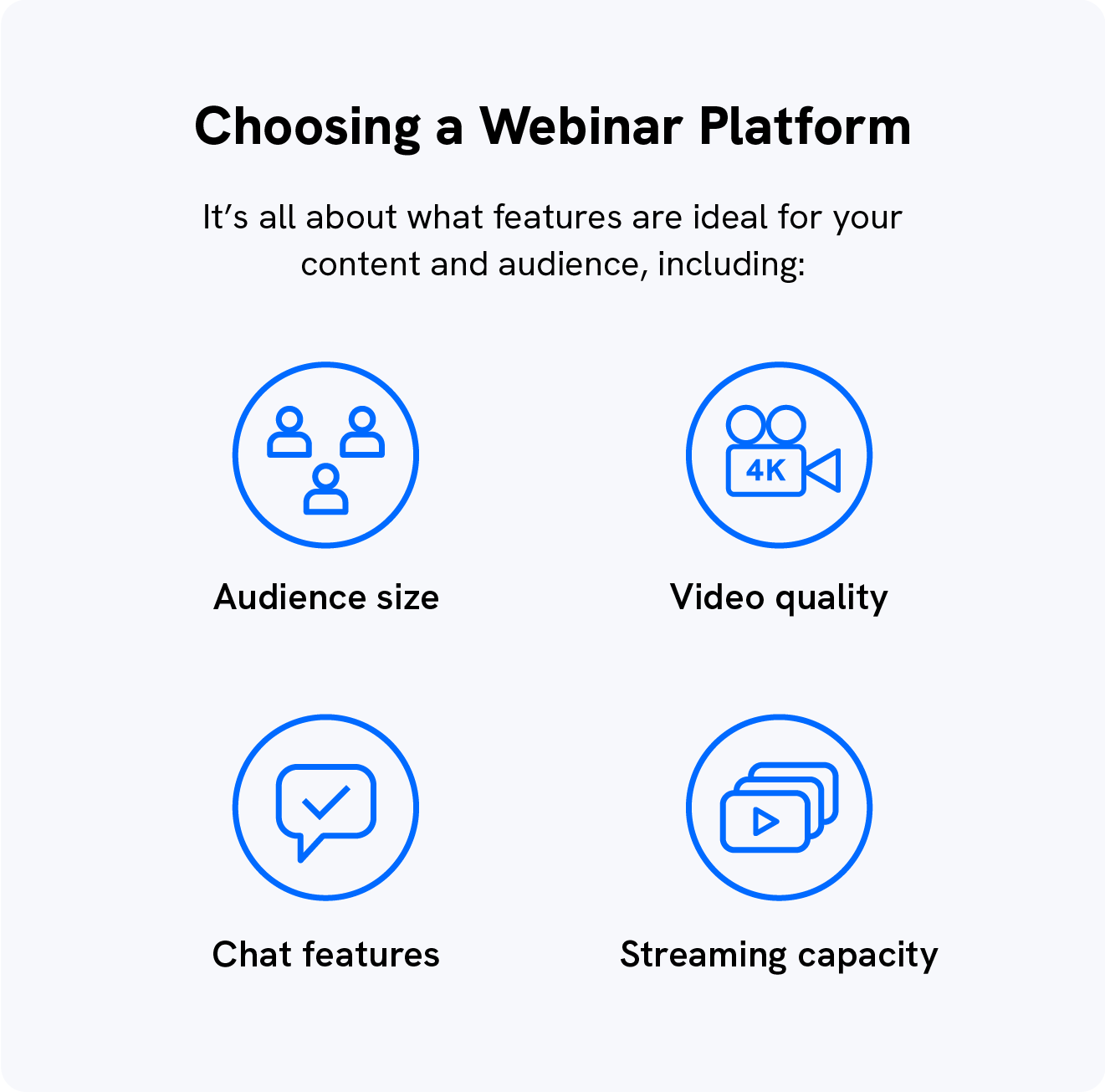
Before you compare prices, get clear on how you’ll actually run webinars. The right platform is the one built for your format, your audience size, and what you want attendees to do next. Here’s what to weigh:
- Webinar type: Live, automated and evergreen, hybrid, or a recurring series. Some tools do one well and the rest poorly, so start here. It narrows the field faster than anything else.
- Audience size and attendee caps: Most plans cap concurrent attendees, and the jump from one tier to the next is often where the real cost lives. Size for the room you’ll actually fill, not the one you hope to.
- Session limits: Entry plans frequently cap you at one or two hours per session. If you run long workshops or trainings, check this before you commit, because it’s easy to miss until you hit the wall mid-event.
- Engagement tools: Live chat, polls, Q&A, and on-screen offers are what keep an audience watching instead of dropping off. Decide which ones you’ll lean on every session.
- Monetization: If you plan to charge for access or sell during the session, look for built-in monetization (opens in new tab) rather than bolting on a separate checkout later.
- Integrations: Webinars are only as useful as the data they feed back. Confirm the platform connects cleanly to your CRM and email tools so attendee activity doesn’t get stranded.
- Broadcasting reach: If you want to live stream (opens in new tab) to YouTube, Facebook, or LinkedIn at the same time, check that simulcasting is included and not locked behind the top tier.
- What happens after the webinar: A one-time event ends when you log off. If you’d rather turn attendees into a returning, paying audience, weigh platforms that let you keep the relationship going past the live session.
Work down the list, cross off what you don’t need, and the right tool tends to pick itself.
How we evaluated the top webinar platforms
This list isn’t a popularity contest. We scored every platform against the same criteria, the ones that actually decide whether a tool fits how you run webinars, then ranked them on fit rather than name recognition. Here’s what went into each call:
- Verified pricing: Every price was pulled directly from the vendor’s own website and checked as of June 2026. Plans get renamed and quietly repriced often, so we flagged what changed instead of repeating outdated numbers from older roundups.
- Webinar type coverage: We looked at whether each platform genuinely supports live, automated, hybrid, and recurring formats, not just lists them. A tool that does one format well beats one that does four badly.
- Engagement and conversion tools: Live chat, polls, Q&A, on-screen offers, and follow-up automation. We weighed the features that keep attendees watching and move them toward an action.
- Attendee caps and session limits: We checked the real ceilings on each plan, since concurrent attendee limits and per-session time caps are where buyers get stuck after they’ve already paid.
- Integrations and data: How cleanly each tool passes attendee activity to your CRM, email platform, and analytics, because a webinar is only as useful as the data it sends back.
- Monetization and retention: Whether you can charge for access, sell during the session, and keep attendees coming back rather than treating every webinar as a one-time event.
- Best-fit use case: Finally, we matched each platform to the audience it serves best, so the ranking points you to the right tool for your situation instead of one all-purpose winner.
Where a claim couldn’t be confirmed against a vendor’s own page, we said so rather than guessing. The goal is a ranking you can act on, not one you have to fact-check yourself.
The best webinar software platforms in 2026
1. Uscreen
Most webinar tools treat every session as a one-time event. Your audience shows up, you present, they log off, and you start from zero next time. Uscreen flips that. You run live webinars with HD streaming and real-time chat, then keep that audience inside a paid membership they come back to, instead of chasing the same attendees again and again.
Going live is super quick too. Live Studio puts you on air in minutes straight from your browser or phone, with no complicated setup. Need overlays, multiple cameras, or guests on screen? Connect any RTMP tool like StreamYard or OBS for a more produced look.
And the coaching sessions or Q&As you already run on Zoom can come straight into your membership through the native integration, so you’re not sending people off to a separate link.
That matters because the revenue in webinars usually doesn’t come from just these sessions, it’s what happens after. With Uscreen, the same live stream that draws an audience also feeds a content library, a community, and a recurring subscription, all under your own brand on web, mobile, and TV apps.
Businesses that run a weekly live session earn about 2.5 times more revenue than those that don’t, and community features cut churn roughly in half while lifting engagement by 50 percent.
It’s worth being clear about fit. Uscreen is a complete video membership platform, not a traditional standalone webinar tool, so if you only need a one-off registration page for a single event, a dedicated webinar app may be simpler. But if your live sessions are meant to build a paying, returning audience, this is the one platform on the list designed for exactly that.
Features Worth Knowing
- Live streaming with real-time chat to engage your audience as you broadcast
- Built-in paid memberships and subscriptions under your own brand
- Branded apps for web, mobile, and TV
- Community with unlimited public and private channels
- Calendar that surfaces upcoming live events, reminds members to show up, and adds recorded sessions straight to your library
- Behavior-triggered email automations to nurture registered users and keep them engaged post-session
- Full data ownership, including your own developer and payment accounts
Pricing
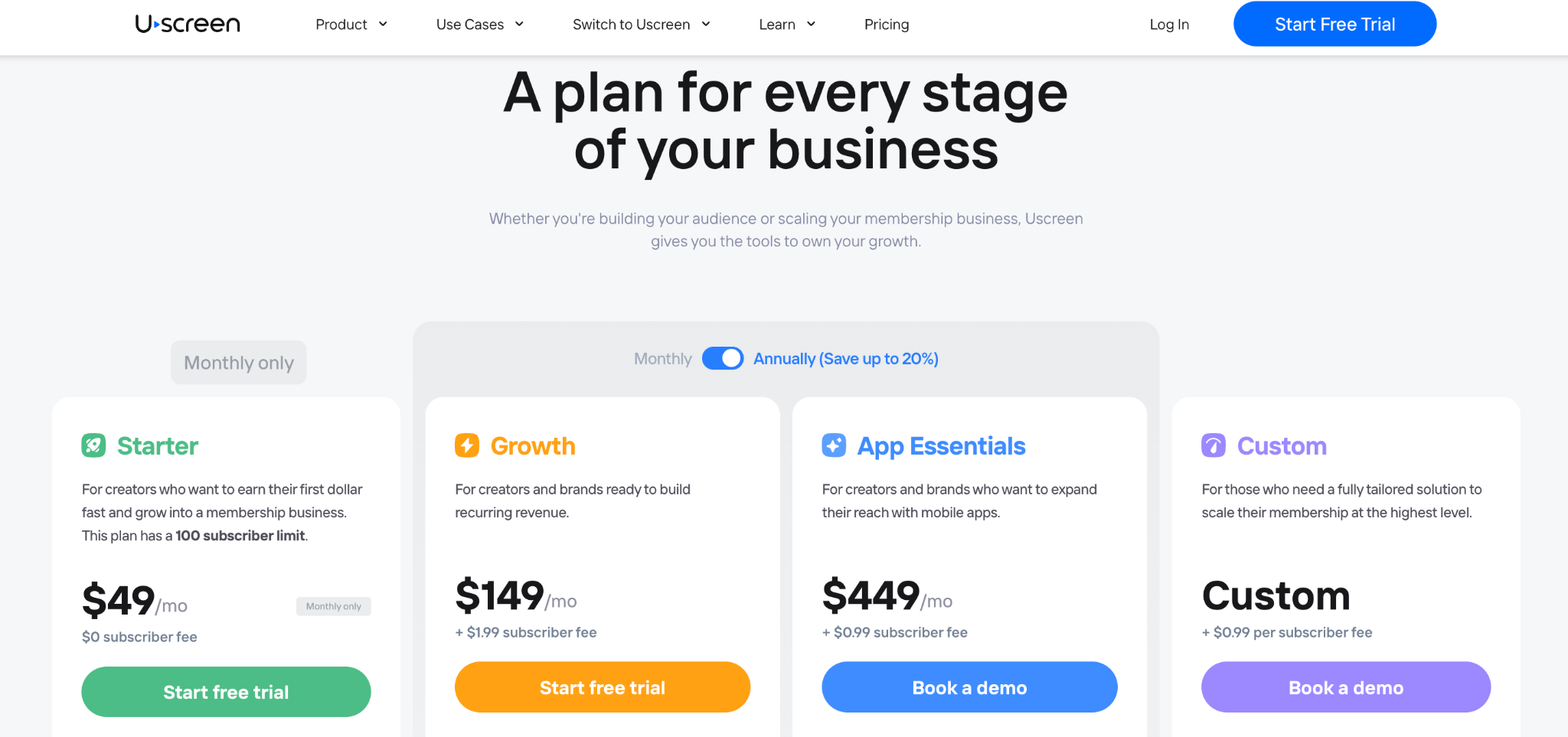
Starter: $49/mo, monthly billing · 100 subscribers · 20 hours of content · 1 free hour of live streaming included + more on-demand
Growth: $149/mo billed annually ($199/mo monthly) + $1.99/subscriber · unlimited subscribers · 100 hours · custom domain
App Essentials: $449/mo billed annually ($499/mo monthly) · 2 mobile apps · onboarding specialist
Custom: quote-based · full mobile and TV app suite · dedicated success manager
2. WebinarJam
Best for sales-focused webinars and converting attendees into customers Ideal for: Sales teams, coaches, product launches
WebinarJam is built around selling. You can pop a timed offer on screen mid-webinar, set up automated follow-up emails, and replay your best sessions on schedule. If your webinar exists to generate revenue, this is one of the more purpose-built options out there. It’s entirely browser-based, so your attendees don’t need to install anything. The panic button feature is genuinely useful. If your stream breaks, you can restart it without losing your room or your audience. Honest caveat: the session duration limits by plan aren’t advertised loudly, but they’re real. The Starter plan only gives you one hour per session. If your webinars run long, you’ll need at least the Basic plan.
Features Worth Knowing
- Unlimited webinars on all plans
- Live chat, polls, and Q&A
- On-screen whiteboard and custom backgrounds
- Simulcast to Facebook and YouTube
- Always-on live room (Professional and above)
- Panic button for tech emergencies (Professional and above)
- Control panel for moderators (Enterprise only)
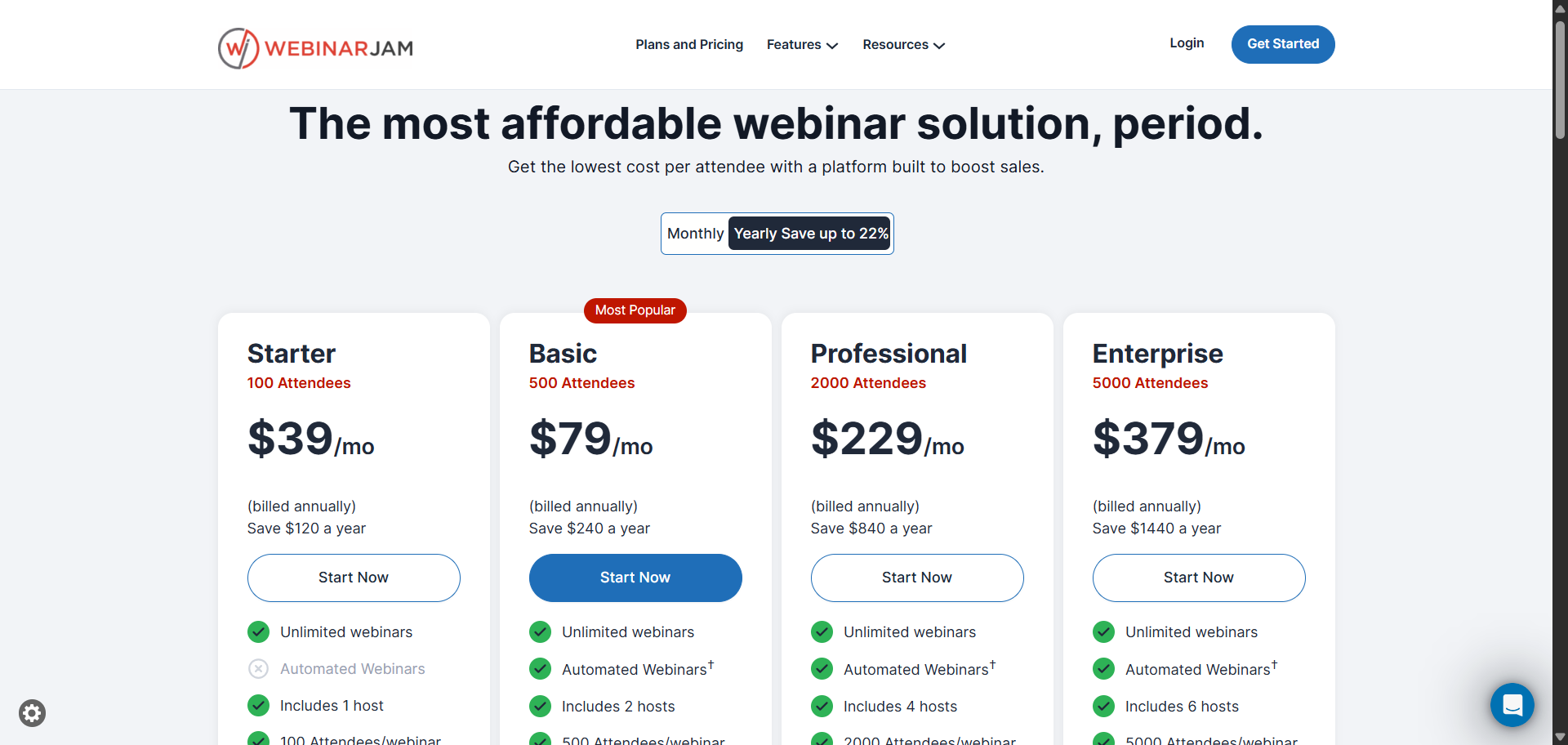
Pricing (Billed Annually)
- Starter: $39/mo · 100 attendees · 1-hour limit · 1 host
- Basic: $79/mo · 500 attendees · 2-hour limit · 2 hosts
- Professional: $229/mo · 2,000 attendees · 3-hour limit · 4 hosts
- Enterprise: $379/mo · 5,000 attendees · 4-hour limit · 6 hosts
If you pay monthly instead of annually, prices are $49 / $99 / $299 / $499 per month.
3. EverWebinar
Best for automated, pre-recorded webinars that run without you Ideal for: Passive lead generation, evergreen content funnels
Prices have gone up significantly. The old annual plan was $499/year. It’s now $1,188/year ($99/month billed annually). That’s a 138% increase. If you’re comparing this against an older article, the numbers won’t match. EverWebinar does one thing: it lets you record a webinar once and run it on a loop, automatically. Attendees sign up, pick a time, and get what looks and feels like a live event. Timed chat, polls, and offers all fire as if you’re there. You’re not.
It’s a good fit if you’re selling a course or running a product demo that doesn’t really change. Set it up once, run it for months. The higher price reflects a polished product. But it’s worth running the numbers against what you’d pay for a tool like EasyWebinar before committing.
Features Worth Knowing
- Automated evergreen delivery in any time zone
- Flexible scheduling with a localized calendar
- Email notification system
- Clickable offers and calls to action
- Detailed audience analytics
- Simulated live chat keeps it feeling real
- Hybrid mode: mix live and pre-recorded content
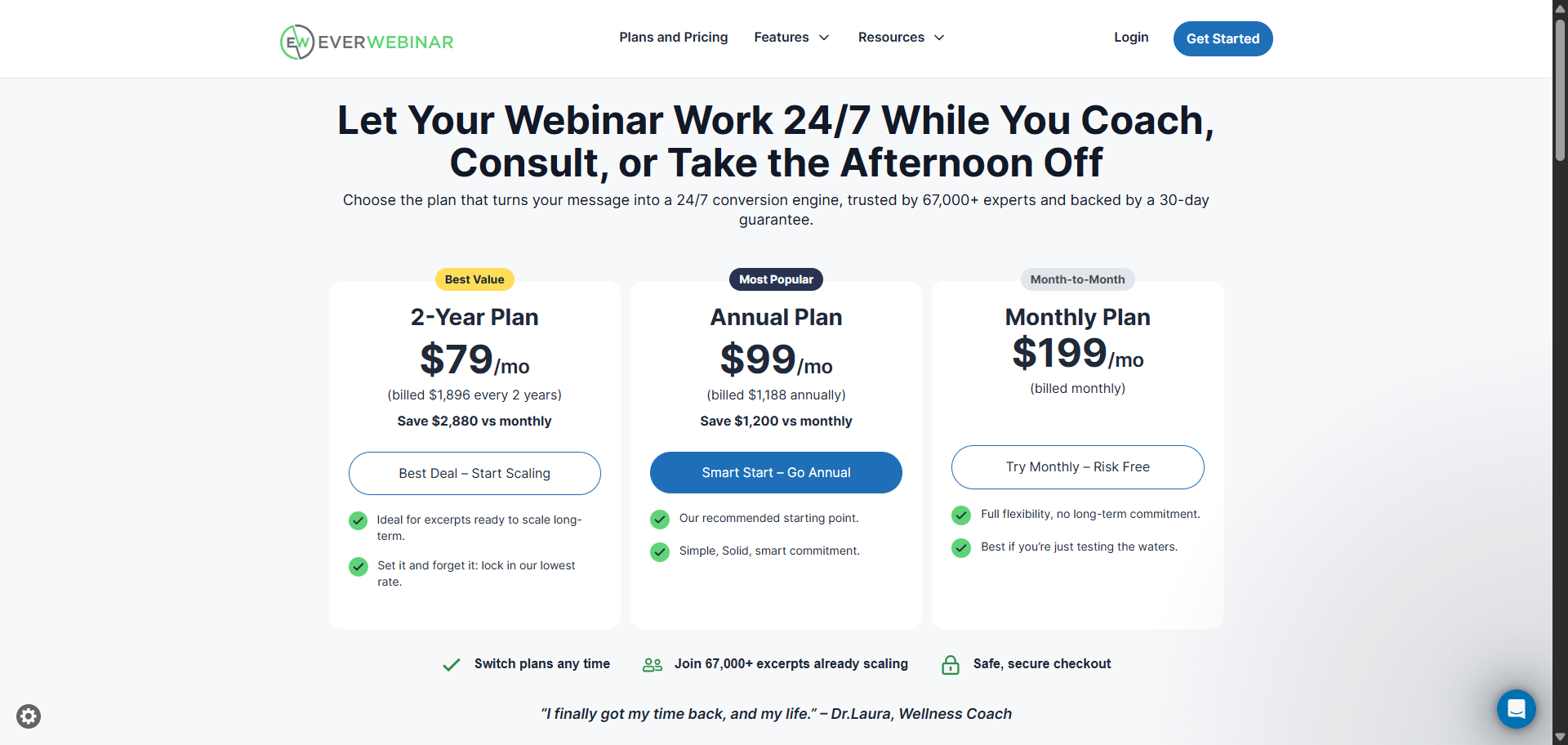
Pricing
- Monthly: $199/month (this option is new)
- Annual: $99/month, billed $1,188/year
- 2-Year: $79/month, billed $1,896 every two years
30-day money-back guarantee on all plans.
4. GoTo Webinar
Best for reliable, large-scale business webinars Ideal for: Corporate training, town halls, and regular marketing webinars
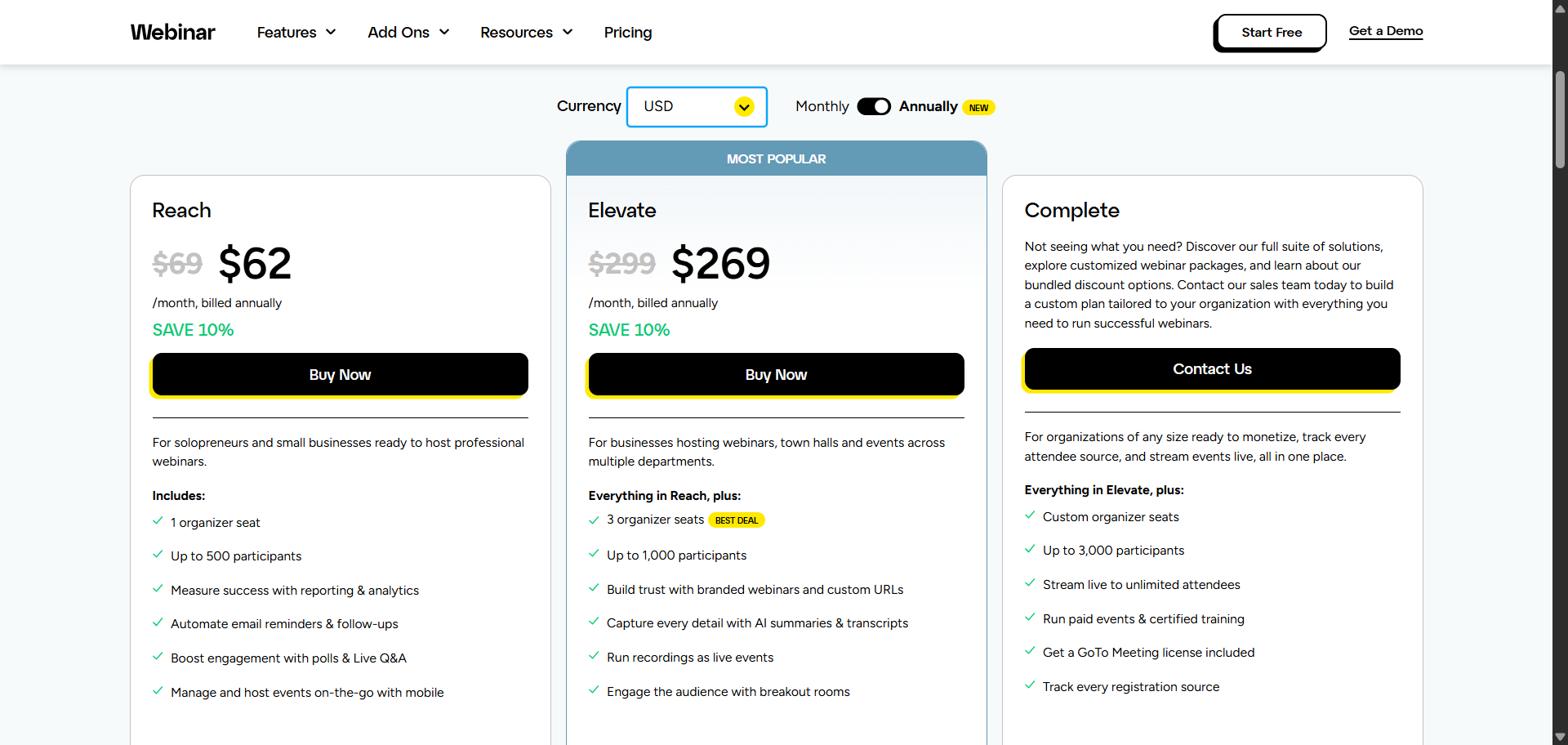
All plan names have changed. Lite is now Reach. The standard plan has been removed. Pro is now Elevate. Enterprise is now Complete. Prices changed, too. The old $49 Lite plan is gone. The entry plan (Reach) now costs around $62/month. GoTo Webinar has been around long enough to have real credibility. It’s not flashy, but it’s dependable. You get solid analytics, clean registration flows, and good support if something goes wrong. A lot of companies use it for quarterly all-hands meetings and regular webinar series precisely because it just works.
The new Elevate plan adds AI summaries and breakout rooms, which is a genuine improvement over what was there before.
Features Worth Knowing
- Event promotion and planning tools
- Custom registration forms and templates
- Custom branding for recorded sessions
- Reporting and analytics
- AI summaries and transcripts (Elevate plan and above)
- Breakout rooms (Elevate plan and above)
Pricing (Billed Annually)
- Reach: ~$62/mo · 500 participants · 1 organizer
- Elevate: ~$269/mo · 1,000 participants · 3 organizers · AI features
- Complete: Contact sales · up to 3,000 participants · paid events
Free 7-day trial available.
5. Zoom
Best for organizations already built around Zoom meetings
Ideal for: Large events, organizations that already pay for Zoom Workplace
You already know Zoom. During the pandemic, it became the default answer to “how do we meet?” What a lot of people don’t realize is that webinar hosting is a paid add-on on top of your regular Zoom subscription. You need a Zoom Workplace account first, then you purchase a Webinar license separately.
The pricing scales with attendee count, making it competitive for smaller webinars but expensive for larger ones. One thing that’s genuinely improved: AI Companion is now included on all paid plans at no extra charge. You get meeting summaries, action items, and transcripts at no extra cost. That’s a real benefit if your team runs a lot of sessions.
Features Worth Knowing
- Unlimited webinar sessions
- Custom webinar branding
- Attendee list exports
- Monetized webinars
- Live streaming to third-party platforms
- Registration, attendance, and engagement analytics
- AI Companion included on all paid plans: summaries, transcripts, action items
- Backstage: coordinate with speakers privately before going live
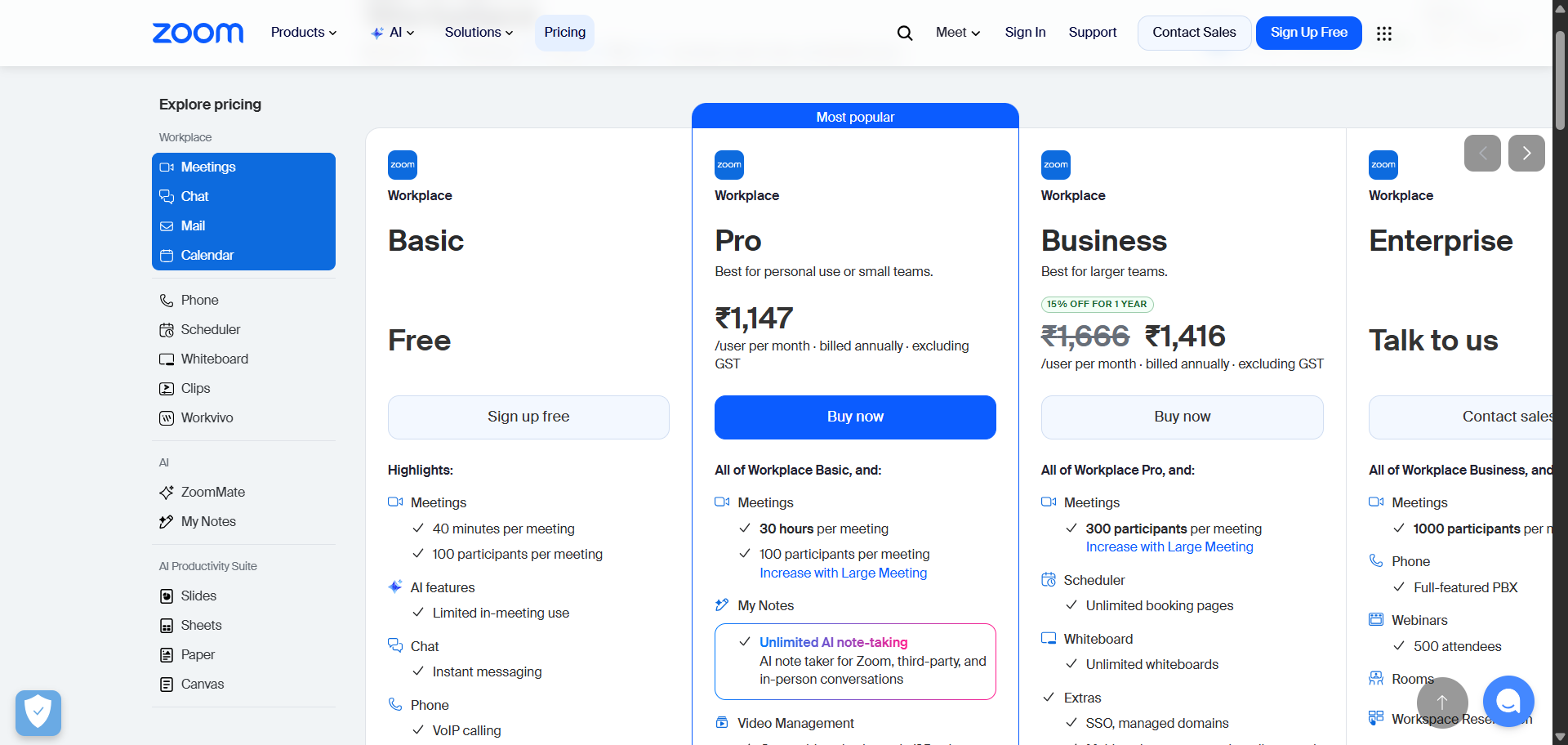
Pricing (Annual, Per License)
- Zoom Webinars: from ~$129/mo for 500 attendees
- Zoom Webinars Plus: from ~$99/mo for 100 attendees
- Zoom Events: from ~$149/mo for 100 attendees, multi-session events
A paid Zoom Workplace account is required before you can add any webinar license.
6. Demio
Best for marketers who want clean data and easy audience engagement Ideal for: B2B marketing, product demos, lead generation webinars
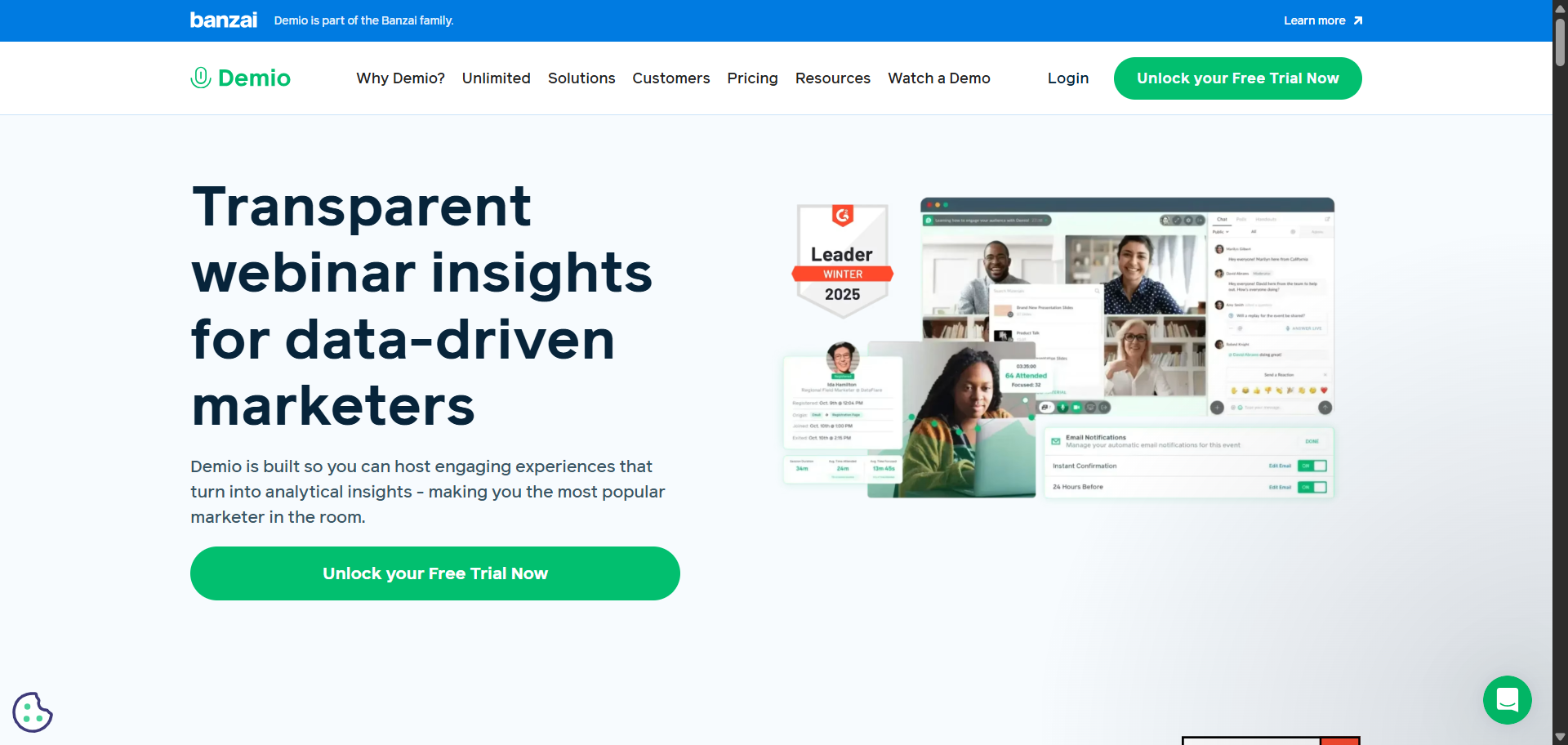
Demio is one of the cleaner platforms in this list. It’s built for marketers who want to know exactly what their audience did: who clicked the offer, who downloaded the handout, who asked questions, and when they dropped off. The analytics are genuinely useful, not just vanity numbers. Your attendees don’t need to install anything. They just click a link, and they’re in. That sounds minor, but it cuts down on the “I can’t connect” support emails that drain time before every webinar.
Worth noting: the Starter price went up. It’s $45/month now on annual billing, compared to $34/month before.
Features Worth Knowing
- Email notifications and contact management
- Embedded registration forms
- Interactive polls, Q&A, and handout sharing
- Customizable templates
- Per-attendee engagement analytics
- Demio AI: AI chat moderator that answers attendee questions in real time for on-demand sessions (Premium and Unlimited plans)
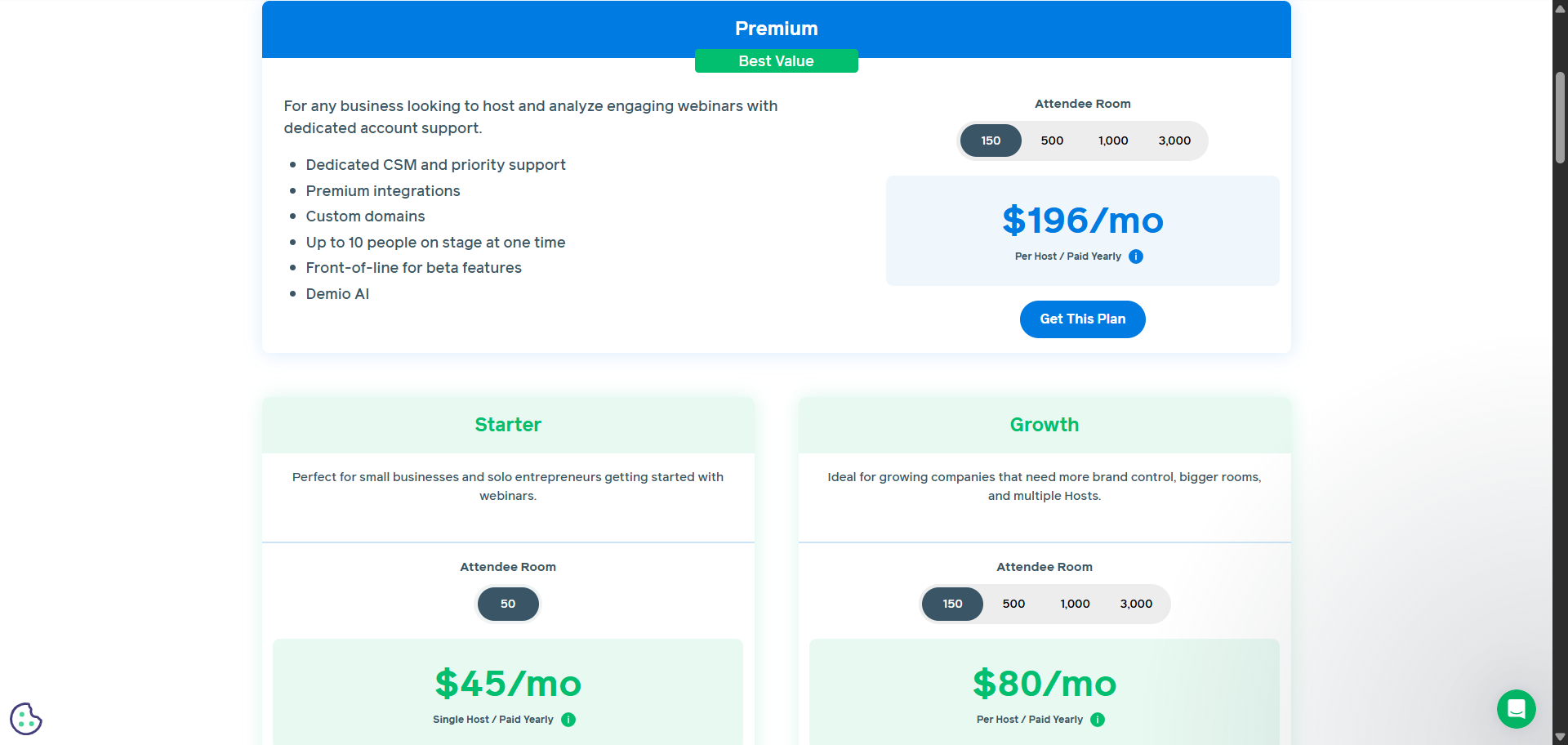
Pricing (Billed Annually)
- Premium: from $196/mo per host · unlimited hosts · 10-hour limit · Demio AI · custom domain
- Starter: $45/mo · 1 host · 50 attendees · 3-hour limit
- Growth: from $80/mo per host · room sizes of 150, 500, 1,000, or 3,000 attendees
7. Livestorm
Best for marketing teams that need webinars tightly wired into their CRM
Ideal for: Enterprise marketing teams using HubSpot, Salesforce, or Marketo
Livestorm now charges per unique attendee, per session, in USD. Before you budget for this one, work out your expected monthly attendee volume and multiply it by $3 . For high-volume use, this model can get expensive fast. Livestorm’s real strength is its CRM integrations. If your sales team lives in HubSpot or Salesforce, Livestorm passes attendee data through cleanly. You can see who attended, what they clicked, and how far they were through the funnel. That level of reporting is worth something to the right team.
It’s also GDPR-friendly out of the box, which matters if you’re running events for a European audience.
Features Worth Knowing
- Live, automated, and on-demand webinars
- Attendee sales funnel metrics
- Marketing automation and CRM integrations
- Multi-language support
- AI Studio add-on: clip webinar highlights for social media
- Live Translations add-on: real-time AI subtitles in multiple languages
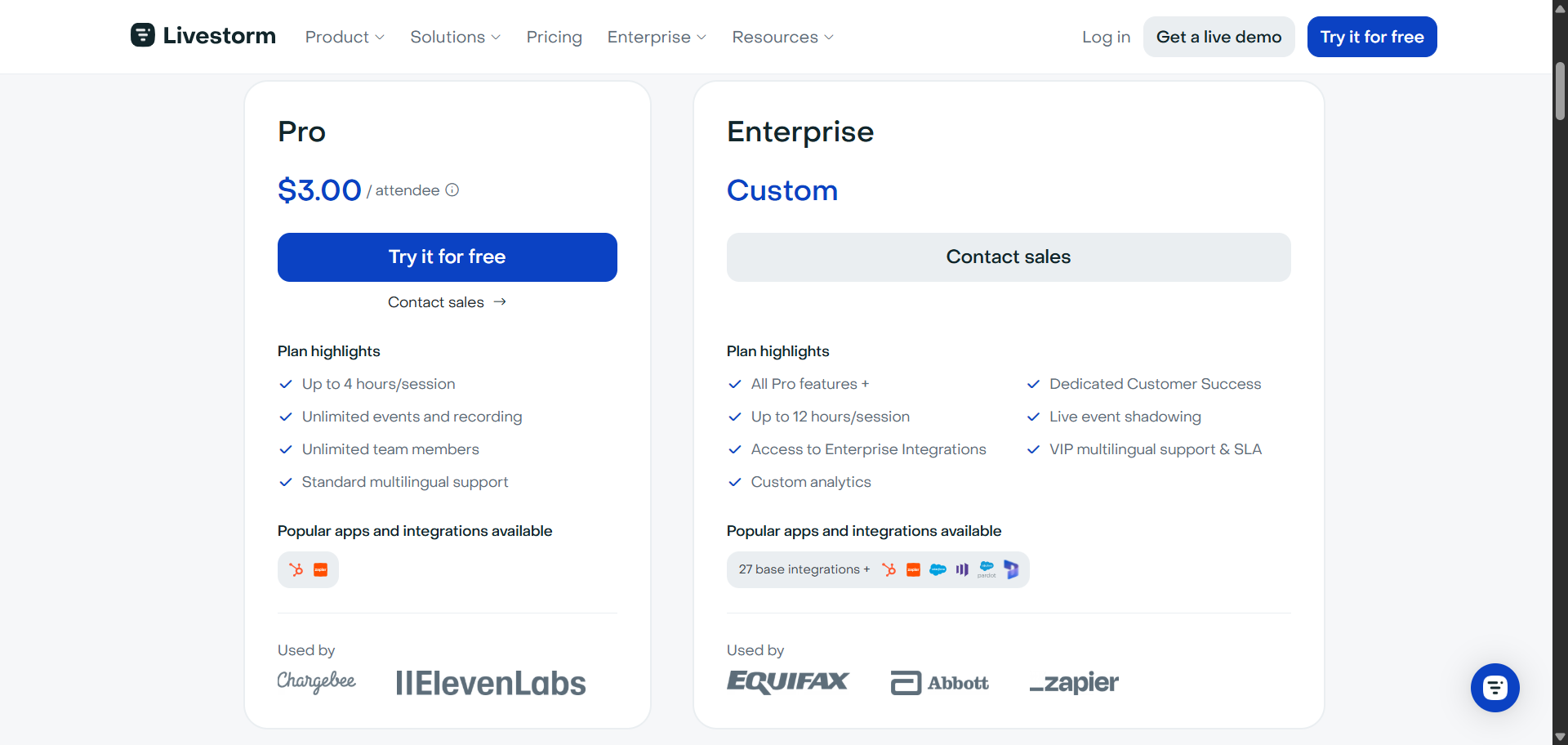
Pricing
- Free: 30 attendee credits/year · sessions up to 20 min · testing only
- Pro: $3 per attendee credit · up to 4 hours per session
- Enterprise: Custom pricing · up to 12-hour sessions · dedicated customer success
Pricing is in USD. 400 attendee credits on the Pro plan costs $1,200.
8. Adobe Connect
Best for large enterprises, universities, and government bodies
Ideal for: Enterprise training, compliance-heavy organizations, e-learning
Adobe Connect isn’t the prettiest tool on this list. The learning curve is real, and it takes a while to get comfortable with the room layout system. That said, it’s one of the most flexible platforms out there if customization matters to you. You can build your virtual room exactly how you want it, pre-stage content, and lock down access in ways that other platforms don’t allow.
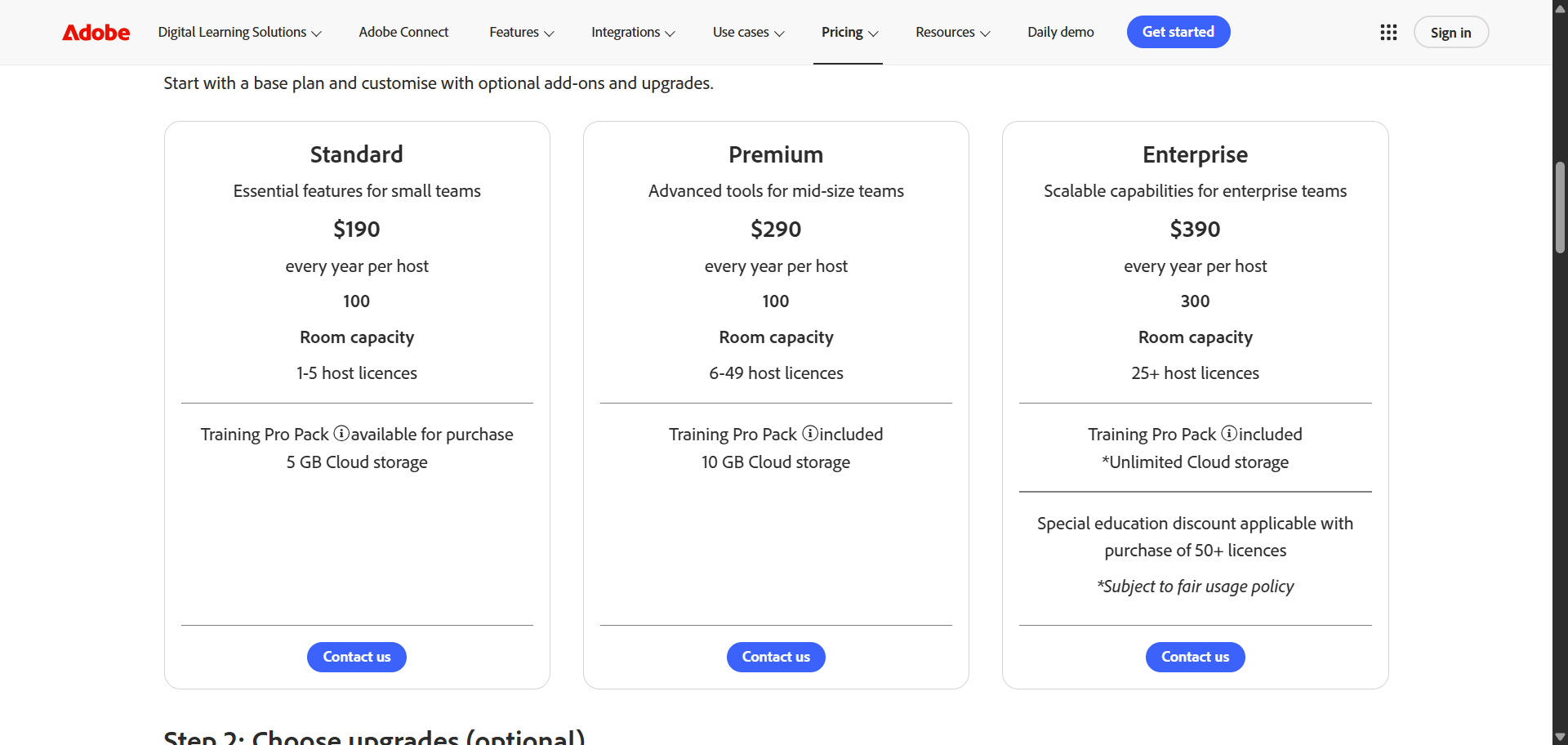
Note on pricing: Adobe Connect switched from monthly to annual per-host licensing. Standard starts at $190/yr per host (100 attendees); Enterprise is $390/yr per host. See the corrected pricing block below.
Features Worth Knowing
- Storyboard pods and presentation layouts
- Templates for consistent room setups
- Breakout rooms and whiteboard
- Topic-specific chat channels
- Engagement dashboard
- Simulated live webinars: pre-recorded video with live interactivity
- AI-powered engagement scoring and post-session transcripts
Pricing
- Standard: $190/yr · 100 attendees · 5GB
- Premium: $290/yr · 100 attendees · 10GB storage
- Enterprise: $390/yr · up to 300 attendees
Free trial available. Contact Adobe for larger webinar rooms.
9. WebinarNinja
Best for teachers, coaches, and course creators
Ideal for: Online educators, coaches, and creators who also sell courses
Completely different pricing model. The old Free, Pro ($99/mo), and Business ($199/mo) plans are gone. WebinarNinja now has a single plan where you pay per attendee. There’s no permanent free tier anymore, just a 14-day free trial.
WebinarNinja has repositioned itself as an AI-powered platform for creators and educators. Every webinar type, live, automated, hybrid, and series, is included in one plan. You pay based on how many attendees you need. It also bundles in CourseNinja, which lets you build and sell online courses, so it might replace more than just your webinar tool.
Features Worth Knowing
- All webinar types included: live, automated, hybrid, series
- Unlimited co-presenters, registrants, and replays
- Chat, Q&A, polls, and timed offers
- Auto recording and cloud storage
- CourseNinja included free: build and sell online courses
- AI-powered features for webinar creation and automation (check webinarninja.com for current details)
Pricing
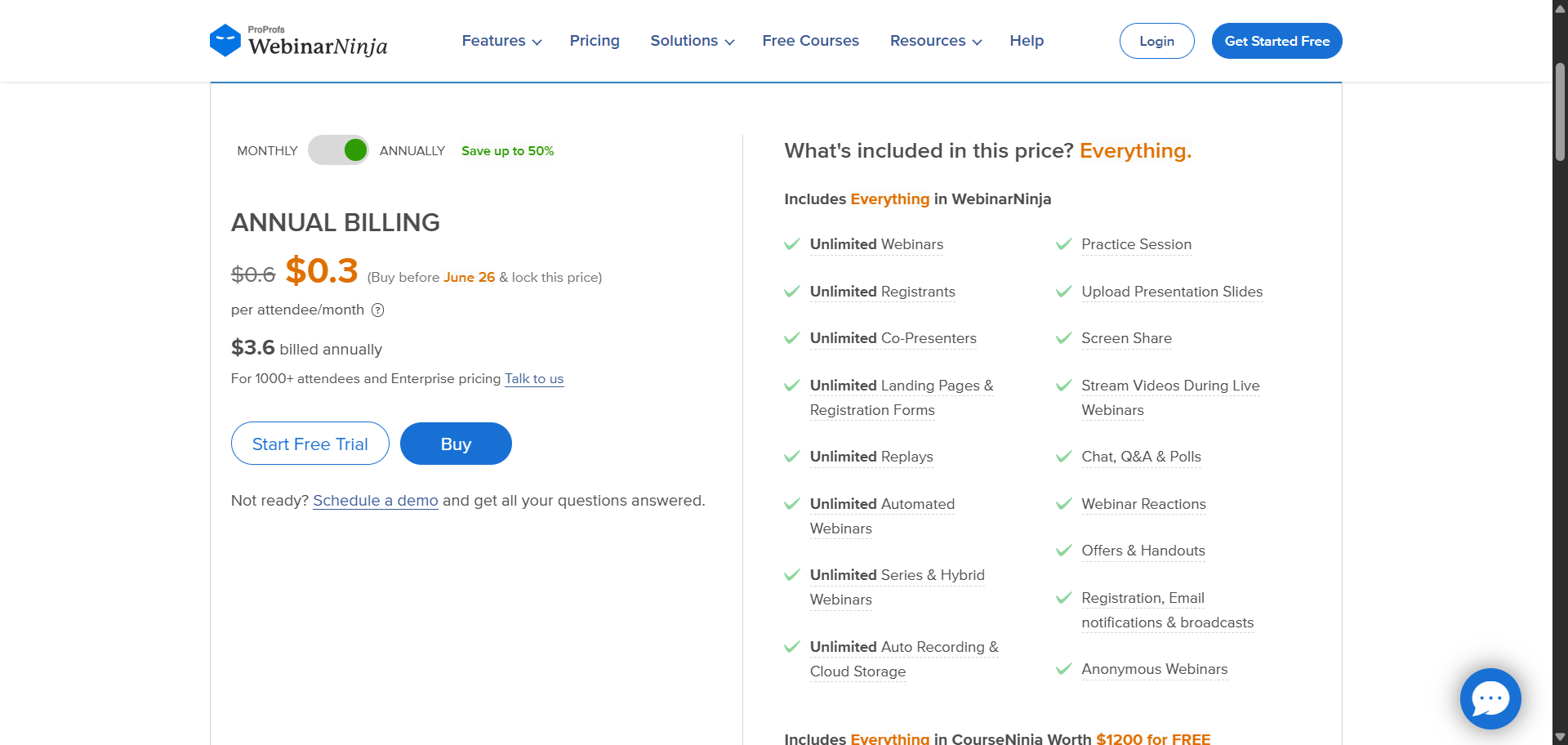
- One plan, pay per attendee. Everything is included.
- Current promotional rate: $0.30/attendee/month (billed annually)
- Enterprise: contact WebinarNinja for 1,000+ attendees
14-day free trial. Visit webinarninja.com for current pricing since promotional rates change.
10. ClickMeeting
Best for educators, trainers, and small businesses
Ideal for: Online training, product demos, team meetings
ClickMeeting runs in a browser. No software to download, which your attendees will appreciate. It’s a solid choice for online courses, client workshops, and company training sessions. The automated webinar option is particularly useful if you run the same onboarding content repeatedly and don’t want to be live every time.
Pricing scales by attendee count, so it gets more expensive as your audience grows. There’s a 14-day free trial that doesn’t require a credit card, which is enough time to run a couple of test sessions.
Features Worth Knowing
- Product demos and marketing tools
- Online courses and training sessions
- Internal meetings and brainstorming
- Interactive whiteboard and polls
- Capacity for events up to 10,000 attendees via view-only webcast (Enterprise)
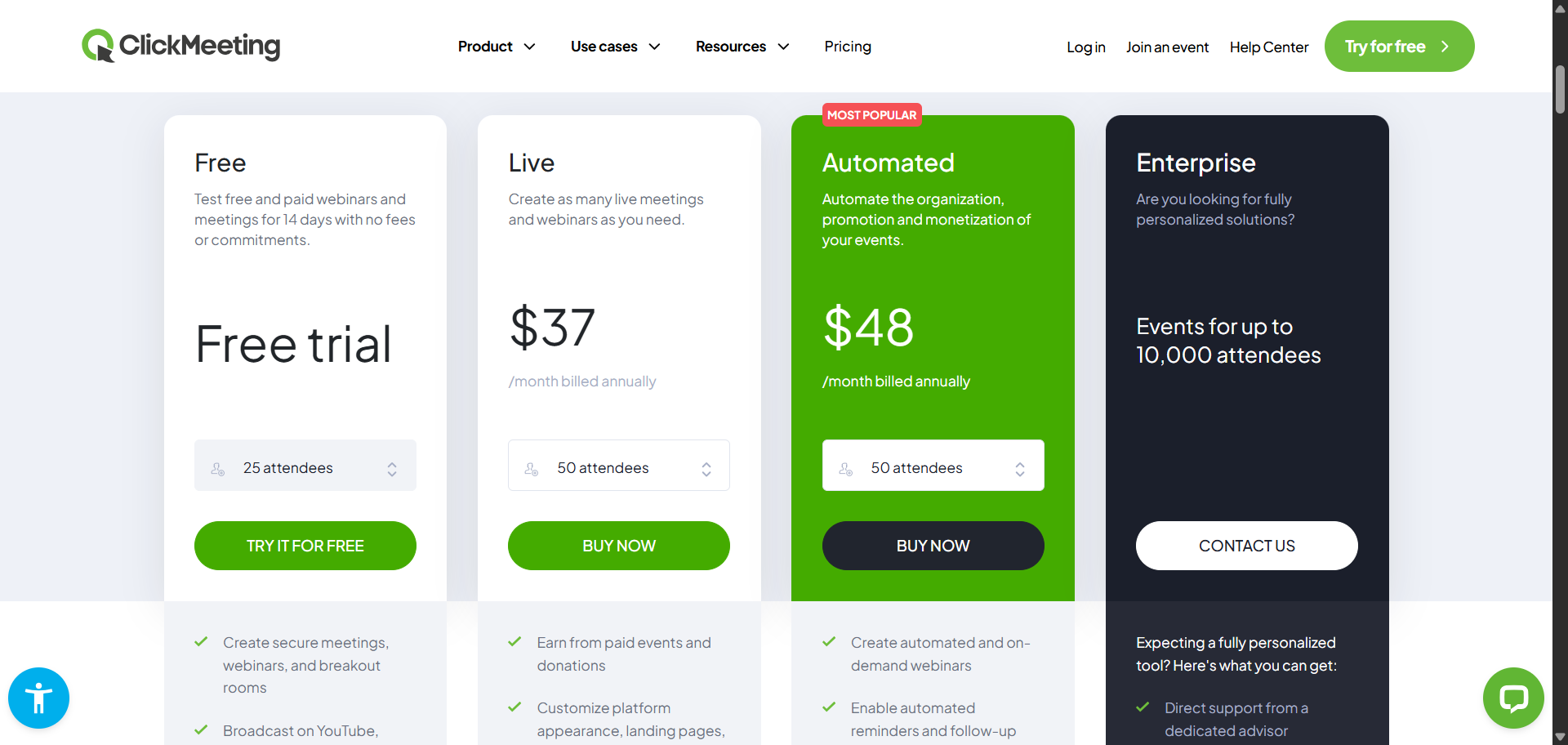
Note: screenshot depicts the 50-attendee tier ($37/mo); pricing below starts from the 25-attendee tier ($26/mo annual).
Pricing (Scales with Attendee Count)
- Live: from $26/mo annual, $32/mo monthly · 25 attendees · 6 hours recording.
- Automated: from $42/mo annual, $48/mo monthly · adds on-demand and automated webinars · 10 hours of recording.
- Enterprise: Contact ClickMeeting · up to 10,000 attendees
14-day free trial. No credit card required.
11. BigMarker
Best for enterprise companies running large-scale digital events
Ideal for: Enterprise marketing, associations, media companies
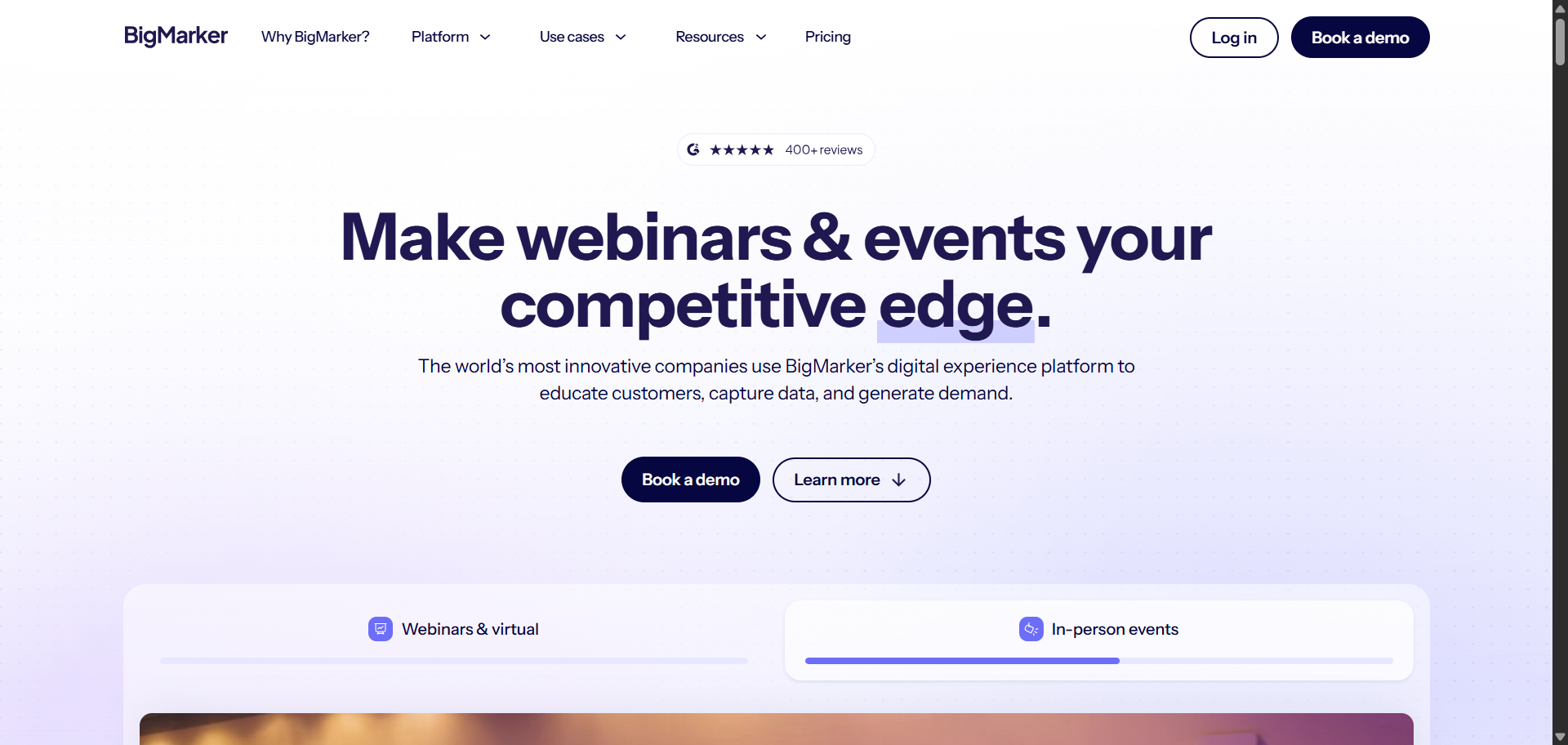
Plans and prices have completely changed. The Starter ($99/mo), Elite ($199/mo), and Premier ($499/mo) plans are all gone. BigMarker now has three new plan names, and none of them have published prices. You have to contact their sales team to get a quote. BigMarker has moved upmarket in a meaningful way. It’s no longer a tool for solo creators or small teams on a tight budget. The platform now handles webinars, in-person events, virtual conferences, and on-demand hubs all in one place. Companies like Amazon, Deloitte, and Atlassian are on their client list. That tells you the audience they’re going after.
If you’re a small business or individual creator, this probably isn’t your tool anymore. If you run a large event program and need AI-powered lead scoring alongside your webinar hosting, it’s worth requesting a demo.
Features Worth Knowing
- HD streaming with configurable attendee limits
- Custom branding and full registration tools
- In-person, virtual, and hybrid event support
- Interactive engagement features
- AI Content Studio: generates content for your events
- AI Insights and lead scoring: surfaces the best prospects for follow-up
Pricing
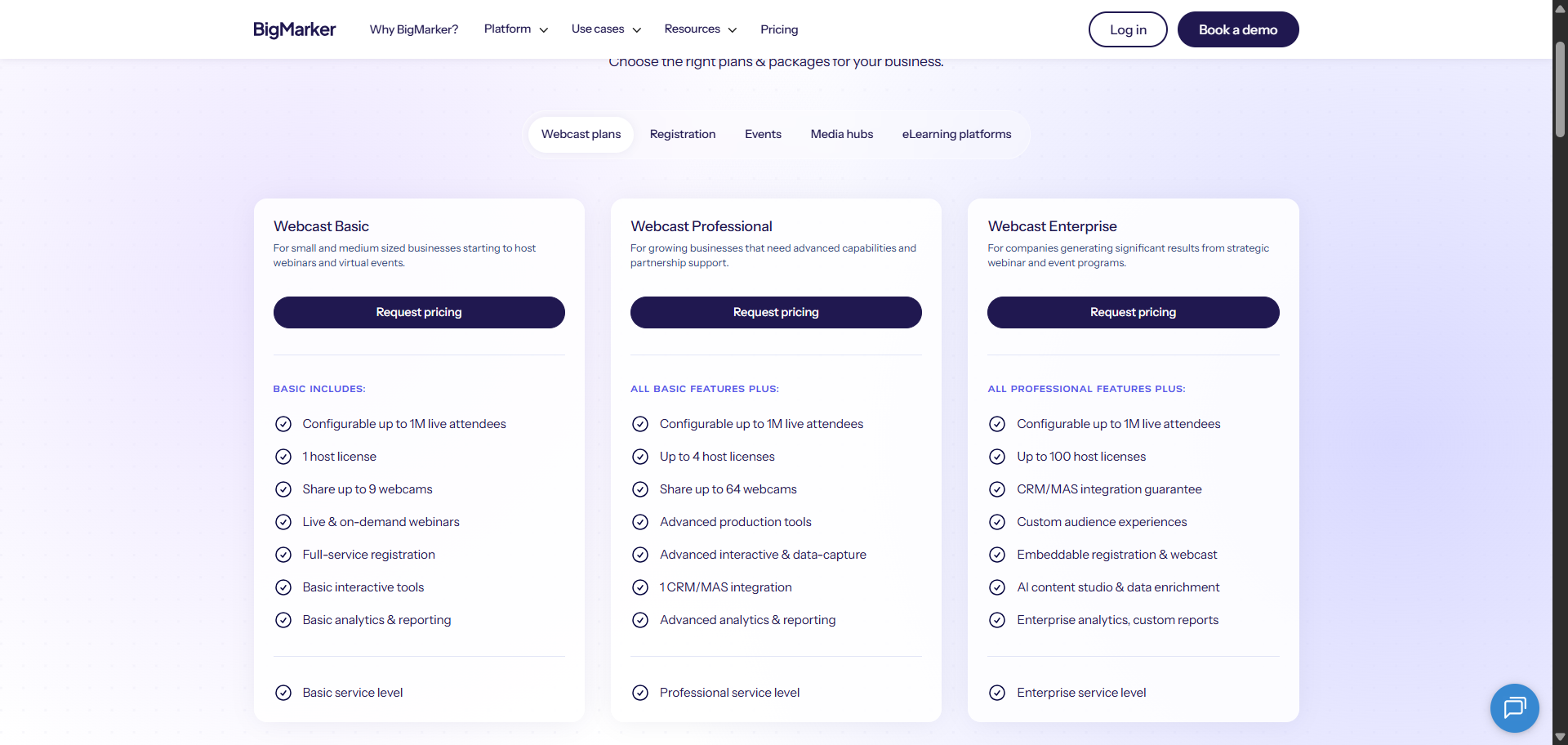
- Webcast Basic: Contact BigMarker · 1 host
- Webcast Professional: Contact BigMarker · up to 4 hosts
- Webcast Enterprise: Contact BigMarker · up to 100 hosts · full AI suite
Visit get.bigmarker.com/pricing-plans to book a demo or request a quote.
12. Vimeo
Best for broadcasting large live events to a wide audience
Ideal for: Concerts, conferences, corporate broadcasts, and live sports
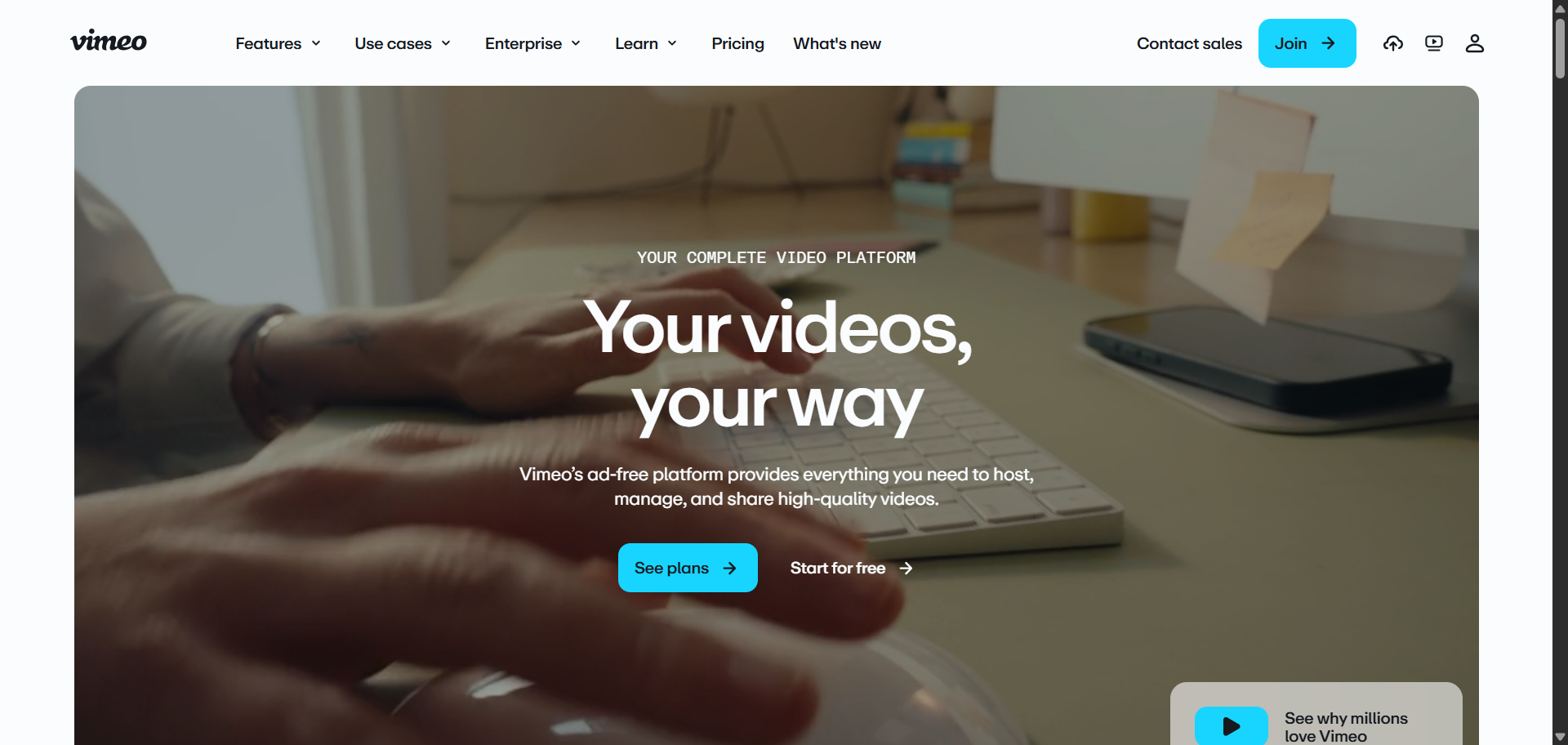
Vimeo’s live streaming feature is a broadcast platform more than a traditional webinar tool. If you’re running a large event and want to push high-quality video to thousands of viewers on YouTube, Facebook, LinkedIn, and Twitch at the same time, this is a strong option.
With this, you can go live straight through your browser and also use sound mixing, color correction features and more. Vimeo also lets you pre-record and simulate a live event for your audience.
Features Worth Knowing
- Simultaneous streaming to YouTube, Facebook, and LinkedIn (Twitch and others via custom RTMP)
- Video management and live production tools
- Webinar tools available on the Advanced plan and above
Pricing (Billed Annually)
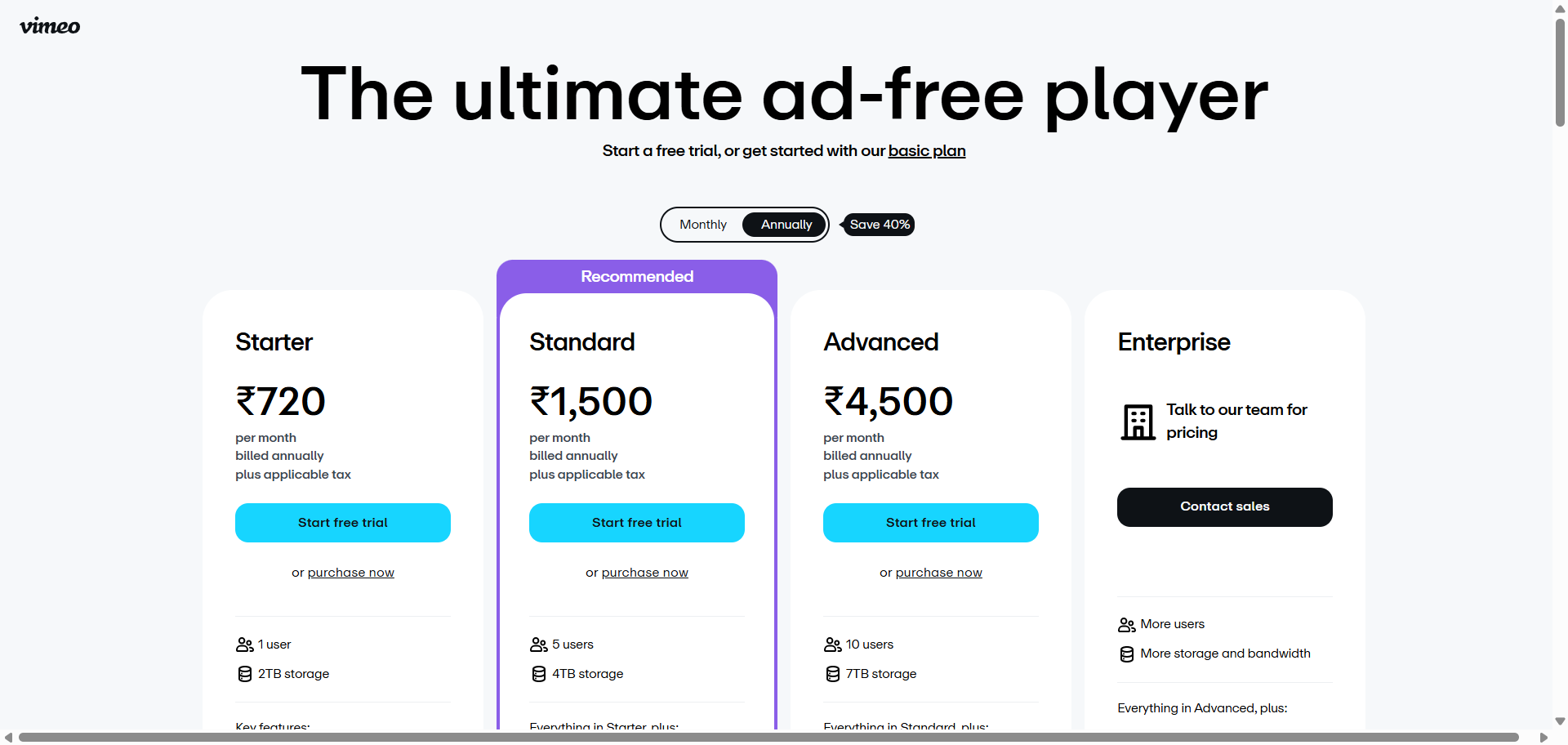
- Starter: ~$12/mo · 2TB storage · privacy controls, player customization, captions, analytics
- Standard: ~$25/mo · 4TB storage · team collaboration
- Advanced: ~$65/mo · live streaming · webinar tools · 7TB storage
- Enterprise: Custom · custom bandwidth · SSO
All plans share a 2 TB/month bandwidth cap, exceeding it repeatedly triggers an Enterprise upgrade conversation
13. Dacast
Best for secure video hosting and live stream monetization
Ideal for: Sports, events, houses of worship, and businesses that sell video
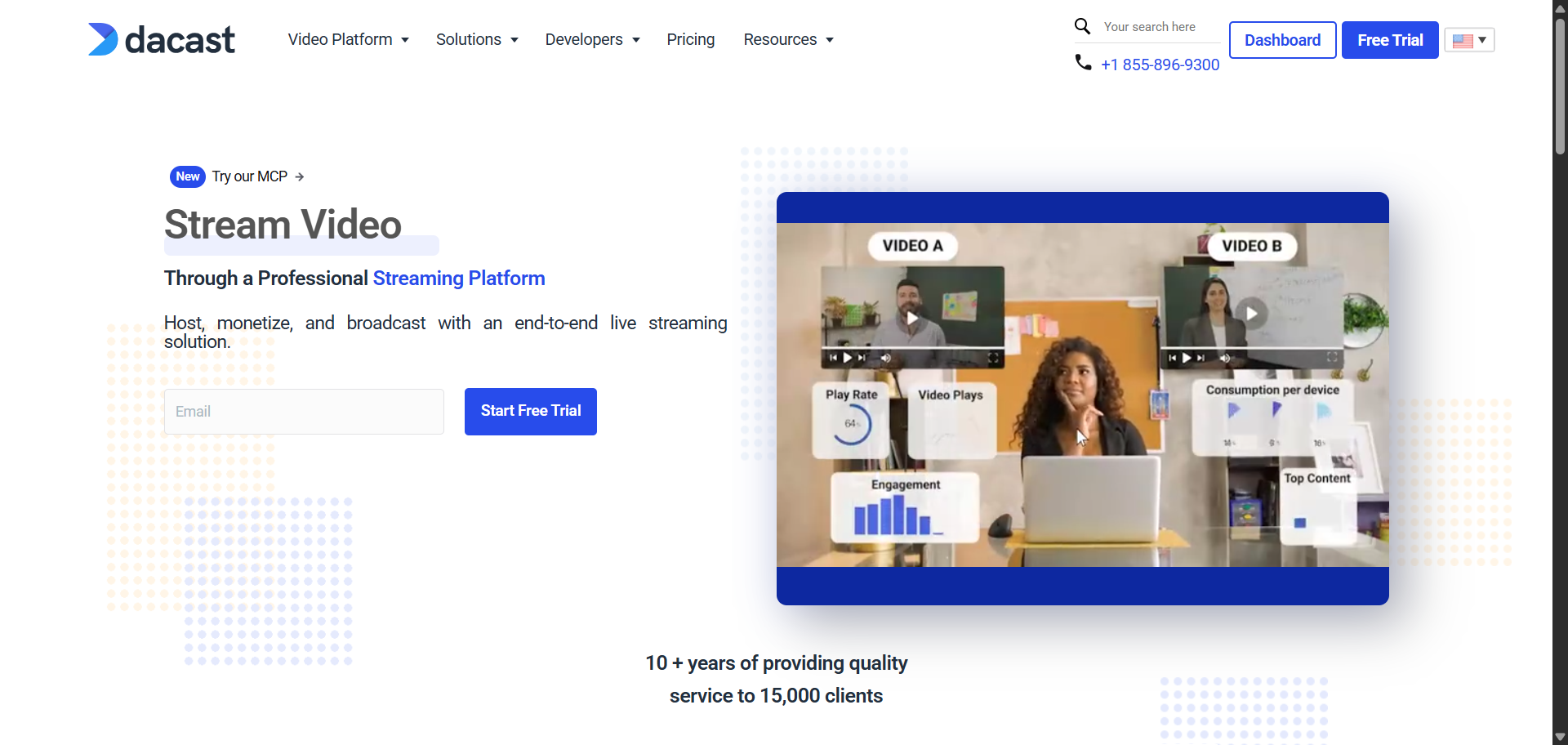
Dacast is a professional live streaming and video hosting platform. It’s a good fit for organizations that want to put content behind a paywall, run pre- or post-roll ads, or deliver high-quality video to a global audience. All pricing is billed annually, and plans are built around how much bandwidth and storage you need.
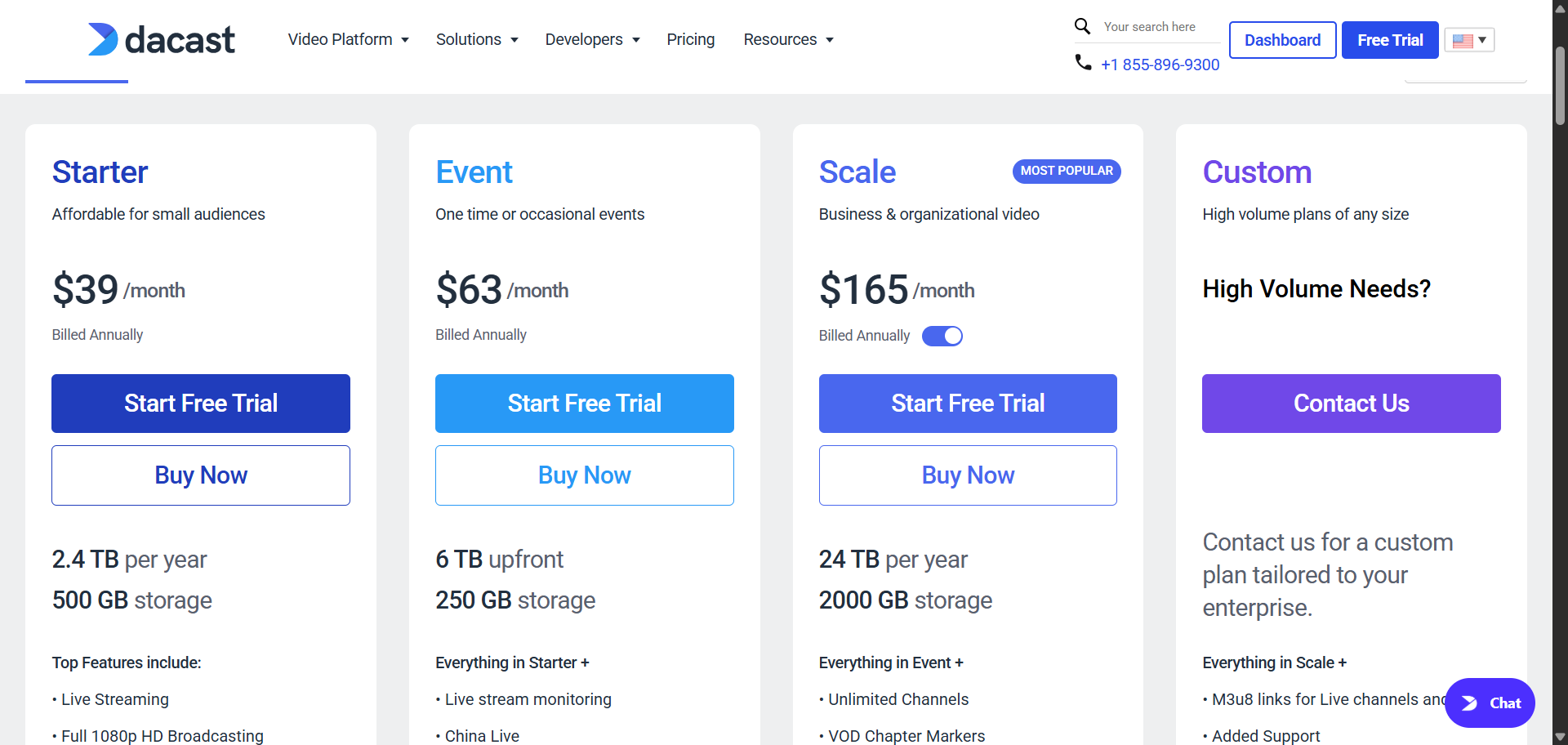
Minor correction from other articles: the Scale plan is $165/month, not $188. The Starter and Event plan prices are correct as widely reported.
Features Worth Knowing
- All-in-one video hosting with secure streaming
- Video-on-demand (VOD) platform
- Paywall, advertising, and monetization tools
- Advanced real-time analytics
- 24/7 customer support
- 2-week free trial
Pricing (Billed Annually)
- Starter: $39/mo · live streaming · 1080p · 2.4TB/year
- Event: $63/mo · adds analytics, paywall, advertising, VOD playlists
- Scale: $165/mo · unlimited channels · phone support · advanced library
- Custom: Contact Dacast for high-volume needs
14. GetResponse
Best for marketers who want email automation and webinars in one bill
Ideal for: Small businesses and marketers starting with email plus webinars
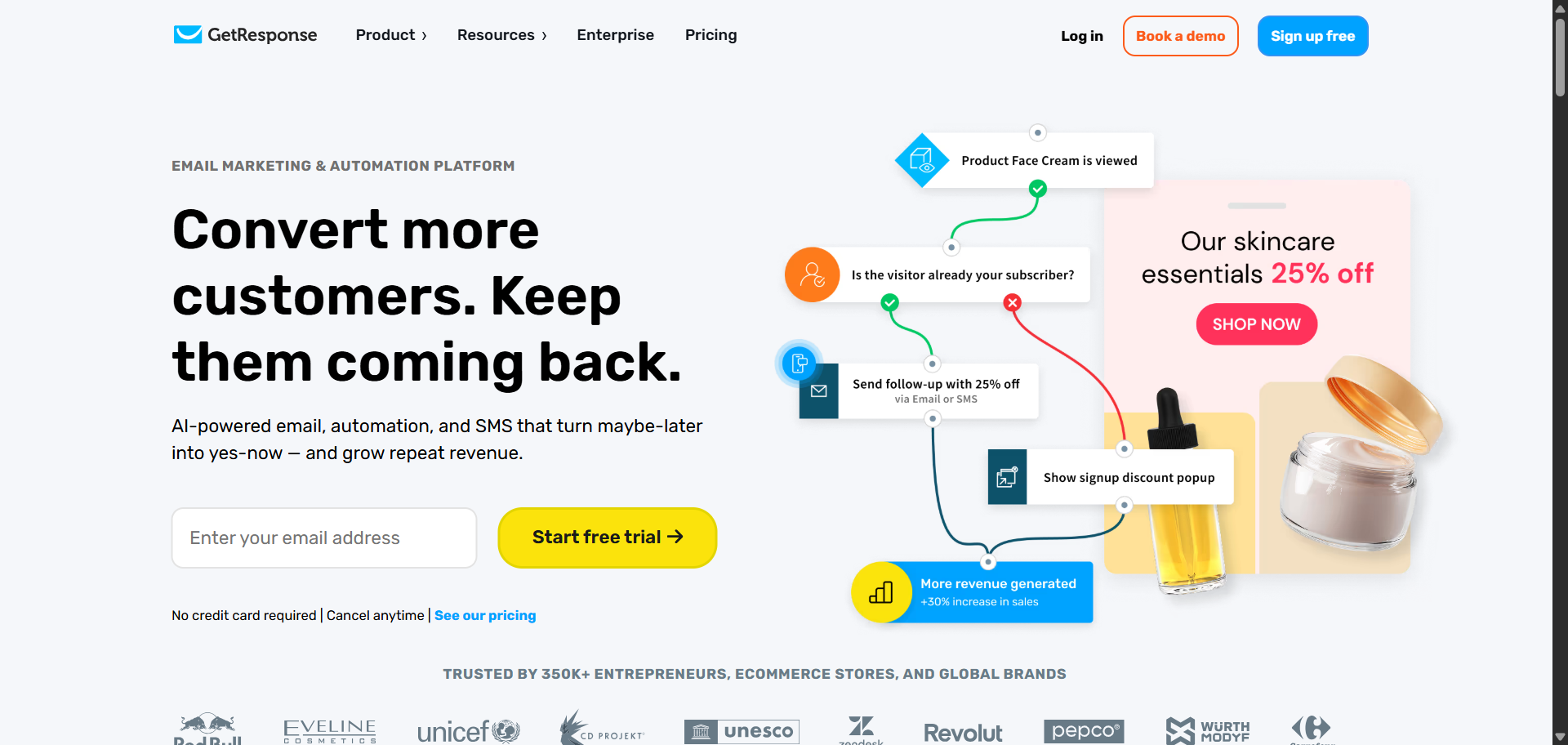
GetResponse is primarily an email marketing platform. Webinar hosting starts at the Creator plan ($69/mo). If you’re already on the Marketer plan ($59/mo), webinars aren’t included, though they can be purchased as a paid add-on on that tier, with the caveat that some North American accounts may not have access to add-ons. That’s worth confirming with GetResponse before you upgrade.
If webinars are your primary need, a dedicated platform will give you more features for the same money. But if you’re consolidating tools, it’s a reasonable option. One thing to clarify: the annual discount is around 18%, not 30% as some older articles claim.
Features Worth Knowing
- Webinar hosting with registration and follow-up emails
- Automated email marketing
- Event-based automation and contact scoring
- Advanced audience segmentation
- Sales funnel integration
- AI-powered email creator and campaign generator
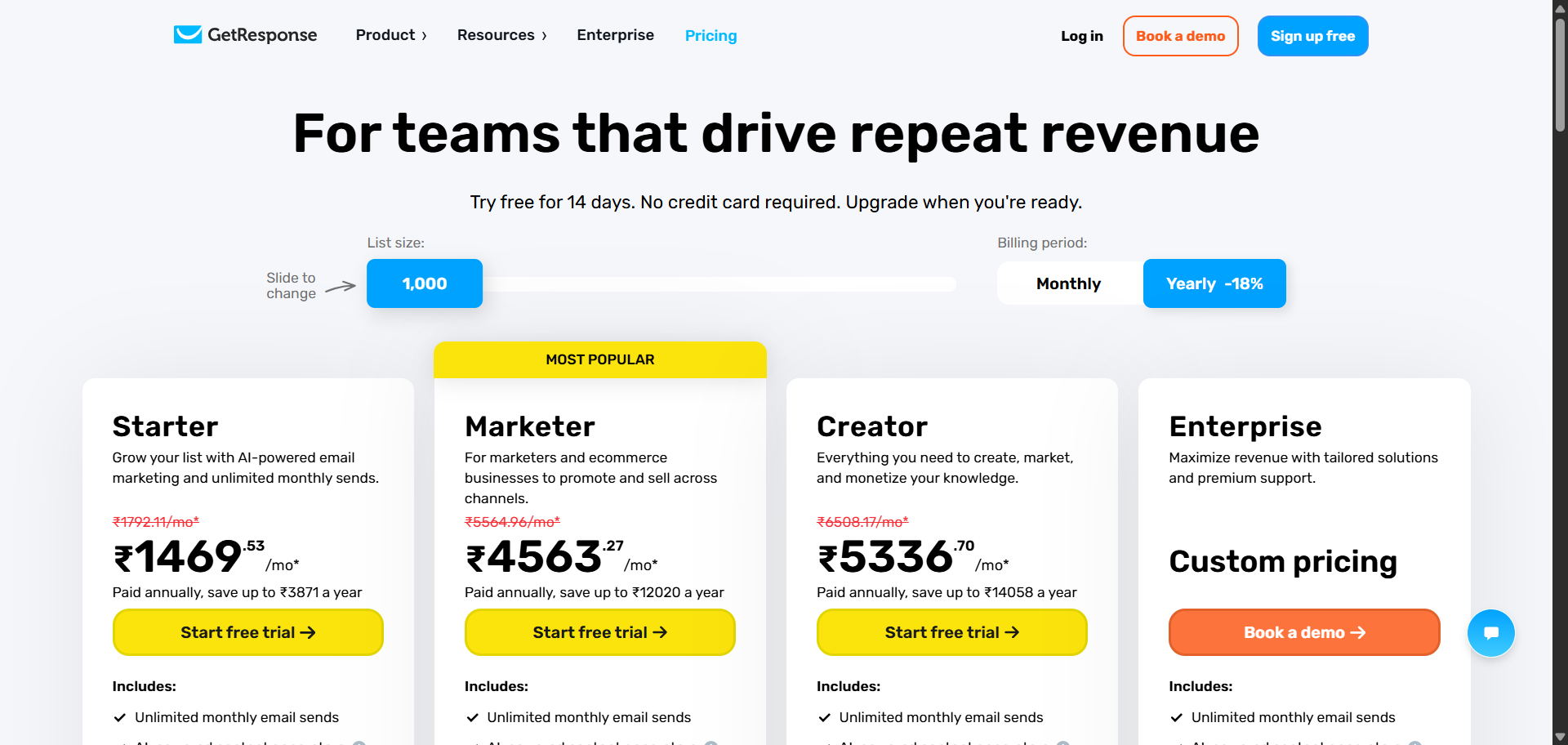
Pricing (For 1,000 Contacts)
- Marketing Automation (Marketer): $59/mo · does not include webinars, webinars can be added as a paid add-on on this tier (regional restrictions apply)
- Creator: $69/mo ($56.58/mo billed annually) · webinars included up to 100 attendees · unlimited online courses · the first plan with webinars bundled in
- Annual billing saves approximately 18%
Prices go up as your contact list grows beyond 1,000.
15. EasyWebinar
Best for marketers who want live and automated webinars with CRM tools built in
Ideal for: Coaches, consultants, and marketing teams wanting an all-in-one revenue tool
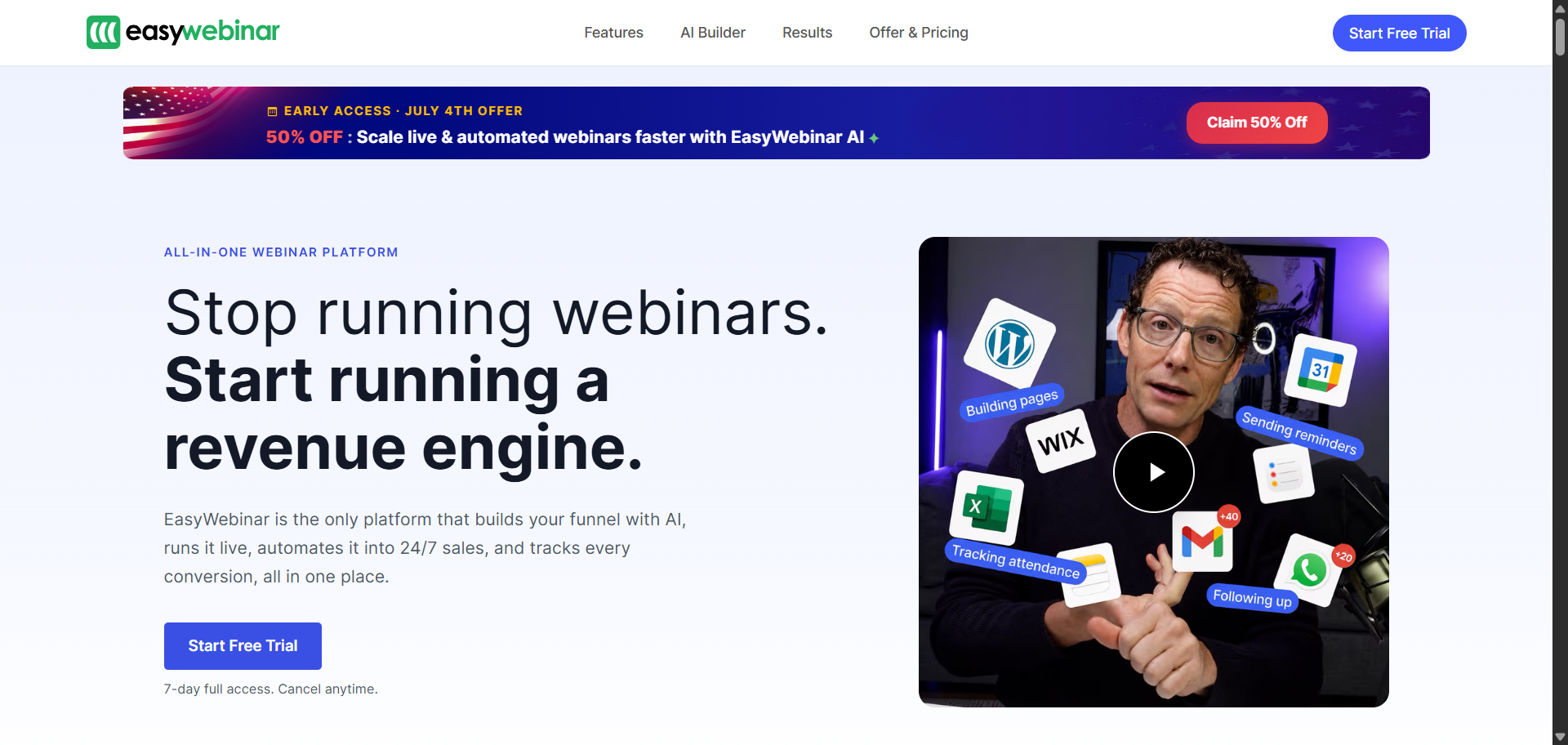
Plan names and prices have all changed. The old Standard ($78/mo), Pro ($129/mo), and Enterprise ($499/mo) plans are gone. New plans are Launch, Growth, Pro, Scale, and Enterprise, with different prices at each level.
EasyWebinar has been rebuilt significantly. It now includes an AI Webinar Builder that can generate your registration page, email sequence, scripts, and polls from a single prompt. There’s also a built-in CRM bundled into annual plans. If you’ve been paying for a separate CRM, that might change the value calculation for you.
Features Worth Knowing
- Live and automated (evergreen) webinars
- YouTube Live integration and social streaming
- HubSpot and Salesforce integration
- AI Webinar Builder: full funnel from one prompt, scripts to emails
- Built-in Sales CRM included in annual plans
- Replay funnels and lead capture
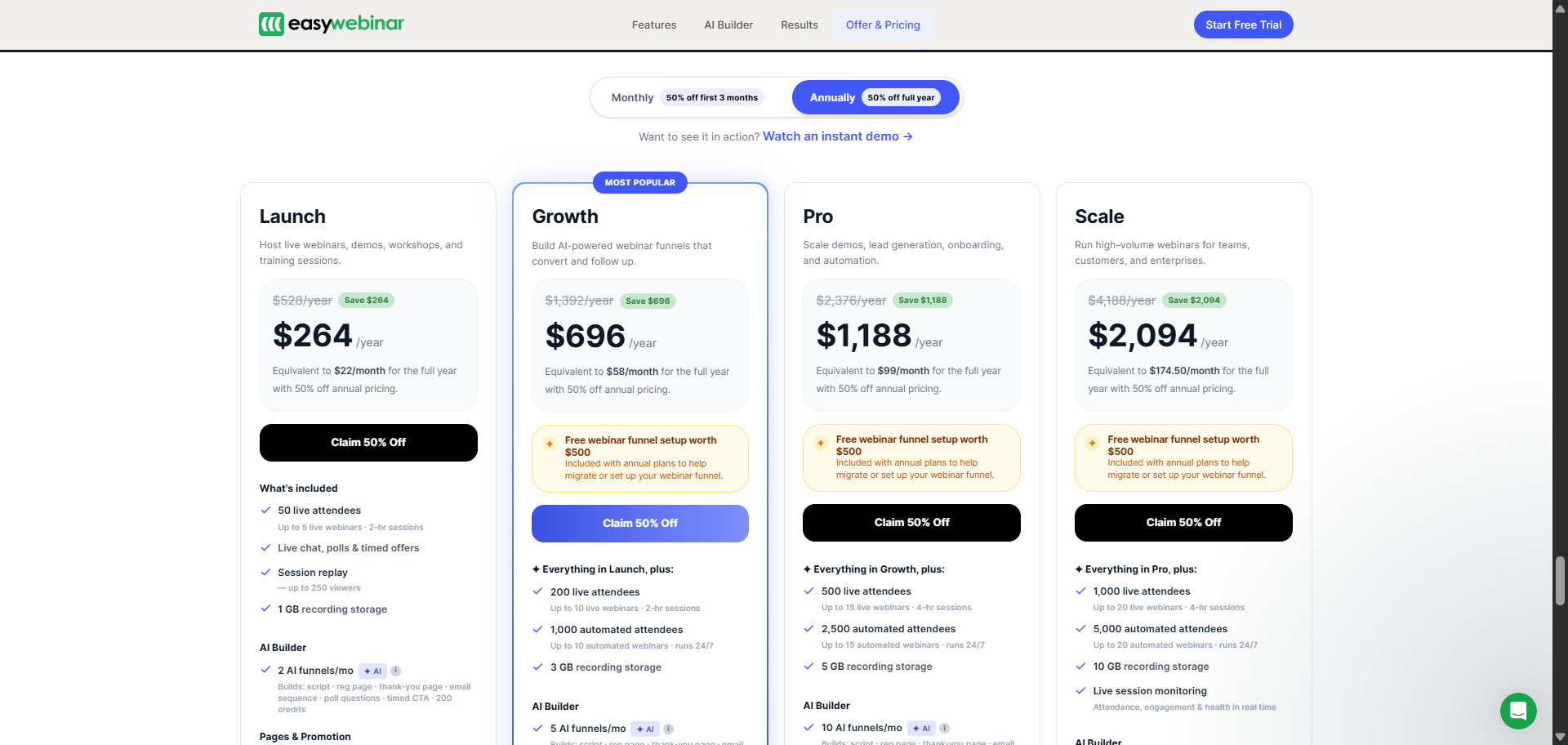
Pricing (Monthly Rates)
- Launch: $44/mo · 50 live attendees · live webinars
- Growth: $116/mo · automated and live · checkout + CRM
- Pro: $198/mo · 500 attendees · HubSpot and Salesforce · account manager
- Scale: $349/mo · larger audiences
- Enterprise: Contact sales · up to 100,000 live attendees
16. LiveWebinar
Best for businesses that want complete control over branding and customization
Ideal for: Businesses wanting full white-label and custom domain setup
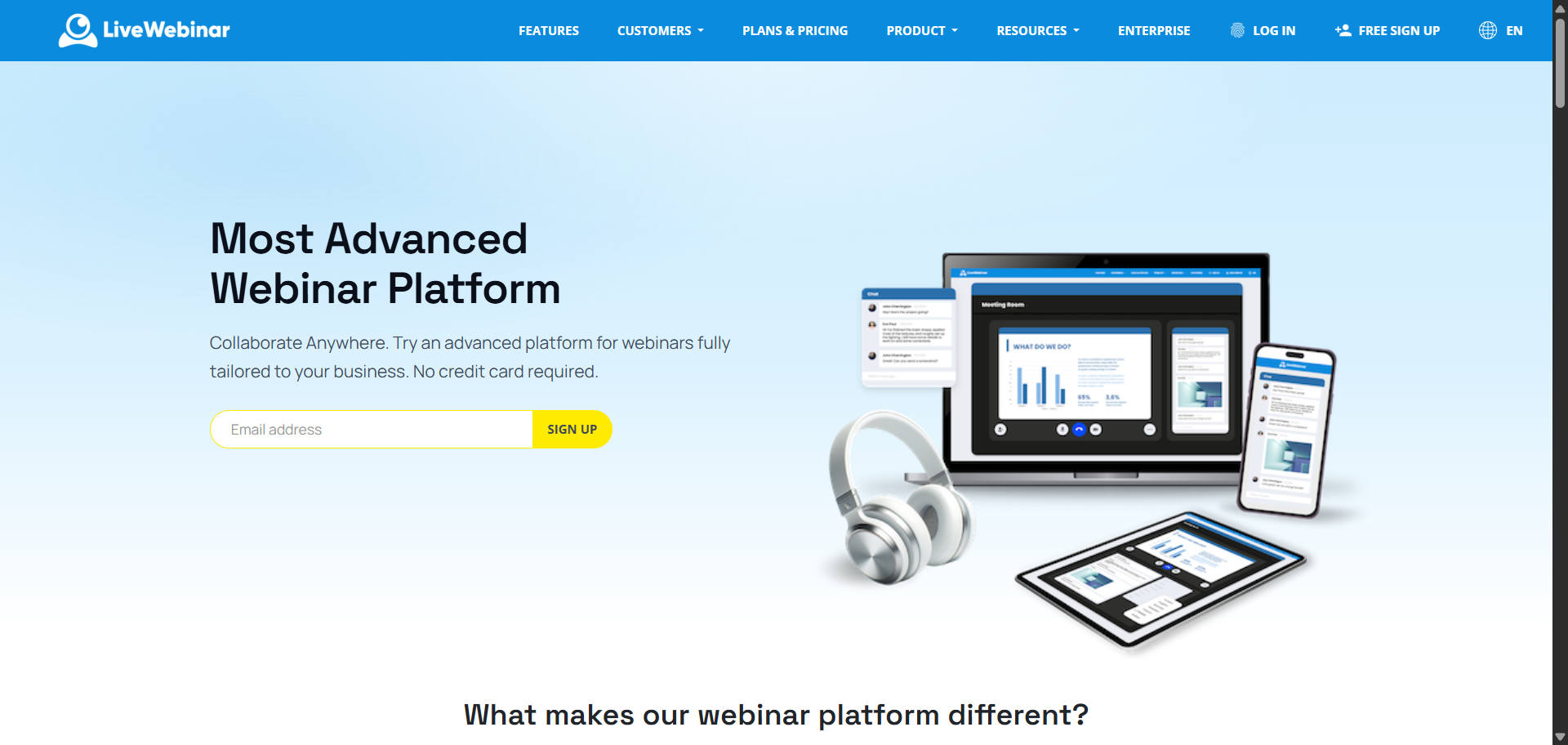
LiveWebinar gives you more control over the look and feel of your events than most platforms. Your logo, your colors, your forms, your emails, and your domain. You can embed events directly on your website and run everything under your own brand without a third-party logo in sight.
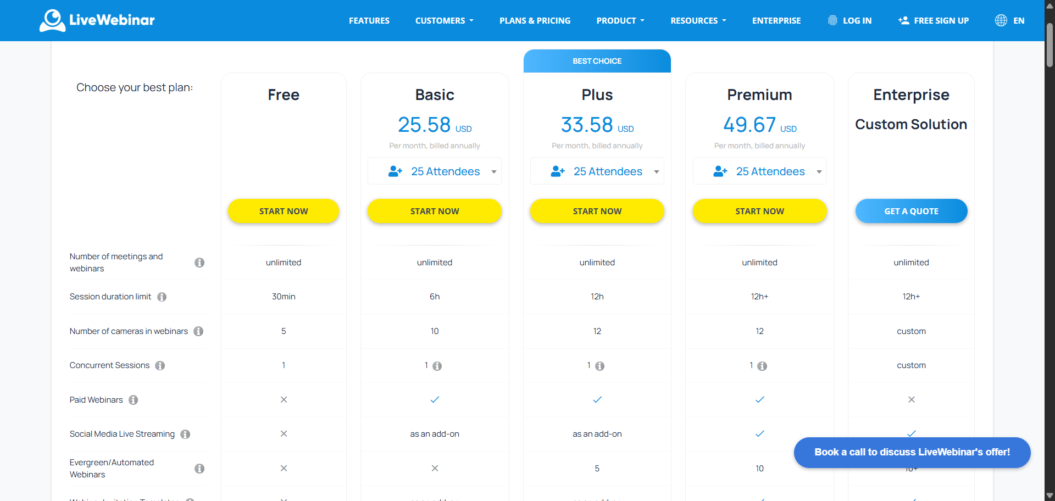
Plan names have changed since earlier articles were written, and prices have gone up. The old Pro plan at $17.99/month has been replaced by the Basic plan, which starts at $25.58/month annually for 25 attendees. There’s also a new Plus tier sitting between Basic and Premium.
Features Worth Knowing
- Broadcast to YouTube, Facebook, and Vimeo
- Polls, surveys, and calls to action
- Interactive whiteboard and breakout rooms
- Custom platform building and own domain
- Paid webinar support
Pricing (Annual, Starting From 25 Attendees)
- Free: $0 · 5 attendees · 30-min sessions
- Basic: from $25.58/mo · 6-hour sessions · 100MB recording
- Plus: from $33.58/mo · 12-hour sessions · 1GB recording (new tier)
- Premium: from $49.67/mo · paid webinars · 10GB recording
- Enterprise: Contact LiveWebinar · custom domain · white-label
Starting prices are for 25 attendees. Costs increase with larger rooms.
17. Crowdcast
Best for creators, community builders, and paid live events
Ideal for: Independent creators, Patreon communities, paid workshops
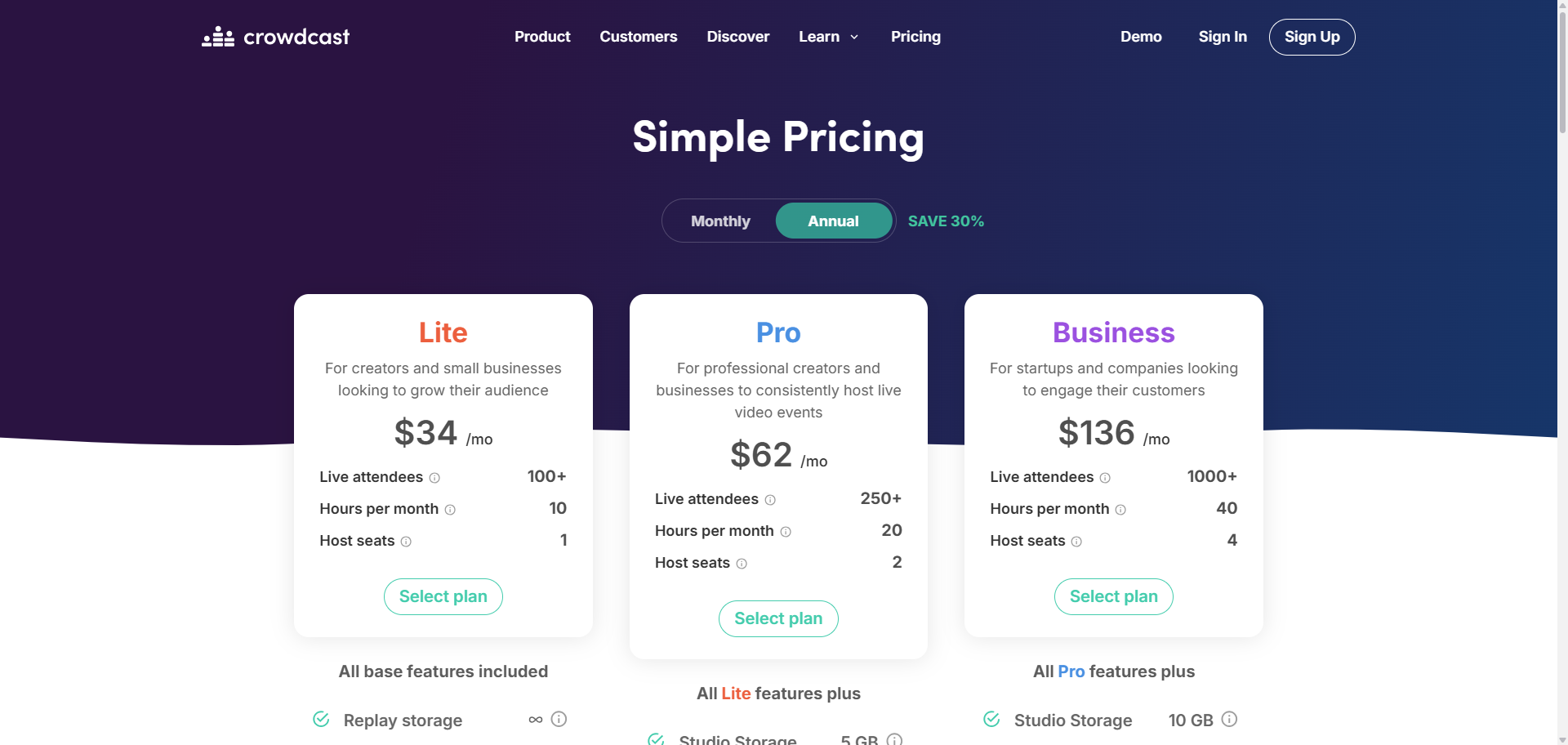
Prices have actually come down. Crowdcast dropped its entry-level Starter plan ($29/mo) and reduced prices across the remaining tiers. Lite went from $49 to $34. Pro went from $89 to $62. Business went from $195 to $136. If you looked at Crowdcast a year ago and thought it was too expensive, it’s worth another look. Crowdcast keeps things simple. Every event has one URL; the same link handles registration, the live event, and the replay. Charging for events is easy through Stripe and Patreon integrations. And since it’s browser-based, your attendees don’t need to download anything.
It’s not ideal for automated or evergreen webinars, Crowdcast is built for live events. But for creators who run regular workshops, Q&As, or community sessions, it’s one of the cleaner setups out there.
Features Worth Knowing
- Single URL for registration, live event, and replay
- Browser-based, no downloads needed
- Built-in landing pages
- Live Q&A, polls, and chat
- Broadcast to Facebook, YouTube, and Twitch
- Stripe and Patreon integration
Pricing
- Lite: $34/mo · 100+ live attendees · 10 hours/month
- Pro: $62/mo · 250+ live attendees · 20 hours/month · multistream
- Business: $136/mo · 1,000+ live attendees · 40 hours/month
This next one is for the podcasters.
18. Riverside
Best for podcasters and content creators who also want webinar hosting
Ideal for: Podcasters, video creators, and content-first teams
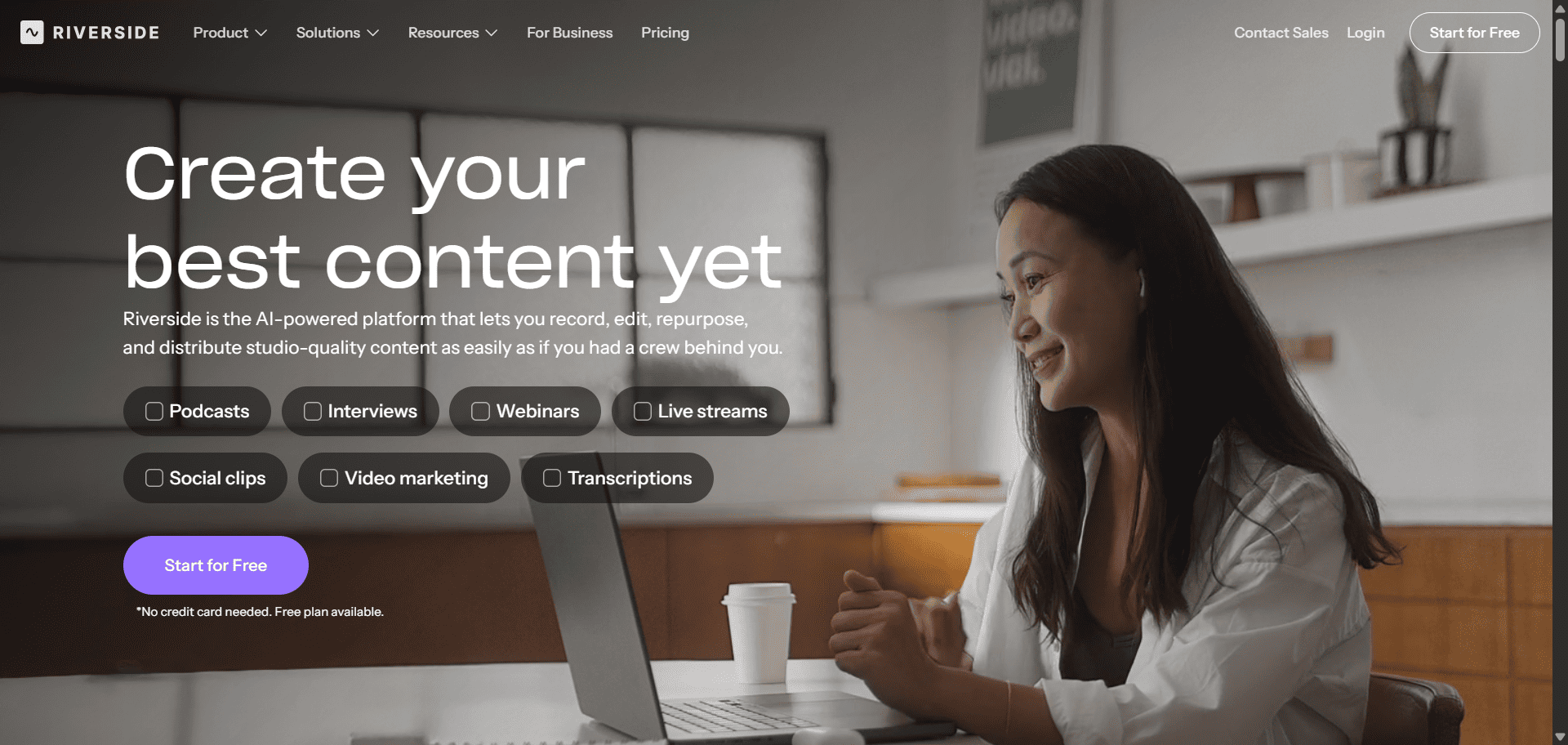
Riverside records audio and video locally on each participant’s device. That matters because your recording quality doesn’t depend on internet speed. Even if someone’s connection drops mid-call, their local file stays crisp. It’s the main reason podcasters prefer it over general-purpose video tools.
It handles webinars and live streaming, too. If you already record a lot of content and want one tool for recording, hosting, and streaming, Riverside is worth considering. One thing to flag: the $15/month Standard plan no longer appears on the pricing page. Riverside has several plan tiers.
Features Worth Knowing
- Local recording for studio-quality output
- Text transcriptions of all recordings
- AI-powered clip creation for social media
- Screen sharing and webinar recording
- Producer Mode: run the show without appearing on screen
- Live streaming support
Pricing
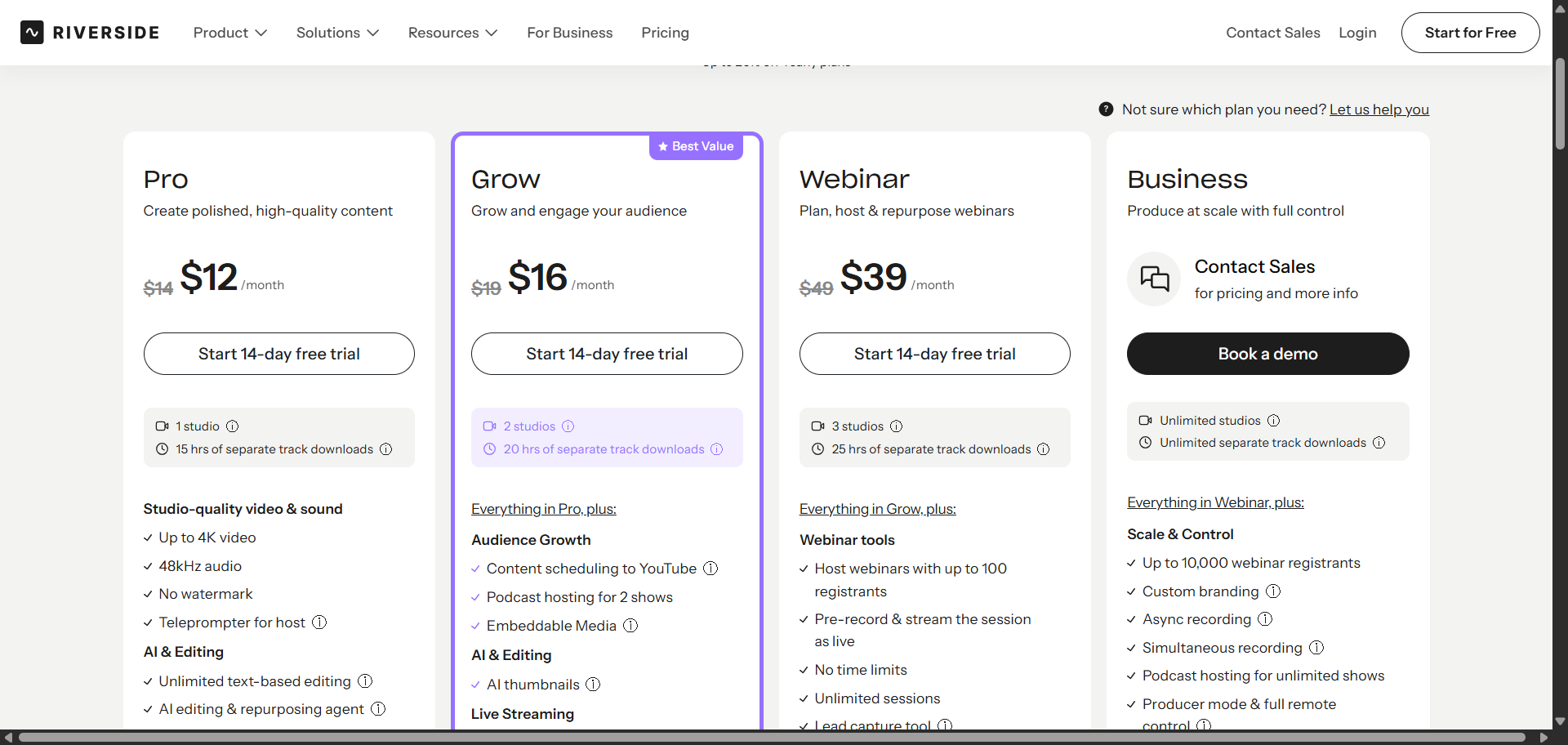
- Free: $0 · 2 hours of multi-track recording · 720p · Riverside watermark
- Pro: $12/mo (billed $144/year) · no watermark · 4K video · AI tools
- Grow: $16/mo, live events and streaming
- Webinar: $39/mo, webinar hosting
- Enterprise: Contact Riverside
19. WebinarGeek
Best for European businesses that need GDPR-compliant webinars
Ideal for: European businesses, educators, and B2B marketers
Pricing is now in Euros, not dollars. WebinarGeek’s pricing has switched to Euros (€). The base plan starts at €49/month. If you’re outside Europe, factor in the exchange rate when comparing it to other tools on this list. WebinarGeek is a Dutch company that takes data privacy seriously. It’s GDPR-compliant by design, which makes it a natural choice for teams operating in or serving Europe. Setup is quick, the interface is clean, and it supports live, automated, on-demand, and hybrid webinars without a steep learning curve.
To be fair, the pricing has gone up noticeably since older articles were written. But for European businesses where GDPR compliance is non-negotiable, it’s still a competitive option.
Features Worth Knowing
- Works on any device or browser
- Live, on-demand, automated, and hybrid webinars
- Invite teammates and audience members to collaborate
- HubSpot, Salesforce, and Zapier integrations
- AI features are now available. Check webinargeek.com for current details
- Restreaming to YouTube, LinkedIn, and Facebook added
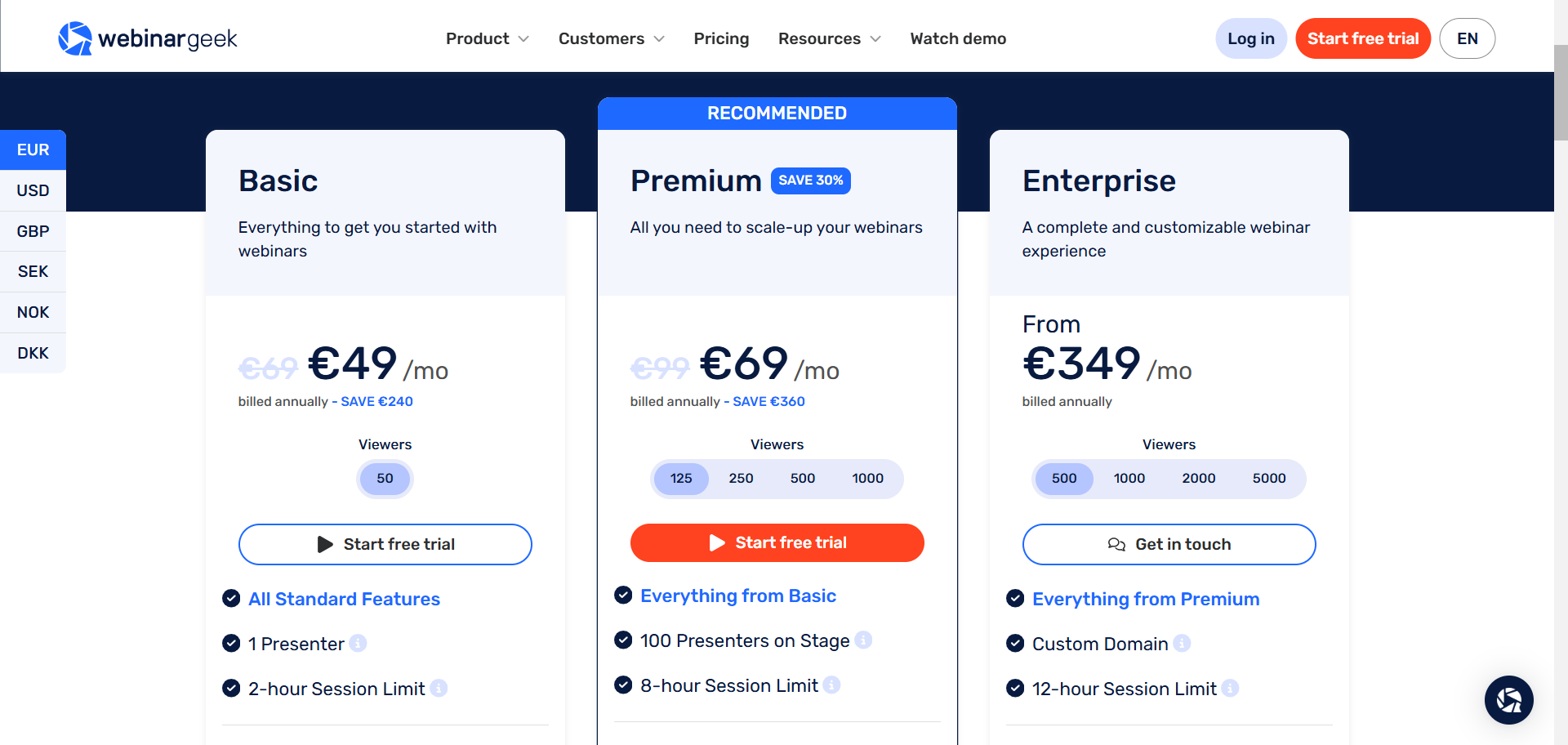
Pricing (In Euros)
- Basic: €49/mo · starting tier for solo entrepreneurs
- Premium: €69/month (annual billing) · automated webinars · custom branding · up to 10 presenters · 8-hour session limit
- Enterprise: €349/mo · advanced GDPR · dedicated support
14-day free trial. No credit card required.
20. Webex by Cisco
Best for large enterprises that need top-tier security and compliance
Ideal for: Enterprise, government, healthcare, and financial services
Webex is Cisco’s communications platform. It handles meetings, calling, messaging, and webinars in one app. It’s trusted by large companies and government agencies that need FedRAMP, HIPAA, or other compliance certifications that smaller platforms don’t offer.
The Webex Suite is $22.50/user/month billed annually, or ~$25–27/month on a monthly plan. Webex’s official pricing page confirms “AI Assistant included” on the Enterprise tier. Third-party sources report it’s also available on the Meet and Suite tiers, but Cisco’s own feature cards for those plans weren’t fully confirmable at the time of writing, and Webex documentation notes AI Assistant is currently “complimentary for a limited time,” with pricing subject to change. If AI features matter to your decision, check directly with Webex before you commit. One other change: Webex Webinars is now its own separate product, not bundled into the Suite as some older articles suggested.
Features Worth Knowing
- Meeting transcriptions and real-time translation
- Background noise removal
- Breakout rooms and screen sharing
- Chat, calling, and meetings in one app
- AI Assistant confirmed on Enterprise tier: summaries, transcripts, action items. Third-party sources report availability on lower paid tiers, but this is not verbatim-confirmed on Cisco’s official Meet/Suite feature cards. Webex documentation notes “complimentary for a limited time” language (verify before purchasing)
- FedRAMP compliance available on Enterprise; HIPAA compliance via BAA (verify plan eligibility directly with Cisco)
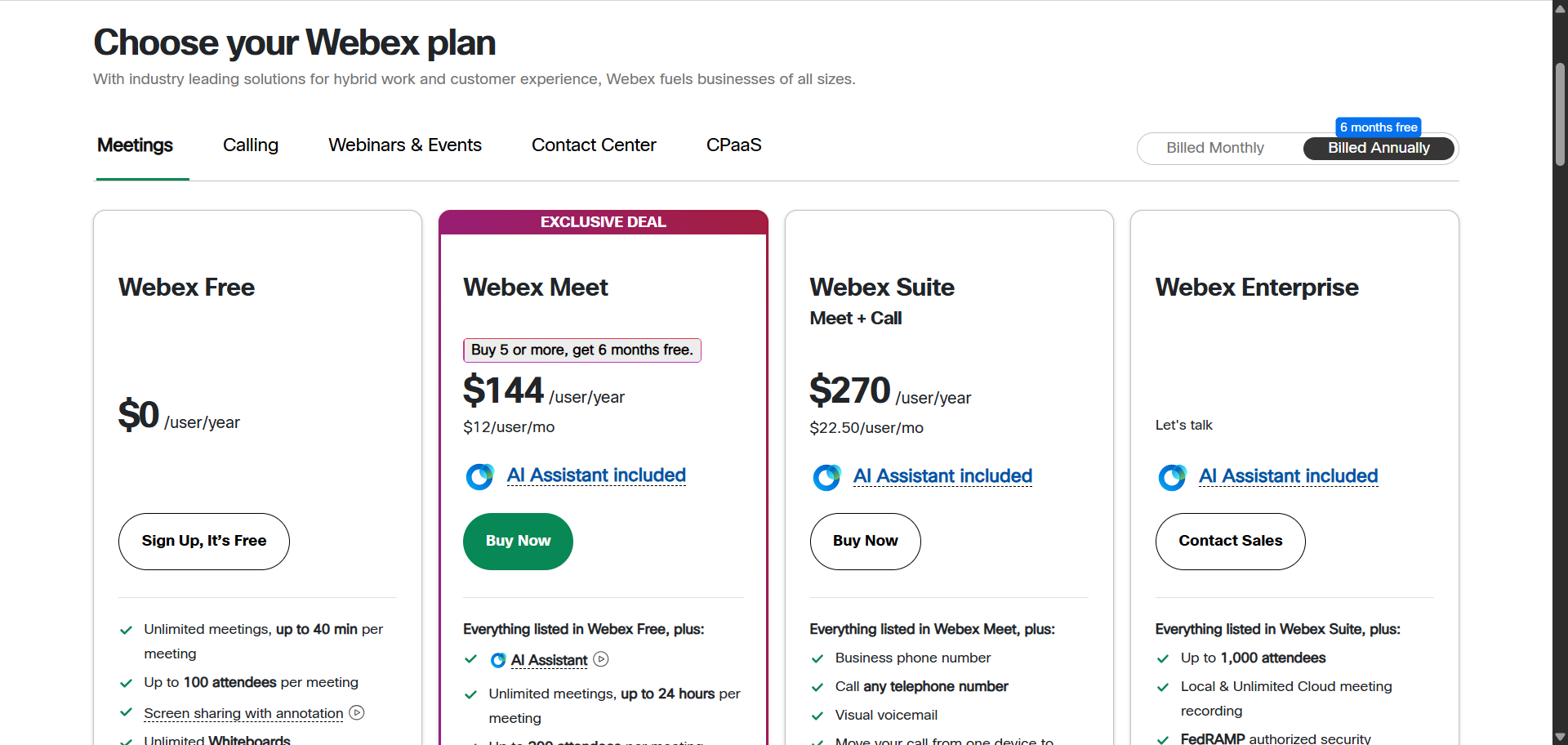
Pricing
- Free: $0 · 100 participants · 40-minute limit
- Webex Meet: ~$12/mo · 200 participants · 24-hour meetings
- Call Plan: $17/mo · cloud phone number and extensions
- Webex Suite: $22.50/mo · meetings + calling + messaging bundled
- Webex Webinars: Contact Sales, separate product for large-scale events ($68.75/license/mo cited by third-party sources, but not currently a published Cisco price)
- Enterprise: Contact Webex sales
21. Zoho Meeting
Best affordable webinar option for Zoho users and budget-conscious teams
Ideal for: Small businesses, Zoho ecosystem users, tight budgets
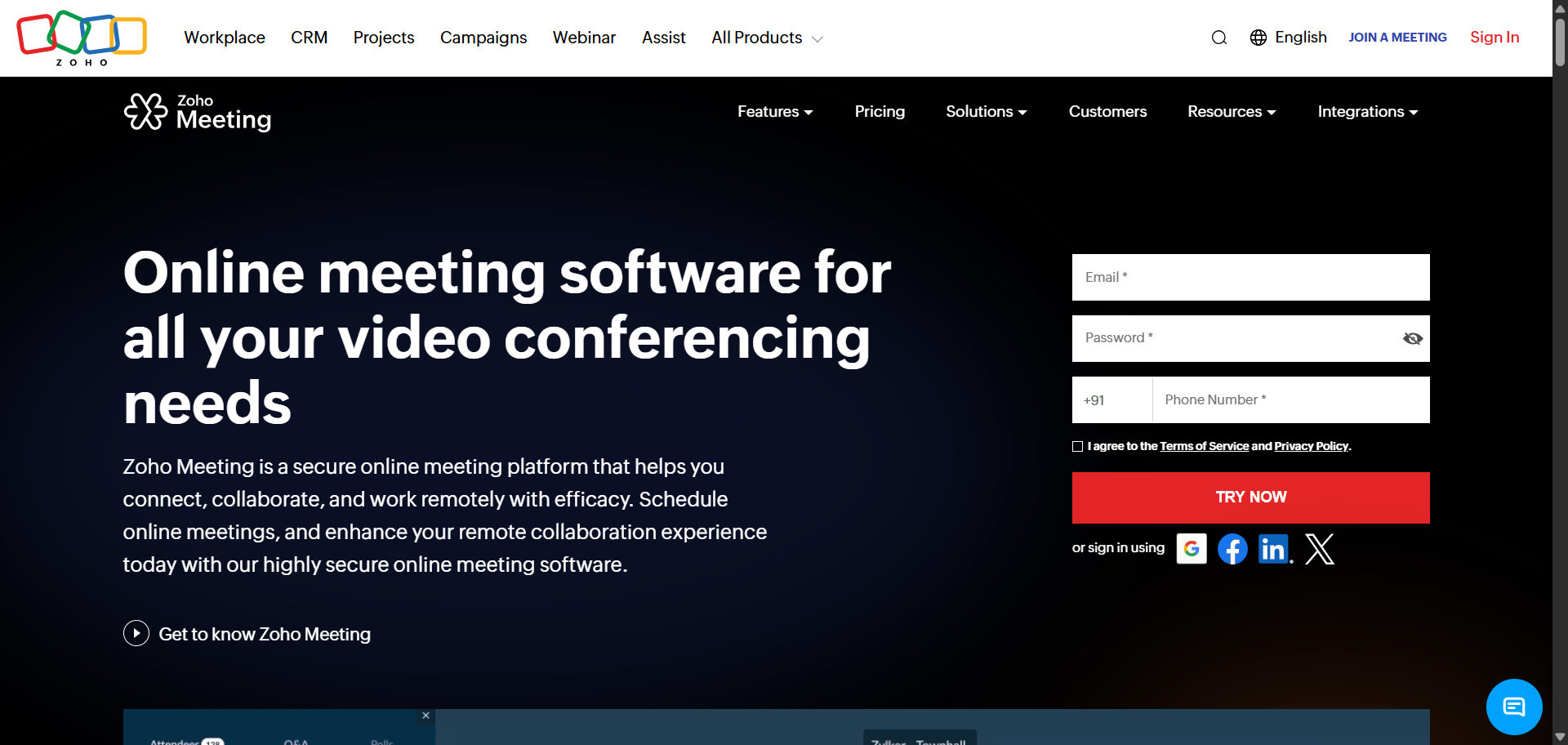
Zoho Meeting is one of the most affordable webinar tools out there, full stop. If you’re already using Zoho CRM, Zoho Projects, or anything else in the Zoho ecosystem, the integrations work smoothly. The webinar-specific plans are genuinely good value compared to most dedicated platforms.
The pricing structure has changed since older articles were written. It used to be three tiers: Free, Meeting ($3/mo), and Webinar ($16/mo). These now span two separate products Zoho Meeting and Zoho Webinar with five paid tiers between them and the webinar plan at $16/month no longer exists. It’s been replaced by a $8/month Standard option and a $16/month Professional option. That’s actually a better deal for teams that don’t need all the advanced features.
Features Worth Knowing
- HD video meetings and screen sharing
- Record, replay, and share meetings
- Webinar polls, Q&A, and live streaming
- AI-generated meeting notes and transcripts
- Business phone calls and SMS (US and EU data centers)
- Integrates with Zoho CRM, Gmail, Slack, and Teams
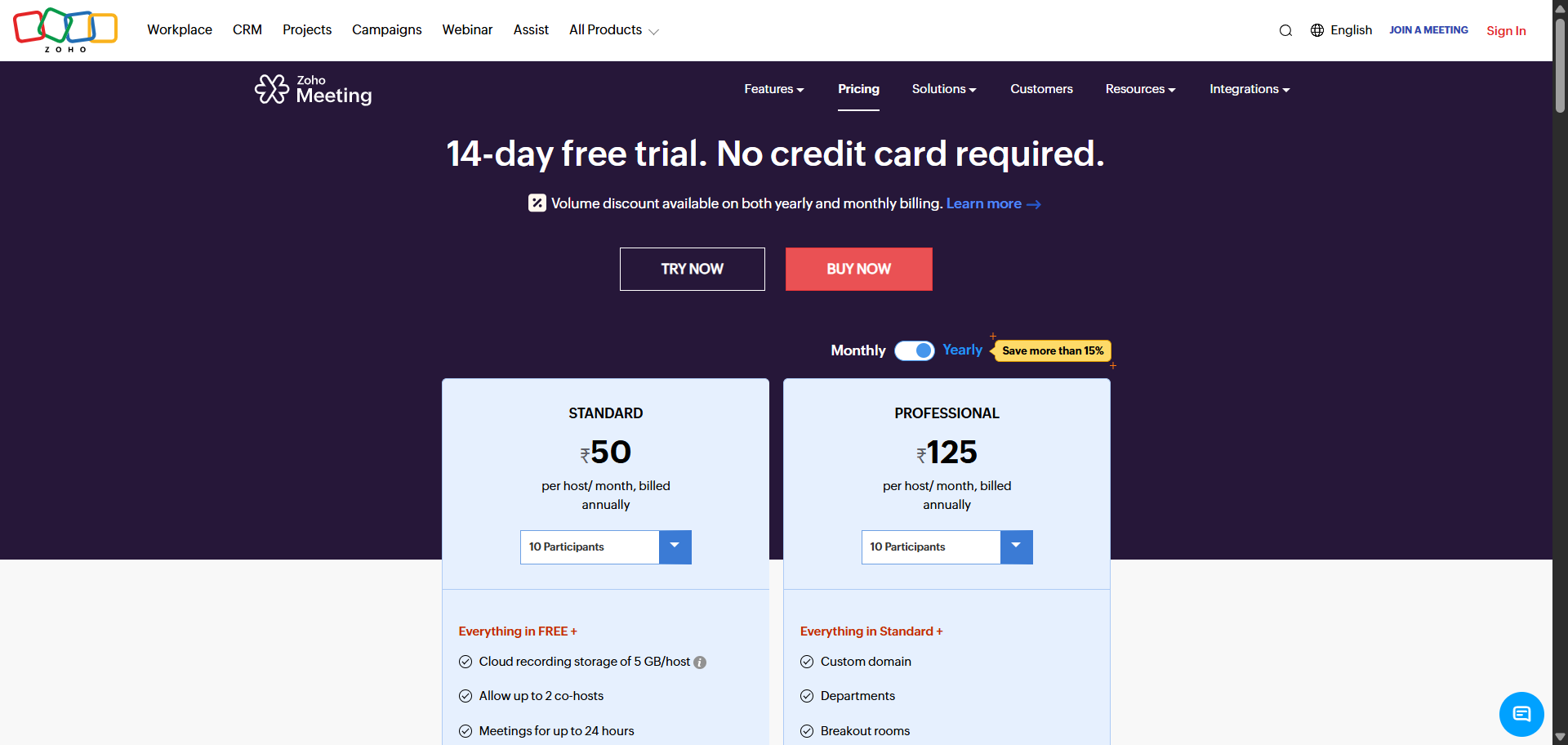
Pricing (Billed Annually)
- Free: $0 · 100 participants · 60-minute sessions
- Meeting Standard: $1/mo per host · co-branding · entry tier: 10 participants
- Meeting Professional: $3/mo per host · custom domain
- Webinar Standard: $8/mo per organizer · cloud recording · up to 24 hours
- Webinar Professional: $16/mo per organizer · live streaming · source tracking
- Enterprise: $66/mo · on-demand webinar · custom domain · email customization
When to choose Uscreen over a standalone webinar tool
If you run one-off, lead-generation webinars, a standalone tool is the right call. When the goal is a single live session that captures emails and hands them to your sales team, you want a purpose-built webinar app with registration pages, attendee caps, and follow-up sequences. That’s what tools like WebinarJam and Demio are built for, and Uscreen isn’t trying to replace them for that job.
Uscreen (opens in new tab) wins when the webinar is part of something recurring. If your live sessions exist to build a paying, returning audience rather than a one-time lead list, the math changes. Instead of paying for a webinar tool, a community app, a membership platform, and a CRM or email marketing platform, then wiring them together, you run all of it in one place. The same live stream that draws your audience feeds a content library, a community with unlimited channels, and a subscription they keep coming back to, all under your own brand on web, mobile, and TV apps.
Wrapping it up
The decision really comes down to one thing: choose a standalone webinar tool when the webinar is a one-off lead-generation event, and choose a full video membership platform like Uscreen when those live sessions are the start of a paying, returning audience you want to keep.
If that second path is yours, Uscreen brings live streaming, community, branded apps, and recurring memberships into one platform, so the audience your webinars attract turns into subscription revenue instead of a list you have to win over again next time.
It’s simple with Uscreen. Build, launch, and manage your membership business, all in one place.
Start your free trial (opens in new tab)
Best Webinar Platforms FAQs
Still have questions about the best webinar platforms? We have the answers.
It’s simple with Uscreen.
Build, launch and manage your membership, all in one place.