
No-code video membership platforms let you create a fitness app and add your workouts, branding, and pricing. They handle the app build and maintenance, so you can focus on teaching and running your business.
If you’re a fitness instructor, studio owner, or personal trainer with an audience and a workout library, use this guide to choose the features you need, plan your budget, and prepare to launch on iOS and Android.
Two ways to build a fitness app
You can hire a development team to build custom software or use a no-code platform with an existing app system. Use a managed platform to publish your video workout app under your brand while the provider handles software development.
| Decision | Custom development | No-code platform |
|---|---|---|
| Cost | A project quote for design, development, infrastructure, and support | A recurring plan fee, plus applicable usage and transaction charges |
| Time | A schedule based on the features you commission | Preparation, configuration, and review rather than a build from scratch |
| Developer required | Yes, through an agency, contractors, or your team | You don’t need to hire developers for the platform’s supported features |
| Ongoing maintenance | You arrange updates, testing, and fixes | The provider maintains its platform and app software |
| App ownership | Define code, account, and intellectual property rights in your contract | Check whose developer accounts publish the app and what your agreement covers |
Choose custom development if you need proprietary workout tracking, a unique device connection, or workflows that require your own engineering team. Ask for a written scope and a maintenance quote before committing.
To deliver your classes through a branded app, start by comparing fitness streaming platforms (opens in new tab) . Focus on the experience you want members to have weekly.
How do you create a fitness app?
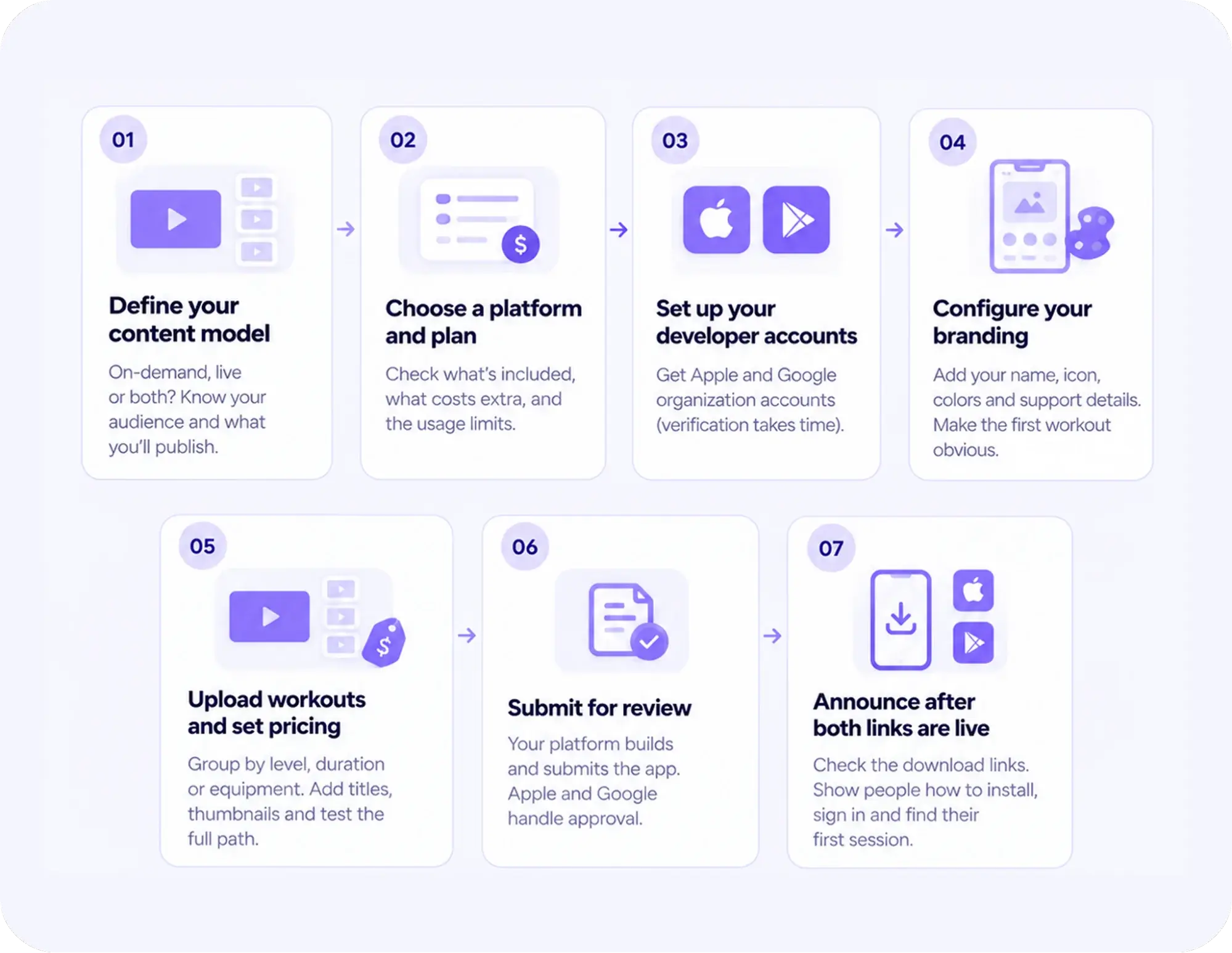
To create a fitness app without coding, choose a platform, set up your developer accounts, and prepare your workouts and branding. Set your pricing, test how members join and watch, then submit the app for review. Confirm which parts of the build and submission your provider handles before you commit.
Here’s how to build it from scratch:
- Define your content model: Decide whether you’ll offer on-demand workouts, live classes, or both. Write down who the membership is for and what you’ll publish regularly. That promise decides what goes in your launch library.
- Choose a platform and plan: Match your feature requirements to a plan before you buy. Check what’s included at each tier, what costs extra, and what the usage limits are. Ask the provider to demonstrate any feature your launch depends on.
- Set up your developer accounts: Confirm which developer accounts your provider requires and whose accounts will publish the app. For a new Uscreen launch, set up Apple and Google organization accounts early so you have time to verify your business.
- Configure your branding: Provide your app name, icon, brand colors, and support details. Check contrast and readability in the platform’s preview tools before submission. Make the route to a first workout clear.
- Upload workouts and set pricing: Group videos by level, duration, or equipment. Add clear titles and thumbnails. Set your membership price, access rules, and checkout options. Test the full path from joining to pressing play.
- Submit for review: Confirm who builds and submits the app, and who responds if Apple or Google asks for changes. Uscreen handles submission and works with you on reviewer feedback. Apple and Google make the approval decisions.
- Announce after both links are live: Check the iOS and Android download links before sending anything. Show people how to install the app, sign in, and find their first session.
What does a no-code fitness app include?
A no-code fitness app can give members a workout library they can browse on their phones and access through a subscription. Compare plans by what members need to do. That might include downloading a workout, joining a live class, or following a challenge between sessions.
| Member benefit | Feature or mechanism | Uscreen plan or condition |
|---|---|---|
| Find a suitable workout quickly | On-demand catalog with categories and Collections, which group related videos | Every Uscreen plan includes the video catalog. It appears in your branded mobile apps with App Essentials or Custom. |
| Join you at a set time | Native live classes delivered through the app | App Essentials includes one native live-streaming hour per month. Your Custom agreement sets your allowance. Uscreen charges $15 per extra hour. You can also use a gated Zoom link to run a live coaching call; members open the meeting in Zoom, and access stays inside your membership. |
| Keep access through a recurring membership | Subscription access and billing | Every Uscreen plan includes subscriptions and billing. In-app checkout comes with the branded mobile apps on App Essentials and Custom; agree on web and in-app checkout setup during onboarding. |
| Hear about a new class | Mobile push notifications | Available with branded mobile apps on App Essentials and Custom |
| Train without Wi-Fi | Offline video downloads within the app | Available with branded mobile apps on App Essentials and Custom; downloads expire after 30 days |
| Choose music while following your instructions | Music Integration with a separate music app | Premium feature for Uscreen’s iOS and Android apps. Ask the Uscreen team to turn it on for your app. |
| Follow a group goal and track consistency | Challenges, Streaks and Badges | Custom only |
| Ask questions and connect between sessions | Community channels and direct messages | Custom only |
| See upcoming content and events | Calendar | Custom only |
With music integration (opens in new tab) , members can play music from Spotify or Apple Music while following your workout instructions. They use their own music app.
Uscreen serves video businesses across fitness, education, and entertainment. Its fitness membership tools (opens in new tab) apply that video membership model to workout libraries and instruction.
What do you need before publishing your fitness app?
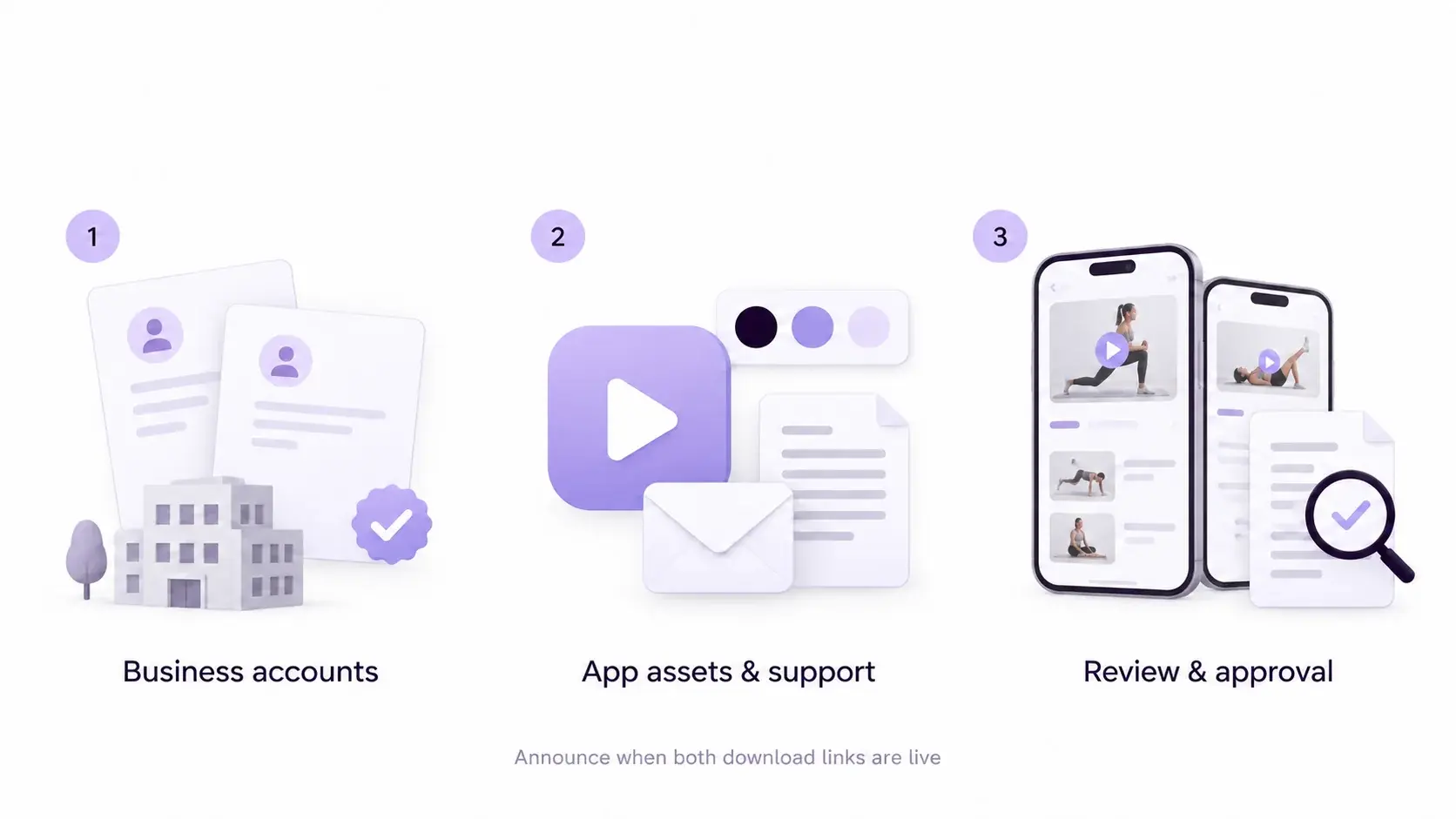
Before you publish a fitness app, prepare your brand assets and leave time for Apple and Google to review it.
Register the right accounts
For a new Uscreen launch, you need organization accounts with Apple and Google (opens in new tab) . Prepare your registered business details, a public business website, and a D-U-N-S number. Apple and Google use this business identifier to verify your legal entity.
Apple’s Developer Program membership (opens in new tab) costs $99 per year in the US. Google’s Play Console registration (opens in new tab) costs $25 once. Local pricing and eligibility conditions can vary.
Invite Uscreen through the account permissions process so its team can build and submit the apps. Keep account ownership with your business.
Prepare the name, icon, and support information
Choose an app name that clearly identifies your business. Prepare a description that explains the workouts and audience. Check name availability before finalizing promotional materials.
Uscreen’s app asset guide (opens in new tab) asks for a 1024 × 1024 pixel mobile icon in JPEG or PNG format, without rounded corners. Keep the design readable at a small size. You’ll also need a launch screen image, brand colors, and a support email and support page URL.
Separate review time from launch time
Uscreen prepares the app build, submits it for review, and works with you on reviewer feedback. Apple and Google make the approval decisions.
Apple’s review guidance (opens in new tab) gives review targets rather than a guaranteed approval date. Google’s publishing guidance (opens in new tab) says processing can take a few hours to seven days, or longer in exceptional cases.
How much does creating a fitness app cost you?
Uscreen App Essentials includes branded iOS and Android apps. The regular base price is $449 per month (opens in new tab) billed annually ($5,388 per year) or $499 billed monthly. Uscreen charges $0.99 per active subscriber per month and 5% on one-time sales. Stripe charges separately for processing web payments.
Budget for developer accounts and check Uscreen’s fee schedule (opens in new tab) for usage charges. If you plan to sell memberships in the app, ask how Apple and Google handle billing and what they charge. For custom development, OnGraph (opens in new tab) estimates a simple video app at $40,000 to $70,000 and an advanced platform at $180,000 to $300,000 or more, plus about 15 to 20% a year for maintenance and support. Request a quote for both the build and ongoing maintenance.
How should you choose the right fitness app builder?
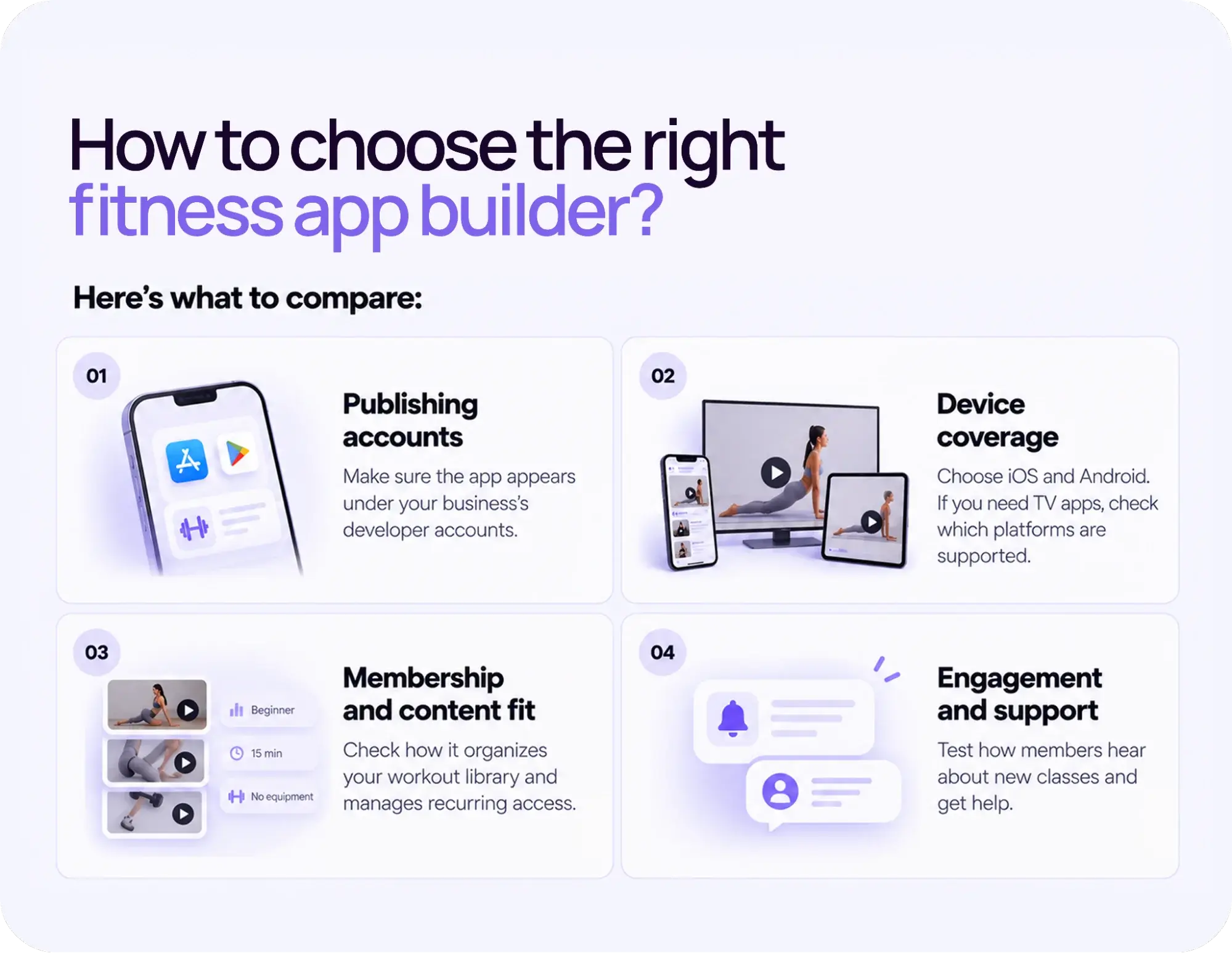
Choose a platform that supports your teaching model and removes daily software maintenance. Ask the provider to demonstrate the full member journey on the plan you’re considering, including joining, finding a session, and getting help.
Here’s what to compare:
- Publishing accounts: Confirm the app appears under your business’s developer accounts. Ask separately about source-code rights, data exports, and cancellation terms. Publishing under your name doesn’t by itself mean you own the platform’s underlying software.
- Device coverage: Choose iOS and Android if phone-based workouts are central to your offer. If members follow workouts on a TV, use our guide to video streaming apps (opens in new tab) to list the devices you need. Ask the provider which devices your plan covers.
- Membership and content fit: Ask the provider to show how it organizes a growing workout library and manages recurring access. Make sure members can find the right level and equipment requirements without reading a long description for every session.
- Engagement and support: Test how members hear about new classes and get help. Confirm onboarding, business support, and member support separately. These are often different tiers of service.
If you’re considering an AI fitness app builder, use the same checklist. Ask to see working playback, billing flows, account access, and a live submission to Apple or Google. A generated screen mockup is not a working app.
How do you create a fitness app with Uscreen?
To create a fitness app with Uscreen, choose a plan, provide your workouts and branding, and Uscreen’s team will build the app and submit it to Apple and Google for you. No coding required. We handle development, app store submission, and ongoing maintenance, while you focus on your content and members.
Here’s how the process works:
- Choose your plan: App Essentials includes branded iOS and Android mobile apps. If you need community tools, a content Calendar, Streaks and Badges, or TV apps on platforms like Apple TV, Roku, Fire TV, Android TV, and Samsung TV, discuss the Custom plan with the Uscreen team during your demo.
- Set up your developer accounts: Register organization accounts with Apple and Google early. Uscreen needs access to build and submit the apps, but your business keeps ownership of the accounts.
- Prepare your branding and assets: Provide your app name, icon (1024 x 1024 px), brand colors, support contact, and links to your privacy policy and terms. Uscreen’s App Builder form walks through each requirement.
- Upload your workout library and set pricing: Uscreen’s video catalog supports on-demand and live content. Agree on web and in-app checkout setup during onboarding so members can subscribe from day one.
- Let Uscreen handle the build and review: Uscreen prepares the app, submits it to Apple and Google, and works through reviewer feedback with you. Apple and Google set their own approval timelines.
- Announce once both links are live: Check the iOS and Android download links before sending anything. Show members how to install, sign in, and find their first session.
Start a 14-day free trial (opens in new tab) on Starter or Growth to explore the web catalog and organize your workouts. Book a demo (opens in new tab) to see how the branded apps would work for your fitness membership. Bring your checkout requirements and target launch date so we can review the plan, costs, and publishing steps with you.