If your current platform has limited features for the cost or lacks the support you need, migrating to a platform with more control and better tools makes it easier to manage and scale your membership.
The right partner helps you execute a successful content migration that streamlines your workflow and sets up scalable, recurring revenue.
In this guide, we’ll walk you through how to safely migrate your content and refresh your library. You’ll also learn how platforms help you increase engagement, improve monetization, and create a membership experience that keeps your members coming back.
Why migration is a strategic reset
If your current platform makes managing and growing a content library harder, executing a successful content migration helps you expand what you offer members and strengthen how you connect with them.
For example, a fitness creator who mainly shares on-demand workouts can add live classes or structured programs, using a new platform to offer additional content types and monetization options.
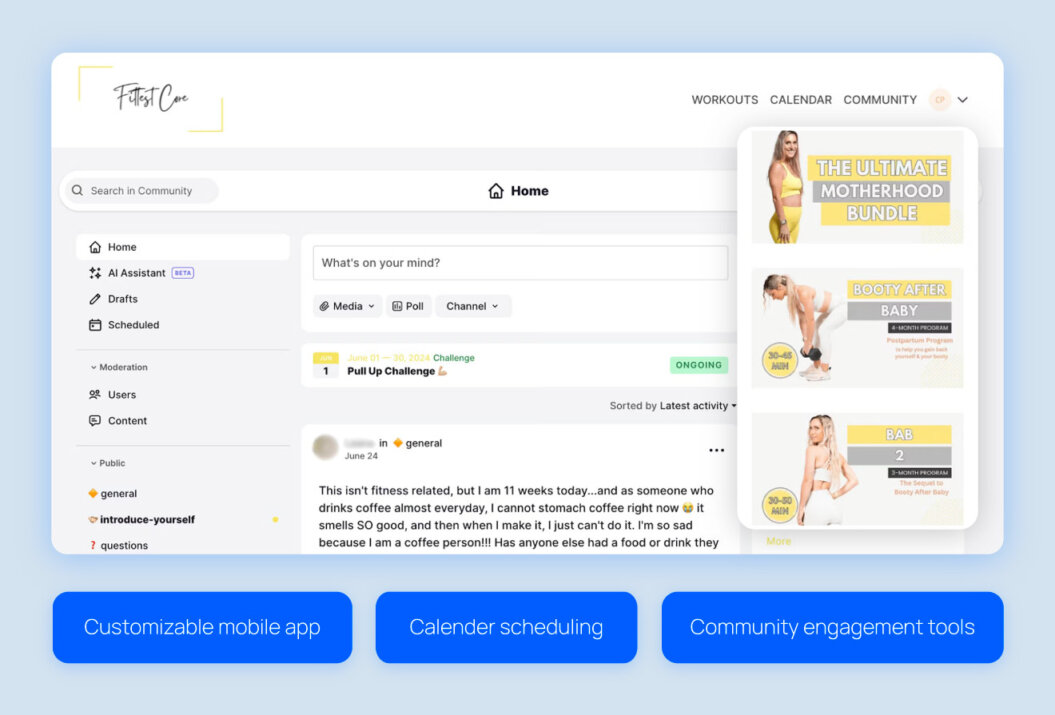
Migration gives you more opportunities to organize your library. Fittest Core, a pre- and postnatal fitness membership, reorganized its 600+ workout videos during migration, improving discoverability and boosting member engagement.
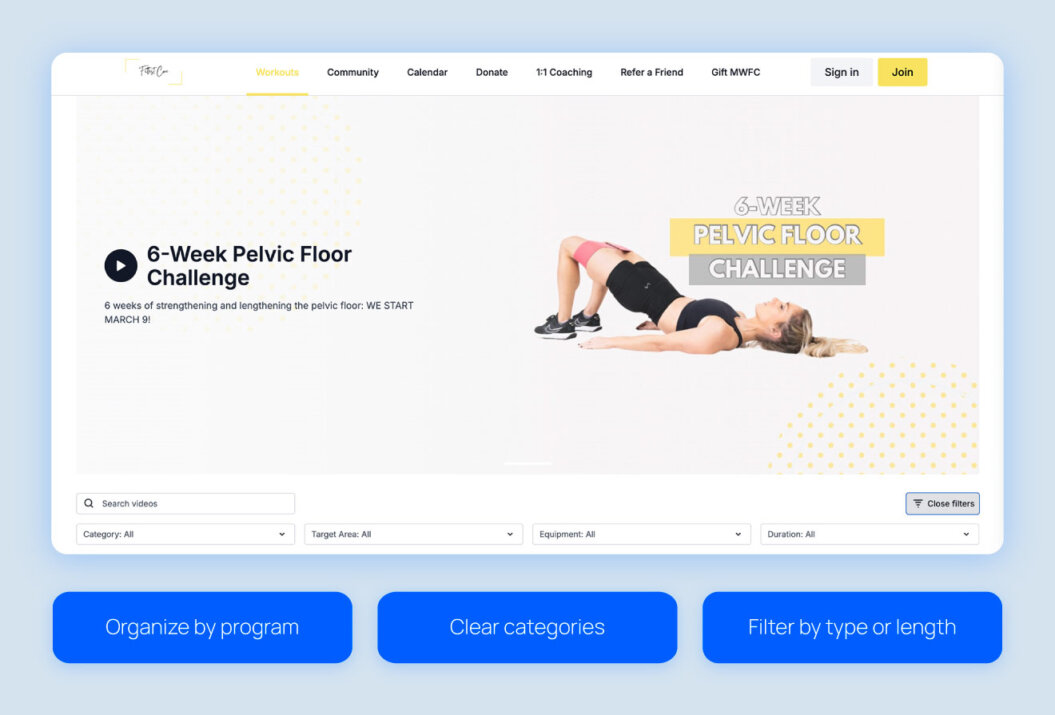
Refreshing your content library during migration is a strategic reset that helps you build a more organized, engaging library for your members.
Evaluating your library before migration
Before you move your content, take a close look at your library and decide what to keep, update, or retire. Your audience will appreciate how you streamlined their experience and set them up for a smoother, more engaging journey on your new platform.
Refresh
Refresh content includes videos that are still valuable but could perform even better with updates.
When deciding what content to refresh, focus on videos that:
- Have high engagement and still drive views or revenue.
- Cover evergreen topics that may need minor updates for accuracy or relevance.
- Are core offerings with a strong history of revenue, but could use a refresh to perform at their best.
Archive
Archive content includes videos that aren’t immediately needed but may be useful in the future.
When deciding what to archive, focus on videos that:
- You don’t have the time or resources to update right now, but could be valuable later.
- Includes legacy programs or series that are occasionally useful or referenced by members.
- Serves as bonus material or extras that support membership tiers without needing immediate attention.
Delete
Deleting is permanent, so only remove videos you’re confident don’t add value to your brand. This keeps your library organized, reduces clutter and storage overhead, and lets you focus on the content that drives engagement and revenue.
Delete content that:
- Has low engagement and minimal revenue impact
- Is off-brand, outdated, or redundant
- Clutters your library or doesn’t fit your current strategy
How the content migration process works
Moving your content to a new platform is your chance to get organized and set up a membership experience that keeps your audience engaged and supports growth. Following a clear process makes the migration manageable while preparing your library for long-term success.
Here’s how it usually works for creators:
- Audit your content: Review all your videos to identify what’s performing well, what could use improvement, and what can be deleted.
- Map your library: Decide which content to keep or remove, and plan how each piece will fit into your new library with any added organization.
- Transfer and upload: Move your content to the new platform and add search-friendly features like metadata, descriptions, and access settings so everything is ready for your members.
- Quality assurance: Test a few pieces to make sure videos play correctly, permissions are set, and your new organization works smoothly.
While migration involves technical steps, it’s also an opportunity to organize your content into clear categories or programs and to create a strong video distribution strategy. This makes it easier for members to find what they want and sets your library up for long-term growth.
Migration on Uscreen
When you move your content to Uscreen, you’re never doing it alone. Our migration specialists guide you step by step, helping to organize your library, upload videos, set permissions, and structure your content so nothing gets lost and your members enjoy a smooth experience from day one.
As Adaire Smithwick, Uscreen Community Manager, puts it:

Migrations can feel overwhelming, especially with hundreds of videos. We walk you through how to organize your library, help set up your mobile apps, and even handle the tricky app store submission process. From scheduling content to generating previews and captions automatically, we make sure everything runs smoothly. Our goal is to take the stress off creators so they can focus on what matters most: their content and their community.
You can also access tools to make this easier, including:
- Community tools to keep members engaged through the migrations
- Calendar scheduling to manage video releases and engagement
- Marketing tools to automate upsells, recover abandoned carts, and keep members active
Uscreen makes migrating your content smooth and intuitive, keeping your audience engaged every step of the way.
Start free trialMoving from YouTube
Moving your YouTube channel membership to a platform helps you connect with your audience in new ways and unlocks additional monetization opportunities. Start by deciding which videos to keep on YouTube for discovery and what to move into paid tiers as unlisted or members-only content.
Once you know what’s moving, look at how your content is currently organized. With Uscreen’s search and categorization tools, you can reorganize playlists or programs, making it easier for members to find what they want and guiding them through your content in a way that makes sense.
You can also use YouTube to funnel viewers into your membership. Add in-video CTAs, links in descriptions, and your bio to turn casual watchers into active members.
Learn more about video experienceMoving from Vimeo
Migrating to a Vimeo alternative like Uscreen opens up new ways to engage your members and organize your content. Take a look at your private and protected videos and consider how they fit into programs, tiers, or collections in your new library.
When your library uses discovery features like playlists and clear labels, members can find what they want easily. A well-structured library makes their experience smoother and supports natural membership growth.
Moving from Patreon or other subscription platforms
When you move your membership from Patreon or similar platforms like Thinkific or Podia, you keep the features you rely on. You’ll also unlock deeper community tools, including challenges and multiple text channels, to better connect and engage members. This centralizes everything and creates a more interactive experience.
As you transfer your tiers, decide whether to keep the same setup or try something new. You could test a new tier with different perks, or reorganize content to improve discoverability.
Uscreen helps you expand your membership offerings and relaunch your content to keep your community active and reduce churn.
Costs and time investment
Website content migrations usually take four to eight weeks, depending on the size of your library and the complexity of your membership setup. You’ll need time and resources for tasks like:
- Uploading videos
- Refreshing thumbnails and metadata
- Organizing content into categories or tiers
- Testing member access
Taking the time to do this right ensures your library is ready for a smooth transition and sets you up for long-term growth.
Here’s how handling migration yourself compares to using Uscreen-assisted migration:
| Aspect | DIY Migration | Uscreen-Assisted Migration |
| Effort | You handle all steps yourself | Experts handle the technical process and guide you through setup and member communication |
| Time | Days to weeks, depending on library size | Faster, more efficient |
| Risk | Higher chance of errors or missed updates | Reduced errors and smoother setup |
| Focus | Mostly on technical tasks | Content creation and member engagement |
Whether you go DIY or use a white-label OTT solution like Uscreen, taking the time now helps streamline your workflow and set your membership up for long-term growth and recurring revenue.
Pros and cons of migrating your content
Moving your content is a big step. Knowing the benefits and challenges upfront sets realistic expectations to plan a smoother migration.
| Pros for creators | Challenges for creators |
| Improved discoverability of content for members | Time and effort required to move and organize your content |
| Optimization of workflows and content management | Learning curve when getting familiar with a new platform |
| Consolidation of content in one place | Risk of minor technical issues during transfer |
| Refresh and repackaging of older content |
Uscreen migration case studies
A smart content migration plan sets up a clear path between platforms so nothing gets lost. These Uscreen creators show how a smooth transition drives growth in revenue and engagement.
Fittest Core
Macy and Chase Pruett found that Vimeo OTT was holding back their growth due to high costs, limited features, and a disorganized library. Moving their 600+ videos to Uscreen gave them the chance to reorganize content into structured programs and create a smoother, more intuitive experience for their audience.

Migrations can be daunting, and especially for us, we already had over 600 videos. One of the first things Uscreen helped me with was sitting down and discussing, “Here’s how memberships with large content catalogs categorize their content, why it works for them, and how you could do it too.” So, before the migration even started, we had everything categorized, and I knew exactly what I wanted it to look like. Fast forward to post-migration, it’s now self-explanatory for users. There’s no confusion about what to do.
Since the migration, members find workouts faster and engage more deeply with the content. Revenue grew 15%, and engagement climbed to 58%, giving Fittest Core the momentum to continue expanding its membership and supporting its growing community.
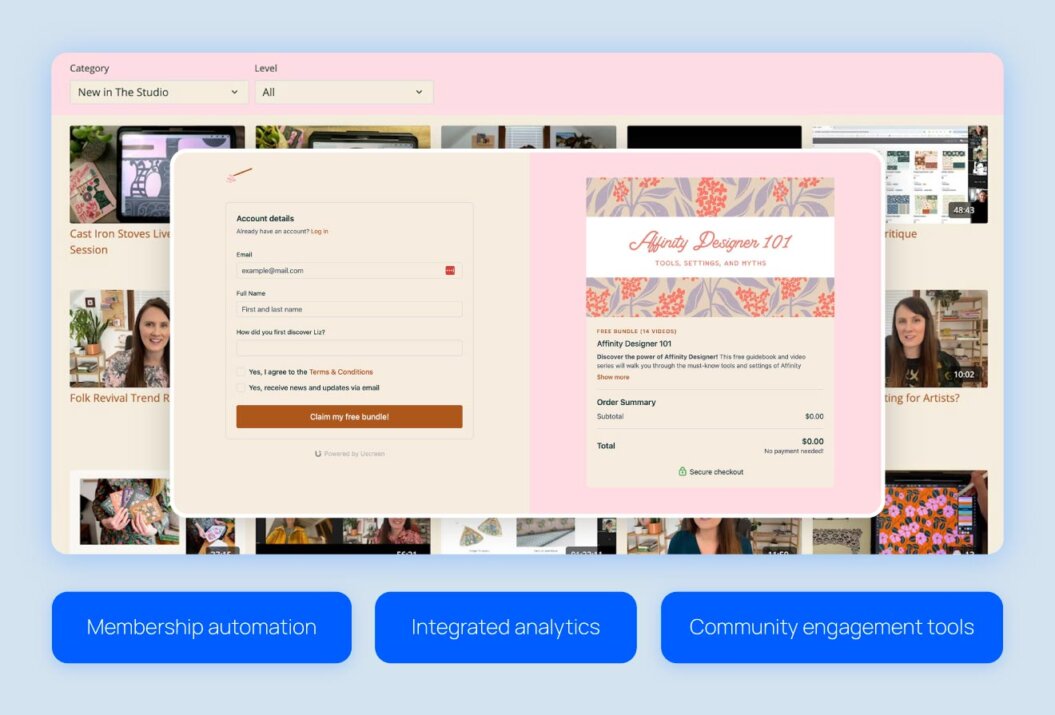
The Studio Membership
Liz outgrew Kajabi as her membership expanded. A slow backend, unreliable automations, and limited community features made managing her 500+ videos and delivering a seamless experience difficult. Migrating to Uscreen helped Liz organize content efficiently and improve discoverability for her audience.

With Uscreen, everything’s integrated—analytics, subtitles, community tools—so I don’t have to juggle multiple platforms or deal with technical issues anymore. It lets me focus on creating content, not the backend.
Since switching, The Studio Membership generates $75,000 monthly with paid membership growth of 14% over three months. With better built-in tools and organized content, Liz can focus on creating and teaching while scaling her membership sustainably.
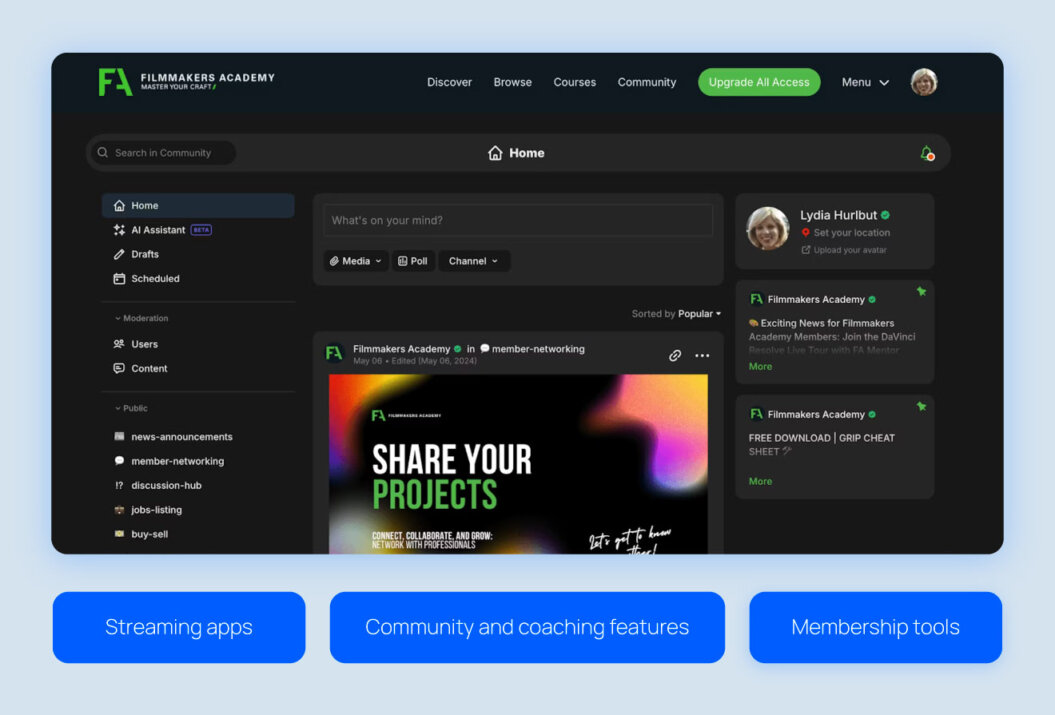
Filmmakers Academy
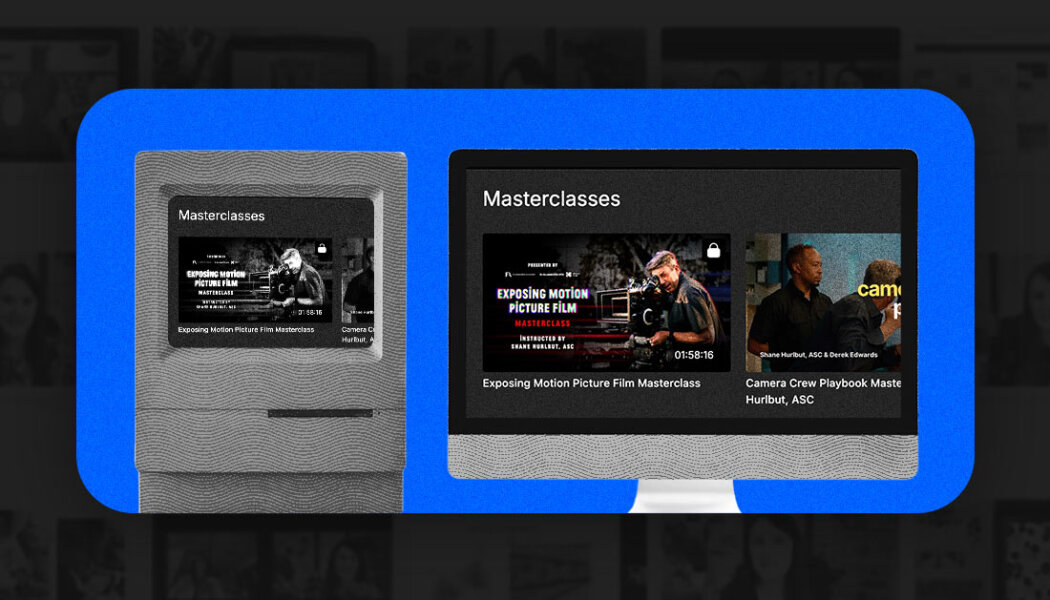
Shane and Lydia Hurlbut needed a platform that could keep up with their growing membership and large content library. Their previous setup lacked key features that made managing content and community cumbersome. Migrating to Uscreen helped them centralize content and launch four streaming apps, providing a smoother experience for members.
For us, the more turnkey and simple the system, the better, because it means less management on our end. None of us are custom coders—we’re all filmmakers. We didn’t go to school for web design or anything like that. So, it’s great that with just a basic understanding of Uscreen’s backend, anyone on our team can facilitate changes and update things in real time.
Since the migration, Filmmakers Academy has grown its member base by 180%, added members from 96+ countries, and sees an average 8% monthly growth in paid members. Members now easily navigate the library and participate in coaching and networking programs in a single, integrated platform.
Migrate seamlessly with Uscreen
Content migration is a strategic opportunity to set your library up for effective digital content monetization and deliver a membership experience your audience will love.
With Uscreen, a dedicated migration specialist guides you through the process to make sure nothing is lost, content moves efficiently, and the experience is as painless as possible. From planning to execution, you stay in control while your members enjoy a smooth, polished transition from day one.
FAQs
What are the 5 stages of migration?
Content migration typically happens in five stages:
- Audit
- Planning
- Transfer
- Testing
- Launch
Uscreen creators begin by meeting with a migration expert to review their current platform, content, and billing setup. Together, they create a customized migration plan and timeline tailored to your library and platform.
Next, content and user data are transferred to Uscreen and tested to ensure videos, memberships, and access settings work correctly.
Once everything is ready, creators launch their new platform with communication templates and best practices to guide members smoothly through the transition.
What does content migration mean for creators?
Content migration is a chance to organize your library, refresh older content, and set up memberships for long-term growth.
At Uscreen, creators work with a migration expert who guides the move, transfers content, and ensures members can easily find and enjoy everything on the new platform.
How long does content migration take?
Timelines vary based on the size and complexity of your library, but most migrations take four to eight weeks. Smaller libraries are faster, while larger libraries with hundreds of videos or multiple membership tiers can take longer. Uscreen’s migration support helps keep the process efficient and predictable.
What support does Uscreen offer for migration?
Uscreen helps creators every step of the way, from planning the move to launching on the new platform. Migration experts guide you through organizing your library, transferring content and memberships, and setting up access tiers. They also provide tips and best practices to ensure your audience stays engaged throughout the transition.
Will I lose existing subscribers when migrating from another platform?
With proper planning, creators should not lose subscribers during migration. Clear and proactive communication with members ensures they feel informed and prepared to transition to the new platform.