
Thinkific has four plans. Basic costs $40/month, Start $82/month, and Grow $164/month, all billed annually. Plus has custom pricing.
Thinkific Payments has no platform transaction fee, but you still pay 2.9% in card processing. If you use your own Stripe or PayPal, you pay 5% on the Basic plan, 2% on the Start plan, and 1% on the Grow plan.
If you run a video membership, Uscreen is built for that job. Every plan includes native live streaming. Branded iOS and Android apps start on the App Essentials plan, and TV apps come with the Custom plan. The Starter plan is $49 a month (billed monthly, up to 100 subscribers).
Thinkific pricing plans at a glance
| Plan | Monthly billing | Annual billing (per month) | Annual total |
|---|---|---|---|
| Basic plan | $54/month | $40/month | $475/year |
| Start plan | $109/month | $82/month | $978/year |
| Grow plan | $219/month | $164/month | $1,968/year |
| Plus | Custom | Custom | Custom |
Does Thinkific have a free plan?
No. Thinkific retired its free plan. The current entry point is a 30-day free trial on any of the three paid plans. The platform’s own pricing FAQ states: “No, instead, you can explore the whole platform with a 30-day free trial. Build courses, host communities and test all the AI tools for a full month before you pay a cent.”
What does each Thinkific pricing plan include?
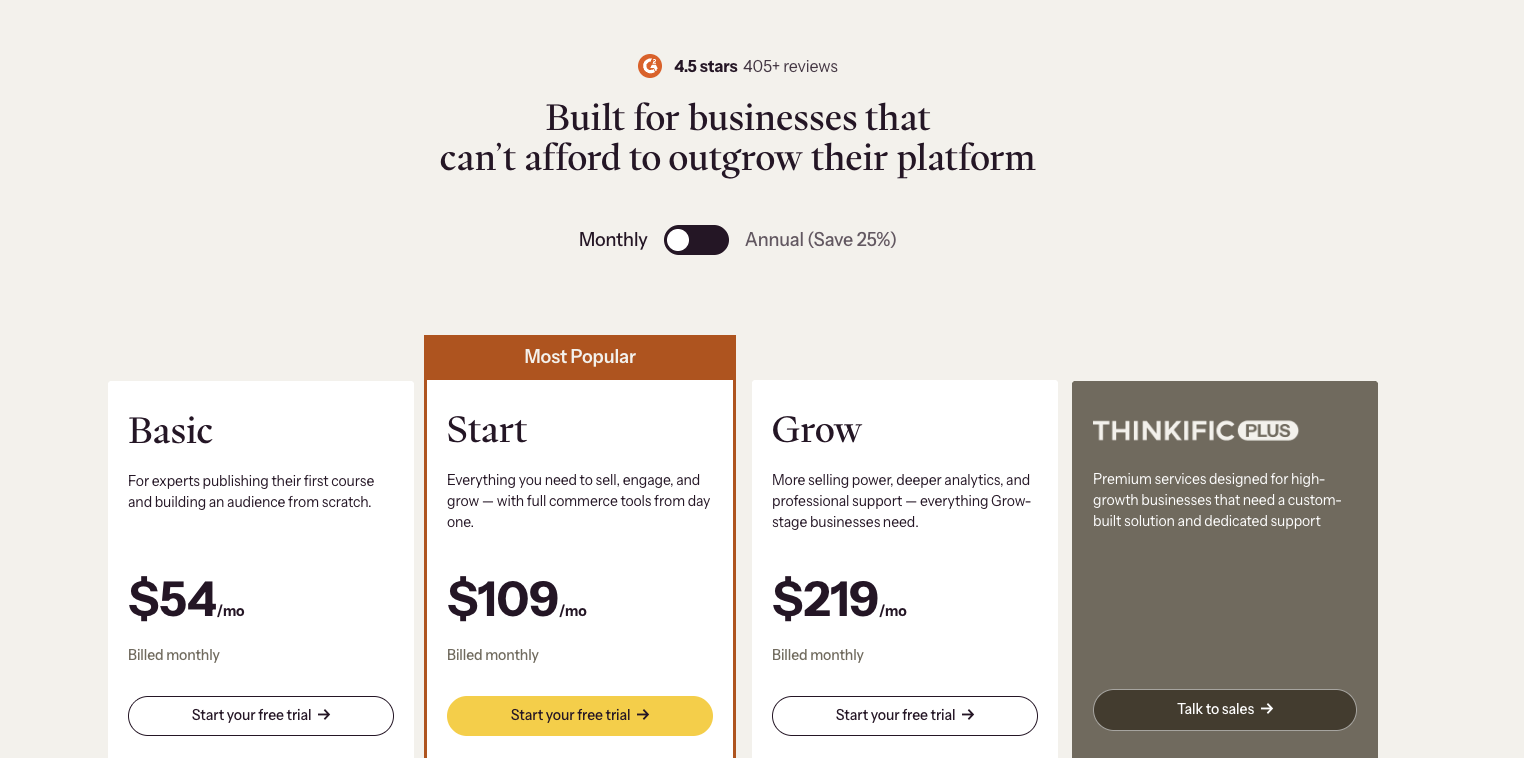
All Thinkific paid plans (opens in new tab) include unlimited courses, a custom domain, email automation, abandoned-cart emails, quizzes, one community, and eCommerce tools like order bumps and gifting.
Here is how they differ:
Basic plan ($40/month, billed annually)
The Basic plan is built for experts publishing their first course and building an audience from scratch. It covers the core course-selling infrastructure without any of the commercial tools needed for recurring revenue.
What the Basic plan includes:
- Email and chat support
- Abandoned-cart emails
- Unlimited published courses
- Sales and student dashboards
- 99.5% uptime and SSL on all plans
- Email automation, landing pages, and site builder
- One community with up to five spaces and five live events
- Digital product sales, up to five e-books, workbooks, or templates
- eCommerce tools: checkout, order bumps, gifting, and coupon codes
- Drag-and-drop course builder, with quizzes, in-course discussions, and scheduled content
What the Basic plan does not include
The Basic plan sells one-time purchases only. Memberships, subscriptions, payment plans, product bundles, and free trial offers for students all require the Start plan. Completion certificates, assignments, graded quizzes, and live Zoom cohorts are also Start plan features.
Branding and integration tools sit even higher. Thinkific’s name stays on your website until the Grow plan, and API access, webhooks, and PayPal payments are Grow plan features too. Phone and priority chat support only becomes available from the Grow plan.
If you plan to sell anything beyond a one-time course purchase, the Basic plan runs out of capability quickly.
Start plan ($82/month, billed annually)
The Start plan is Thinkific’s most popular tier and the minimum required for any recurring revenue model. It gives you everything in the Basic plan, plus the full commerce layer needed to sell memberships and subscriptions.
What the Start plan adds:
- Two site admin accounts
- Advanced CSS/HTML editing
- Members-only website sections
- Free trial offers for your students
- Product bundles, upsells, and payment plans
- One community with up to ten spaces and unlimited live events
- Assignments and graded quizzes, with lesson-unlock progression
- Completion certificates, with branded PDFs your students can share on LinkedIn
- Memberships and subscriptions: charge a recurring fee for ongoing access to a course library
- Live cohorts and coaching: unlimited Zoom sessions, bookable calendars, and attendance tracking
If memberships, subscriptions, or payment plans are part of your model, the Start plan is the minimum entry point.
Grow plan ($164/month, billed annually)
The Grow plan is positioned for established businesses that need white-label branding, B2B sales tools, and deeper operational control.
It includes everything in the Start plan, plus:
- Six site admin accounts
- Invoicing for B2B buyers
- Student engagement reports
- Phone and priority chat support
- Bulk import and student enrollment
- Thinkific Analytics, API, and webhooks
- Share revenue with up to three partners
- Three communities, each with up to twenty spaces
- Thinkific branding removed from your website and products
- Zapier actions (Zapier triggers are available from the Basic plan)
- Group orders and B2B sales: sell bulk seat licenses to companies buying for their teams
The Grow plan makes sense when you need your own branding on the platform, sell to business buyers, or want API access to connect Thinkific to external tools.
Thinkific Plus (custom pricing)
Plus is a custom-priced enterprise tier that requires a sales conversation. It is designed for high-growth businesses that need a custom-built solution and dedicated support.
It includes everything in the Grow plan, plus:
- AI teaching assistant
- Single sign-on (SSO)
- Learning paths and SCORM
- Custom analytics dashboards
- Custom roles and administrators
- CRM integrations with HubSpot and Salesforce
- Generous user capacity, with 10,000-plus user seats
- Branded mobile app, included on select Plus contracts
- Dedicated Customer Success Team covering migration, setup, and go-live
SCORM support is exclusively available on Plus. If your courses need SCORM compliance for corporate or compliance training, none of the three self-serve plans cover it.
Does Thinkific offer a branded mobile app?
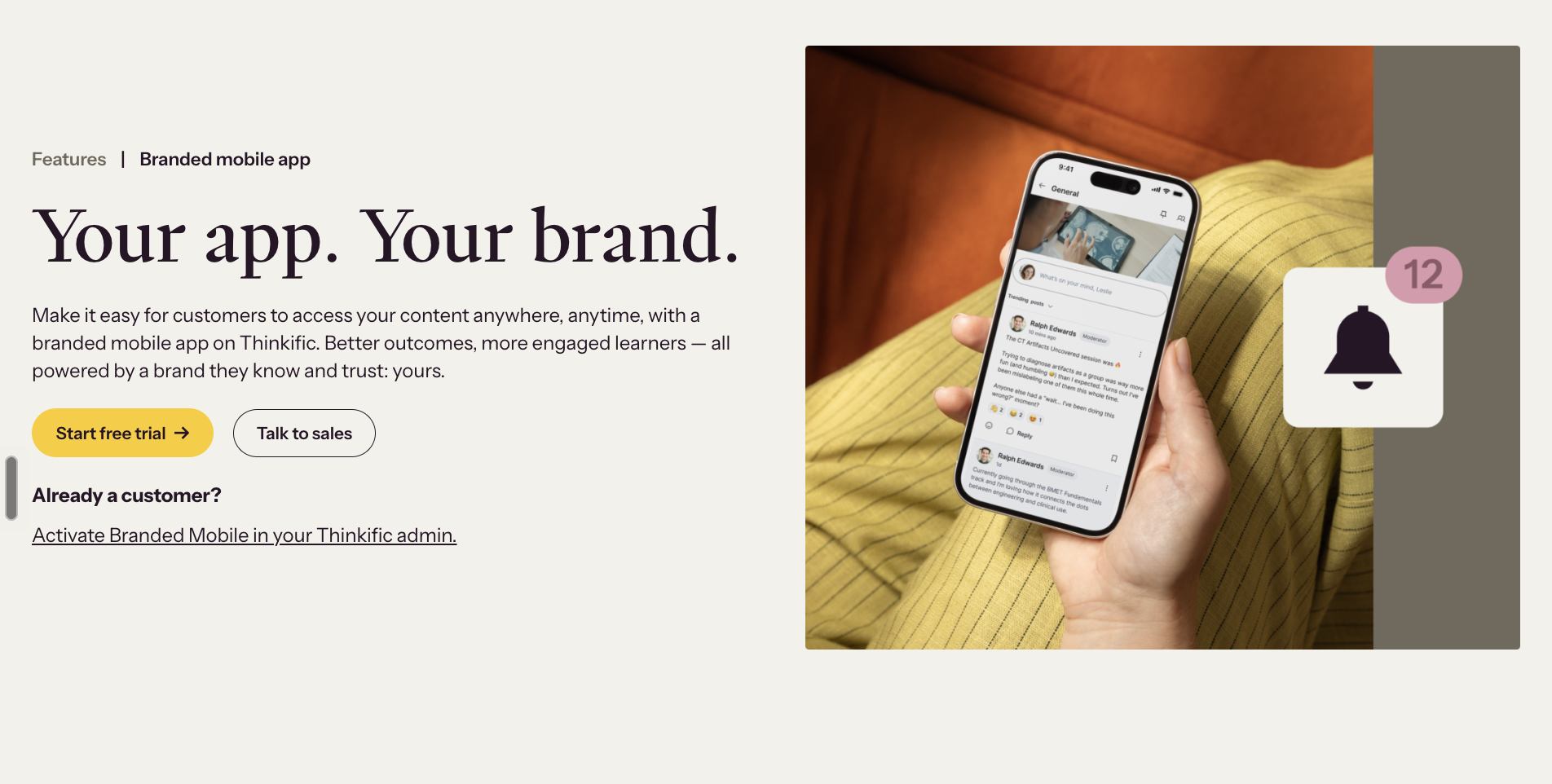
Yes, but it is a paid add-on, not included in any self-serve plan. The Branded Mobile App (opens in new tab) add-on is priced at $199 per month. It gives you a branded iOS and Android app where learners can access courses, stay engaged with the community, and keep coming back under your brand, with no custom development required.
The add-on is activated directly from your Thinkific admin. On select Plus contracts, the branded mobile app is included rather than billed separately.
If you are on the Grow plan ($164/month annually) and add the app, your actual platform cost becomes $363 per month. Thinkific’s pricing page lists no TV apps for Roku, Apple TV, or Fire TV on any plan.
What are Thinkific’s transaction fees?
Thinkific advertises 0% platform transaction fees. That is accurate, but only when you process sales through Thinkific Payments (opens in new tab) , Thinkific’s own payment processor.
If you route sales through your own Stripe, Thinkific charges an additional gateway fee on top of your processor’s standard rates. PayPal is available from the Grow plan and is subject to the same fee structure once supported.
| Plan | Fee on your own Stripe (or PayPal from Grow up) |
|---|---|
| Basic plan | 5% of every sale |
| Start plan | 2% of every sale |
| Grow plan | 1% of every sale |
| Plus | No fee |
The fee applies to sellers in the USA, Canada, the UK, and the EU, and is waived above $1 million in annual sales within a calendar year. The actual percentages are not printed on the pricing page. The page states that the fee “varies per plan type” and links to a separate Thinkific support article (opens in new tab) for the specific rates.
Two scenarios to understand before you choose a plan:
If you use Thinkific Payments, there is no platform fee. Card processing rates apply at 2.9% plus $0.30 per transaction, which is in line with standard Stripe rates. Most sellers will land here by default.
If you keep your own Stripe, the 5% gateway fee on the Basic plan sits on top of Stripe’s own 2.9% plus $0.30. On $5,000 in monthly course revenue, the 5% gateway fee alone costs $250. Over a year, that’s $3,000 in gateway fees, more than six times the $475 annual plan price.
The fee matters most if you need to keep your own Stripe account. That’s usually because your subscription history, customer records, or refunds already live there. If that is your situation, the gateway fee is a real ongoing cost, and upgrading to the Start plan (2%) or Grow plan (1%) may be worth doing on numbers alone.
What are the limitations of each Thinkific pricing plan?
Before choosing a Thinkific plan, check video streaming bandwidth, digital product caps, community spaces and live event limits, admin account seats, branding removal availability, and SCORM support. The capability gaps between plans matter more than the price difference alone.
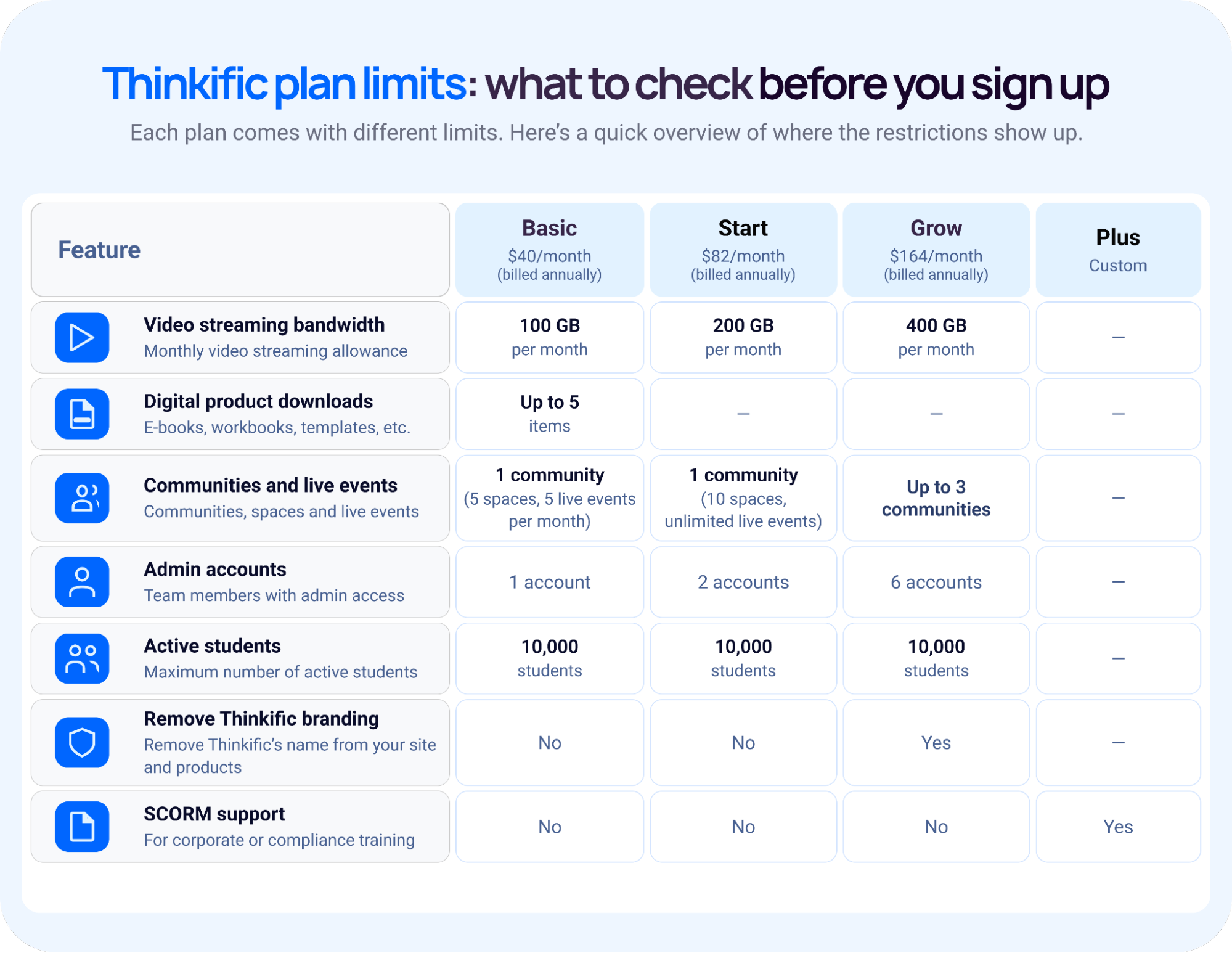
Here is what each plan restricts, in the categories that matter most:
- Video streaming bandwidth: The Basic plan includes 100 GB of video streaming per month. The Start plan raises that to 200 GB, and the Grow plan to 400 GB. A large video library or many students streaming simultaneously will hit the Basic plan cap faster than most buyers expect.
- Digital products: The Basic plan caps digital downloads at five items, covering e-books, workbooks, and templates. If downloadable files are part of your offer stack, you hit this ceiling fast and need to upgrade to the Start plan.
- Communities and live events: The Basic plan gives you one community with five spaces and five live events per month. The Start plan raises spaces to ten and makes live events unlimited. Multiple communities, up to three, only become available from the Grow plan.
- Admin accounts: The Basic plan allows one admin account. The Start plan allows two. The Grow plan allows six. For any team-run business, this is often the first limit you feel.
- Active students: All three self-serve plans cap active students at 10,000. For most businesses, a feature limit comes before a student limit.
- Branding: Thinkific’s name stays on your website and products until the Grow plan.
- SCORM: SCORM is available on the Plus plan only. None of the three self-serve plans support it, which matters for anyone selling into corporate or compliance training environments.
For a full comparison of Thinkific against other platforms, see Thinkific alternatives (opens in new tab) .
Uscreen: a Thinkific alternative built for video memberships
If the gaps above match your situation, Uscreen (opens in new tab) is built around recurring video memberships, with live streaming, apps, and TV apps on the plans listed below.
Uscreen is a video membership platform built for businesses that need to deliver, monetize, and grow a video library. Native live streaming is included from entry-level plans (opens in new tab) . There are no third-party gateway fees.
Starter has no per-subscriber fee, up to 100 subscribers. From Growth up, Uscreen charges a per-subscriber fee on top of the plan price, and it gets smaller on higher plans. Card processing applies to every plan.
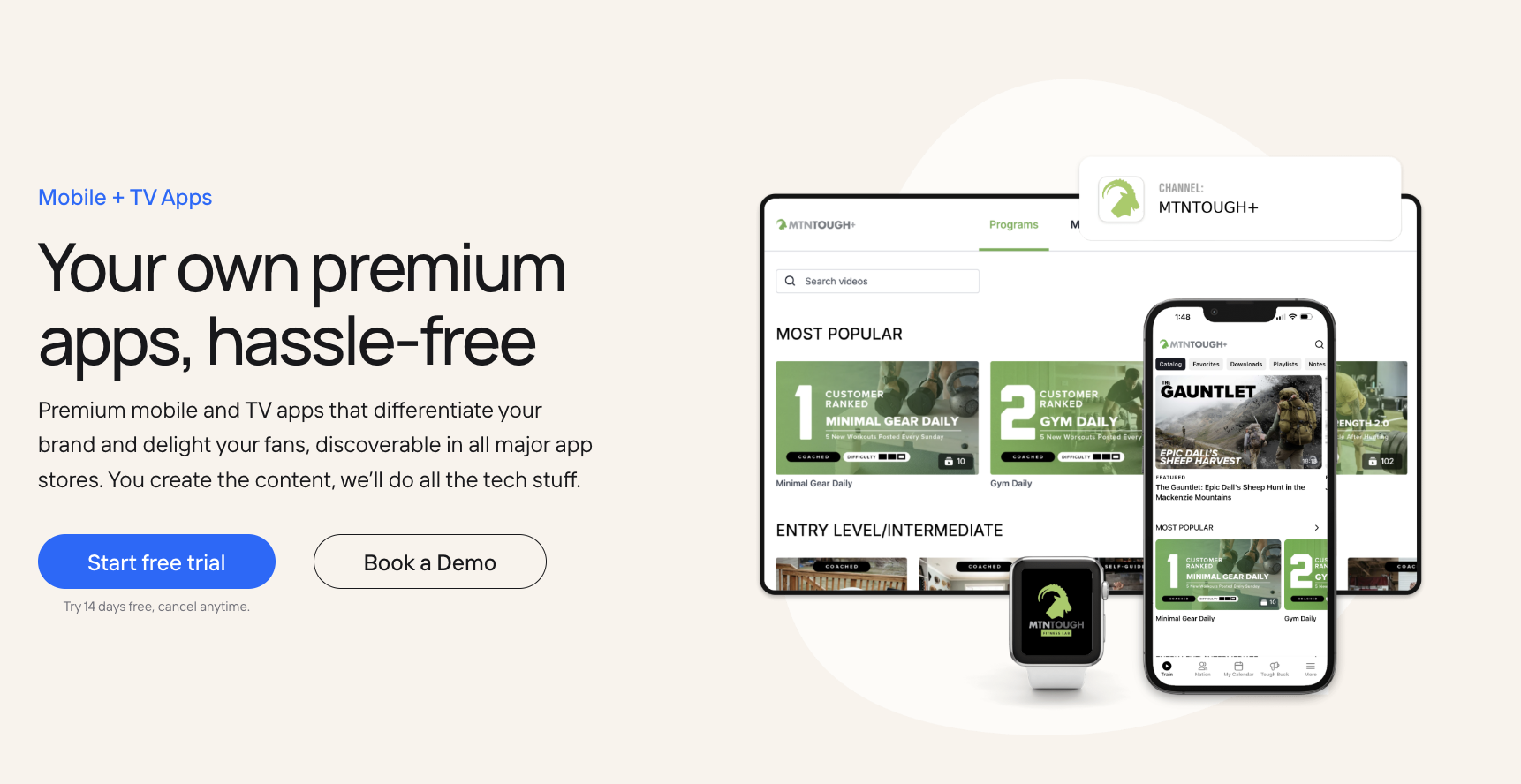
Branded iOS and Android apps (opens in new tab) are available from the App Essentials plan. The Custom plan includes TV apps on Roku, Apple TV, Fire TV, and Samsung TV. Community tools, including channels, polls, challenges, and DMs, are available on the Custom plan.
On App Essentials and above, Uscreen’s Migration team moves your videos and members for you. It has completed thousands of migrations.
Start a free trial (opens in new tab) or book a demo (opens in new tab)