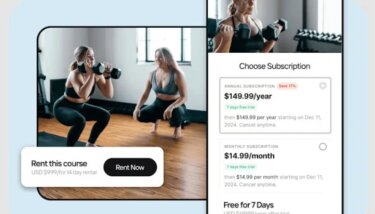
Every Zoom workshop, coaching call, or live session you host takes real time and effort to produce, but most creators never repurpose or reuse that content after the fact. For creators who regularly live stream, 80% of total views come from on-demand content, not the live event itself, and that gap is where the real revenue opportunity lives.
This guide walks through how to monetize Zoom recordings and turn your existing library into a structured, recurring revenue stream using Uscreen.
Unlock more value from your Zoom recordings
You’ve likely saved dozens of Zoom recordings that never made it past a cloud folder. The content exists, but without a central home or revenue system behind it, it stays scattered and unmonetized.
The missing piece is turning what you already have into something people can find, access, and pay for. Start by focusing on evergreen topics, high-engagement sessions, and training that answers the questions you get repeatedly.
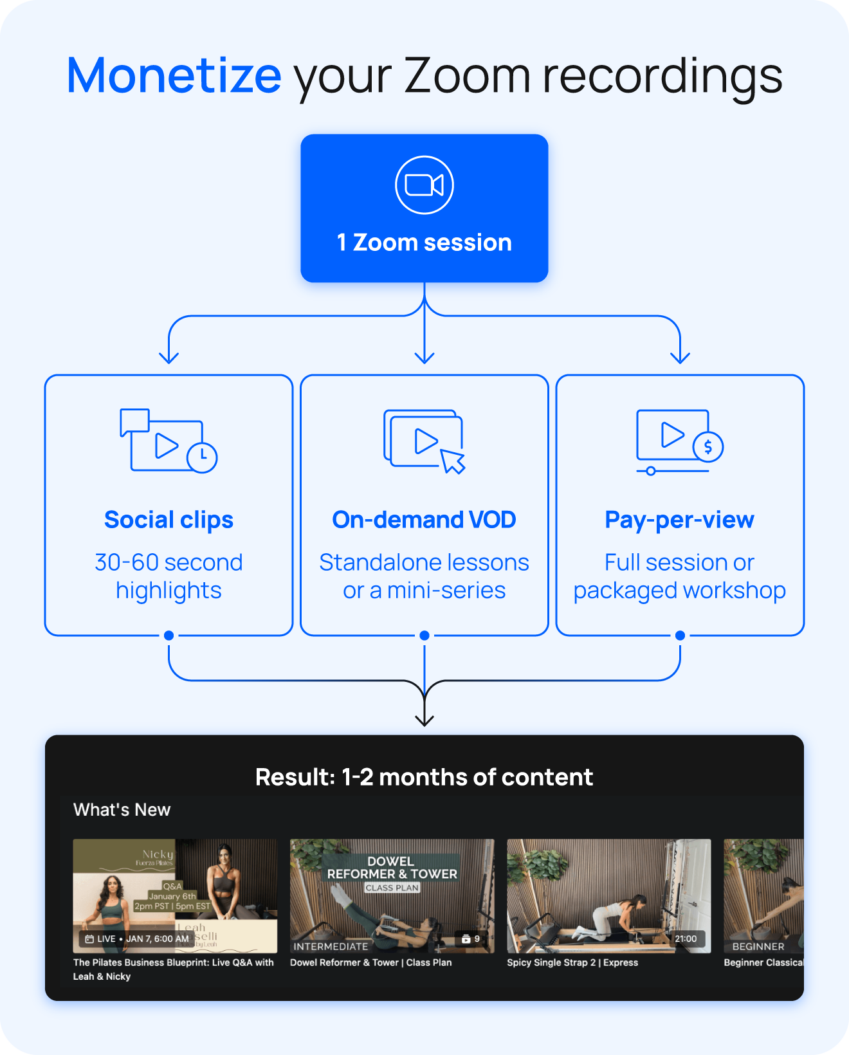
From there, match the content to the right format:
- Strong tips and quotable moments → social clips
- Full workshops with standalone value → pay-per-view or VOD
- Multi-session topics with natural progression → courses or mini-series
How to monetize Zoom recordings
The recordings you already have are the foundation of a recurring revenue stream. Here’s the workflow to turn them into one:
- Organize your existing recordings
- Package them into offers
- Publish on a platform that centralizes hosting, access, and payments
- Monetize through memberships, VOD, or pay-per-view
Here’s how to put each step into practice when selling videos online.
Step 1. Audit and organize your existing recordings
The biggest shift in Step 1 is how you look at your library. Instead of viewing recordings as event archives, evaluate each one as a potential product.
Ask yourself what a paying member would get from watching it and whether it delivers enough value to stand on its own. Sort them into three buckets:
- Ready to publish: evergreen, high-value sessions that need little to no editing
- Needs light editing: solid content that requires trimming or cleanup before publishing
- Not worth keeping: outdated, low-quality, or redundant sessions to archive or discard
Once you know what you’re working with, the next step is deciding how to package it.
Step 2. Package Your Content Into Offers
Before you package anything, think about how your audience likes to learn. A two-hour workshop might be exactly what some members need, but others would get more value from the same content broken into focused 10-minute lessons.
Group content around outcomes rather than topics. “Build a consistent morning routine in 30 days” is a more compelling offer than “morning routine videos.” The same recordings packaged into a clear path feel more intentional and worth paying for:
- Courses: a defined start-to-finish path built from related sessions
- Collections: themed groups members can explore at their own pace
- Memberships: ongoing access to your full library with new recordings added continuously
Once your offers are defined, the next step is giving them a home.
Step 3. Centralize everything into a single content hub
Scattered storage is one of the biggest obstacles to monetizing your recordings. When content lives across Google Drive, Dropbox, and Zoom’s cloud, there’s no clear destination for members to discover and access it. Here’s how to fix that:
- Choose one video-selling platform to host all of your recordings
- Organize content with custom categories, tags, and descriptions
- Structure your library so members can browse by topic, skill level, or outcome
- Make sure search works intuitively so members can find what they need quickly
Uscreen gives your content a reliable home where members can watch on mobile, TV, or web and stay connected through built-in community tools.
that keeps them engaged between sessions.
Shift from one-time sales to recurring revenue
Think about how your organized, packaged recordings work together as a revenue system rather than individual products:
- Rent or sell individual recordings: Give new audiences a low-risk way to experience your content.
- Package sessions into courses: Create a structured offer that showcases the depth of your expertise.
- Build a membership around your library: Give subscribers ongoing access to everything you create, with new content added continuously.
Each offer serves a different stage of your audience’s journey and naturally leads them toward a membership. As you keep adding new Zoom sessions, your library grows in value and gives members a continuous reason to stay subscribed.
That compounding effect is what turns a content library into a reliable recurring revenue stream. The right membership site platform helps you effectively monetize online content.
How to optimize Zoom recordings for on-demand use
Raw Zoom recordings weren’t designed for on-demand viewing. They were built for a live audience with context, energy, and real-time interaction. Editing Zoom recordings for on-demand use takes a few intentional adjustments, but it doesn’t mean starting over.
Improve structure and clarity
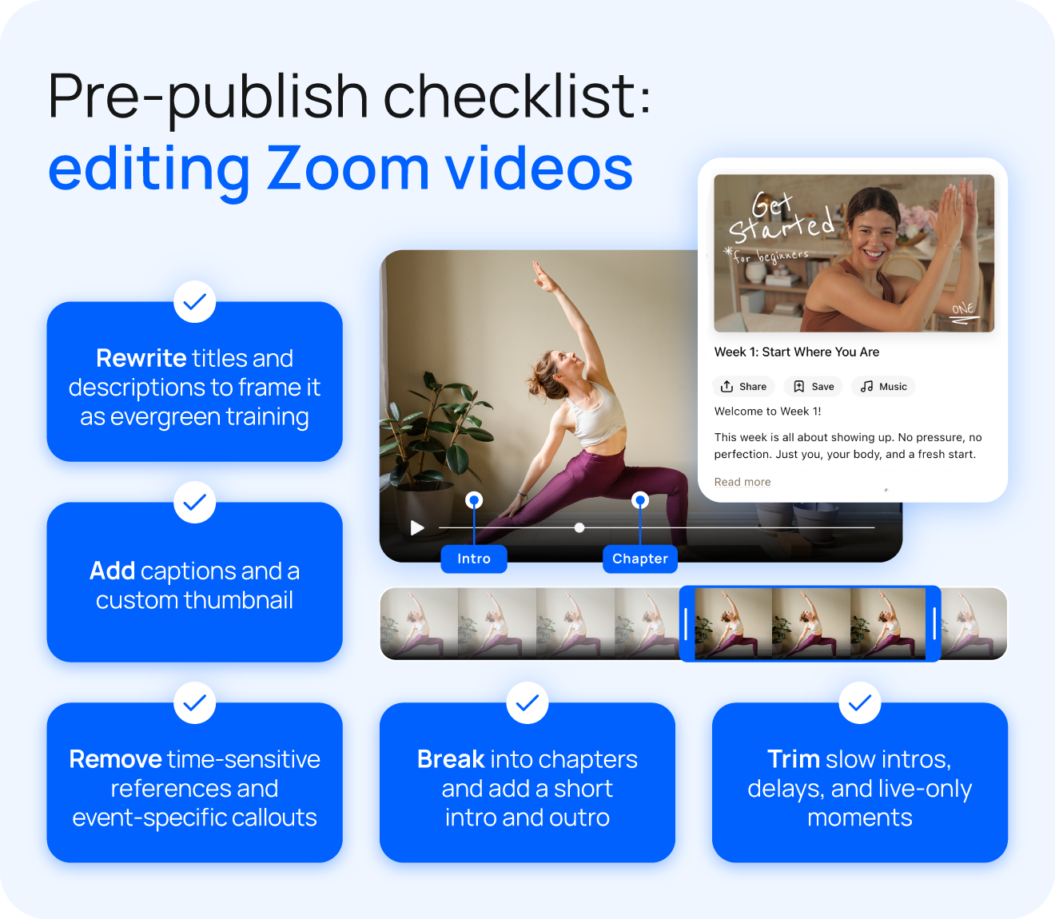
The biggest watchability issue with raw recordings is pacing. Live sessions often have slow intros, technical delays, and transitions that make sense in the moment but lose viewers on replay. A few targeted edits can make a significant difference.
- Trim slow openings, technical delays, and any moments that only made sense live.
- Break longer recordings into chapters or sections with clear titles.
- Record a short intro and outro for each session, so viewers have context and a clear place to finish.
Reframe content for evergreen value
A recording that references “this week’s challenge” or “as I mentioned in last Tuesday’s call” immediately signals to viewers that they missed something. Those moments make content feel dated and reduce its long-term value. The fix is simpler than it sounds.
- Remove or edit out time-sensitive references, event-specific callouts, and anything that assumes live context.
- Rewrite titles and descriptions to position sessions as training or education rather than replays.
- Make sure each session can stand on its own so new members can start anywhere in your library.
How repurposed content increases recurring revenue
Marnie Alton, founder of M/Body, built a $40K-per-month fitness membership by doing exactly what this post outlines. After transitioning her Los Angeles studio online, she built her entire content strategy around live streaming, filming 95% of her content live and letting Uscreen automatically add each session to her on-demand library afterward.
That single workflow repurposes content from every live class into two revenue opportunities:
- Income from members who showed up live
- Ongoing value for subscribers who watched on demand
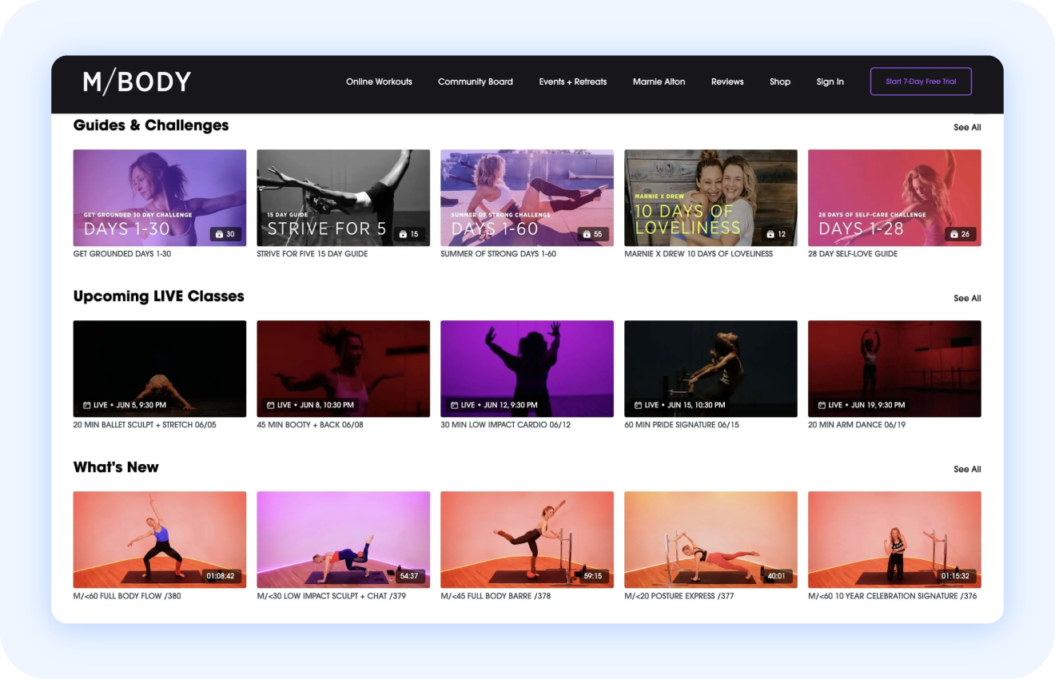
With 62% of her members watching through the app on their own schedules, every session she adds makes the library more valuable and gives her 1,200 members more reason to stay subscribed. The live energy brings people in. The on-demand library keeps them there.

I’ve been really happy with the app because you can work out offline. That’s a huge plus for me, and it works well for our global community too. Members in areas with spotty Wi-Fi, or those taking us along on vacation or a road trip, can still access everything they need.
Why membership platforms unlock recurring revenue
Selling recordings individually caps your earning potential at the number of transactions you can drive. A membership platform turns your library into a subscription that grows in value every time you add a new session.
With Uscreen, your Zoom recordings stop being isolated assets and start working together as a system. Organize your full library in one place and continuously add new content to your offering. Beyond hosting, Uscreen gives you everything you need to drive engagement and retention:
- Branded mobile and TV apps so members can watch however and wherever they prefer
- Live streaming that feeds directly into your on-demand library after each session
- Community tools that keep members connected between sessions
- Marketing and membership tools to manage subscribers, run promotions, and reduce churn
- Built-in analytics to track what content is performing and where members drop off
Get more from your Zoom recordings with Uscreen
When you monetize digital content from Zoom recordings, it takes the right support to turn what you already have into a more powerful recurring revenue opportunity.
Uscreen makes it easy to upload your existing recordings, organize your library, and launch a membership in one place. Build your offers and sell videos online through a membership that grows with every session you add.
FAQs
To monetize existing content, upload your existing recordings to a platform like Uscreen, organize them into courses or a membership library, and start charging for access. You don’t need to create anything new to get started.
Building a membership around your library. Rather than selling recordings individually, a membership gives subscribers ongoing access to your content and generates recurring revenue every month. Combine it with pay-per-view and standalone courses to create multiple entry points for new audiences.
Membership sites give your recordings a permanent, organized home where members can discover and access content on demand. Payments, access control, and subscriber management are all handled in one place, turning a scattered library into a structured revenue system.
Once your recordings are uploaded and published, they generate income without additional effort. Every new subscriber gets access to your existing library, making your past work a compounding asset over time.