
To keep new members after Cyber Monday, give them a clear first video and aim for three watch days in their first week. Member retention after Cyber Monday starts the moment someone joins, so make their next watch obvious.
For your fitness membership, yoga library, or niche streaming service, start with the content you sold. If your offer featured a beginner strength plan, the welcome email should lead straight to its first session. Similarly, someone who joined a film collection should get a suggestion for the first film to watch.
Whether someone bought a monthly or annual subscription, they need clear onboarding to build a habit of engaging.
This guide builds on Part 7: Build Momentum in the Membership+ Black Friday and Cyber Monday Playbook (opens in new tab) . Each person’s onboarding starts when they join, even while your sale is still running.
How should you close the Cyber Monday sale?
To close the Cyber Monday sale, shut the offer at the exact time and time zone you advertised and remove every expired banner. If you announce a price rise, apply it as promised. Make the next message to buyers about starting to watch.
For people who didn’t buy, send one useful email with no new offer. Choose a video they can watch without paid access.
For example:
Subject: A useful place to start [goal]
Hi [first name],
If you’re working on [goal], try [free video title]. It covers [specific, accurate benefit] and is available here: [public video link].
I hope it gives you something useful to try this week.
CTA: Watch [free video title]
Send it only to people who still want your marketing emails. Keep the sale closed. An extra day or a bigger discount would undermine the deadline you asked people to trust.
How do you give new members a reason to watch in their first week?
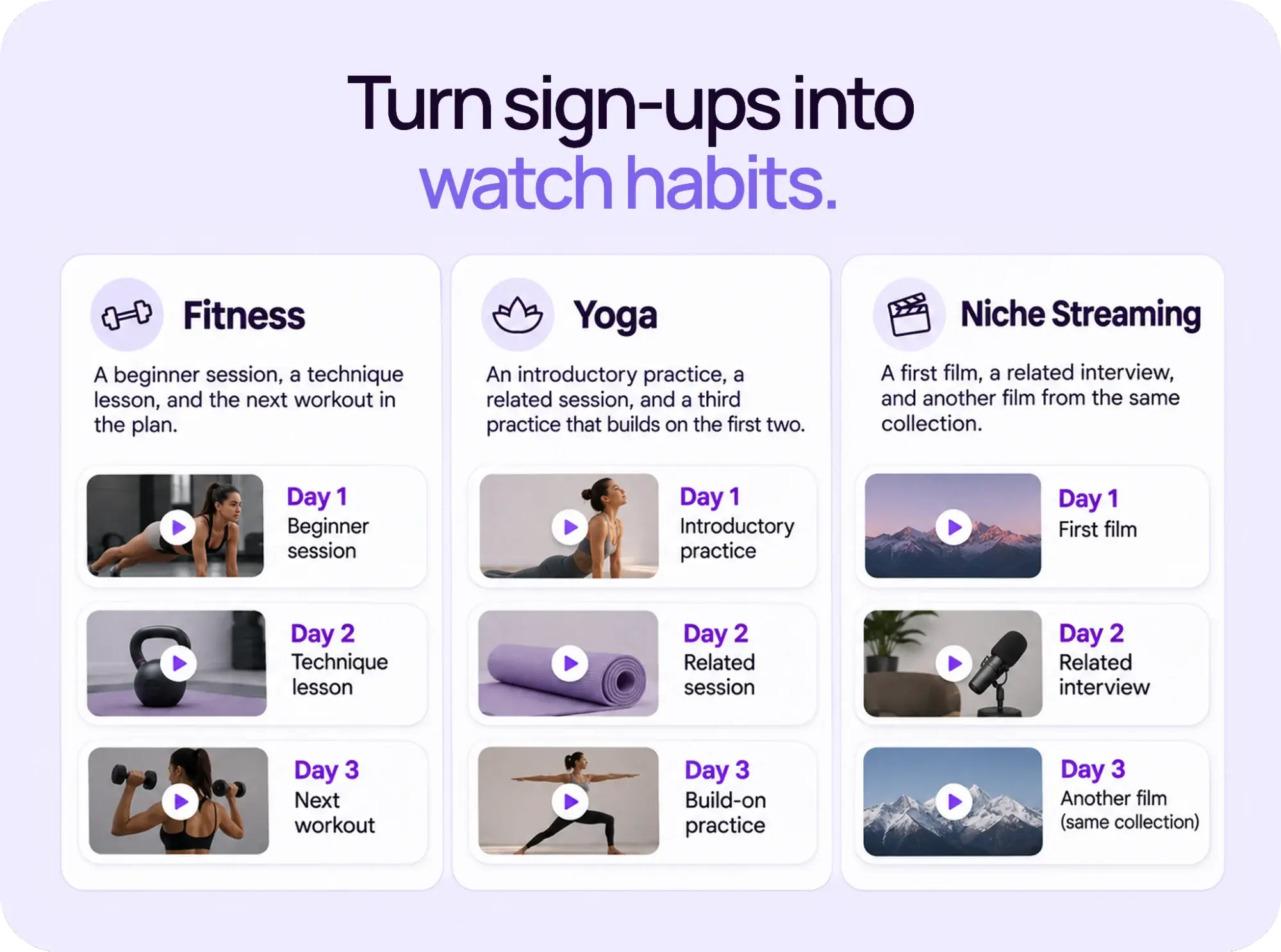
To give new members a reason to watch in their first week, plan three separate watch days and lead each with a targeted video recommendation that matches what they signed up for. Three videos in one sitting count as one watch day.
Use the three-day goal to shape your welcome journey, then check how your members respond. Pick the videos before you write the emails. Choose content that suits their level, interests, and available time.
For example, you could build these paths from content you already offer:
- Fitness: A beginner session, a technique lesson, and the next workout in the plan. Leave suitable time between workouts.
- Yoga: An introductory practice, a related session, and a third practice that builds on the first two.
- Niche streaming: A first film, a related interview, and another film from the same collection, where your library supports that path.
Show the actual length beside each recommendation. Someone can then decide whether to watch now or save it for later. Keep one clear destination in each message.
Help members watch where they prefer. Uscreen’s branded mobile apps are available on App Essentials or Custom (opens in new tab) . TV apps are available on Custom. Share links only to the apps your membership offers.
With Uscreen’s community tools (opens in new tab) on Custom, you can invite members to discuss that week’s workout, practice, or film. Give them a specific prompt, such as what they’d like to try next.
Your 14-day plan for member retention after Cyber Monday
A 14-day member retention plan gives each new signup a structured path from their first watch to a second-week habit. Use the Membership+ Onboarding Playbook (opens in new tab) to build that path. Day 0 means the day someone gets access, including the start of a trial where you offer one.
| Timing | Member’s next step | Suggested subject | What you check |
|---|---|---|---|
| Day 0 | Watch the first video you promised. | Start with [video title] | Can the member sign in and play it? |
| Day 2 | Return for the next suitable video. | Your next [session/film] | Did they start the first video? |
| Days 4–6 | Watch on a third day. | One more pick for your week | Which dates show watch activity? |
| Day 7 | Choose next week’s starting point. | What would you like next? | Do they need a different level or topic? |
| Days 8–10 | Follow the next series or collection. | Here’s your next [series/collection] | Are they returning after week one? |
| Days 11–14 | Move into your regular member emails. | Coming up at [membership name] | Is the next watch easy to find? |
These are planning dates. Adjust each message to what the member has done, and review other emails they’ll receive that day. Avoid stacking a welcome sequence on top of the same welcome message from your account settings.
Set up the sequence before the sale
In Uscreen, go to Marketing > Automations > New Automation and select Free Trial / New Member Onboarding. Edit the messages, links, delays, and audience rules using the workflow setup guide (opens in new tab) .
Check the event that starts the sequence. User Starts a Trial covers trial entry. User Purchases a Subscription starts at the first successful payment, which comes after the trial if there is one. Uscreen’s trigger guide (opens in new tab) explains the difference. Set up both paths carefully so members receive one welcome journey.
Automations don’t enroll people for events that happened before activation. Prepare a separate follow-up for anyone who joined earlier. Preview the messages and send a test email. Before the campaign, check the journey with an automation limited to your own test account.
What should your onboarding emails say?
Each onboarding email should name one video, give its length, and explain why it suits the member. Replace the bracketed fields with your own content and links. Keep every recommendation honest about the video’s length, level, and purpose.
Day 0: Make the first watch easy
Subject: Start with [video title]
Hi [first name],
Welcome to [membership name]. Start with [video title]
It takes [actual length] and [accurate reason this is a useful starting point]. You can watch it here: [direct member link].
CTA: Watch [video title]
If you have trouble signing in or playing the video, contact [support route].
Use a link to the video itself. Check what happens when a member opens it while signed out. Give them a clear route back to the content after signing in.
Day 2: Match the follow-up to the first watch
If you have reliable watch data, change the message for members who have started watching and those who haven’t.
For a member who has started
Subject: Your next [session/film]
Hi [first name],
When you’re ready for another [session/film], try [next title]. It [explains a useful next skill / continues the series / explores a related theme].
Set aside [actual length] on a day that works for you.
CTA: Watch [next title]
For a member with no recorded viewing
Subject: Need a hand getting started?
Hi [first name],
If you’re still choosing where to begin, [first video title] is a good starting point for [specific interest or goal].
If access, time, or finding the right content is getting in the way, contact [support route] so we can help.
CTA: Open [first video title]
Check what your watch signal measures. Uscreen’s Video Watched filter (opens in new tab) uses recorded viewing activity. A match doesn’t prove that someone finished the video. Don’t send congratulations or next-level recommendations that assume completion.
Day 7: Give the next week a starting point
Subject: What would you like to watch next?
Hi [first name],
For next week, we’ve picked [series or collection] for members interested in [specific goal or theme]. Begin with [title] when you have [actual length].
If you’d prefer a different [level/topic/genre], reply and tell us what you’re looking for.
CTA: Open [series or collection]
Use a monitored reply address. Then make the answers useful: recommend an easier workout, a different yoga focus, or a film from the genre they named.
For ongoing announcements, Email Broadcasts (opens in new tab) let you send a one-off message to a selected audience. Use them for a specific December release while your onboarding automation handles each new member’s sequence.
When should monthly members see the annual option?
Give monthly holiday joiners time to use the membership, then show the annual option before their second renewal and only to members who have been active in the last 30 days. Schedule against each person’s renewal date. A trial or billing change can shift that date.
Keep the holiday sale deadline closed. Use your regular annual plan for this later upgrade. Explain what they would pay and what they would save, if there is a saving. Don’t introduce another monthly discount or a lifetime offer.
For a monthly member who wants to continue, you could send:
Subject: Planning your next year at [membership name]?
Hi [first name],
If you’d like to keep using [membership name] over the next year, you can switch to an annual membership.
The annual price is [price and currency], billed upfront. That’s [verified saving] compared with 12 payments at your current monthly rate of [price].
Before you confirm, review the amount due, any credit, and the renewal date on the plan-change screen. Your annual membership will renew at [price and billing period], unless canceled under [membership terms].
CTA: Review the annual option
Calculate the savings against that member’s actual rate. Check the plan-change process (opens in new tab) for the relevant plan and payment route. Ask members to check the amount due and their new renewal date on the plan-change screen before confirming.
How do you measure member retention after Cyber Monday?
To measure member retention after Cyber Monday, track first-week viewing, 30-day retention, and cancellation requests as three separate signals for your holiday cohort. Separate new paid members, trials, and returning members, then split monthly and annual plans.
Measure first-week viewing from the day access starts. Measure paid retention from the first successful payment. Tag sale-period trials so you can track them when they convert to paid. Only compare cohorts after every member in the group has had the same number of days to reach the milestone you’re measuring.
To count separate watch days in Uscreen, review the Audience report (opens in new tab) one date at a time.
| Signal | What to record | What to do with it |
|---|---|---|
| First-week watch days | The number and share who watched on three separate days. | Review the starting videos and return prompts. |
| Weekly viewing | The number and share who watched in each later week. | Check whether your next recommendation fits their needs. |
| Cancellations requested | Who has asked to stop future renewal. | Read their reason and offer relevant help. |
| Paid access ended | Who lost paid access within their first 30 days. | Separate voluntary exits from payment failures. |
| Monthly renewals | Renewals due, payments collected, and unresolved failures. | Follow up on billing issues through the right payment route. |
For a simple first-month check, divide the number whose paid access ended within 30 days by the paid members in that group. Only include members whose full 30-day period has passed. Multiply by 100 for a percentage. Keep monthly and annual results separate, and review later trial conversions as their own group.
How do you act on what you find?
To act on what you find, match each signal to a specific response. Chase failed payments before the next billing attempt. Investigate cancellations before treating them as exits. Account for data gaps before drawing conclusions.
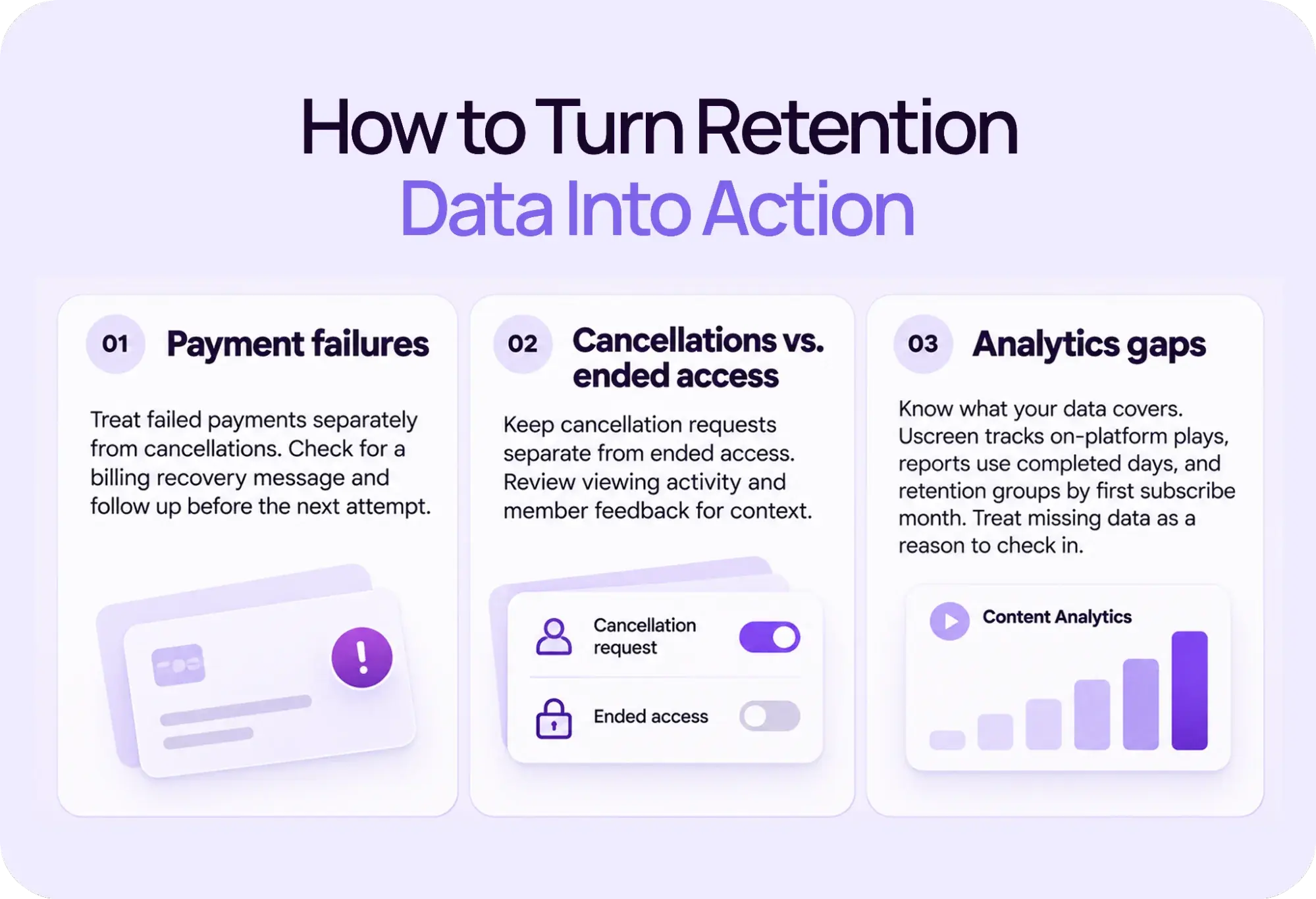
Here’s how to handle each one:
- Payment failures: If a failed payment ends someone’s access, treat it separately from a voluntary cancellation. A Cyber Monday signup may have used a new card or hit a spending limit. Check whether you’ve set up a billing recovery message in your email settings.
- Cancellations vs ended access: Keep cancellation requests separate from ended access. An annual member may turn off renewal while still having months left to watch. A high day-30 access rate among annual members doesn’t predict whether they’ll renew next year. Review viewing activity and member feedback to get a fuller picture.
- Analytics gaps: Account for what your viewing data covers. Uscreen’s Content Analytics (opens in new tab) records on-platform plays; offline views and watch time are not included. Analytics reports cover completed days (opens in new tab) , so allow for a reporting delay. Treat missing data as a reason to check in. Total plays alone can’t confirm separate watch days.
In Uscreen, Subscriptions Analytics (opens in new tab) includes engagement, churn, and retention reports. Its retention groups sort members by the month they first subscribed. Use analytics filters for an exact November 27–30 review. That calculation (paid access ended divided by paid members in the group) uses a different denominator from the dashboard’s period churn rate.
Use the How to Combat Churn playbook (opens in new tab) to investigate a drop. If people click but don’t watch, test the link and sign-in path. If they watch once and stop, review the next recommendation and ask what’s missing. If a renewal fails, check payment recovery before treating it as a decision to leave.
Compare the results with similar past groups on the same plan. Changes in your offer or audience can also affect the result. With small groups, wait for more data before drawing conclusions.
Keep the next video in reach
Before the sale starts, choose the first video, the two return visits, and the next week’s recommendation. Be sure to monitor your inbox for email replies. After the first two weeks, keep sending useful picks at a pace your members expect.
Uscreen’s member retention guide (opens in new tab) covers the wider work of keeping members engaged. For the rest of the season, connect this plan with your holiday promotion schedule (opens in new tab) .
Bring your video library and onboarding together
If you’re moving from another platform, Uscreen lets you manage your video library and onboarding emails in one place.
During November’s Built For This campaign, get 20% off the platform fee. Monthly plans get the discount for six months. Annual plans get it for 12 months, billed upfront. Subscriber fees stay the same.
Start a 14-day free trial (opens in new tab) on Starter or Growth by November 30. Trials that start by then qualify for the discount. For App Essentials or Custom, book a demo (opens in new tab) and contact the team by November 30.