
Send four Black Friday emails, including a useful teaser, a clear launch offer, a reminder that answers one concern, and a final deadline. Keep the schedule, but change the angle for leads, past members, and monthly members.
If you run a fitness membership, yoga library, or your own streaming service, each group needs a different reason to act. Leads need a good place to start. Past members need a reason to return. Monthly members need to see why a year of access makes sense.
Below is one four-email sequence you can adapt for all three audiences. It uses a November 27-30 sale window, with a teaser on November 20. Replace the bracketed details with your offer, content, and checkout links before sending.
Who should receive your Black Friday emails?
- Leads: People who have opted in to hear from you but have never held a paid membership. Lead with the result they want and the first video that helps them get there. They need a reason to start, not a reason to return.
- Past members: People whose paid membership has ended. Show one specific improvement since they left. For example, a shorter workout format, a new yoga series, or a new season of films. Don’t assume everyone left because of price.
- Monthly members: Active members on a monthly plan who are eligible to switch to annual billing. They already know your content. Show the annual price, the saving, and exactly what happens when they switch.
Your active annual members don’t need a new-member offer for access they already have. Check eligibility separately for trials, paused accounts, and memberships billed through an app.
For the wider campaign setup, use Parts 3, 6, and 8 of the Membership+ Black Friday–Cyber Monday Playbook (opens in new tab) alongside this guide.
What should your Black Friday emails offer?
Your Black Friday emails should offer one discounted annual membership with a consistent product, price, and deadline across every list. The emails explain why that year is worth starting now.
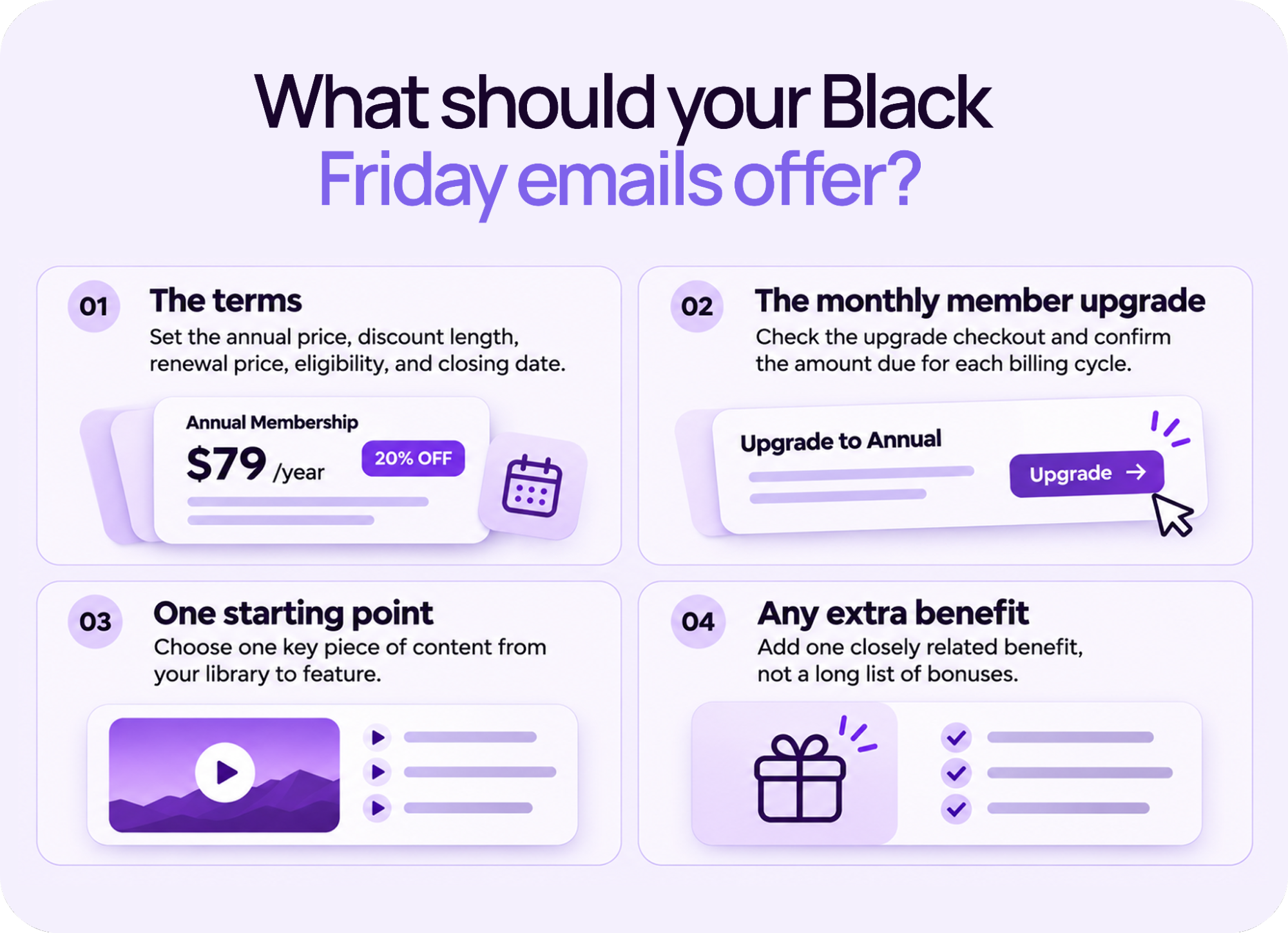
Here’s what to confirm before you write a word of copy:
- The terms: Write out the annual amount due, the discount length, the renewal price, who qualifies, and the closing date, time, and time zone. If the discount applies only to the first year, say so next to the price.
- The monthly member upgrade: Each monthly member upgrades at a different point in their billing cycle, so the credit they receive for unused time and the amount charged today varies per person. Don’t promise a fixed saving or credit amount in your email unless you’ve confirmed it applies to everyone on your list.
- One starting point: Pick one specific piece of content from your library. A yoga membership might feature a short morning series. A fitness membership might lead with a beginner strength plan. A streaming service might recommend a film collection for someone’s first weekend. These are examples to adapt, not results to promise.
- Any extra benefit: Keep it closely tied to that starting point. A long list of unrelated bonuses gives readers more to weigh up and pulls attention away from the annual offer itself.
Your four-email send calendar
Use these dates for a sale that opens on Black Friday and closes on Cyber Monday. Pick send times for your audience and state one deadline in one named time zone.
| Date | What it does | |
|---|---|---|
| November 20 | Teaser | Share something useful and signal the offer is coming. No price reveal. |
| November 27, morning | Launch | Explain the offer, what members get, and when it ends. |
| November 29 | Reminder | Answer one reason someone might still be unsure. |
| November 30, morning | Last chance | Restate the existing offer and deadline. Add a final-hours email only if it fits your normal email rhythm. |
The sections below give you the lead version of each email first. For past members and monthly members, use the replacement subject, opening, and call to action shown beneath it. Keep the offer details and deadline unchanged unless eligibility requires a different offer.
Email 1: Give people a useful start
To give people a useful start, share one piece of content they can act on immediately and help them make progress toward their goal before they’ve paid anything. Save the price for launch day. Send November 20, about one week before Black Friday.
Lead email
Subject: A simpler way to start [goal]
Preview: Try this first.
Hi [first name],
If [goal] keeps slipping down your list, start with [specific video or short collection that’s free to access]. It takes [actual length] and helps you [small, realistic next step].
You can try it here before deciding what comes next.
Heads up, something special is coming on November 27. For now, enjoy something already in your library.
CTA: Watch [video title]
Adapt it for past members
Subject: Something new to try at [membership name]
Replace the opening with: Since you last joined us, we’ve added [specific new series]. This [actual length] preview gives you a feel for what’s changed. Try [specific video] and see whether it fits what you need now.
Heads up, Black Friday is coming soon. Keep an eye on your inbox, because something exciting is coming.
CTA: Preview [new series].
Adapt it for monthly members
Subject: Your next [workout/practice/watch] is ready
Replace the opening with: Your membership already includes [specific collection]. If you’re looking for your next [workout/practice/film], start with [title] because [useful reason].
Replace the closing with: On November 27, I’ll share a Black Friday option for switching to annual membership. Today, enjoy something already in your library.
CTA: Open [collection title]
In Uscreen: Create an Email Broadcast (opens in new tab) for each audience and link to its useful preview or member video. Keep the sale coupon out of this teaser.
Email 2: How do you turn interest into a clear offer?
To turn interest into a clear offer, lead with the result the member wants, state the annual price and deadline in the first three lines, and link directly to checkout. Cut anything that makes the reader work to find the price or the button. Send on the morning of November 27.
Lead email
Subject: Your year of [member benefit] starts here
Preview: [Annual offer] until November 30 at [time and time zone].
Hi [first name],
If you want to [goal] but keep getting stuck on [specific problem], [membership name] gives you a clear place to start.
Join with our annual Black Friday offer and start with [specific series]. You’ll have [relevant library benefit] and [second included benefit] to help you keep going.
Your first year is [annual price and currency], billed upfront, with [discount details]. After that, it renews at [renewal price and billing period] unless canceled under [membership terms].
Use [code, if needed] before November 30 at [time and time zone].
CTA: Join for the year
Adapt it for past members
Subject: Come back to [specific improvement]
Replace the opening and benefit paragraphs with: Since you left [membership name], we’ve added [specific improvement]. If [earlier obstacle] made it hard to stay, you can now [how the change helps]. Start again with [new series or collection] and build from there.
Keep the annual terms and deadline.
CTA: Rejoin for the year.
Adapt it for monthly members
Subject: Get your next year at [membership name], for less
Replace the opening and benefit paragraphs with: You’ve already made [membership name] part of your routine. If you’d like to keep going for the next year, our Black Friday annual offer is ready.
Replace the price paragraph with: Switch to annual membership for [annual price and currency], billed upfront. That’s [verified saving] compared with 12 months at your current [monthly price] rate. Your checkout shows [verified amount due or credit treatment]. The plan renews at [renewal price and billing period] unless canceled under [membership terms].
Keep the deadline.
CTA: Switch to annual.
In Uscreen: Use audience targeting in Email Broadcasts, select the relevant annual plan for your coupon, and turn on Allow for plan changes so current monthly members can use it when they switch.
Email 3: What is stopping someone from joining?
To address what is stopping someone from joining, pick one concern you’ve heard in replies, surveys, or cancellation feedback and answer it with something they can check inside your content. One specific answer beats a general reassurance every time. Send on November 29, the third day of the four-day sale.
For a fitness or yoga membership, that may be finding time. For a streaming service, it may be knowing whether the library has enough of the films someone enjoys. Choose the concern your content can answer.
Lead email
Subject: Can [membership name] fit into your week?
Preview: A practical starting point before the offer closes tomorrow.
Hi [first name],
If you’re wondering whether you have time for [goal], start small.
[Specific series] has [ number] videos of [actual length]. You can begin with [first video] and follow the next one when you’re ready. Here’s the plan: [brief, accurate description of the first few sessions].
The Black Friday annual offer is still available at [annual price and currency]. [Discount duration and renewal terms.]
It ends tomorrow, November 30, at [time and time zone].
CTA: Start with [series name]
Adapt it for past members
Subject: A fresh start that fits [specific need]
Replace the opening and proof paragraphs with: If [known obstacle] made it hard to stay last time, take a look at [specific change]. [Explain exactly how it helps, using a video, collection, or feature you actually offer.] You can return with [simple first step].
Keep the offer and deadline.
CTA: Return to [membership name].
Adapt it for monthly members
Subject: Is annual membership right for your next year?
Replace the opening and proof paragraphs with: If you plan to keep using [membership name] through the coming year, compare the annual offer with your monthly plan. Your annual total is [price and currency], paid upfront, versus [12 × actual monthly price] across 12 monthly payments. [Explain any billing credit or change date in one sentence.]
Keep the discount duration, renewal terms, and deadline.
CTA: Review your annual upgrade.
For the lead reminder, link the button to the offer page where readers can see the featured series and join. Use an approved member quote only if you have permission and can reproduce it accurately. A clear view of the content is enough if you don’t have one.
In Uscreen: Duplicate the launch broadcast, replace the message with one objection and its answer, and check the recipients again so new annual members don’t receive another sales reminder.
Email 4: Last days of the sale
Send the fourth email on the morning of November 30. The decision is now simple: take the offer before the stated deadline or let it pass. Keep the message short.
Lead email
Subject: Last day: [annual offer] ends at [time]
Preview: Your Black Friday offer closes November 30 at [time and time zone].
Hi [first name],
Our Black Friday annual membership offer ends today at [time and time zone].
Join [membership name] for [annual price and currency], billed upfront. [Discount duration and renewal terms.] Use [code, if needed] before the deadline.
CTA: Join before the offer ends
Adapt it for past members
Subject: Last day to return with [annual offer]
Replace “Join” with “Rejoin” in the price line. Keep the terms and deadline.
CTA: Rejoin before the offer ends.
Adapt it for monthly members
Subject: Your annual upgrade offer ends today
Replace the price line with: Switch to annual membership for [annual price and currency], billed upfront. [Discount duration, renewal terms, and verified upgrade billing detail.]
Keep the deadline.
CTA: Switch before the offer ends.
Optional final-hours email
Send only to eligible people who haven’t taken the offer.
Keep the subject direct: “[Offer] closes in [accurate number] hours.”
Body: A final reminder: [annual offer] ends tonight at [time and time zone]. [Annual amount due, discount duration, and renewal terms.] If you’d like to [join/return/switch to annual], complete your checkout before then.
CTA: [Join / Rejoin / Switch to annual] before [time]
In Uscreen: Send the closing broadcast to the remaining eligible recipients and set the coupon’s expiration date to your deadline date, then test the coupon after the deadline passes to confirm when it stops working.
When the deadline arrives, close the offer. Don’t add a bigger discount or announce an extension. Your next email should help new and returning members enjoy the videos they joined for.
What should you check before the final send?
Before the final send, check four things: every email on your phone, your coupon settings, your audience lists, and the result you plan to track. Getting one wrong can send the right offer to the wrong person or promise a discount your checkout doesn’t honor.
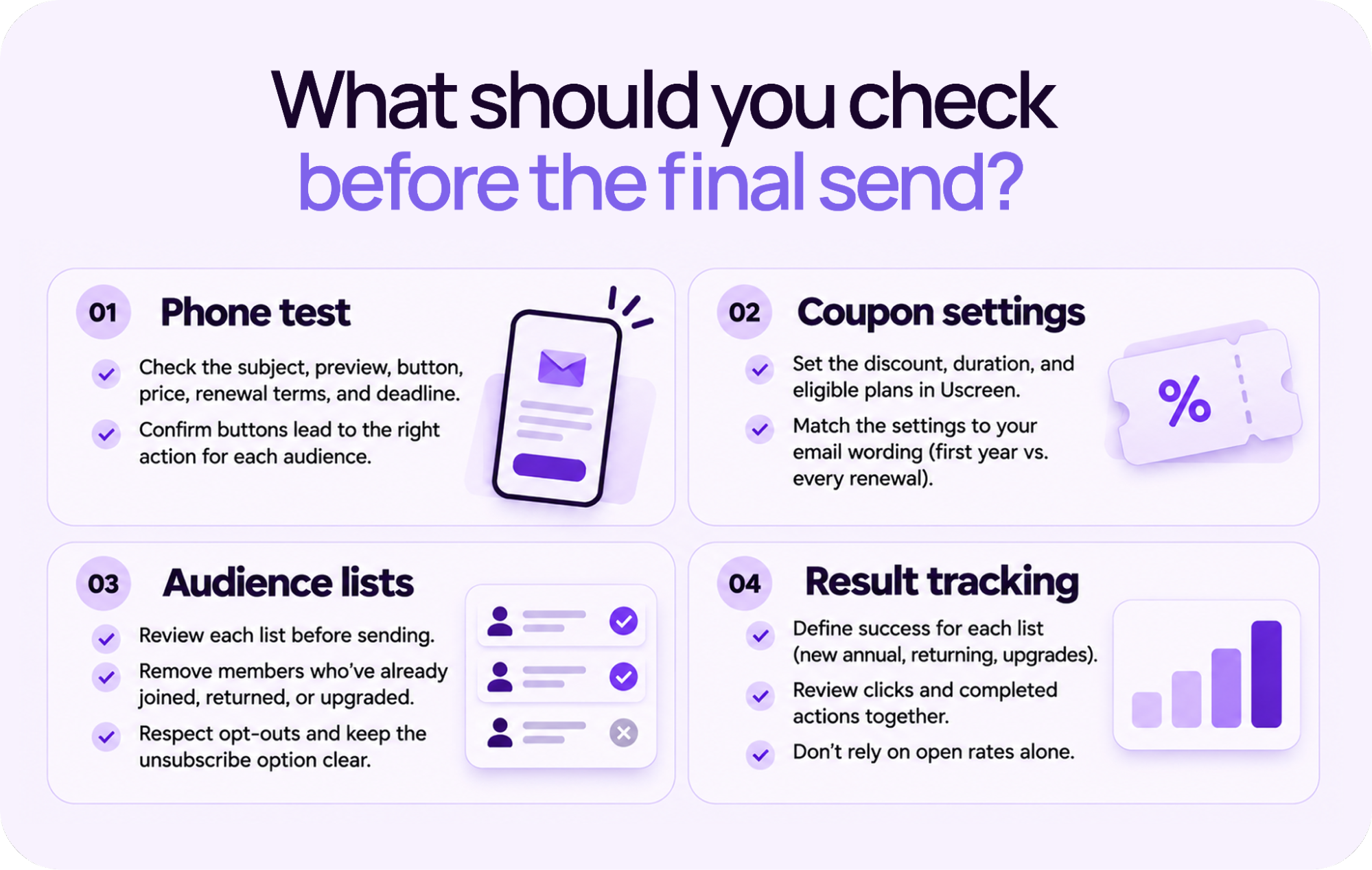
Here’s what each check covers:
- Phone test: Send yourself every version and open it on your phone. Check the subject, preview, button, price, renewal terms, and deadline. Confirm every button leads to the right action for that audience. What looks correct in a desktop editor often breaks on mobile.
- Coupon settings: Uscreen’s coupon controls (opens in new tab) let you restrict an offer to specific subscription plans and set how long the discount lasts. Coupons require an active Stripe connection. Match those settings to your email wording exactly. A discount on the first annual payment is different from a discount on every renewal.
- Audience lists: Check each list again before every send. Remove members who have already joined, returned, or switched to annual since your last broadcast. Otherwise, they’ll receive a sales email for access they already hold. Respect marketing opt-outs and make the unsubscribe option easy to find.
- Result tracking: Decide in advance what a successful send looks like for each list: new annual members, returning annual members, and monthly-to-annual upgrades. Review clicks and completed actions together. An opened email alone doesn’t tell you whether the offer worked.
After someone joins, send them toward the first video you promised. For a broader view of the season, read Uscreen’s guide to holiday promotions (opens in new tab) . Its guide to email marketing funnels (opens in new tab) explains how to match messages to each stage of a member’s journey.
Bring your Black Friday emails and video library together
Running your video subscription on another platform? Uscreen brings your video library and campaign emails together. During Uscreen’s Built For This promotion, you can get 20% off the platform fee (opens in new tab) by starting your trial or contacting the team for App Essentials or Custom by November 30. Monthly plans receive the discount for six months. Annual plans receive it for 12 months, billed upfront. Subscriber fees stay the same.
Start a 14-day free trial (opens in new tab) on Starter or Growth. If you’re considering App Essentials or Custom, book a demo (opens in new tab) to discuss the right setup and work with the Migration team (opens in new tab) on a move that fits your business.