
Uscreen and Mindbody can both help you run a fitness business, but they are built for very different jobs.
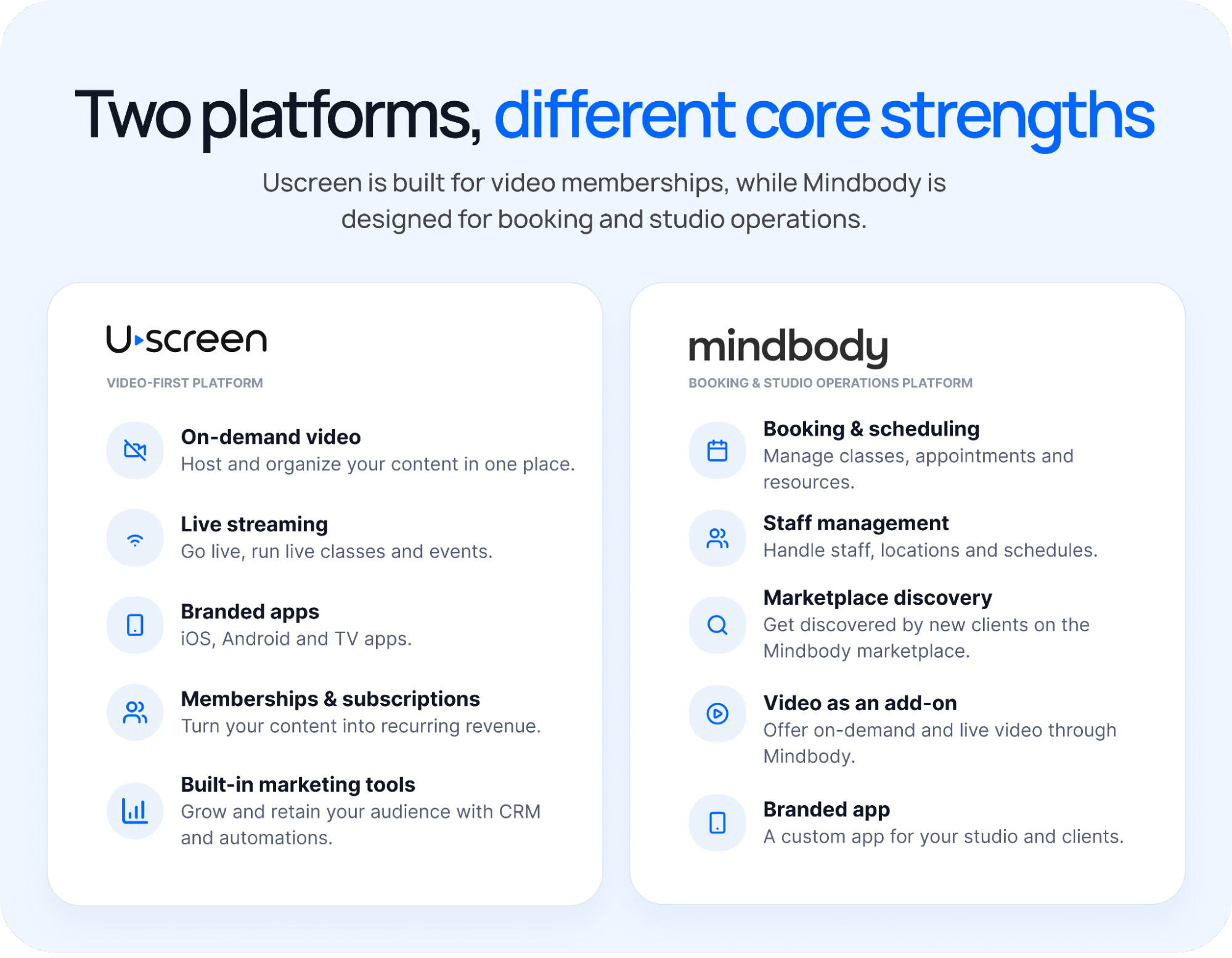
Uscreen is made for businesses that sell videos, live classes, and memberships online. Mindbody is built more for gyms and studios that need bookings, schedules, staff tools, and in-person payments.
Now, both platforms offer things like apps, payments, and video. But they handle those features differently, and you pay for them differently.
So, which one makes more sense for your business?
If your business is built around video (on-demand content, live classes, and recurring memberships), Uscreen fits. If in-person bookings and studio operations are the core service and video is a side offering, Mindbody fits that model instead.
We evaluated each platform using its pricing pages and public documentation. We also reviewed G2 and Capterra feedback and ran hands-on trials where available.
Uscreen vs Mindbody at a glance
| Uscreen | Mindbody | |
|---|---|---|
| Built for | Video-first membership businesses | In-person studio booking and management |
| Starting price | $49/month | $79/month per location (Mindbody’s entry tier; higher tiers require a sales conversation) |
| Video hosting and on-demand | Core product | Paid add-on (confirm current pricing with Mindbody) |
| Live streaming | Included on every plan | Paid add-on, capped at 250 participants per class (opens in new tab) |
| In-person booking and scheduling | Not offered | Core product |
| Branded app with in-app purchases | Yes, from the App Essentials plan | App is an add-on, and video purchases happen in the browser |
| TV apps | Custom plan only | Not offered |
What is Uscreen?
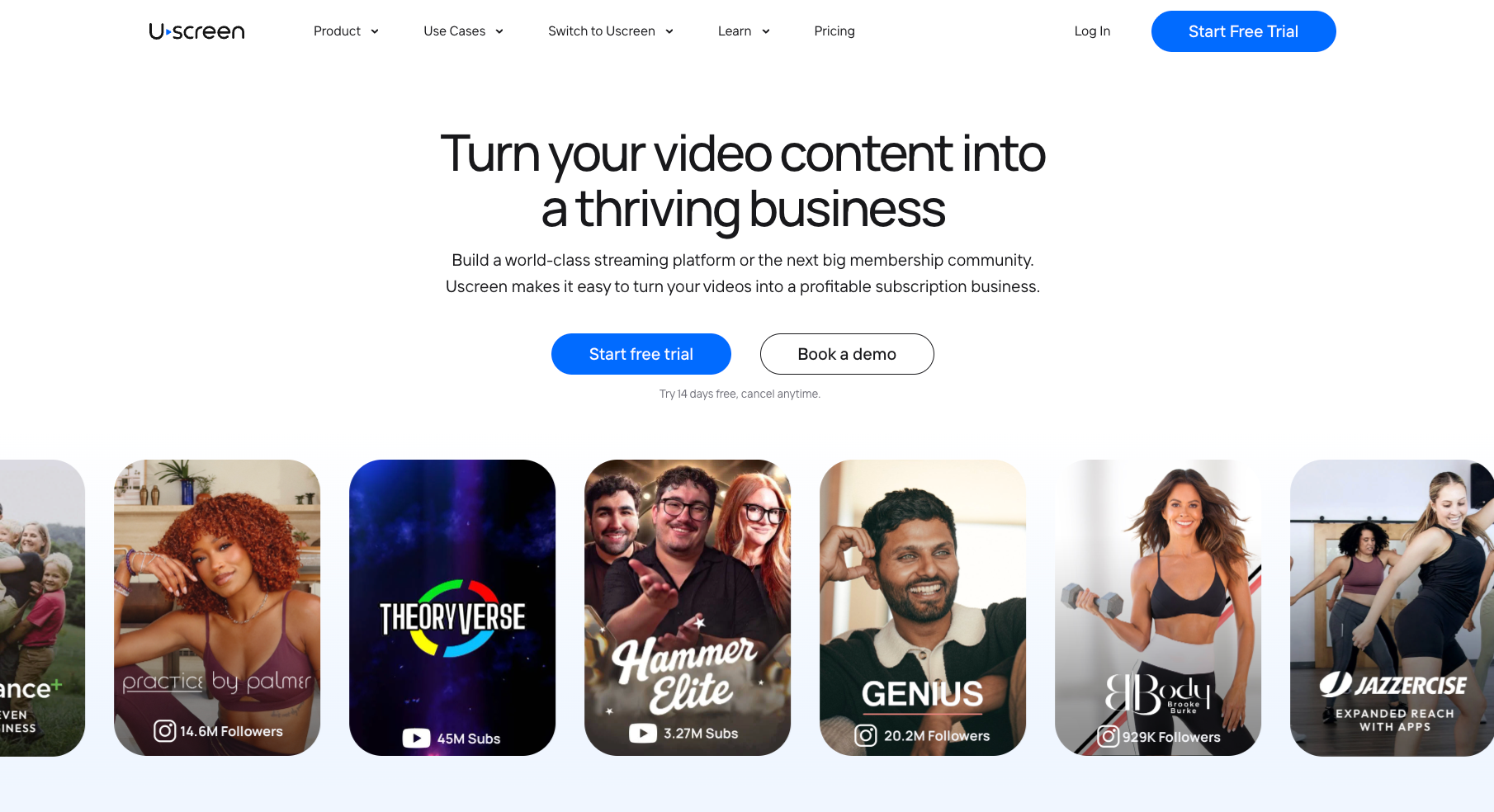
Uscreen is a video membership platform for businesses that sell content directly under their own name ( on-demand libraries, live classes, and recurring memberships), all in a branded experience they control.
With Uscreen, you don’t have to sell inside a shared marketplace app. A member pays once and can watch on-demand videos or join a live class whenever it fits their day, all without leaving your site or app.
Uscreen customers span thousands of video businesses in fitness, yoga, wellness, and many other industries. In fact, together, they’ve generated more than $210 million in customer earnings in the past 12 months.
What is Mindbody?
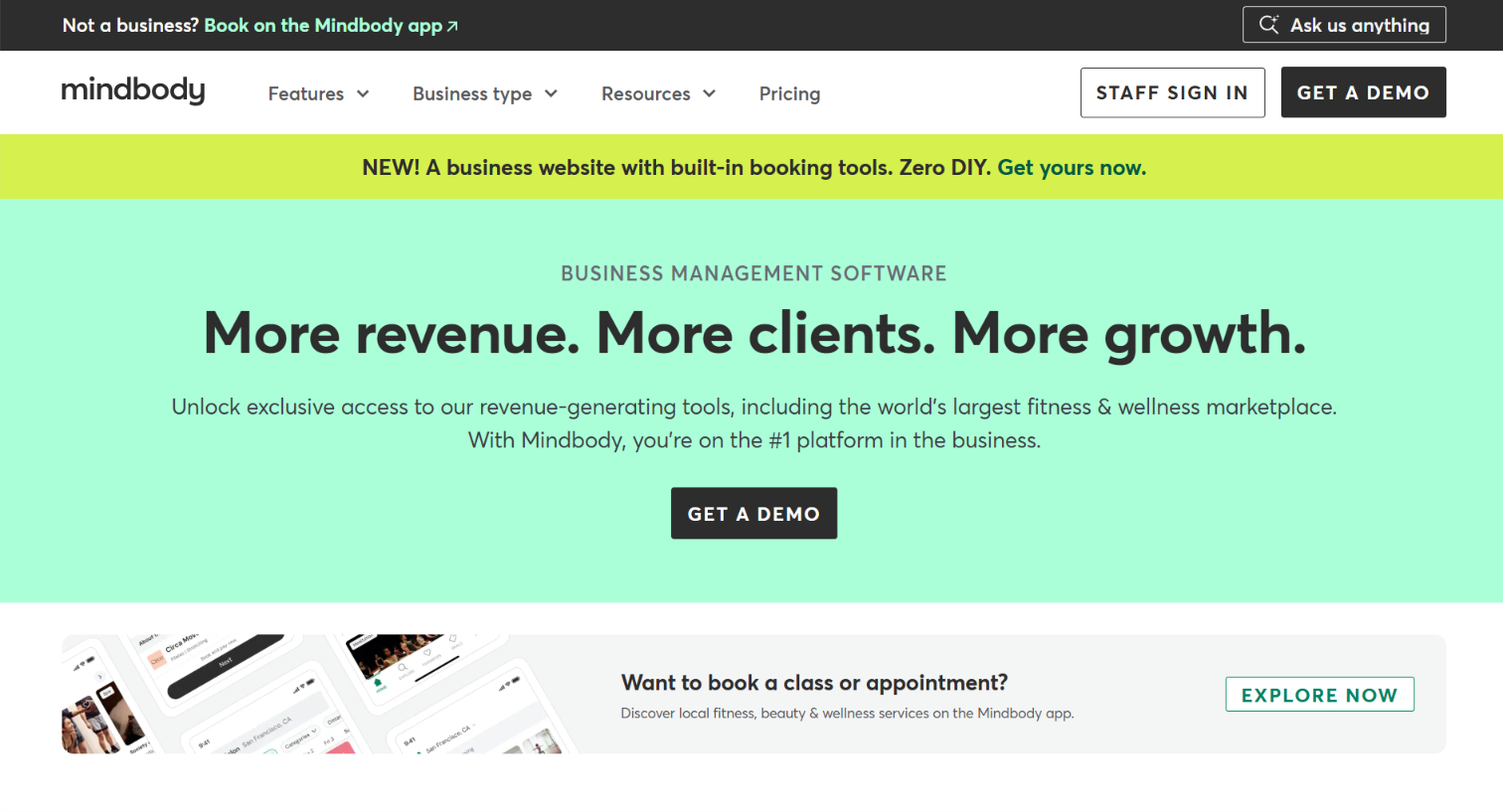
Mindbody is a business management platform built for in-person fitness and wellness studios. Its core product handles booking, scheduling, staff management, and payments. In other words, it covers the day-to-day operations of running a physical studio.
Mindbody also runs a consumer marketplace where users search for local classes and appointments. That gives studios a built-in discovery channel. Video features like live streaming and on-demand content are available as paid add-ons. They’re layered on top of the booking product rather than built in from the start.
Feature-by-feature comparison
| Feature | Uscreen | Mindbody |
|---|---|---|
| Booking and scheduling | Not part of Uscreen; built for video-first businesses | Core product, with calendar, class scheduling, and appointment management |
| Staff and team management | Outside Uscreen’s scope, since it isn’t a studio operations tool | Built in alongside booking, covering staff scheduling, payroll, and performance tracking |
| On-demand video catalog | Core product on every plan, Netflix-style catalog with categories and collections | Paid add-on |
| Live streaming | Included on every plan | Paid add-on, capped at 250 participants per class |
| TV apps | Available on the Custom plan (Apple TV, Roku, Fire TV, Android TV, Samsung TV) | Not offered |
| Community features | Available on the Custom plan (channels, DMs, challenges) | Not a built-in feature |
| Consumer marketplace and discovery | Not offered by Uscreen, built for businesses with an existing audience | Core product, with a large marketplace of users searching for classes and appointments |
| Calendar, Streaks & Badges | Available on the Custom plan | Not a built-in feature |
| Migration support | Handled by Uscreen’s dedicated Migration team on a tailored 30-60 day timeline, covering member accounts, payment methods, and video content | Structured onboarding and dedicated migration support for businesses switching to Mindbody, per Mindbody’s own site |
How do Uscreen and Mindbody handle marketing and retention?
Both Uscreen and Mindbody give you tools to bring in new members and keep existing ones from canceling. But they focus on different relationships. Mindbody’s tools (opens in new tab) convert marketplace traffic into bookings. Uscreen’s marketing tools (opens in new tab) keep members from churning out of a membership they’ve already joined.
Here’s how that plays out on each platform:
- Uscreen’s marketing tools: Uscreen includes built-in automations and a member CRM on every plan. They cover email workflows and abandoned cart recovery, plus win-back campaigns that respond to real member behavior. Those triggers include signing up, subscribing, or going quiet. These tools reduce churn in a recurring membership business, since member cancellation is a core risk.
- Mindbody’s marketing tools: Mindbody’s marketing tools center on lead capture from its own marketplace. They also include automated campaigns and communications tied to bookings. These are designed to convert a marketplace search into a first-time appointment, then keep that client rebooking. There isn’t a built-in tool specifically for retaining a recurring video member, since that isn’t the core transaction Mindbody is built around.
Branded apps: Uscreen vs Mindbody
Branded apps differ for Uscreen and Mindbody based on whether members can buy inside the app. On Uscreen, the branded app is the full storefront. Members browse, watch, and purchase without leaving the app. On Mindbody, the app handles scheduling, but video purchases redirect to a browser.
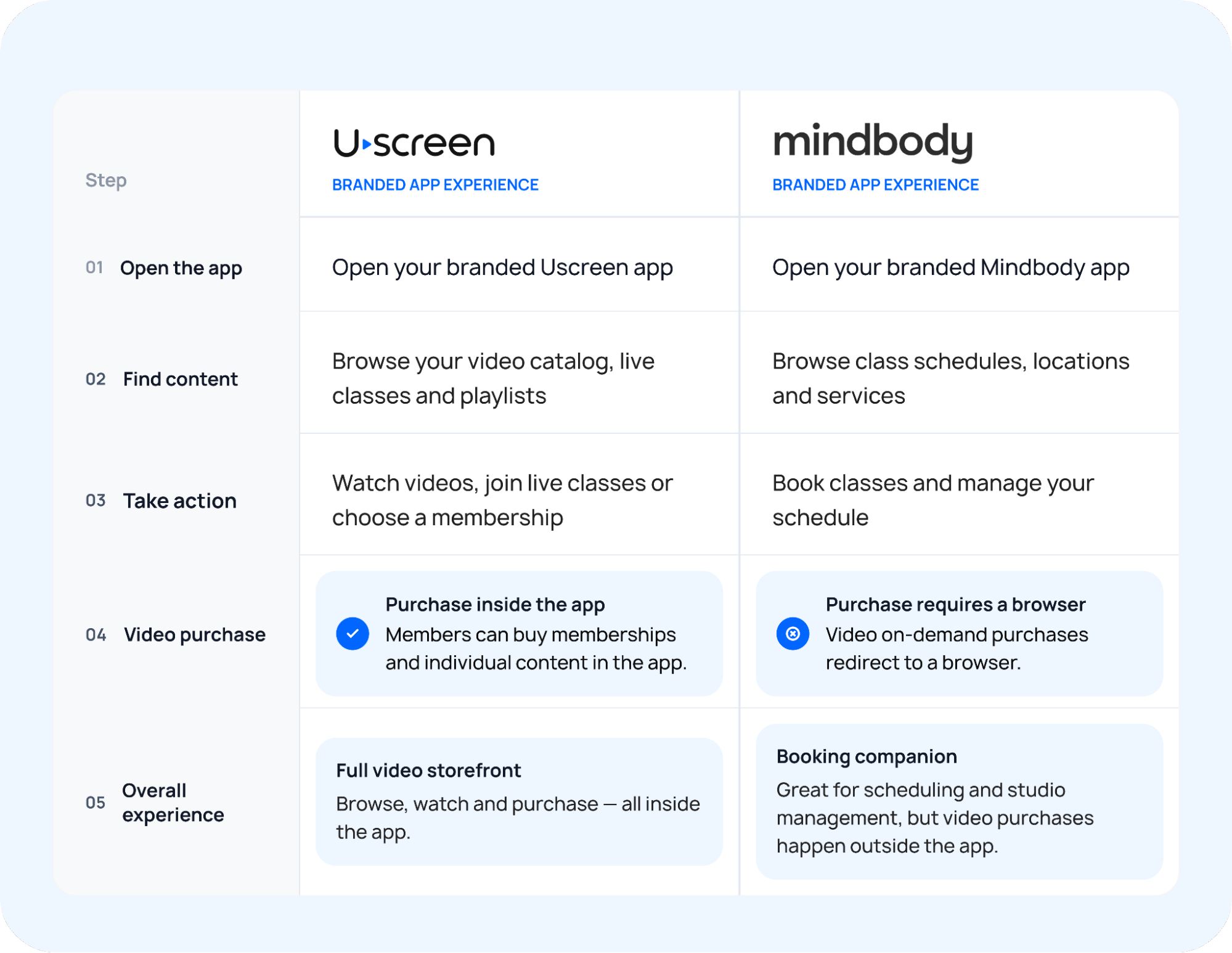
This is how each one handles it:
- Uscreen: Uscreen offers branded iOS and Android apps starting on the App Essentials plan. On Custom, it also offers five TV apps: Apple TV, Roku, Fire TV, Android TV, and Samsung TV. Members can browse your catalog, watch live streams, and purchase access to your content, all within the app. In-app purchases are part of the experience.
- Mindbody: Mindbody’s branded app is a separate add-on on top of its base package. Clients can use it to view their schedule and manage bookings, but they can’t purchase a video on-demand pricing option inside the app. That purchase happens in the browser instead, so the app functions more like a companion to the booking system than a full storefront.
Can you run a video membership on Mindbody?
Yes, you can run a video membership business on Mindbody, but the add-on structure caps how far it can grow. Mindbody wasn’t designed around video the way Uscreen was. Running a membership through it means working within the limits of a booking platform.
Live streaming and video on demand exist as paid add-ons on top of Mindbody’s base booking package. Live streams cap at 250 participants per class, and video on demand pricing scales up once views pass a set threshold.
How do Uscreen and Mindbody compare on price?
Uscreen publishes every tier and fee upfront. Mindbody publishes only its entry price, so everything beyond that comes from add-on pages rather than a full public rate card. What you’d pay on either platform depends on your member count and whether you sell one-time content. It also depends on how much of the video experience comes standard versus as an add-on.
Uscreen pricing
| Starter | Growth | App Essentials | Custom | |
|---|---|---|---|---|
| Monthly price | $49/mo | $199/mo | $499/mo | Custom |
| Annual price | No annual billing | $149/mo | $449/mo | Custom |
| Subscriber fee | $0 | $1.99/subscriber | $0.99/subscriber | $0.99/subscriber |
| One-time sale fee | 10% | 5% | 5% | 5% |
| Video storage | 20 hours | 100 hours | 100 hours | Custom |
| Live streaming | 1 free hour | 1 free hour | 1 free hour | Custom hours |
| Admin seats | 1 | 1 | 3 | Unlimited |
| Subscriber cap | 100 | Unlimited | Unlimited | Unlimited |
| Mobile apps (iOS & Android) | No | No | Yes | Yes |
| TV apps | No | No | No | Yes (5 apps) |
| Community (DMs, Challenges) | No | No | No | Yes |
| Calendar, Streaks & Badges | No | No | No | Yes |
| Migration support | No | No | Yes | Yes |
| Whitelabeling | No | No | No | Yes |
| Support | Email + chat | Email + chat | Email + chat | Email + chat |
Mindbody pricing
| Starter | Accelerate | Ultimate | |
|---|---|---|---|
| Price | Starting at $79/mo per location | Not publicly priced | Not publicly priced |
| Comprehensive management tools | Yes | Yes | Yes |
| Unlimited users | Yes | Yes | Yes |
| Access to 3M+ monthly shoppers (Mindbody marketplace) | Yes | Yes | Yes |
| Point of sale and online payments | Yes | Yes | Yes |
| Branded website widgets | Yes | Yes | Yes |
| Customized website | Yes | Yes | Yes |
| Resource management and Pick-a-Spot | No | Yes | Yes |
| Advanced reporting and analytics | No | Yes | Yes |
| Email and SMS marketing | No | No | Yes |
| Lead management dashboard | No | No | Yes |
| AI Concierge | No | Add-on | Yes |
| Branded app | No | Add-on | Add-on |
| Live streaming | Not listed | Not listed | Not listed |
| Video on demand | Not listed | Not listed | Not listed |
What the pricing difference comes down to
Uscreen bundles video into the base price and charges more as your member count grows. Mindbody keeps its base price centered on booking and scheduling, then charges separately for each video feature. A studio that only needs a little video might pay less by piecing together Mindbody’s add-ons.
For a business built around video, that stack can feel more expensive and fragmented. Uscreen puts the video experience into a single plan designed for that purpose.
Migration: Uscreen vs Mindbody
Both Uscreen and Mindbody include migration support, but they move different things. What transfers depends on which side of your business you’re moving.
Uscreen’s migration support
Uscreen’s dedicated Migration team handles the move at no additional cost. The process takes about 30 to 60 days, depending on whether you’re moving a website alone or a website plus branded apps. That includes moving member accounts, payment methods, and video content over from your existing platform. Most payment methods carry over automatically.
Mindbody’s migration support
Mindbody offers structured onboarding for businesses switching to the platform. It covers data mapping, staff training, and a phased go-live, typically completed in about 30 days for a single location. Its migration process focuses on bringing booking, scheduling, and client data into Mindbody’s system.
Uscreen vs Mindbody: Which one should you choose?
If video is the core product, Uscreen is built for that. If in-person operations come first, Mindbody is the stronger fit.
Three factors to weigh when making the call:
- What your members are paying for: If in-person attendance is the core service, Mindbody is set up for that. If members subscribe to watch on-demand content or live streams on their own time, Uscreen matches that behavior directly.
- Who owns the content: On Uscreen, the content is yours from the start. It’s the actual product you’re building. On Mindbody, video is tied to the studio account; check their terms directly to see how they handle ownership.
- Whether you need booking and scheduling: Uscreen doesn’t offer in-person booking or scheduling. A studio that needs both sides will either run two systems or decide which one comes first.
Ready to see Uscreen in action?
If your membership is built around video, Uscreen gives you the catalog experience, branded apps, and marketing tools to run it as a real business.
Here’s where to start:
- Start a free 14-day trial (opens in new tab) : No credit card required. The Starter plan is $49/month and lets you build your branded site and set up your video catalog. You can then test the platform before committing to a paid plan.
- Compare plans and pricing (opens in new tab) : The Starter plan is capped at 100 subscribers. The Growth plan removes the cap and adds marketing automations. The App Essentials plan includes branded iOS and Android apps, plus onboarding and migration support.
- Book a demo (opens in new tab) : If you’re thinking about migrating from Mindbody or another platform, or have questions about apps, book a demo. The team can also walk through your specific use case. The team can show you what Uscreen looks like before you decide.