Running a membership means your time is constantly divided between video hosting, community tools, marketing automation, and analytics. Most creators end up either paying for different tools that do the same job or missing something that quietly holds their growth back.
The right creator tech stack lets you spend less time managing tools and more time growing your membership. We’ve helped over 25,000 creators build leaner, more effective stacks, and this guide breaks down exactly what successful content creators include in theirs.
What is a tech stack?
Your creator tech stack is the tools you use to run your membership, from video hosting to the automations that onboard new members and win back inactive ones. When you’re building a membership, that means going beyond production and publishing. You need tools that handle:
- Recurring billing and payments
- Member access management
- Onboarding and retention automation
- Community building and engagement
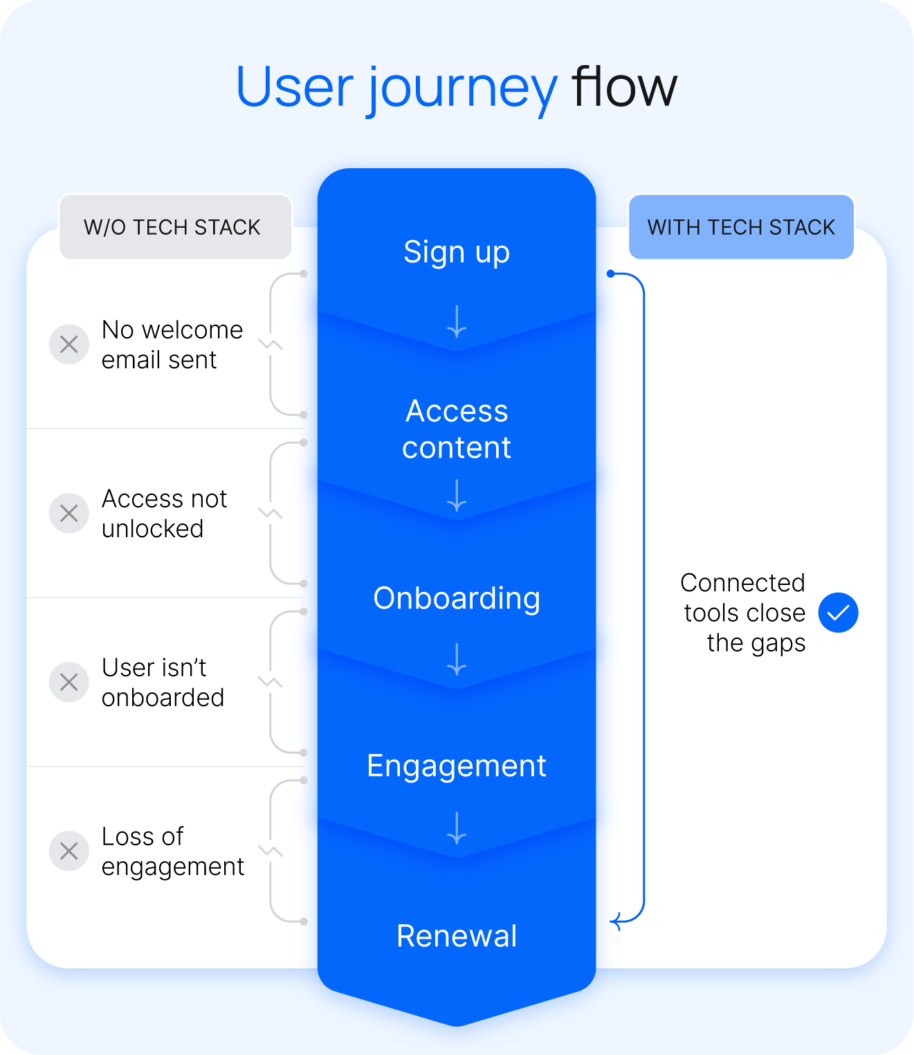
When those tools aren’t connected, small things break. A new member never gets a welcome email, or a disengaged one never gets a nudge to come back. Those moments quietly drive cancellations. The right stack closes those gaps automatically so you can focus on what actually grows your business.
The core components of a creator tech stack
Getting your stack right means having the right tools to take someone from discovering your content to becoming a long-term paying member. Every membership creator needs these five types to run a sustainable business:
- Content creation tools
- Hosting and monetization platform
- Email and communication tools
- Community building and engagement
- Analytics and business tracking
Use this as an opportunity to audit your current stack and check for any gaps.
Content creation tools
If you’re publishing across a membership, YouTube, and social channels, you’re probably managing more than one production workflow to do it. Reformatting content for each platform, exporting from one tool, and uploading to another adds up fast. The right tools consolidate this process:
- A video editor that handles long and short-form content. Final Cut Pro, DaVinci Resolve, and CapCut are popular options.
- A design tool that keeps your thumbnails, graphics, and branded assets consistent across every channel. Most creators use Canva or Adobe Express.
- AI writing and editing tools that speed up scripting, captioning, and repurposing so the same content works harder across formats. Descript and Opus Clip are worth exploring.
- An asset management system that keeps your library organized so you’re not hunting through folders every time you need a file.
The goal is a creation workflow that runs efficiently across every platform you publish to, without adding hours to your week.
Hosting and monetization platform
Your hosting and monetization platform is the core of your stack, where your content lives and revenue is generated. It’s also where most creator stacks fall apart.
Video lives on Vimeo, payments run through Stripe, and courses sit on a separate platform.That means:
- No single view of your customers or revenue
- Manual access management across every product
- Members falling through the cracks without you knowing
A unified membership platform like Uscreen brings your content, payments, community, and member management in one place. So you can spend less time chasing data and more time growing your membership.
Email and communication tools
Email is how you stay in direct contact with your most engaged members without relying on an algorithm to do it for you. New content, upcoming launches, and community updates all land directly in their inbox.
Without a membership CRM, managing that communication gets messy fast. It’s hard to know who’s engaged, who’s going quiet, and what to send to each group. That means:
- New members get an inconsistent onboarding experience
- Lapsed members get no outreach before they cancel
- Promotional messages go to everyone regardless of where they are in their membership
Automating your email tools fixes that. The right setup handles onboarding, win-back campaigns, and launch announcements in the background, driving retention and conversions without adding to your workload.
Community tools
Community is where member retention is won or lost. A great content library brings members in, but it’s the community that keeps them from leaving.
Free Discord or Facebook groups work in the early days, but as your membership grows, the cracks show. Access has to be managed manually, moderation takes up more time than it should, and the community feels separate from the content your members are actually paying for.
A built-in community tool fixes that by keeping everything inside your platform. Members get access automatically, conversations happen alongside your content, and you’re not splitting your time across multiple tools to keep it running. If community is part of your value proposition, it’s worth getting this right early.
Analytics and business tracking
Good analytics are what turn gut feel into strategy. The problem is that it’s hard to do when your data is spread across different tools.
Views in YouTube Studio, revenue in Stripe, member activity somewhere else entirely. Each tool gives you a piece of the picture, but not the full story. You can’t tell if a content change is moving the needle on retention, or spot a drop in engagement before it turns into cancellations.
Having your analytics built into your membership platform connects the dots between content performance, audience growth, and revenue in one place. You can see which content drives the most conversions, identify members who are going quiet before they cancel, and make smarter decisions about pricing and content based on what the data is actually telling you.
Tips for building your creator stack
Auditing your stack is a good starting point. Actually building or improving it is where most creators get stuck. Here’s what to get right before you make any changes.
Build your stack in stages, not all at once
The temptation when building a creator tech stack is to set everything up at once. The reality is that trying to do too much too soon either delays your launch while you’re stuck evaluating tools or leaves you paying for features you won’t need for months.
The sequence matters more than the tool count. A minimum viable stack for launch needs three things:
- One platform that handles your video, payments, and member management
- One email tool
- One creation tool
Everything else gets added when you hit a specific problem your current setup can’t solve. That’s the difference between a stack that grows with your membership and one that gets in the way of it.
Open platforms vs. all-in-one solutions
Building your own stack gives you flexibility and control, but an all-in-one platform saves you the time and cost of managing integrations. Here’s what each looks like in practice.
- Vimeo OTT for video
- Gmail for email
- Circle for community
- Stripe for payments
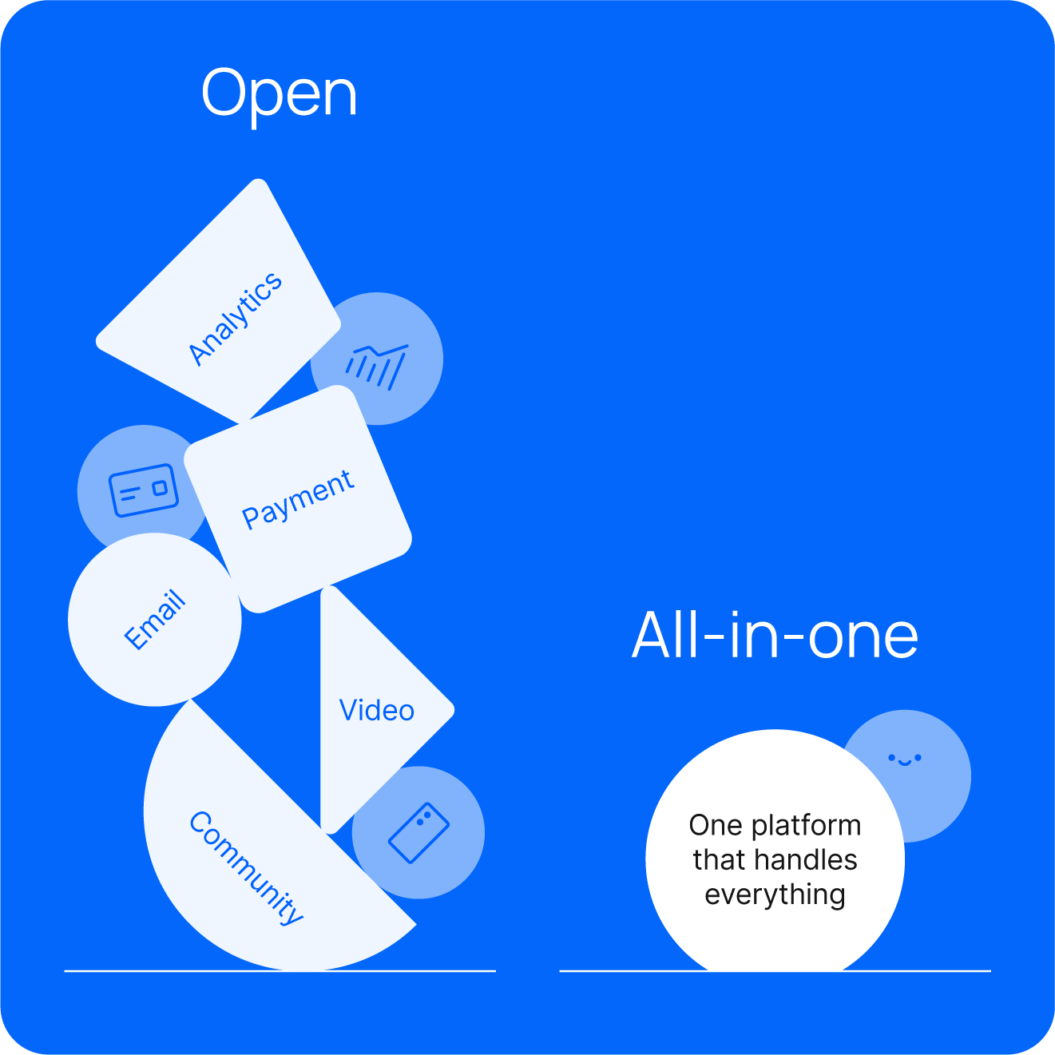
The tradeoff is that every tool you add is another integration to maintain and another point where things can break. When your platforms aren’t talking to each other, it’s harder to get a clear picture of your members, spot retention issues early, and act before members churn.
For most creators, consolidating your tools into an all-in-one platform is the more sustainable path. You’ll spend less time managing your stack and more time actually growing your membership.
Common stack mistakes to avoid
Most stack mistakes don’t show up until you’re trying to scale. Here’s what to watch out for before they slow you down. Here’s what to avoid.
- Choosing on price alone: Feature walls have a way of showing up right when your membership starts gaining traction. Migrating platforms mid-growth is far more disruptive than paying for the right one from the start.
- Relying on free community tools: Facebook and Discord work for building an audience, but the data stays disconnected from the rest of your stack. That makes it hard to turn community engagement into actionable retention decisions.
- Skipping email: Platform notifications only reach members who are already engaged. Email reaches everyone else, and is the most reliable way to communicate changes, launches, and updates on your own terms.
- Over-building before launch: Every tool you add before your first member joins is a tool you’re paying to maintain before you’ve validated anything. Keep it lean until you have a problem to solve.
- Ignoring mobile: Most members will access your content on their phones. If the experience isn’t built for it, you’ll lose them before they ever get to your content.
How real creators built their stacks
The right stack looks different for every creator. Here’s how two built theirs on Uscreen and what changed when they did.
Pilates by Leah
Leah Maselli was running her Pilates membership on Playbook when she hit a ceiling. No pricing control, limited analytics, and a platform that wasn’t built for the content she was creating.
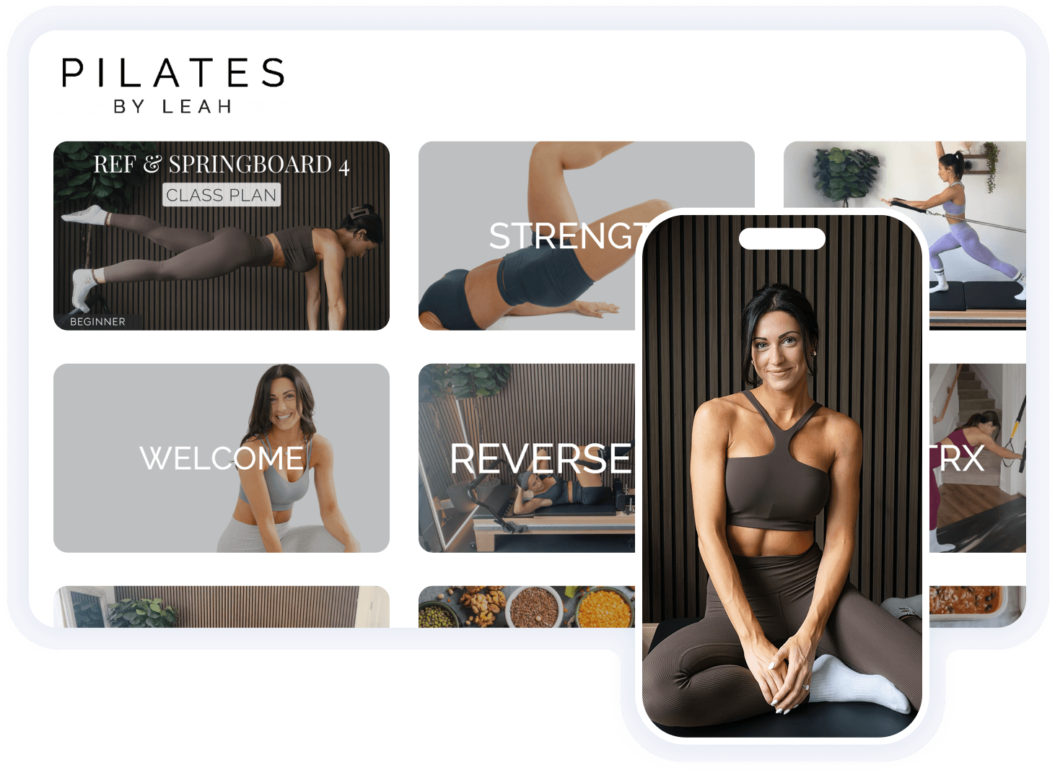
After switching to Uscreen, Leah finally had the tools and visibility to run her membership the way she wanted:
- Retention automations, including subscription upsells, abandoned cart emails, and win-back campaigns
- A daily analytics practice tracking churn, trial conversions, and watch time by content type
- Branded mobile apps for both iOS and Android, with 52.5% of members now accessing content via app

The biggest impact is the growth. The speed at which everything has taken off. But more than that, it’s ownership. I feel like I have full control now. I’m not capped, I’m not boxed in, and I’m supported.
Since migrating, Pilates by Leah has grown to 1,200+ members and $28,000+ MRR, with 90% revenue growth as a solo creator.
Eternal Family
Eternal Family is a streaming platform for curated, hard-to-find video art — vintage animation, obscure documentaries, and experimental film. When their original setup became too complex to manage, they stepped back, rebuilt their identity, and relaunched on Uscreen with a sharper focus.
After relaunching, they put Uscreen’s tools to work in ways that fit their model:
- OTT apps across iOS, Android, Roku, and FireTV to give their cinematic content the screens it deserved
- Built-in geo-blocking to manage licensing rights across regions without manual oversight
- Analytics to track viewership by platform and use that data to inform licensing payouts and content decisions
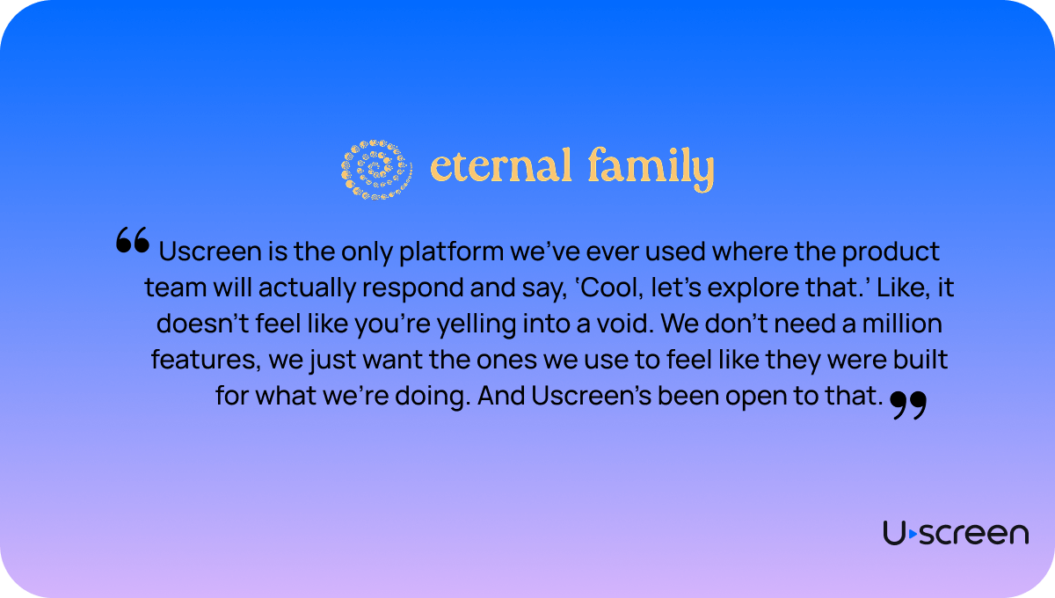
Since rebuilding on Uscreen, Eternal Family has grown 350%, with a 25% engagement rate, more than double the benchmark for top-performing platforms.
Consolidate your creator stack with Uscreen
Most creators outgrow their initial tools, which is why finding the right growth partner matters. Uscreen is a membership platform that brings your video, payments, community, email automation, and analytics into one place, so you spend less time managing your stack and more time growing your membership.
If your current creator tech stack is creating more friction than it’s solving, Uscreen’s migration team handles the switch so you don’t have to rebuild from scratch.

Creator tech stack FAQ
At minimum, you need a hosting and monetization platform, an email tool, and a way to create and publish content. A clear content repurposing strategy also helps you get more mileage out of what you already have. Start lean and add tools as your membership grows and specific needs emerge.
Not necessarily. A community tool built into your membership platform is usually the better option since it keeps access management automatic and the experience cohesive.
A standalone Discord or Facebook Group works early on but creates more admin work as you scale.
It depends on how many tools you’re running and at what tier. An open stack with separate tools for video, email, payments, and community can run anywhere from $200 to $500 or more per month.
An all-in-one platform like Uscreen consolidates those costs into a single plan.
Kajabi is built around courses and marketing funnels, while Uscreen is built specifically for memberships with native live streaming, branded OTT apps, and a content library experience closer to Netflix than a course platform. If video is your primary format, Uscreen is the stronger fit.
Yes. Many successful membership creators started with a small but engaged audience. What matters more than size is how well you know your audience and how clearly you can articulate the value of joining.
A solid video distribution strategy helps you reach the right people without needing a massive following first.
Only add a new tool when you have a specific problem your current setup can’t solve. The more tools you manage, the more time you spend on admin rather than on content. Consolidating onto a single platform is the most effective way to keep your stack manageable as you grow.