When you’re juggling multiple dashboards to manage your content, memberships, and community, it can feel like you spend more time keeping systems in sync than actually creating.
Consolidating creator tools into a single platform simplifies your workflow, giving you back time to focus on creating great content, engaging your audience, and improving your video distribution strategy to reach new viewers.
In this post, we’ll walk you through consolidating your tools, addressing common challenges, and sharing tips to optimize your setup. Using the right platform simplifies your workflow without sacrificing the features you rely on.
How to consolidate creator tools
When you’re ready to consolidate your tools, taking a clear, step-by-step approach helps you maintain momentum and ensure your audience has a smooth transition.
Audit your current tools
The first step is to review all your platforms and make a list of what each one does and the features it offers. Decide which functions are essential and which are just nice to have.
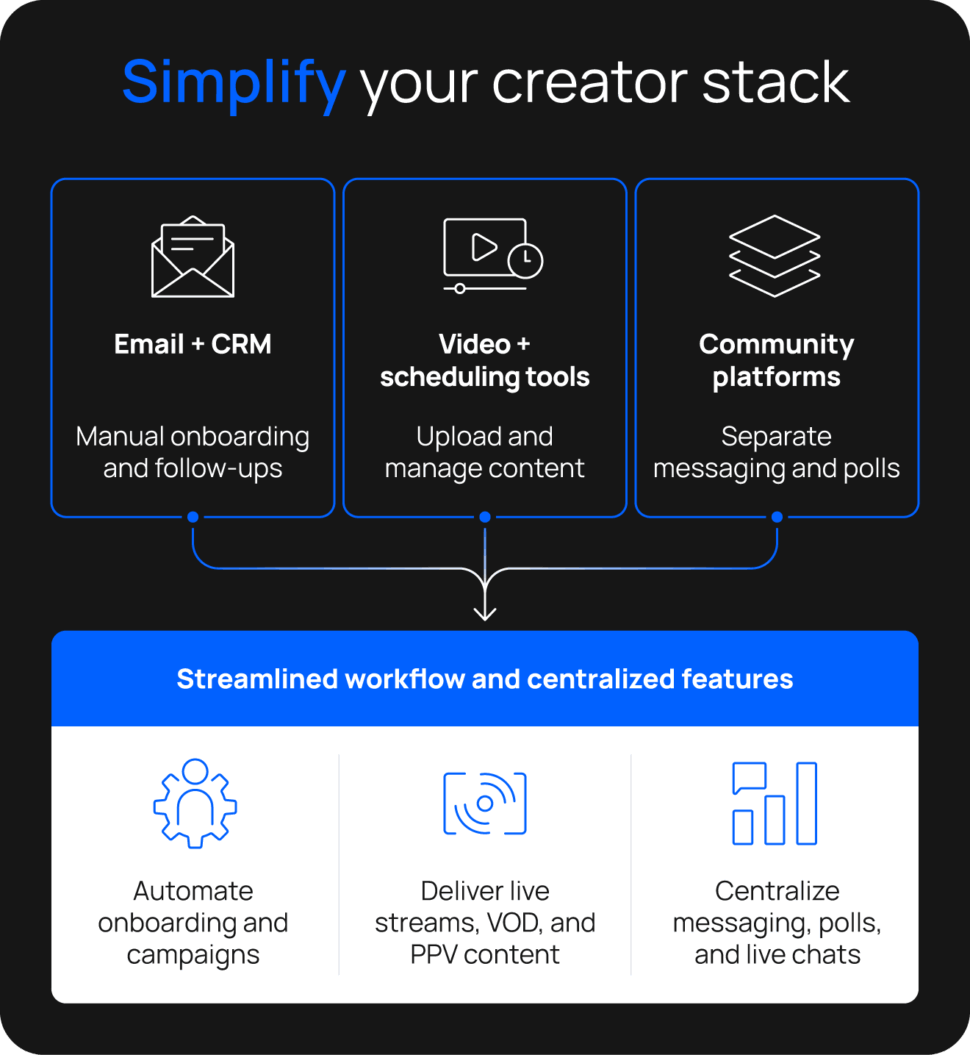
Your current creator stack may look something like this:
- Video hosting: Vimeo
- Membership management: Patreon
- Email/newsletters: Mailchimp
- Community: Discord
- Analytics: Google Analytics
- Payments & checkout: Stripe
Seeing your tools laid out makes it clear how much overlap and fragmentation exist. Once you know your core features, it’s easier to find one platform that does it all. A single solution saves money and reduces admin headaches by eliminating the need to juggle multiple tools.
Map essential functionality
So you know your core features. Now see how one platform can streamline your workflow by cutting out repetitive tasks and unnecessary steps.
Uscreen’s automations make it easy to keep things running smoothly. For example, email automations let you:
- Automatically onboard new members when they subscribe.
- Send follow-ups based on member behavior, like watching content or inactivity.
- Run segmented campaigns so the right message reaches the right audience at the right time.
- Engage and retain members without extra manual effort.
Bringing these features together into a single platform saves time, creates a consistent experience for your members, and makes scaling your membership business easier.
Choose the right all-in-one platform
After you narrow down the features you need, it’s a great time to start comparing your options. Look for platforms that offer those capabilities and evaluate them based on price, user experience, customer reviews, and whether they can grow with you as your audience and business expand.
Trying a platform’s free trial or booking a demo can be incredibly helpful. You’ll get a feel for the workflow and how easy it is to use, and whether it delivers on the features that matter most to you before you make a decision.
Start free trialPlan & Action Your Migration
Once your new platform is selected, it’s time to map out a clear strategy for bringing all your tools into one place. For most creators, this usually looks like:
- Content migration: Begin by moving your courses, videos, and other key resources so members can access the content they rely on as soon as the platform goes live.
- Email and automations: Once your content is in place, set up email sequences, welcome messages, and notifications to guide members through the new platform and keep them engaged.
- Community features: Finally, bring over discussion boards, livestream chats, or other engagement tools to help members connect and interact.
Uscreen’s migration specialists guide you through this process, helping you organize a migration plan and ensuring a smooth transition of your platform, including content and payment processes.
| Phase | Weeks | Activities |
| Pilot | 1–2 | Move top-priority content and your most engaged members; gather feedback. |
| Transition | 3–5 | Transition to the next batch, applying lessons from the pilot. |
| Completion | 6–8 | Complete the migration and finalize workflows. |

Migration is scary—we know this is your livelihood and your business, and it’s very important to you. We try to make it as stress-free as possible by handling the technical side, so you don’t have to rebuild everything yourself.
As you plan your migration, keep a few practical things in mind:
- Give members an early heads-up about upcoming changes so they feel prepared and comfortable with the new platform.
- Back up your content in a secondary location to prevent any accidental loss during the transition.
- Make the most of new features like video discoverability, community tools, and other engagement options to create a smoother, more enjoyable experience for your members.
Test and optimize workflows post-consolidation
Once you consolidate your tools, check to see how your workflows and audience interactions are performing. The goal is to catch any issues before the full rollout.
Before bringing users over, make sure your site is customer-ready—you want their first experience to be smooth. Take advantage of our specialist team’s expertise to refine workflows and address any issues before the full rollout.
These could be things like:
- Audience churn or drop-off, indicating friction with the new platform or membership experience.
- Low watch time or early exits pointing to content delivery or player issues.
- Team inefficiencies revealing bottlenecks in your workflows or processes.
- Inconsistent content delivery confusing your audience across channels.
- Slower subscription or membership growth signaling revenue issues.
If you notice any of these, work with your platform’s support team to create smooth workflows and fix issues for a seamless experience.
Common challenges and how to overcome them
Tool consolidation can create a few common challenges, but you can address most with planning and a phased approach. Understanding these challenges helps you stay ahead of them during your transition.
| Challenge | How to handle it |
| Losing functionality | Get clear on what feels missing and work with the platform’s team to find a solution or alternative that fits your workflow. |
| Learning curve | Give your team time to learn the platform and use tutorials or support when needed. |
| Temporary disruption | Move things over in stages or test with a small group first. |
| Data gaps | Start tracking key metrics immediately and pull in historical data if possible to benchmark performance. |
Taking a staged approach lets you catch issues early, and working with the platform’s sales and product team ensures a smoother transition before the full rollout.
Benefits of consolidating creator tools
Consolidating your tools into a single platform simplifies operations and makes it easier to grow your business. It helps you work more efficiently, understand your audience, and deliver a better experience.
Key ways consolidation helps include:
- Streamline your workflows by managing content, memberships, and engagement in one place.
- Track stronger insights into growth with cohesive analytics
- Create a consistent member experience with unified branding across the platform.
- Lower your costs and complexity by retiring redundant tools.
How to know if you’re ready to switch
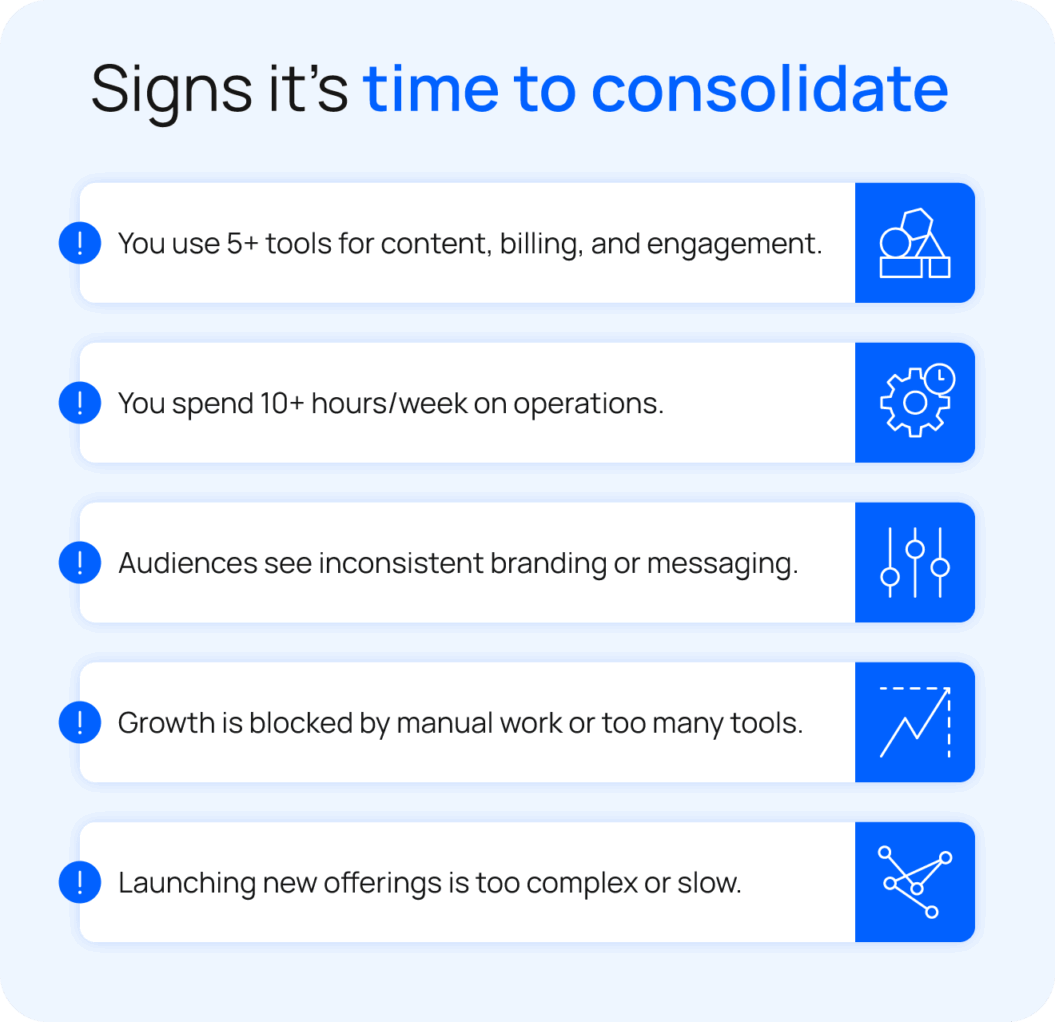
Creators usually consider switching platforms when their current setup slows them down or limits what they can offer. If any of these situations sound familiar, it may be time to move to an all-in-one platform:
- You run a membership or recurring offering but rely on multiple tools to manage content delivery, billing, and member engagement.
- You spend more time managing platforms than creating content or engaging with your audience.
- Your audience experiences inconsistent access or a disjointed user experience across tools.
- You generate consistent revenue but feel constrained by operational complexity in what you can offer.
- You want to launch new offerings without adding more tools.
Natural Pilates
When Laura Wilson temporarily closed her Los Angeles studios, she turned to streaming to stay connected with her members. Their early platforms, like Vimeo and Intelivideo, were expensive, offered limited features, and created a fragmented management experience.
Moving 500+ videos and memberships to Uscreen’s centralized platform improved Natural Pilates’ workflow, allowing them to focus on creating content, engaging members, and growing their community.
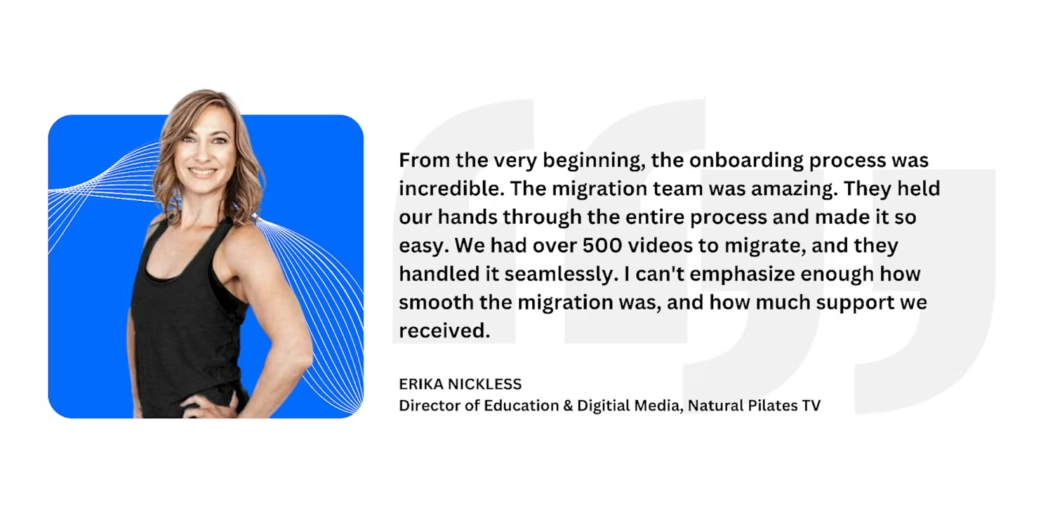
Since the migration, Natural Pilates has grown to 350+ active members, generating over $5,900 in monthly recurring revenue. Members can connect however and wherever it works best, including via mobile apps, while enjoying a deeper level of engagement with Laura and her team.
Abundance+
Justin Rhodes started Abundance+ to bring homesteading content to a dedicated membership community. Early tools like WordPress with multiple plugins made managing content, payments, and community cumbersome and prone to issues.
Migrating to Uscreen centralized the workflow, making it easier to manage everything in one place. Justin could focus on creating content and engaging his audience instead of juggling tools.

“We’re riding the wave of the future, and that future of entertainment and education is this individualized content. What Uscreen has done for the average creator has empowered them to not just have their own channel on YouTube — that’s empowering enough — but now they can have their own platform, their own YouTube, their own Facebook, their own community. They have a better sense of ownership and community. So, find the passion and pursue it consistently and patiently. Even though it’s your passion, there are some days when it sucks, and you just have to keep going. Have the Nike mentality — just do it. Stop thinking so much.
Since switching, Abundance+ has grown to 7,700 active members and generates over $1 million in annual revenue. Members enjoy seamless streaming across devices and a tight-knit community that connects over shared homesteading interests.
Tips to optimize your consolidation
No two consolidation processes are the same, but planning makes the process smoother. These best practices help you plan and execute an effective platform consolidation.
Prioritize must-have features
Identify the features that are critical to your workflow, such as multiple membership tiers, automatic content scheduling, pay-per-use, or marketing automations. Keep these front and center when comparing platforms to ensure the new system supports your goals.
Document current and prospective workflow
Record how your team currently manages content, memberships, and engagement, and plan how these processes will work on the new platform. Documentation prevents gaps during the transition and makes it easy to realign if something isn’t working.
Test your new workflow before fully transitioning
Start with a soft launch for a subset of members or content. Testing uncovers what works and what needs adjustment so your full transition is smoother.
Use data to improve your workflow
Monitor metrics like engagement, retention, and revenue throughout the transition. Let the data guide adjustments to optimize your workflows and maximize the impact of your consolidation.
Consolidate your workflow with Uscreen
Consolidating your creator tools simplifies your workflow and opens up new growth opportunities. Switching to a dedicated membership site platform like Uscreen makes this easier by centralizing your content, memberships, and audience engagement while reducing administrative time through built-in automations.
Uscreen’s migration specialists guide you every step of the way, helping move your content and members efficiently while keeping everything organized and seamless.

FAQs
What is tool consolidation?
Tool or software consolidation brings all your content, memberships, analytics, and audience engagement into one place, so you spend less time managing tools and more time creating.
How long does consolidation usually take?
Most creators complete consolidation in 4–8 weeks, depending on how many tools you’re using and how complex your workflows are. Taking it step by step keeps your audience experience smooth and your content organized.
How can I ensure the audience experience isn’t disrupted during migration?
Give your audience plenty of notice before changes and send multiple reminders leading up to the transition. Move content gradually, test your new system for bugs, and provide clear updates for your members.
A phased approach and support from your platform, like Uscreen, make the process smoother and help your audience enjoy a consistent, seamless experience.